![SAP HANA]() SAP HANA Integration Guide
Query SAP HANA, run DML, DDL and procedure calls, and bulk-load pipeline rows into HANA column tables, creating the table or new columns when needed.
- Default port
- 30015 (tenant) · 443 (HANA Cloud)
- Authentication
- Database user and password
- Operations
- Query · Execute · Write
- Versions
- SAP HANA 2.0 · SAP HANA Cloud
Connect MaestroHub pipelines to SAP HANA, the in-memory database under S/4HANA and BW/4HANA, on premise or as SAP HANA Cloud. The connector speaks HANA's own SQL protocol through SAP's open-source Go driver, so no SAP client software has to be installed anywhere.
Overview
The SAP HANA connector gives pipelines:
- Reads with any SELECT, including views and CDS views, streamed up to the result limits
- Statements of every kind: INSERT, UPDATE, DELETE, UPSERT, MERGE, CREATE, ALTER, DROP and procedure CALLs
- Bulk loading of pipeline rows into a table, one round trip per batch, creating a column table or new columns when you allow it
- TLS with a custom CA, so HANA Cloud and self-signed on-premise systems both connect with verification on
Verified against SAP HANA 2.0 (HANA express edition 2.00.088). SAP HANA Cloud uses the same SQL protocol over TLS on port 443.
Write is meant for tables you own. Writing into S/4HANA's application tables bypasses the application's checks and is not supported by SAP. To read S/4HANA business data, prefer released CDS views (I_*) over the raw tables, and always put a LIMIT in the query.
Many SAP HANA systems under S/4HANA or BW/4HANA are licensed as a runtime database. SAP's Software Use Rights document (section 8.1, "Runtime databases"; the edition we read is the 2021 one, published at assets.cdn.sap.com) says a customer "may only Use the runtime database … in conjunction with its Use of the Packages licensed" with it, and that any other use needs a full use licence. Check your own order form and the current edition of that document, or ask your SAP account team, before connecting MaestroHub to a runtime-licensed HANA. Where direct database access is not covered, SAP's OData APIs (through the REST connector) and IDocs (through the SAP IDoc connector) reach the same business data through the application.
Connection Configuration
Creating an SAP HANA Connection
Open Connections → New Connection → SAP HANA and provide the following details.
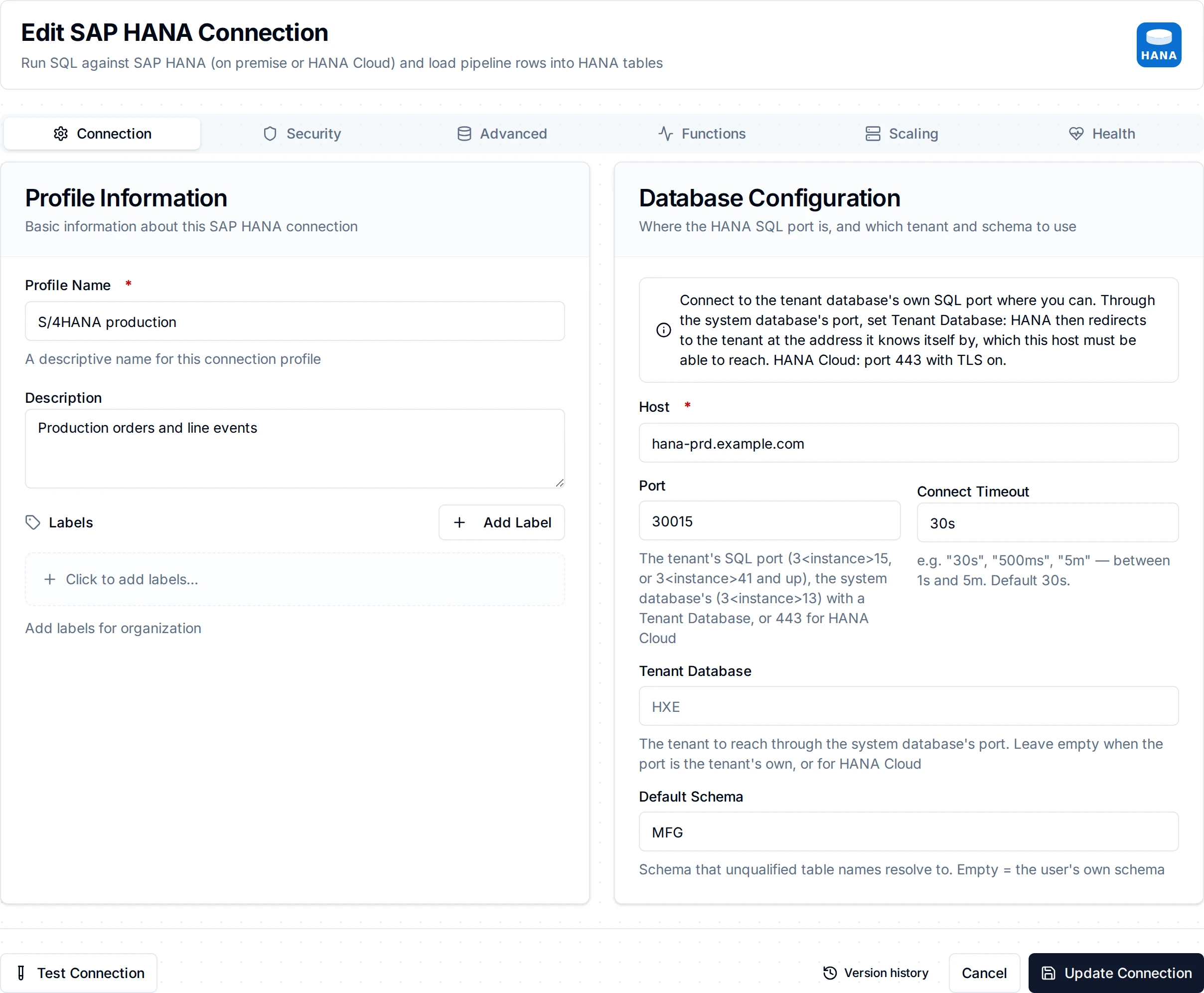
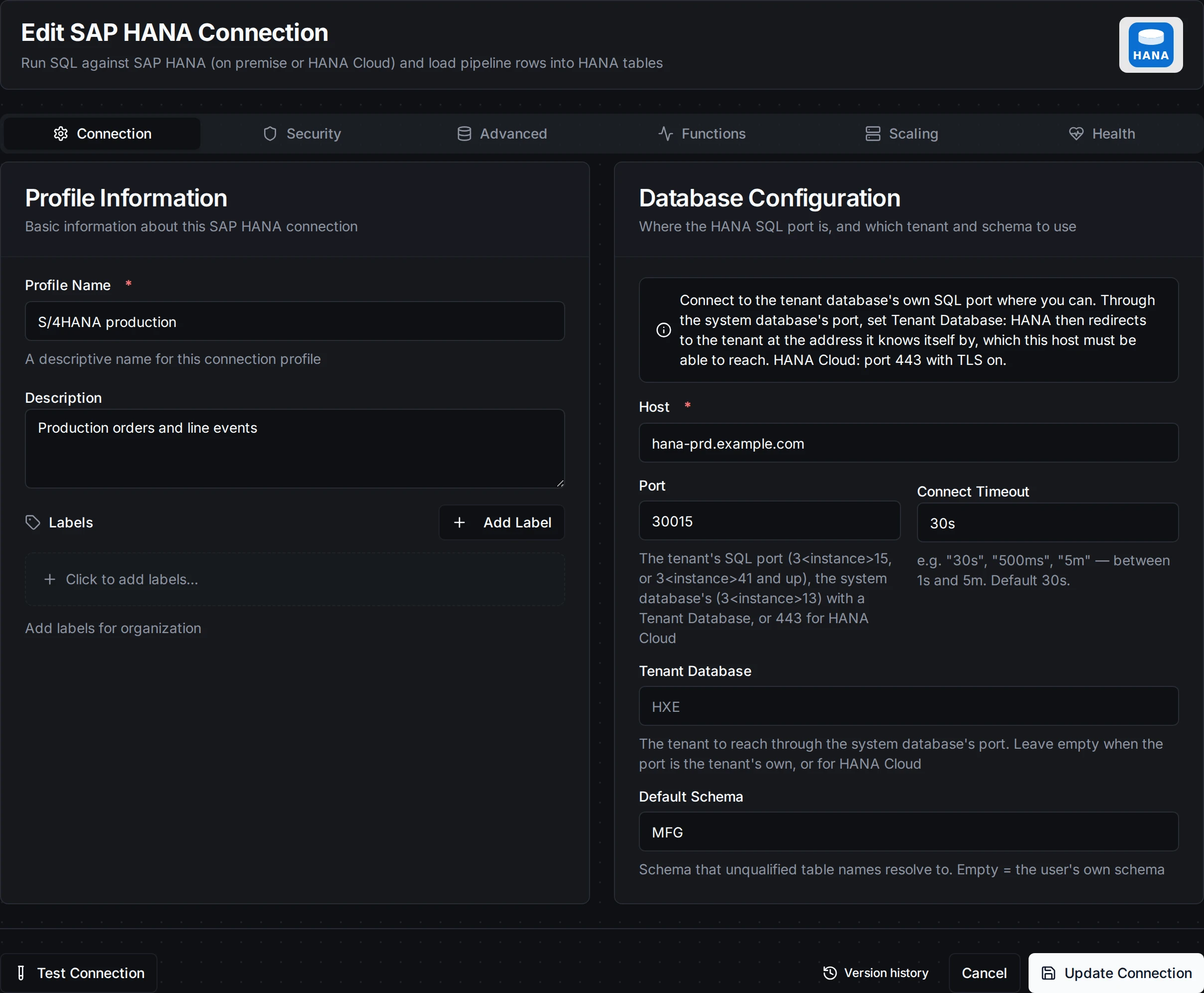
The SAP HANA connection form
SAP HANA Connection Creation Fields
1. Profile Information
| Field | Default | Description |
|---|---|---|
| Profile Name | - | A descriptive name for this connection profile (required, max 100 characters) |
| Description | - | Optional description for this SAP HANA connection |
2. Database Configuration
| Field | Default | Description |
|---|---|---|
| Host | - | HANA host name or IP address (required). For HANA Cloud, the instance's SQL endpoint host (<id>.hana.<region>.hanacloud.ondemand.com) |
| Port | 30015 | The SQL port (1-65535). See Which port below |
| Tenant Database | - | The tenant to connect to through the system database's port. Leave empty when the port is the tenant's own, and for HANA Cloud |
| Default Schema | - | The schema unqualified table names resolve to, for queries and for Write. Empty = the user's own schema |
| Connection Timeout | 30s | Time allowed to open a connection, TLS handshake and sign-in included (1s-5m) |
Which port
A HANA system with instance number <nn> has one SQL port per database:
| Database | SQL port | Example (instance 00) |
|---|---|---|
| The system database | 3<nn>13 | 30013 |
| The first tenant of a single-container system, or a tenant created with that port | 3<nn>15 | 30015 |
| Tenants created on a multitenant system | 3<nn>41, 3<nn>44, … | 30041 |
| SAP HANA Cloud | 443 | 443 |
Connect to the tenant's own port when you can. Through the system database's port, set Tenant Database: HANA then answers with the tenant's address as the server knows it (its own host name and port), and MaestroHub connects there. That address must be reachable from MaestroHub. Behind NAT or in a container network it often is not, and the connection times out dialling an internal address; connect to the tenant's port directly instead.
- Table and column names in HANA are upper case unless they were created quoted.
SELECT * FROM line_eventsreadsLINE_EVENTS. - Query results keep HANA's column names, so
SELECT machine FROM ...returns the keyMACHINE; useAS "machine"for another spelling.
3. Authentication
| Field | Default | Description |
|---|---|---|
| Username | - | HANA database user (required) |
| Password | - | The user's password, stored encrypted |
Create a database user for MaestroHub rather than reusing a person's or SYSTEM:
SELECTon the schemas or views it reads- for Write,
INSERTon the target tables, andCREATE ANYon one schema you own if Write may create tables or add columns EXECUTEon procedures it calls- create it with
NO FORCE_FIRST_PASSWORD_CHANGE: a user that must change its password on first sign-in is refused (HANA error 414)
4. TLS
| Field | Default | Description |
|---|---|---|
| Enable TLS | false | Encrypt the connection. Required for HANA Cloud |
| CA Certificate | - | PEM CA certificate that signed the server's certificate. Empty = the host's system roots, which already trust HANA Cloud's certificates |
| Server Name | - | The name expected in the server's certificate. Empty = the host |
| Skip Certificate Verification | false | Accept any server certificate. For testing only: it removes the protection TLS exists for |
Turn on Enable TLS, set Port to 443 and leave CA Certificate and Server Name empty: the endpoint's certificate is signed by a public CA and carries the host name.
A self-signed HANA certificate that names its host only in the CommonName, with no subject alternative name, cannot be verified by any name: the connection is refused as a certificate error. Have the HANA administrator issue a certificate with the host name as a subject alternative name and put its CA in CA Certificate, rather than turning verification off.
5. Connection Pool Settings
| Field | Default | Description |
|---|---|---|
| Max Open Connections | 100 | Maximum number of simultaneous database connections (1-1000) |
| Max Idle Connections | 25 | Idle connections kept ready for reuse (0-100) |
| Connection Max Lifetime | 15m | Maximum age of a connection before it is recycled (0s-24h, 0s = keep indefinitely) |
| Connection Max Idle Time | 5m | How long an idle connection may remain unused before being closed (0s-24h) |
6. Retry Configuration
| Field | Default | Description |
|---|---|---|
| Retries | 3 | Retries after the first connection attempt fails (0-10). Each retry waits the Retry Delay first; the delay grows by the Backoff Multiplier after every retry |
| Retry Delay | 200ms | Initial delay before the first retry (0s-1m) |
| Retry Backoff Multiplier | 2 | Factor the delay grows by after each retry (1-10) |
A wrong password, a locked or deactivated user (HANA error 10) and a certificate rejection are not retried: they fail the connection at once.
7. Connection Labels
| Field | Default | Description |
|---|---|---|
| Labels | - | Key-value pairs to categorize and organize this connection (max 10 labels) |
Function Builder
Creating SAP HANA Functions
After the connection is saved, create reusable functions:
- Open the connection and go to its Functions tab → New Function
- Select one of the SAP HANA function types: Query, Execute, or Write
- Configure the function parameters
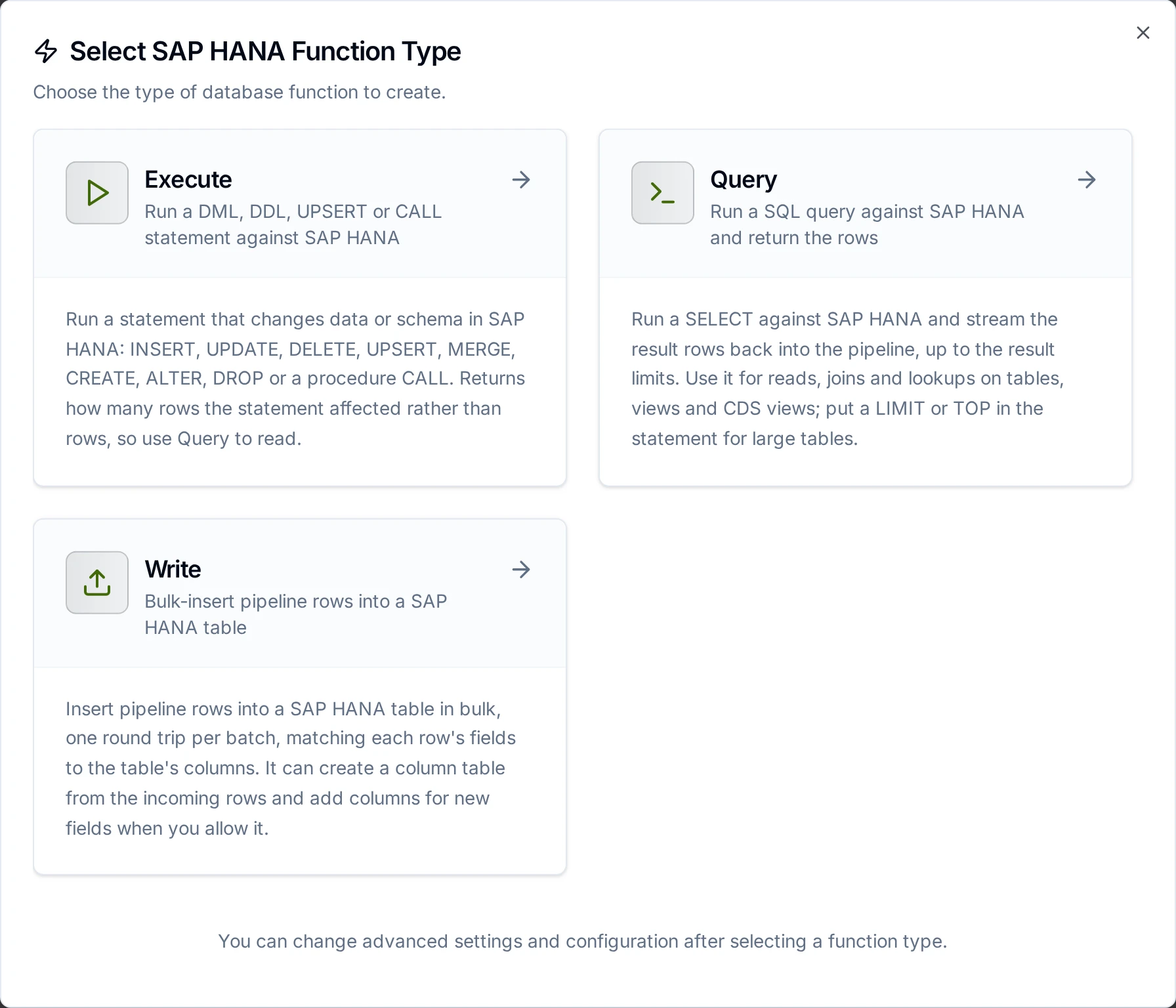
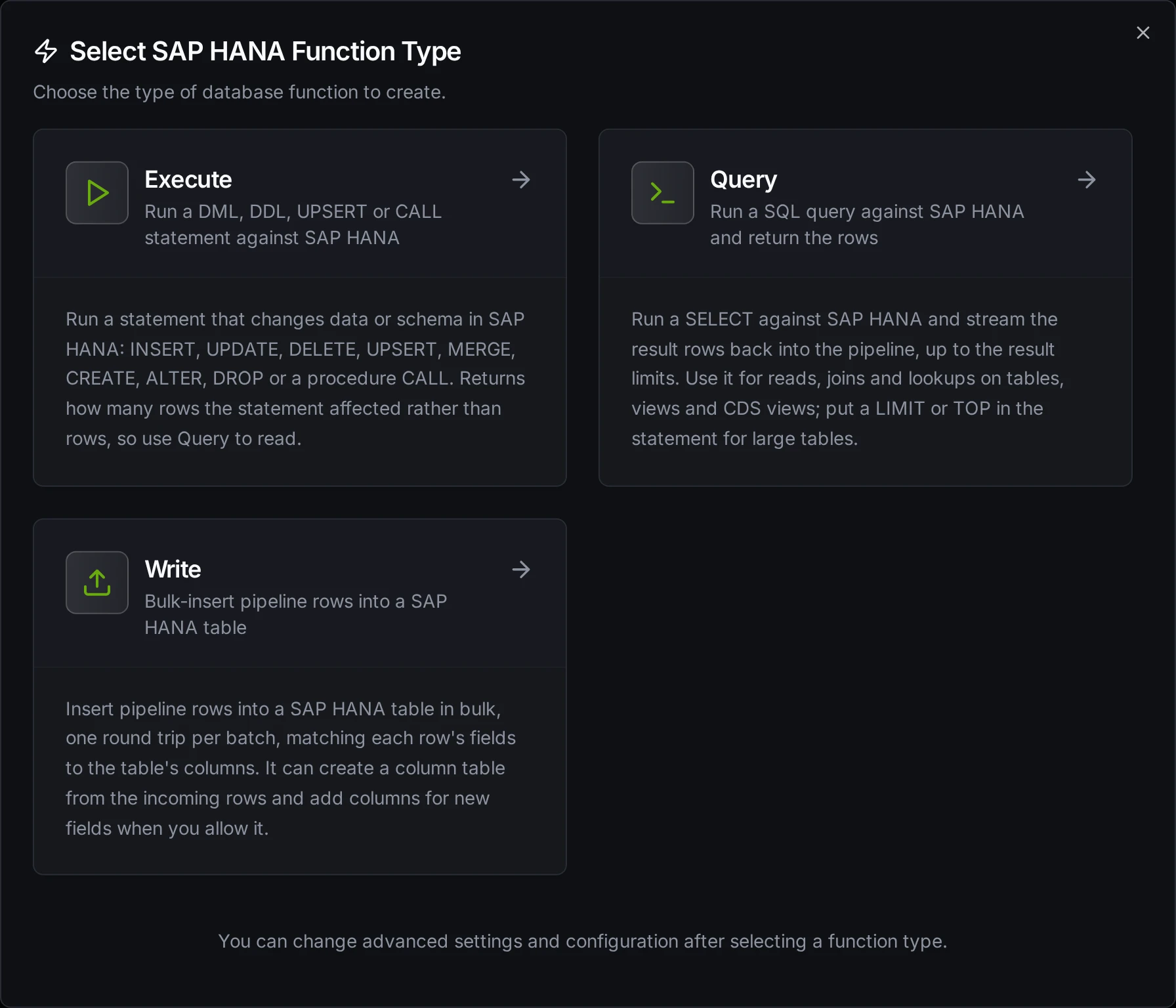
SAP HANA function creation showing the Query, Execute and Write function types
Query Function
Purpose: Run a SELECT and return its rows. The rows stream in and stop at the result limits (50,000 rows or 40 MB by default); the rest of the result is never read.
Configuration Fields
| Field | Type | Required | Default | Description |
|---|---|---|---|---|
| SQL Query | String | Yes | - | The SELECT statement. Supports parameters with ((param)) syntax. |
| Timeout | Duration | No | 30m | Per-execution timeout (1s-1h). |
How values arrive
| HANA type | In the result |
|---|---|
TINYINT … BIGINT | Whole numbers |
DOUBLE, REAL | Numbers |
DECIMAL(p,s), DECIMAL, SMALLDECIMAL | Numbers with every digit kept: DECIMAL(38) values and decimals with more digits than a double can hold are never rounded |
NVARCHAR, VARCHAR, NCLOB, CLOB | Text. SAP keys such as order numbers keep their leading zeros |
ALPHANUM | Text as HANA stores it: a numeric value such as '0042' comes back as 42 |
DATE, SECONDDATE, TIMESTAMP | Timestamps in UTC. HANA timestamps carry no time zone; MaestroHub writes and reads them as UTC |
TIME | A timestamp on 0001-01-01, the time of day in UTC |
BOOLEAN | true / false |
VARBINARY, BLOB | Base64. A BLOB whose bytes are valid UTF-8 text comes back as that text |
ST_GEOMETRY, ST_POINT | Not decoded: select col.ST_AsWKT() to read the shape as text |
Large objects (NCLOB, BLOB) are read whole for each row before the size limit is checked, so select only the LOB columns you need.
Execute Function
Purpose: Run a statement that changes data or schema: INSERT, UPDATE, DELETE, UPSERT, MERGE, CREATE, ALTER, DROP or a procedure CALL. Returns rowsAffected instead of rows.
Configuration Fields
| Field | Type | Required | Default | Description |
|---|---|---|---|---|
| SQL Statement | String | Yes | - | The statement. Supports parameters with ((param)) syntax. |
| Timeout | Duration | No | 30m | Per-execution timeout (1s-1h). |
Write inserts, so a batch resent after an outage can insert its rows twice. Where a row must land once, give the table a primary key and use UPSERT … WITH PRIMARY KEY through Execute.
Write Function
Purpose: Load pipeline rows into a table. Write reads the table's columns and maps the incoming fields to them, then inserts the rows in batches: one prepared INSERT executed once with every row of the batch, one round trip per batch.
Configuration Fields
| Field | Type | Required | Default | Description |
|---|---|---|---|---|
| Table Name | String | Yes | - | Target table, in the connection's Default Schema (or the user's own). Stored upper case, as HANA stores unquoted names. |
| Data | JSON | Yes | - | Rows to write: an array of objects or a single object. Use ((data)) to take them from the pipeline. |
| Create Table If Not Exists | Boolean | No | false | Create a column table if the table does not exist, with column types from the Schema or inferred from the data. |
| Allow Schema Evolution | Boolean | No | Create Table If Not Exists | Add a column to an existing table when the data carries a field the table has no column for. When off, such a batch fails instead of dropping the field. |
| Schema | JSON | No | - | Column definitions (types, primary keys, indexes) for creating the table, set in the Visual Editor or as JSON. |
| Batch Size | Number | No | 100 | Rows per batch (1-10,000). Each batch is one round trip and one transaction. |
| Timeout | Duration | No | 30m | Per-execution timeout (1s-1h). |
How Write Works Step by Step
1. Batching and transactions
If the pipeline sends 2,500 rows and Batch Size is 1,000, three batches are sent (1,000 + 1,000 + 500). Each batch runs in its own transaction: when HANA refuses one row of a batch (a duplicate key, a value too large), none of that batch's rows stay, and the batches after it are not sent. rowsInserted in the error counts the rows of the batches committed before it. This matters because HANA, outside a transaction, keeps the other rows of a bulk insert that failed on one row.
2. Column matching
Field names are matched to column names without regard to case: a field spindleTemp writes column SPINDLETEMP.
3. Table does not exist
| Create Table If Not Exists | Behavior |
|---|---|
| Disabled (default) | Fails at once: "table 'X' does not exist. Enable 'Create table if not exists' or create it manually". Nothing is sent. |
| Enabled, no schema | A CREATE COLUMN TABLE with types inferred from all rows (below), then the rows are inserted. |
| Enabled, with schema | A CREATE COLUMN TABLE from the schema (types, primary key, indexes), then the rows are inserted. |
Data type inference
| Data Value | Inferred Type |
|---|---|
true / false | BOOLEAN |
42, -7 | BIGINT |
3.14 | DOUBLE |
"2026-11-02T10:30:00Z" | TIMESTAMP |
"sensor-01", null | NVARCHAR(5000) |
4. Schema evolution
With Allow Schema Evolution on, a field the table has no column for becomes a new column (ALTER TABLE … ADD), typed from the schema or inferred as above. Existing columns are never changed. With it off, a batch carrying such a field fails before anything is inserted, and the error names the fields.
5. Values HANA cannot take
A value that does not fit its column fails the batch with a hint: a string longer than the column (widen the column manually), a number outside the column's range (exceeds the column's range or precision), text where a number is expected (cannot be converted to the destination column's type). These failures are permanent: with Store & Forward on, the batch goes to Failed messages instead of being retried. A lost connection, a lock-wait timeout or a deadlock is temporary, and the batch is retried.
Response Metadata
| Field | Description |
|---|---|
rowsInserted | Total number of rows inserted |
matchedColumns | Columns the data was mapped onto (when the table existed) |
skippedFields | Fields with no column that were skipped; only for functions saved before Allow Schema Evolution existed |
schemaEvolution | Columns added by schema evolution, each with its type |
tableCreated | true if the table was created by this call |
columns | Columns written to (when the table was created by this call) |
batchSize | Batch size used |
totalRows | Total number of input rows |
Using Parameters
MaestroHub detects the ((parameterName)) syntax in Query and Execute statements and exposes each parameter for validation and runtime binding.
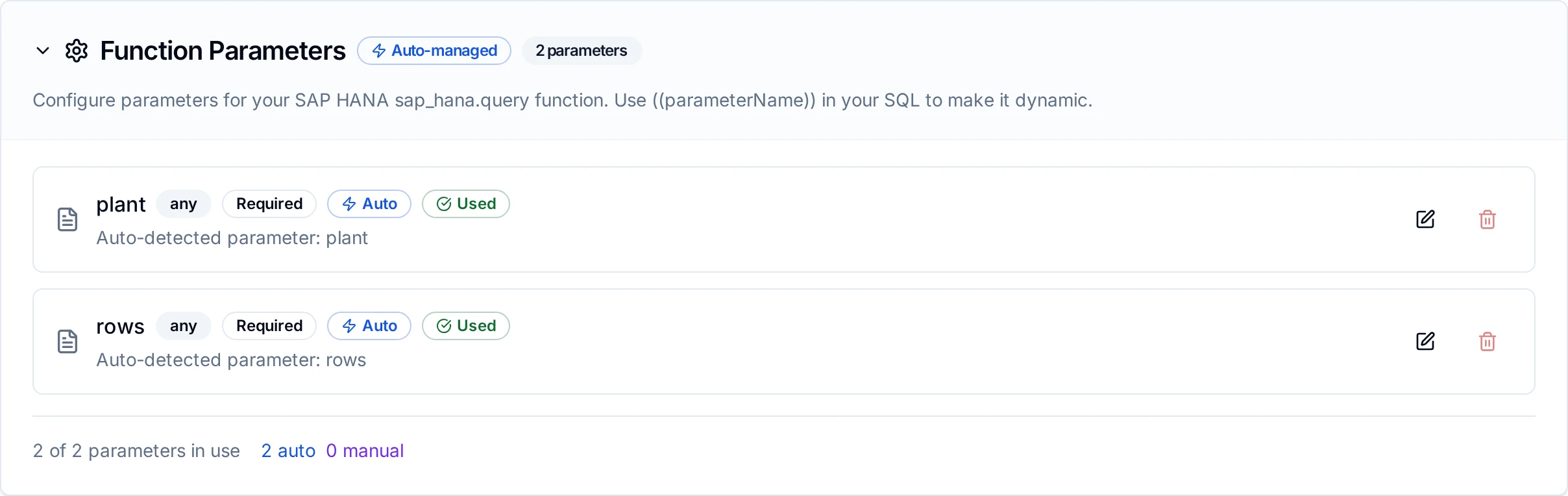
Parameter configuration with validation rules and helper text
Pipeline Integration
Each function type maps to its own pipeline node: SAP HANA Query, SAP HANA Execute and SAP HANA Write. See SAP HANA Nodes for what each node delivers.
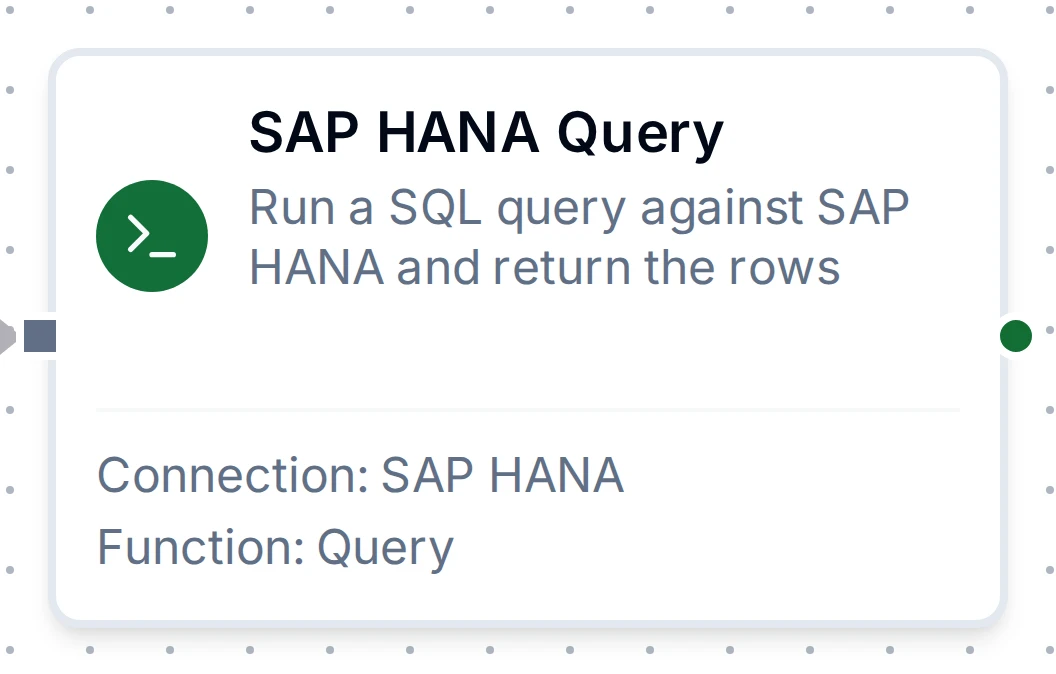
The SAP HANA Query node
Common Use Cases
Query: Open production orders for a plant
SELECT "AUFNR", "WERKS", "GAMNG", "GSTRP"
  FROM "MFG"."PROD_ORDERS"
 WHERE "WERKS" = '((plant))'
 LIMIT 100
Feed orders to line displays or an MES, keyed by the order number with its leading zeros intact (AUFNR is text), with the planned quantity GAMNG as an exact number.
Execute: Keep the latest machine state
UPSERT "MFG"."MACHINE_STATE" ("MACHINE", "STATE", "CHANGED_AT")
VALUES ('((machine))', '((state))', CURRENT_UTCTIMESTAMP)
WITH PRIMARY KEY
Write: Load line events
Configure a Write function with Table Name LINE_EVENTS, Create Table If Not Exists and Allow Schema Evolution on, and place it after an MQTT, OPC UA or Modbus node. The first batch creates a column table with columns typed from the data; a new field from the line later becomes a new column.
Troubleshooting
| Symptom | Cause and fix |
|---|---|
SQL Error 10 - authentication failed | Wrong user or password, or the user is locked or deactivated. HANA gives the same error for all three; check the user in HANA's user management. |
SQL Error 414 | The user must change its password at first sign-in. Sign in once with HANA's tools and set it, or create the user with NO FORCE_FIRST_PASSWORD_CHANGE. |
SQL Error 258 - insufficient privilege | Grant the user SELECT, INSERT or CREATE ANY on the schema it uses. |
SQL Error 259 - invalid table name | The table is not in the schema the session uses. Set Default Schema, qualify the name ("MFG"."T"), or check Tenant Database: on the system database, your tables do not exist. |
SQL Error 1033 - error while parsing protocol | The port is HANA's internal name-server port, not a SQL port. Use the tenant's SQL port. |
| Connection times out dialling an address you did not enter | Tenant Database is set and HANA redirected to the tenant's internal address. Connect to the tenant's SQL port directly and clear Tenant Database. |
certificate is not valid for any names | The server's certificate has no subject alternative name. See Self-signed on-premise certificates above. |
SQL Error 131 or 133 | A lock wait timeout or a deadlock with another session. Temporary: the platform retries. |