Couchbase Integration Guide
Keep machine state, recipes and work orders in Couchbase documents, and query them with SQL++ from a pipeline.
- Documents
- Get · Upsert · Replace · Remove, by key
- Query
- Read-only SQL++ with parameters
- Locking
- Optimistic, with CAS
- Transport
- Data 11210, query 8093 (TLS 11207, 18093)
Overview
Couchbase is a distributed document database, run as Couchbase Server on site or at the edge, and as Couchbase Capella in the cloud. A MaestroHub Couchbase connection reaches one bucket through Couchbase's official Go SDK. Each function names the scope and collection it works in, so one connection serves every collection of the bucket.
- Get Document, Upsert Document, Replace Document and Remove Document work on one document by its key, through the data service.
- Run Query runs a SQL++ (N1QL)
SELECTthrough the query service and returns its rows.
Optimistic locking with CAS. Every document has a CAS, a number Couchbase changes on every write. Get Document returns it, and Replace Document or Remove Document given that CAS change the document only if nobody else changed it since. The CAS is delivered and taken as text, because it is larger than a JSON number holds exactly.
Queries only read. Run Query sends every statement read-only, so Couchbase refuses INSERT, UPDATE, UPSERT, DELETE and index changes in it. Change documents with the document functions.
Prerequisites
- Network access from MaestroHub to the data service on every data node (port 11210, or 11207 with TLS) and to a query node (port 8093, or 18093 with TLS). The SDK first reads the cluster map from the seed nodes you list, then talks to each node directly, so every data node must be reachable, not only the seeds.
- A Couchbase user with roles on the bucket: Data Reader for Get Document, Data Writer for the writes, Query Select for Run Query. Create it under Security → Users.
- The bucket, and for each collection you query, an index: Couchbase refuses a query on a collection with no index.
CREATE PRIMARY INDEX ON plant.telemetry.machinesmakes any query possible; an index on the fields you filter by makes it fast. - For TLS: Couchbase Server Enterprise Edition or Capella. Community Edition serves no TLS ports.
Connection Configuration
Navigate to Connections → New Connection → Couchbase.
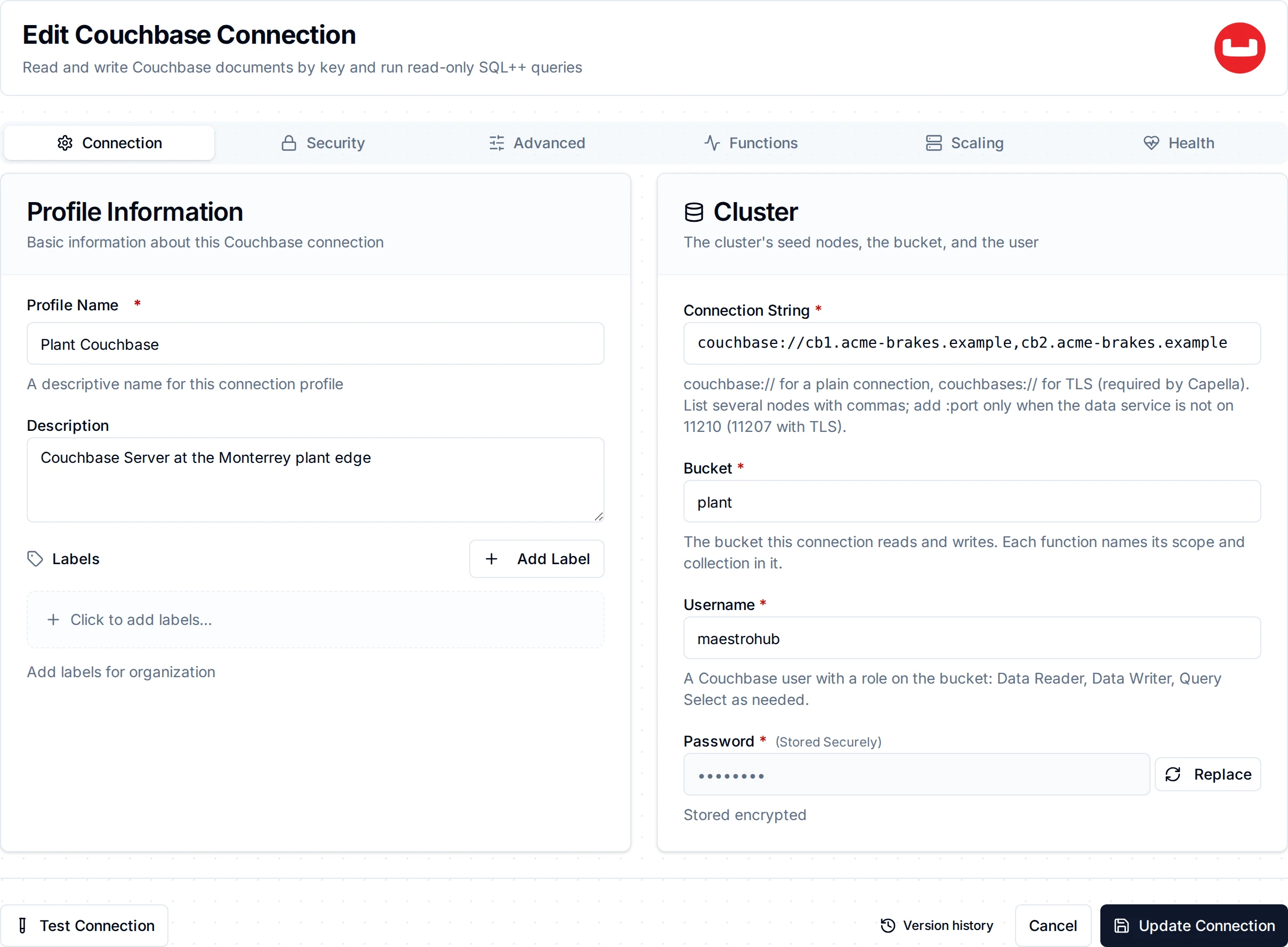
The Connection tab: the cluster's connection string, the bucket and the user
Connection
| Field | Required | Description |
|---|---|---|
| Connection String | Yes | The cluster's seed nodes, as Couchbase writes them: couchbase://node1.example.com,node2.example.com, or couchbases://… for TLS. Capella shows its string under Connect (couchbases://cb.<id>.cloud.couchbase.com). Add :port only when the data service is not on 11210 (11207 with TLS). A user name, password or bucket in the string is refused: they have their own fields. |
| Bucket | Yes | The bucket this connection reads and writes. |
| Username | Yes | A Couchbase user with roles on the bucket. |
| Password | Yes | The user's password. Stored encrypted. |
Security
TLS is chosen by the connection string: couchbases:// encrypts the connection, couchbase:// does not. The TLS fields apply only to couchbases://; with couchbase:// they are hidden, and the API refuses them, because they would do nothing.
| Field | Description |
|---|---|
| CA Certificate (PEM) | The cluster's root CA, for a self-managed cluster (Security → Certificates in the Couchbase console). Leave empty for Capella, whose CA the SDK already trusts, and for a certificate signed by a public CA. |
| Skip Certificate Verification | Accept any certificate. For testing only: anyone on the path could pose as the cluster and read the password. |
Advanced
| Field | Default | Description |
|---|---|---|
| Connect Timeout | 10s | How long connecting may take, from the first seed node to the bucket being ready. |
How the connection is checked
Test Connection bootstraps the SDK and waits until the bucket is ready on the data service. A wrong password, an unknown user, a missing bucket or a user with no role on it fails at once with that reason, instead of after the whole timeout. The health check while the connection runs sends a no-op to every data node of the bucket, so a stopped or frozen cluster shows as a failed connection rather than a quiet one.
Function Builder
After saving the connection, open its Functions tab → New Function and choose an operation.
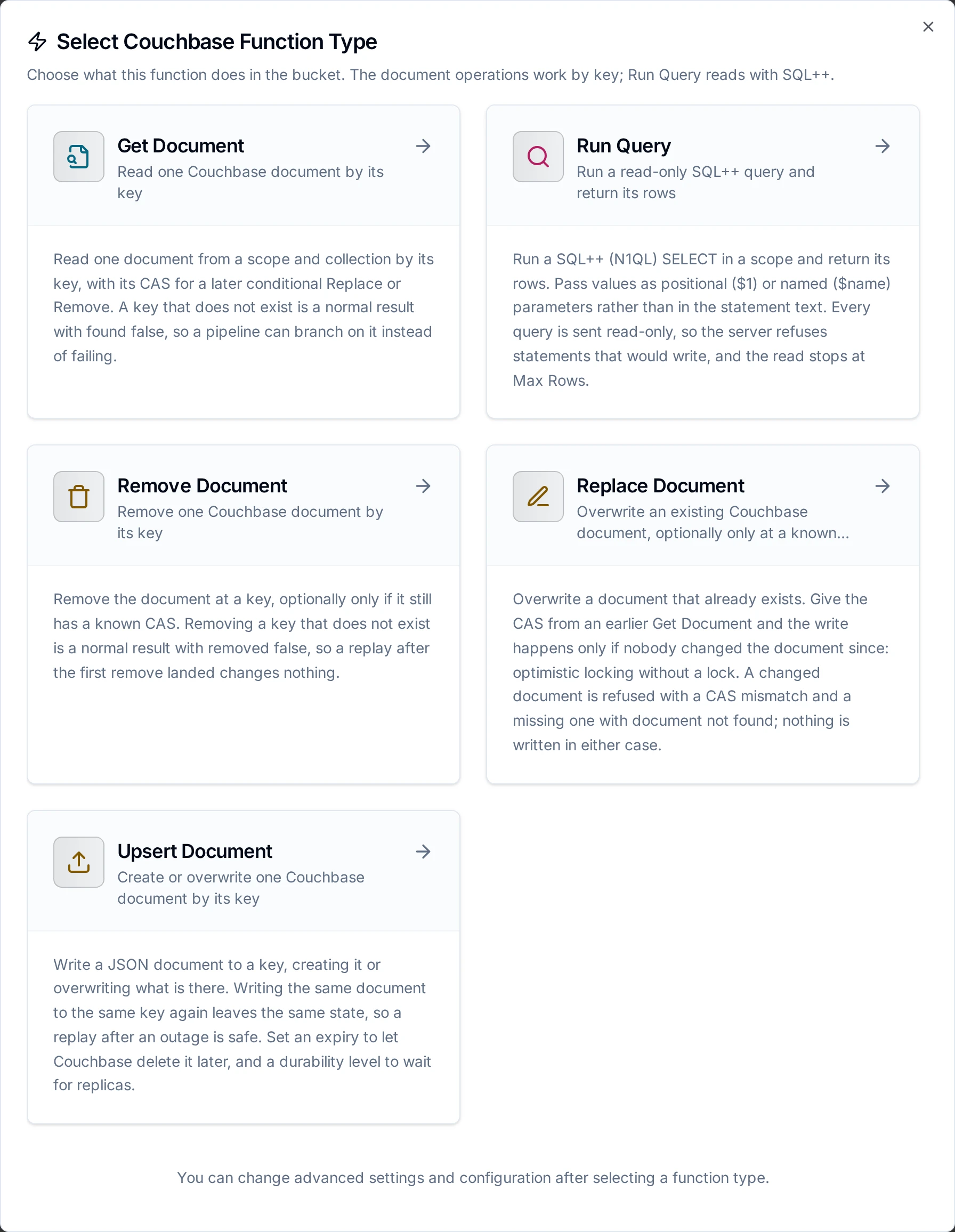
Four document operations by key, and Run Query
Every document operation takes these:
| Parameter | Required | Description |
|---|---|---|
| Scope | No | The scope that holds the collection. _default when empty. |
| Collection | No | The collection. _default when empty. A collection that does not exist fails the node, naming it. |
| Document Key | Yes | The document's key, up to 250 bytes, e.g. line3::((machine)). |
| Timeout | No | Bound on this call, 30s by default. |
Get Document
Reads one document. A key with no document is a normal result, found: false, so a Condition node can branch on it. The document comes back as stored, numbers with every digit, and with its CAS.
Upsert Document
Writes a document to a key, creating it or overwriting what is there.
| Parameter | Required | Description |
|---|---|---|
| Document | Yes | The JSON document, usually built from ((parameters)): {"machine": "((machine))", "state": "((state))", "spindleTemp": ((temp))}. |
| Expiry | No | How long until Couchbase deletes the document, e.g. 24h, in whole seconds. Empty or 0s: no expiry. Every write sets the expiry again, so a write without one clears an earlier expiry. |
| Durability | No | How many copies must hold the write before Couchbase acknowledges it: none (the default), majority (a majority of replicas in memory), majorityAndPersistActive, persistToMajority. A level the bucket cannot meet, a bucket with no replicas on enough nodes for example, is refused before anything is written. |
Writing the same document to the same key again leaves the same state, so Upsert Document is eligible for store-and-forward: while Couchbase is unreachable, writes are buffered and applied in order per key when it returns.
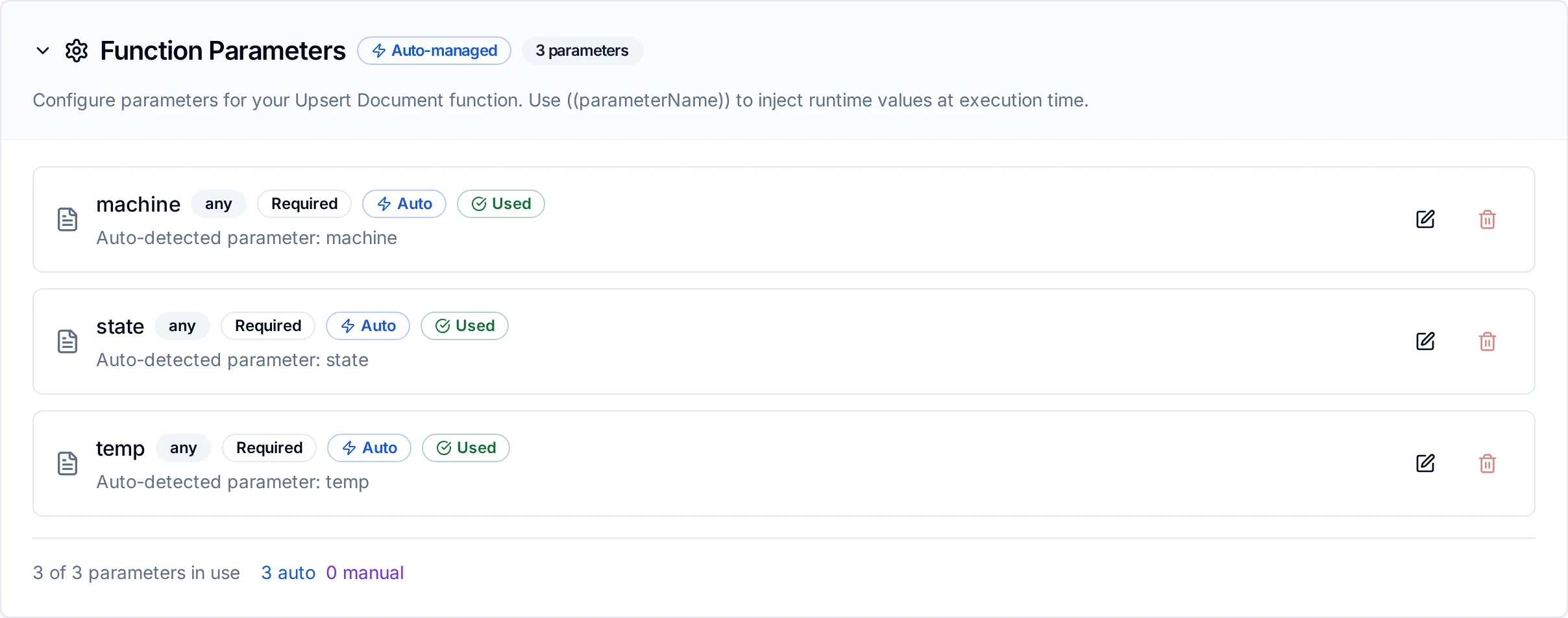
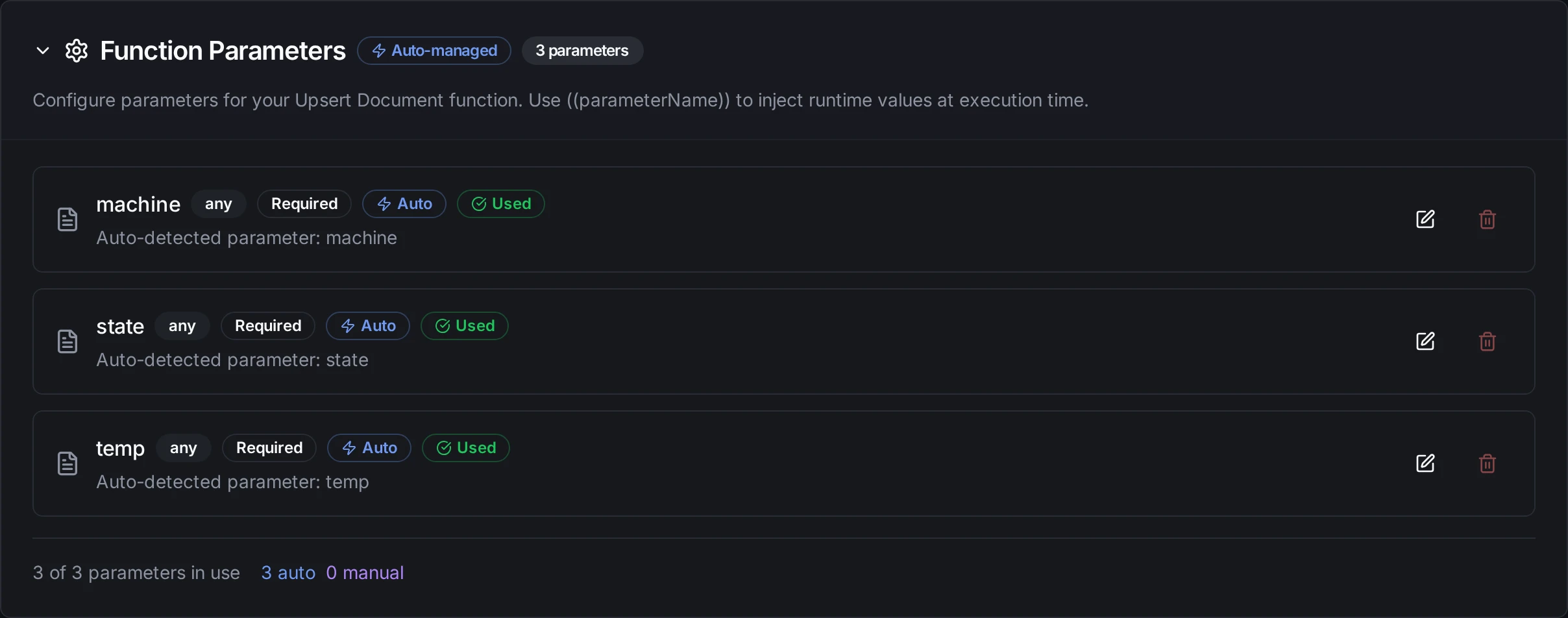
An Upsert Document function whose key and document carry ((machine)), ((state)) and ((temp))
Replace Document
Overwrites a document that exists, with the same Document, Expiry and Durability as Upsert, and a CAS:
| Parameter | Required | Description |
|---|---|---|
| CAS | No | The CAS from an earlier Get Document, e.g. ((cas)). When set, the document is replaced only if it still has that CAS. Empty: replace whatever is stored. |
A CAS that no longer matches, or a key with no document, fails the node and writes nothing; read the document again and decide. Replace Document is never buffered for later: a CAS read before an outage would be stale by the time a replay ran.
Remove Document
Removes the document at the key, optionally only at a CAS, with a Durability level. Removing a key with no document succeeds with removed: false, so a remove that is repeated changes nothing; Remove Document is eligible for store-and-forward.
Run Query
Runs a read-only SQL++ statement and returns its rows.
| Parameter | Required | Description |
|---|---|---|
| Statement | Yes | A SELECT, e.g. SELECT m.machine, m.spindleTemp FROM machines m WHERE m.state = $state. Collection names resolve in the Scope; a fully qualified name (`plant`.telemetry.machines) works too. |
| Query Parameters | No | The statement's values as JSON: an array for $1, $2, … (["Alarm", 3]) or an object for $name ({"state": "((state))"}). They travel as query parameters, never spliced into the statement, so a value cannot change the query. |
| Scope | No | The scope collection names resolve in. _default when empty. |
| Scan Consistency | No | notBounded (the default) answers from the indexes as they are. requestPlus waits until the indexes hold every write made before the query, so a pipeline reads what it has just written. |
| Max Rows | No | The most rows to return, 1 to 100,000, 1000 by default. |
| Timeout | No | Bound on the query, on the server too, 75s by default (Couchbase's own default). |
The rows stream from the query service; at Max Rows MaestroHub stops reading and closes the stream, and Couchbase ends the query there. truncated says whether there were more rows. An object comes back for SELECT a, b, a bare value per row for SELECT RAW.
What happens when Couchbase refuses
A refusal that would repeat fails the node and is not retried: a wrong password, no role for the operation, a missing scope, collection or index, a CAS mismatch, a durability level the bucket cannot meet, a statement that does not parse or that writes. A temporary failure is retried by the platform: a node that is busy, out of memory, rebalancing or unreachable, a locked document, a timeout. A write whose answer was lost may have landed; Upsert and Remove converge when repeated, and Replace with a CAS then reports a mismatch, which is the truth.
Pipeline Integration
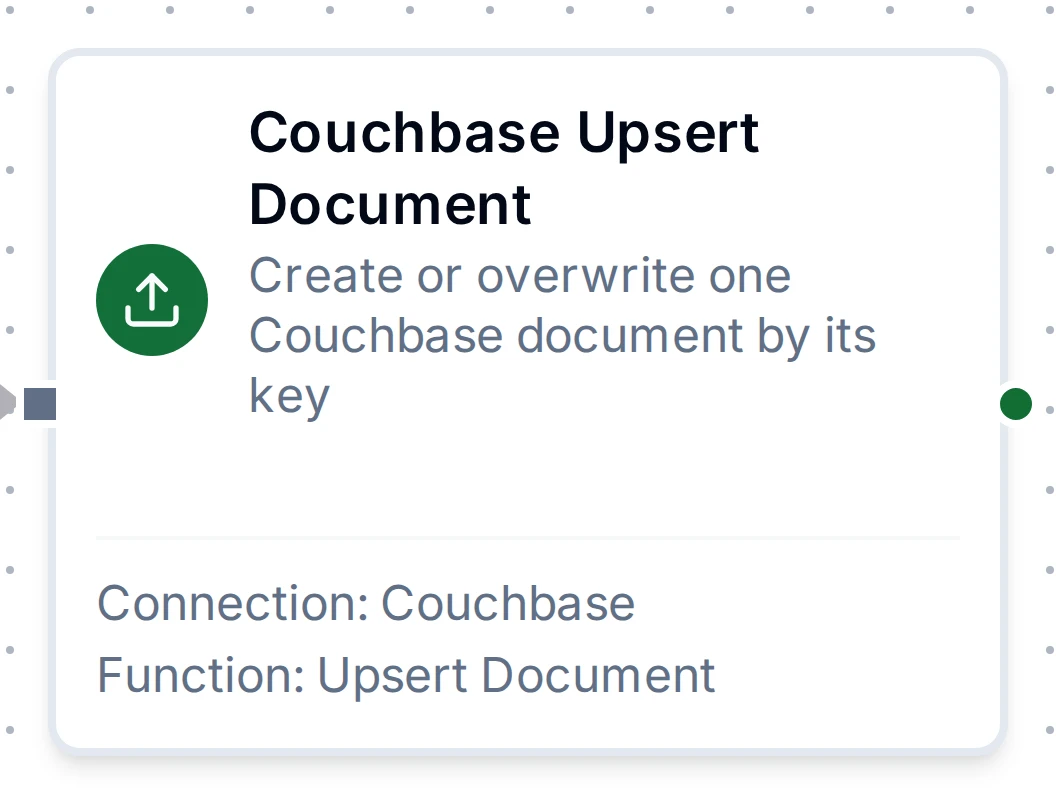
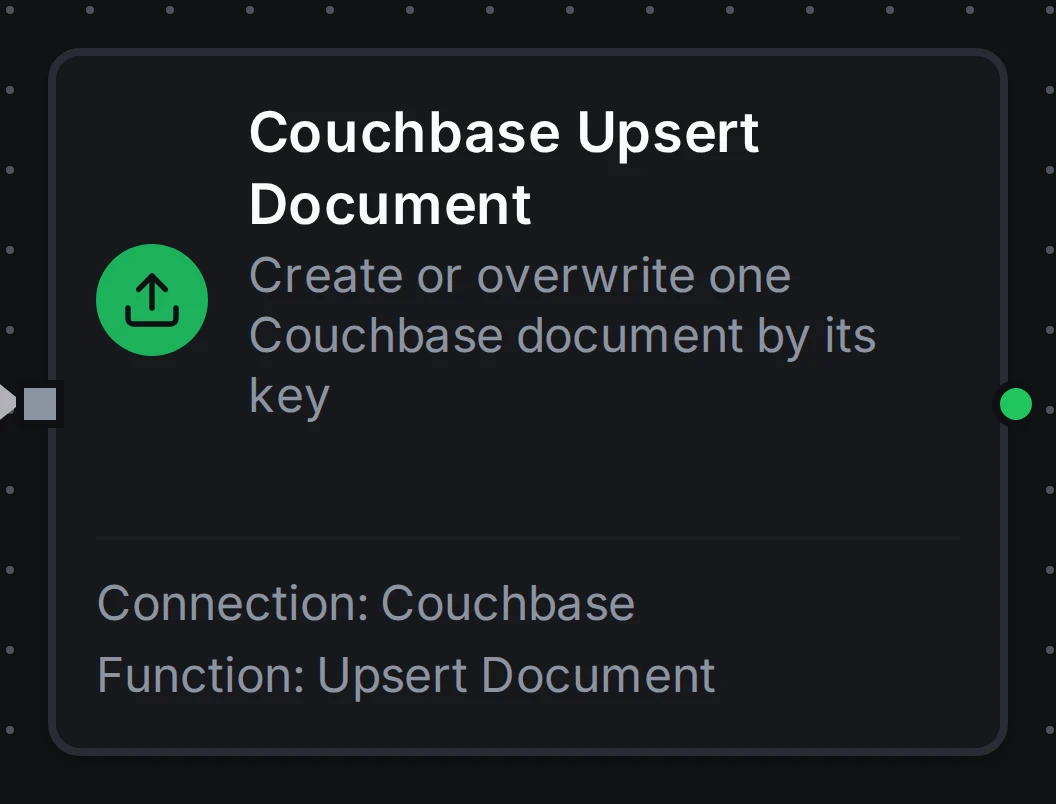
The Couchbase Upsert Document node with its connection and function
Each function becomes a pipeline node, Couchbase Get Document, Couchbase Upsert Document, Couchbase Replace Document, Couchbase Remove Document and Couchbase Run Query, under the database group of the node library. Their outputs are described on the Couchbase nodes page.
Common Use Cases
Keep each machine's latest state
A pipeline triggered by a machine's tags writes {"machine": "((machine))", "state": "((state))", "spindleTemp": ((temp)), "at": "((ts))"} to the key line3::((machine)) with Upsert Document. Dashboards and other systems read one document per machine; with store-and-forward on, states produced while Couchbase is down arrive in order when it returns.
Update a work order without overwriting someone else
Get Document reads the work order; a Transform node sets its new status; Replace Document writes it with CAS ((cas)), mapped from $node["Couchbase Get Document"].result.cas. If an operator changed the order in between, the node fails with a CAS mismatch and the pipeline can read again.
Ask the plant's documents a question
Run Query with SELECT RAW COUNT(*) FROM alarms WHERE machine = $1 AND ts > $2 and parameters ["((machine))", "((since))"] counts recent alarms before a pipeline opens a maintenance order.
Troubleshooting
| Message | Cause | What to do |
|---|---|---|
Couchbase refused the user … the password is wrong, the bucket does not exist, or the user has no role on it | Wrong credentials, a bucket name typo, or no role on the bucket. The SDK reports all three alike. | Check the user and password; check the bucket name; give the user a role on the bucket under Security → Users. |
bucket … was not ready within … | The seed nodes do not resolve, or the data port is not reachable. | Check the host names and that port 11210 (11207 with TLS) is open from MaestroHub to every data node. |
connection refused, check server ports and cluster encryption setting | Nothing listens on the port; or couchbases:// against a cluster without TLS (Community Edition). | Check the port; use couchbase:// for Community Edition. |
x509: certificate signed by unknown authority | The cluster's certificate is not trusted. | Paste the cluster's root CA under CA Certificate. |
collection … does not exist in the bucket | The scope or collection name is wrong, or it was not created. | Check the names under Buckets → Scopes & Collections. |
the document changed since its CAS was read | Someone wrote the document after it was read. | Read it again, then replace. |
no document to replace | Replace Document changes only a document that exists. | Use Upsert Document to create it. |
the bucket cannot meet this durability level | The bucket has fewer replicas or data nodes than the level needs. | Lower the durability, or add replicas and nodes. |
4000: No index available on keyspace … | The collection has no index the query can use. | CREATE PRIMARY INDEX ON <bucket>.<scope>.<collection>, or an index on the filtered fields. |
1000: The server or request is read-only | The statement writes. | Run Query only reads; use the document functions to write. |
12003: Keyspace not found | The collection name in the statement does not exist in the scope. | Check the Scope and the name, or qualify it fully. |