Giving a topic a meaning
Start where the number is. Say what the topic measures and which unit its device sends, check the converted value and who it affects, then save.
- Where
- The topic page, or right click a topic in the tree
- Asks
- What it measures, the device unit, the field, a description
- Shows first
- The converted value, writers, readers, alerts, history
- Many at once
- Topics like this one, selected and given the same meaning together
- Licence
- Semantic layer (Foundation, Enterprise)
New here? Start with the 10-minute tutorial: three pumps that report psi and bar end up on one kPa chart with one alarm for all of them.
A topic's meaning is the property its values carry: a pump's discharge pressure in bar, a bearing's temperature in °C. Once a topic has one, every value it carries is converted to the property's unit as it arrives, checked against the property's rules, alarmed on and charted the same way, wherever it comes from.
You give a topic its meaning on the topic itself, without leaving the page. This replaced binding a data schema to a topic in earlier 3.0 builds, and the upgrade from such a build turned every binding into a meaning.
Give this topic a meaning
Open a topic in Explore › Data Explorer. While it has no meaning, Give this topic a meaning sits under its name. You can also right click the topic in the tree and choose Give this topic a meaning….
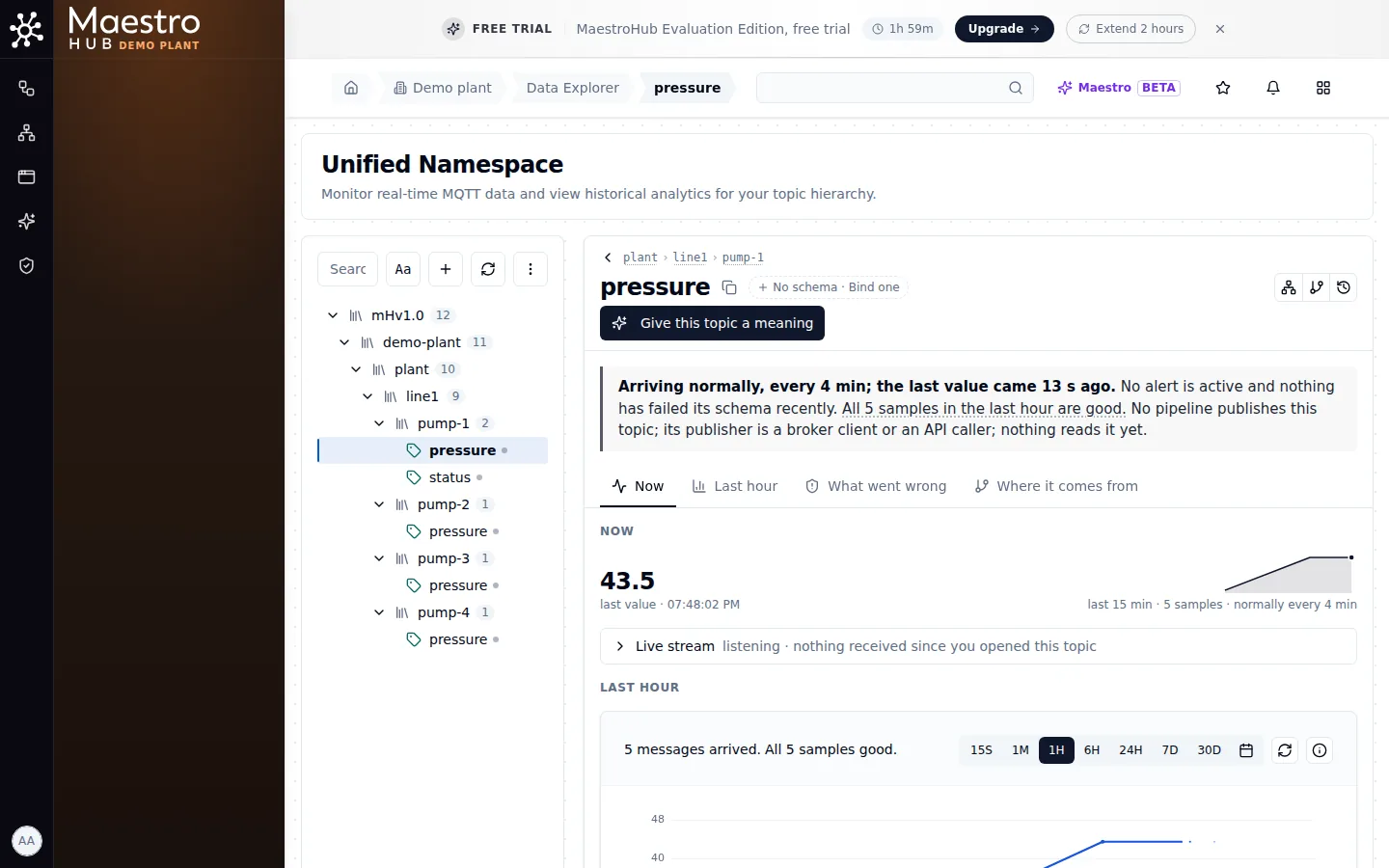
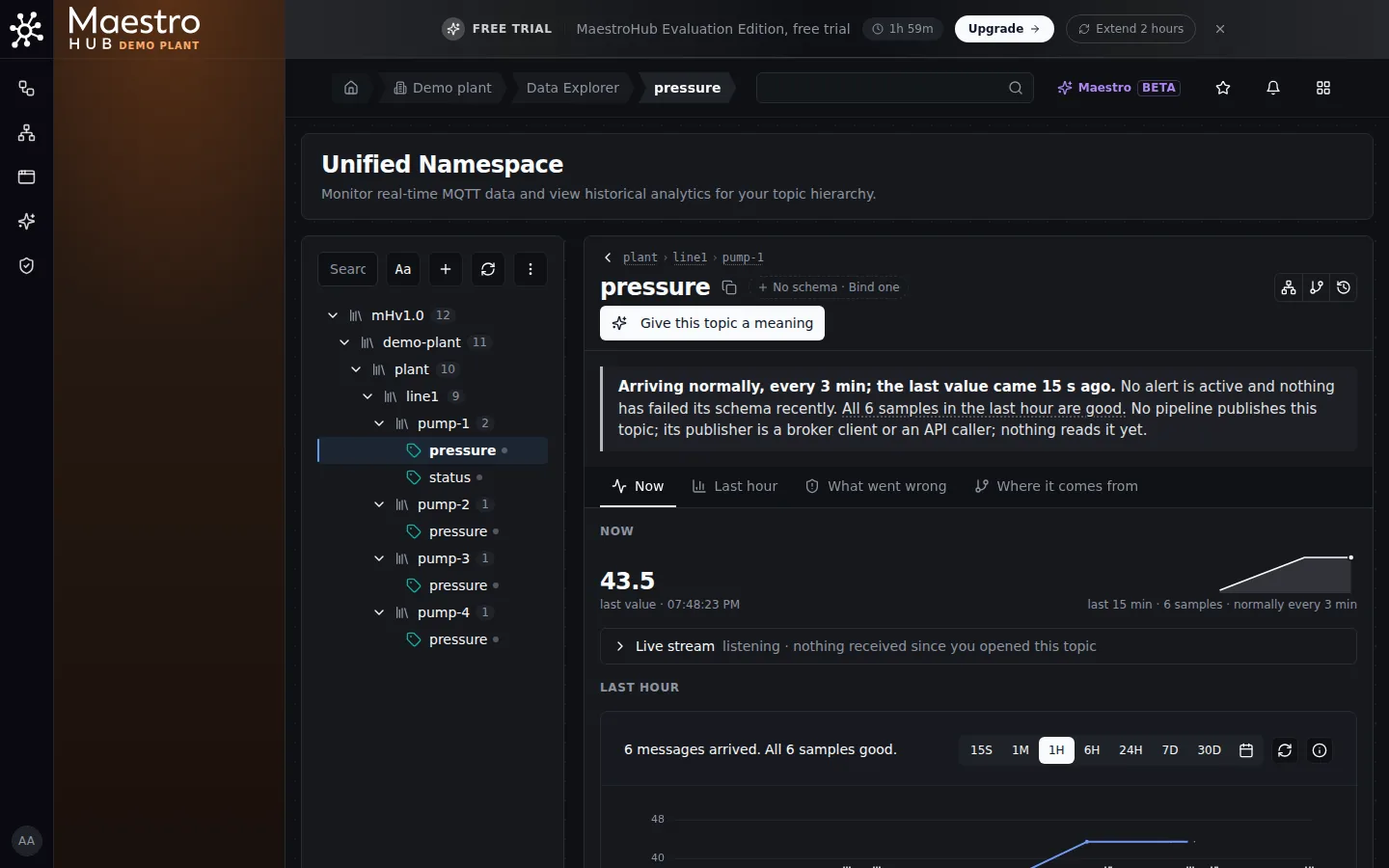
A topic with no meaning yet. The button opens a panel at the side of the page.
The panel asks a few questions.
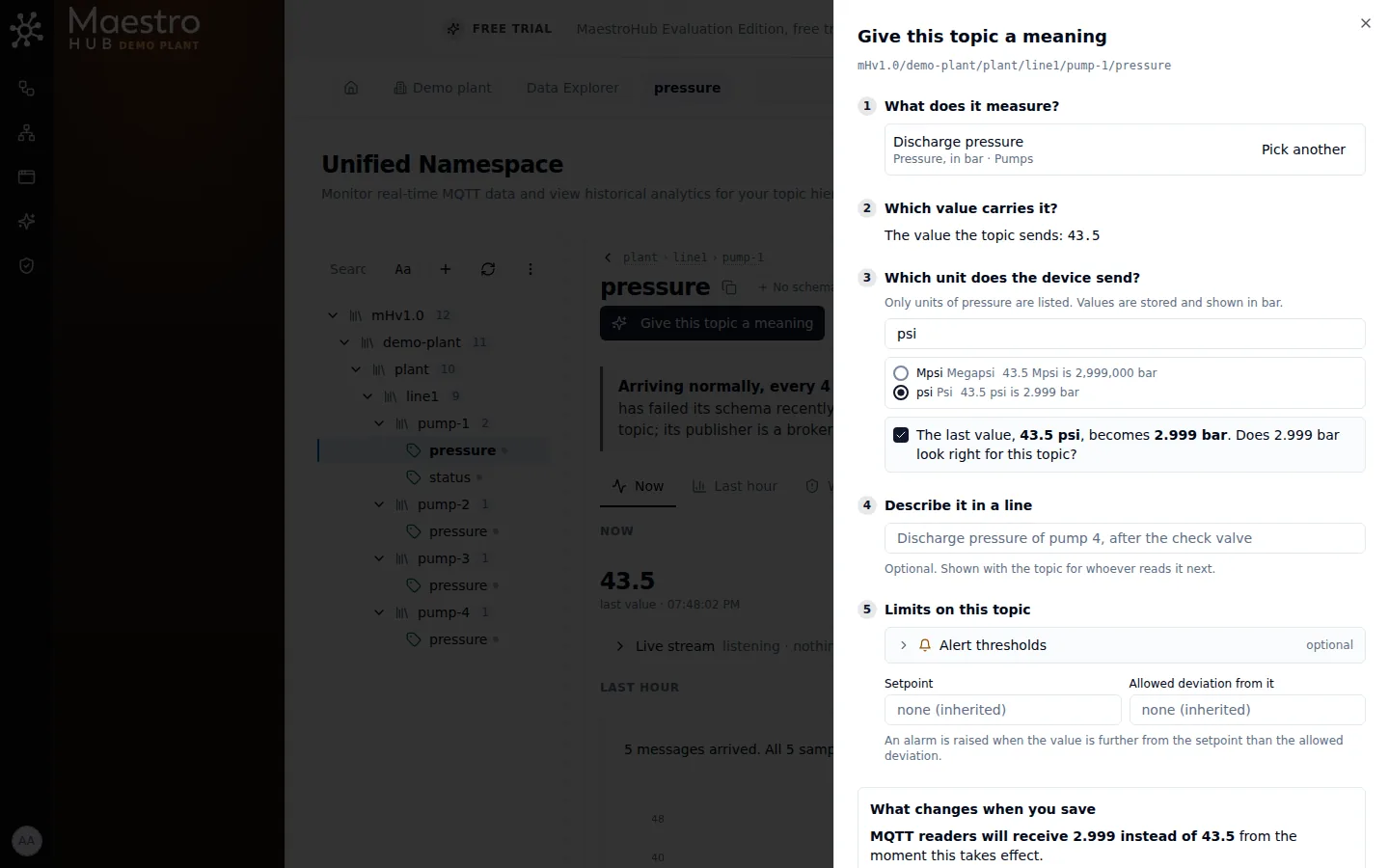
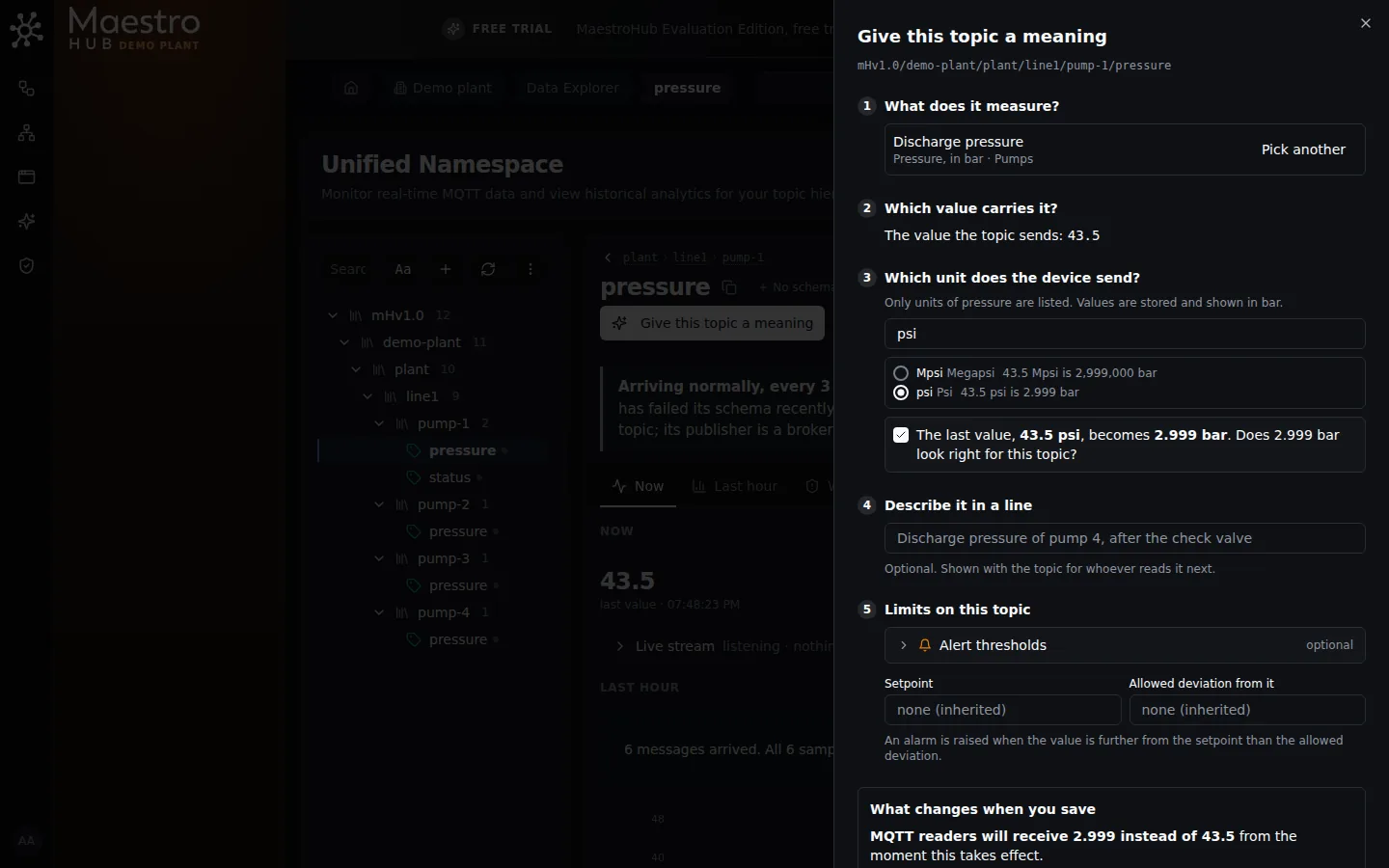
The device sends psi. The last value, 43.5 psi, becomes 2.999 bar, and you confirm that looks right.
- What does it measure? Search the properties of every library by name or key. Each shows what it measures, its unit and its library. If none fits, Create a property opens the Libraries page in a new tab; come back when it exists.
- Which value carries it? A topic that sends one number needs nothing here. For a topic that sends an object, pick the field (
bearing.temperature); a field that already has a meaning is shown but cannot be picked. - Which unit does the device send? Only units of the same quantity are listed: a pressure offers bar, kPa and psi, never a flow or a temperature. Each one shows the topic's last value converted, so the right one stands out. A suggestion may pick one for you, at the top of the list; whoever picks it, the panel asks you to confirm the converted value looks right before you can save.
- Describe it in a line. Optional: what this topic is, in plain words, for whoever reads it next.
- Limits on this topic. The property's alarm limits apply as they are; each empty field shows the value it inherits. Fill one to set this topic's own, for example a lower warning line on a smaller pump, or the setpoint and the allowed deviation from it. They are in the property's unit.
Suggestions
When the topic has no meaning yet, the panel opens with a suggestion already filled in: the property the topic most probably carries, the field that carries it, and the unit its device most probably sends. When the suggestion is right, you confirm the converted value and save: two clicks.
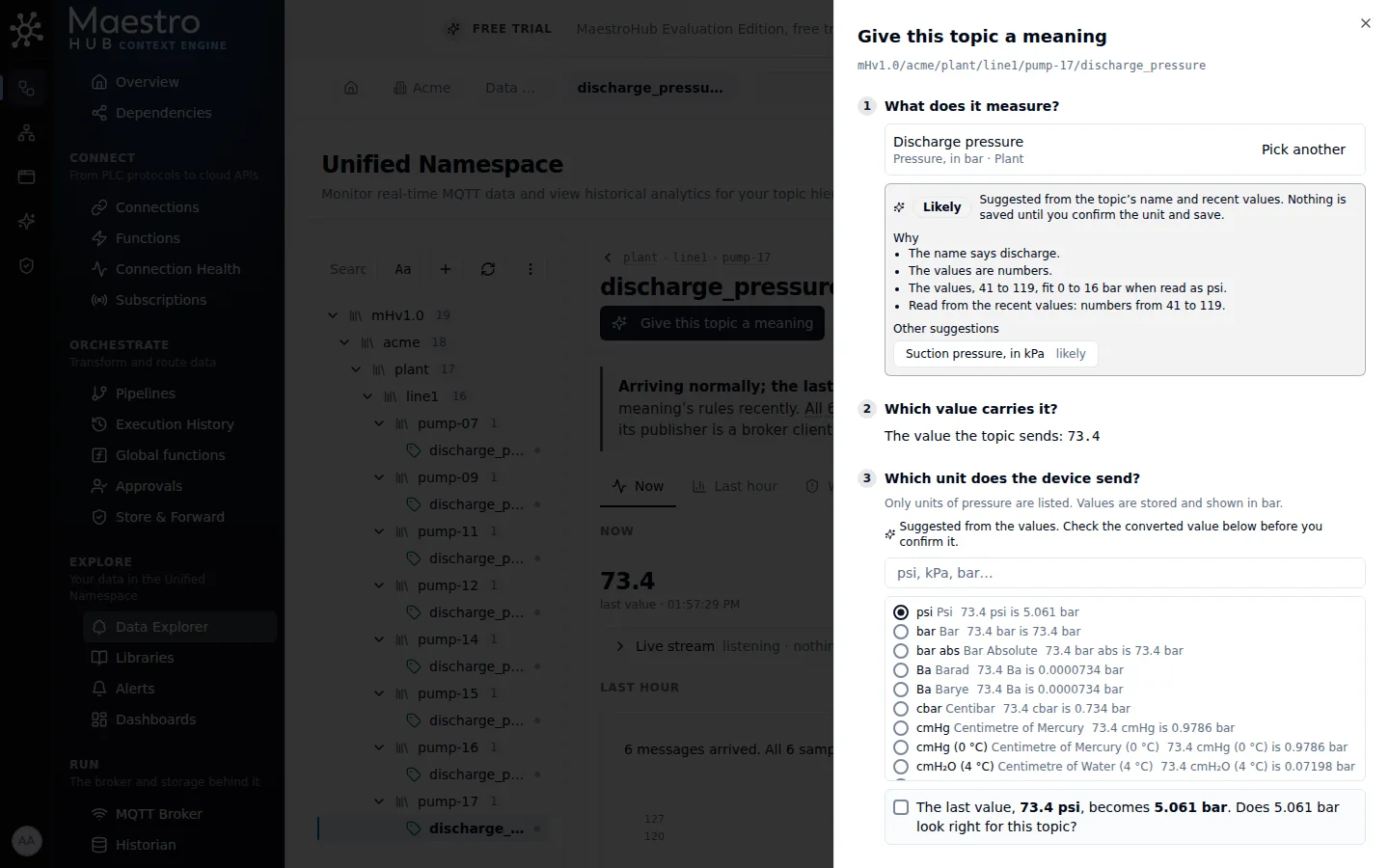
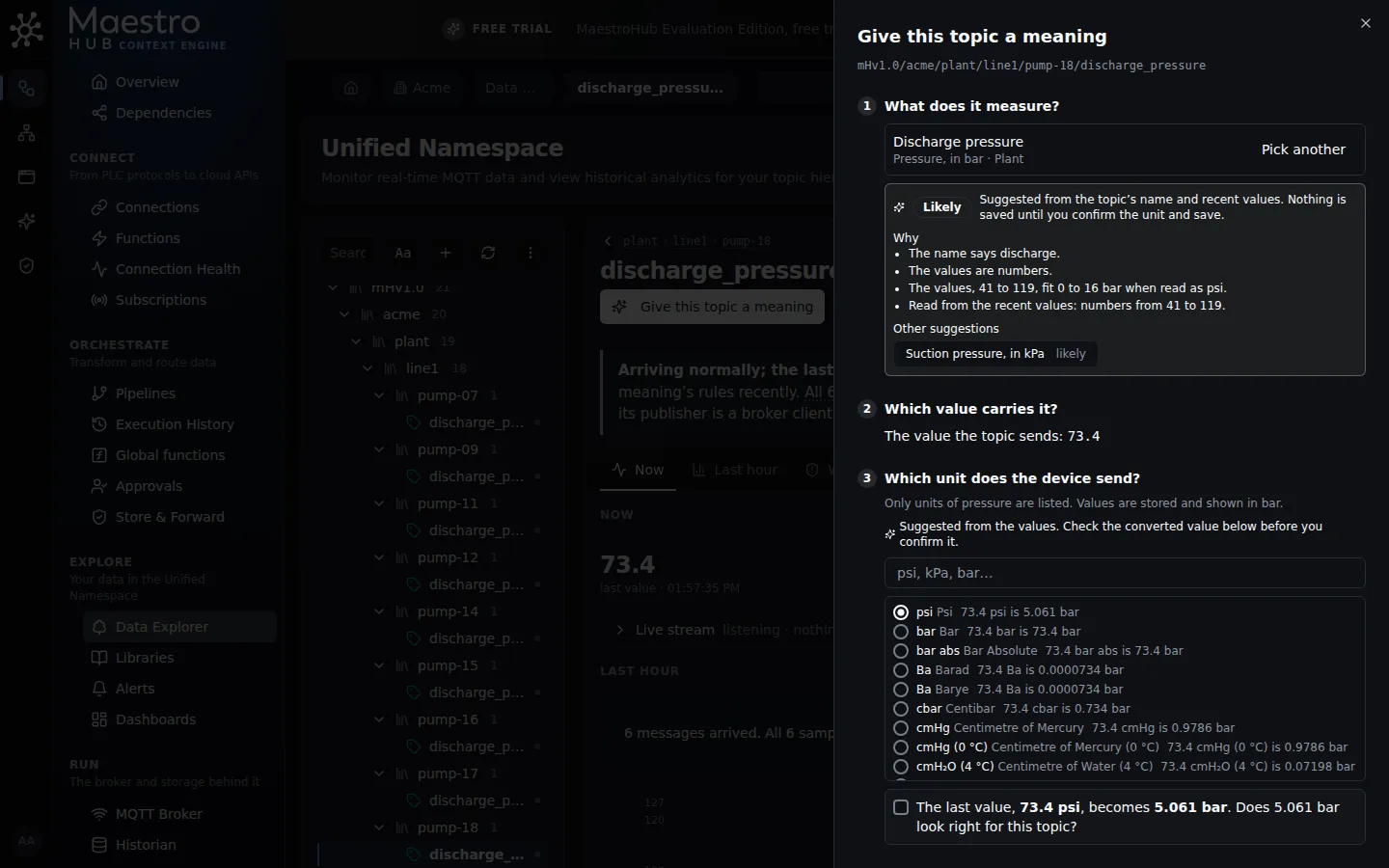
Values from 41 to 119 do not fit 0 to 16 bar, but they do when read as psi: the panel suggests Discharge pressure with the device sending psi, and says why.
A suggestion comes from rules, never from a guess you cannot check, and each one says why, in plain words:
- The name. The topic's own name (or the field's) and, at half weight, the names above it, against each property's key, name and what it measures. Short forms and other languages count:
temp,press,rpm,Druck,basınç. - The values. The topic's last 20 values, as the device sent them: numbers for a pressure,
trueandfalsefor a running flag, texts among an enum's states for a state. A property whose type the values do not fit is never suggested: a text is never a pressure. - The unit. A unit spelled in the name (
pressure_psi,temp_f) and a unit recorded for the topic in an earlier release. A unit of another quantity rules a property out, and the panel says so. - The names a property goes by. Besides its key and name, a property lists other names topics use for it:
pressandpresfor a pressure,kwhfor an energy counter,steam_flowfor a mass flow. The built-in library comes with them, and you can add your own on a copy. - An ISA-5.1 tag. A name like
PT_301,PT-301orPT301is an instrument tag: the first letter is what it measures (P pressure, T temperature, F flow, L level), the letters after it what it does (T transmitter, I indicator, C controller). It is read only as a tag with a loop number of two digits or more, never inside a word:temp_301is a word,AI_01is a PLC input,FC1is a program block,ST1is a station, andPT100is a platinum resistance thermometer (read as a temperature). A tag with an alarm or switch letter (PSH_301, pressure switch high) is read as a state, never as the pressure. Letters the standard leaves to each plant (D, M, C) count for less, and the reason says so. - A sibling. When a topic beside this one, named the same way, already has a meaning (
PT_301next toPT_302), the suggestion says so and takes its unit: "its sibling PT_301 is a Pressure in bar". - The range. When the property has a range, the values are read in the common units of its quantity and the unit that puts them inside the range, nearest its middle, is suggested. Values around 40 to 120 for a property in bar with a range of 0 to 16 suggest psi. A counter's unit is never read from its value: it says how long the counter has run.
Values alone never suggest a property: almost any pressure admits 5. The name, a tag, a unit or a sibling has to point at it first. A name that says the value is a state (pressure_ok, fault) sending 0 and 1 is never suggested as the quantity.
The reasons are listed under Why, in the order they weigh: the exact evidence first (the recorded unit, the tag, the name), the values last. For example: "PT means pressure transmitter (ISA-5.1). Its sibling PT_301 is a Pressure in bar. The values, 8.4 to 9.3, fit -100 to 4000 kPa when read as bar."
When it cannot tell, it asks. When the two best suggestions measure different things and nothing sets them apart (FT_101 with no unit could be a volume flow or a mass flow), nothing is filled in for you: both are listed and the panel says it could be either. Pick the one it is. When a property of your own library has the topic's name (its key, its name or a name it goes by), it comes before every built-in suggestion: what you defined is what you chose. Once you copied a built-in property, your copy is suggested instead of it, and when the suggestions come from more than one library, each one names its library.
Each suggestion is marked Likely, Possible or A guess. The others are one click away under Other suggestions; Pick another sets them all aside and opens the search, with the suggestions listed above it. On an object topic, picking another field shows that field's own suggestion.
The unit is never confirmed for you: the converted value still waits for your tick. Nothing is saved until you save, and the suggestion is not kept anywhere.
The same suggestions, run over every topic you can read at once, group your tree on the Libraries page: Start from your data gives a whole group its meaning in one step, and asks for the unit wherever nothing reports it.
Suggestions only rank the properties of the libraries you can read, for topics you can read. When there is nothing to suggest, the panel says why: the topic has sent nothing yet, nothing in your libraries matches, or you may not read the libraries or the topic's values. The search works the same either way.
What changes when you save
Before anything is saved, the panel says what will change.
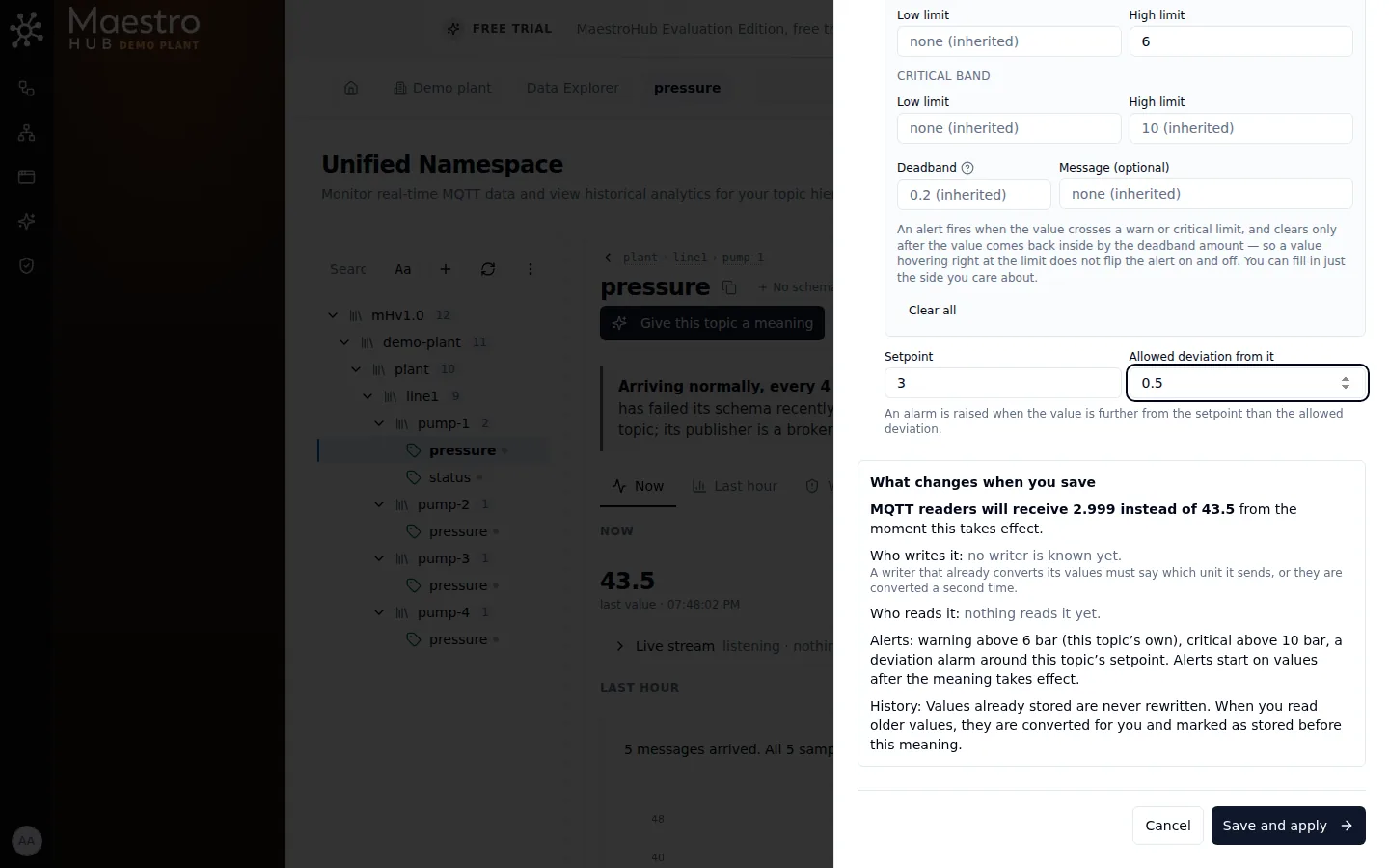
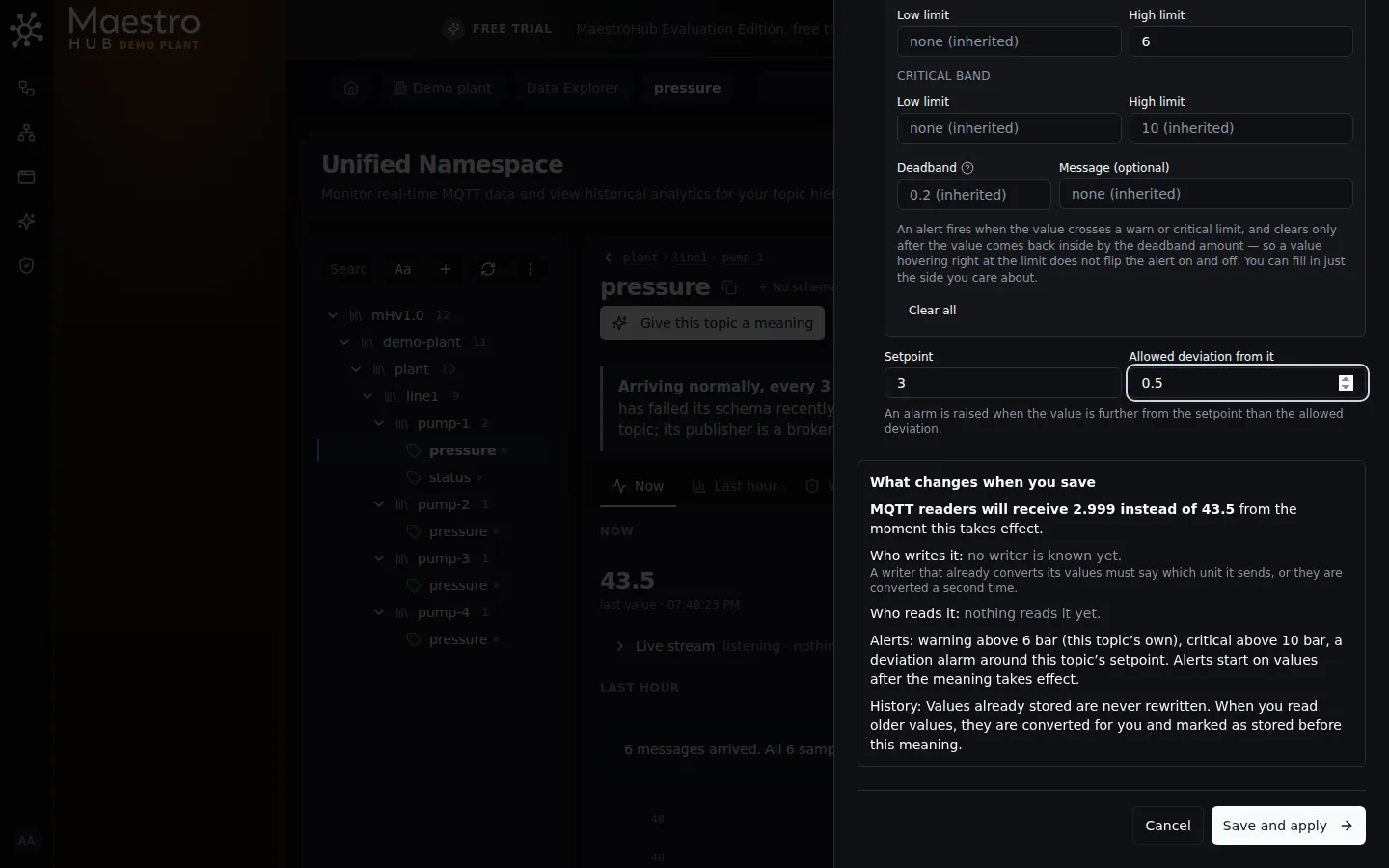
MQTT readers will receive 2.999 instead of 43.5 from the moment the meaning takes effect.
| Line | What it says |
|---|---|
| The value | What MQTT readers receive from the moment the meaning takes effect, for the last value: 2.999 bar instead of 43.5. When the device already sends the property's unit, the numbers stay the same and the unit is added. |
| Who writes it | The pipelines that publish to the topic and its last publisher. A writer that already converts its values must say which unit it sends, or they are converted a second time. |
| Who reads it | The pipelines, dashboards and apps that read the topic. From then on they read the property's unit. When anything reads it, you confirm you have checked them. |
| Alerts | The limits that will watch the topic: the property's, and this topic's own where set. Alerts start on values after the meaning takes effect. |
| History | Values already stored stay exactly as they are. When you look at older values, they are shown in the new unit too, with a note that they came in before this change. |
Save says why it is disabled until everything it needs is there: a property, the field, the device unit and your confirmation of the converted value.
If you may approve meanings here, the button reads Save and apply and the meaning takes effect at once. Otherwise it reads Send for approval: the meaning is saved as a proposal, the topic page shows it as Proposed, and someone who may approve meanings on that part of the tree applies it from the topic page. Apply opens the same panel on the proposal, so the converted value and the readers are checked before it takes effect.
Topics that look like this one
After you give a topic its meaning, the panel looks for topics like it: the same name, one level apart, for example the other pumps' pressure under line1. Those that send a number and have no meaning yet are listed, each with its own last value converted and who reads it.
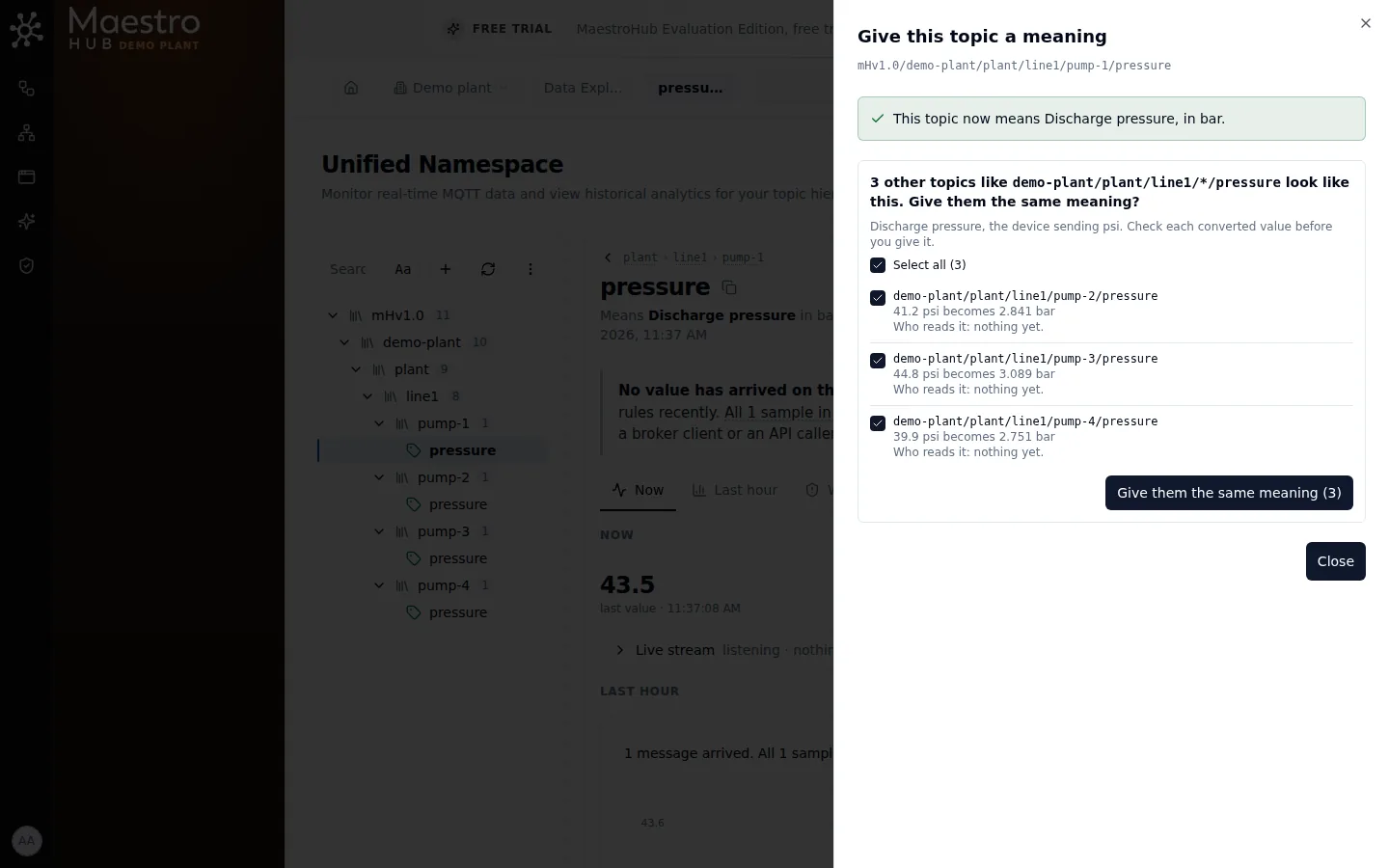
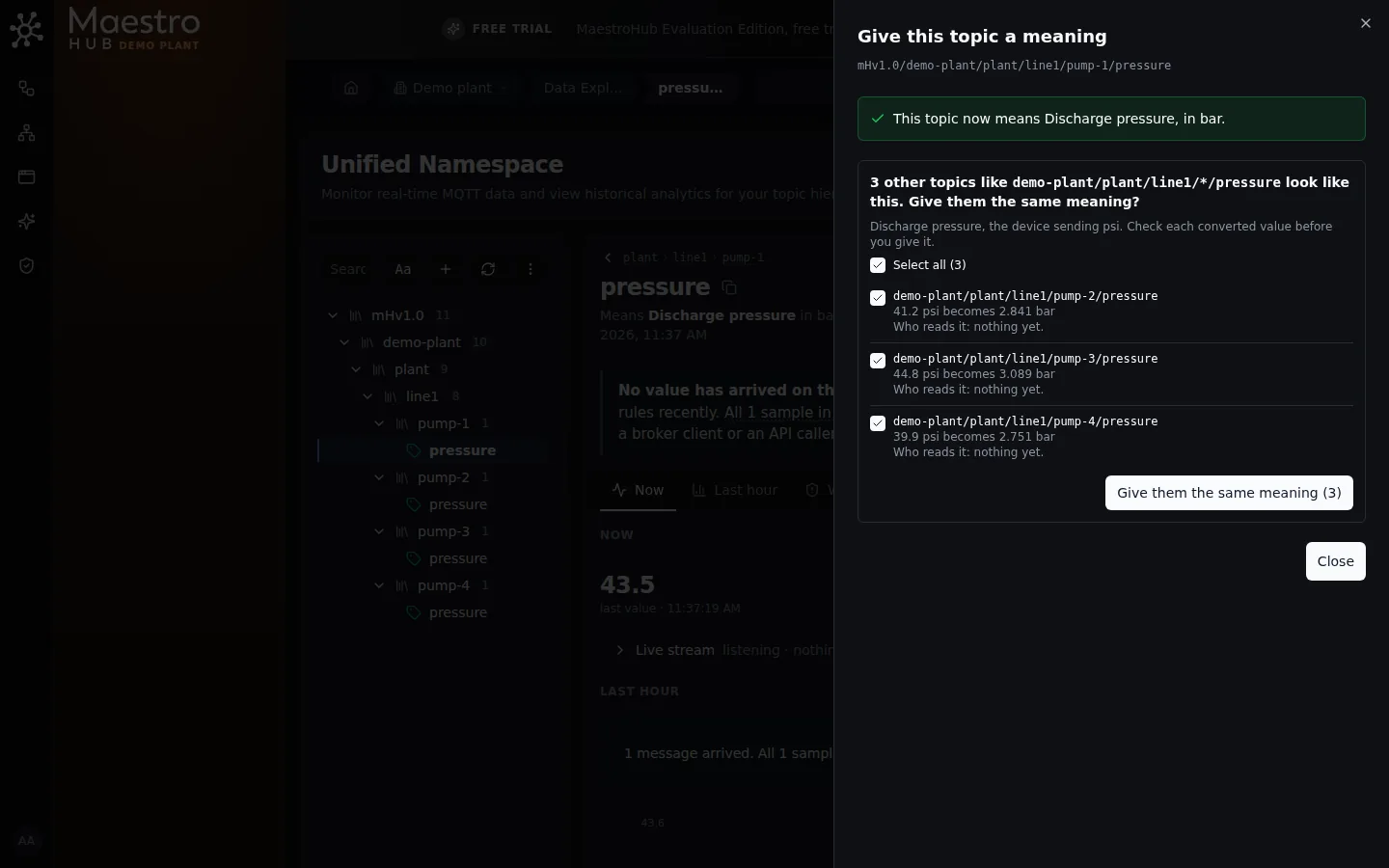
Select the ones you want, check each converted value, and give them all the same meaning in one go.
Tick the topics to give the same property and device unit, or Select all. The panel checks the selection with the server as you go and marks any topic it would refuse, with the reason: you may not change that topic, it got a meaning meanwhile, or it no longer exists. Give them the same meaning gives every selected topic its meaning together: one change, one instant from which all of them are converted, and if anything fails none of them changes. While a topic in the selection is refused, nothing is given; the Leave out button takes them out of the selection so you can go on with the rest. When anything reads the selected topics, you confirm you have checked who reads them first, as for one topic.
Who may do what is decided for each topic, so a selection can span parts of the tree that different people look after. If you may only propose for some of the selected topics, the button reads Propose them and the whole selection is proposed. Someone who may approve meanings then gives the same set its meaning from any of these topics: the proposals are applied as they were proposed. A topic proposed with another property or unit cannot be selected, and says why.
The panel looks at the first 100 topics with the same name and says so when there are more. A topic's own description and limits are set on its own page. To give hundreds of topics a meaning from a script, POST /api/v1/semantics/bindings/bulk takes up to 500 topics at a time, with preview: true to see each topic's answer first; a set with any refusal writes nothing and answers the same list.
A topic with a meaning
The topic page then says what the topic means, its unit and the unit the device sends, since when, this topic's own limits and its description. Normal values carry no label; only exceptions do, in plain words: a last value that could not be converted, older values that may be in the wrong unit after a correction, or a device unit the units catalogue can no longer read back.
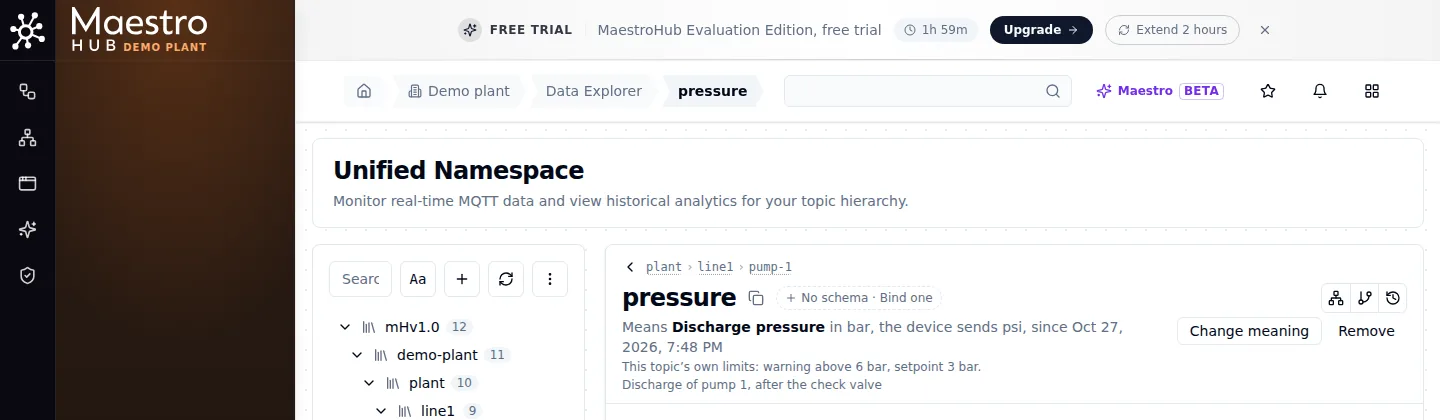
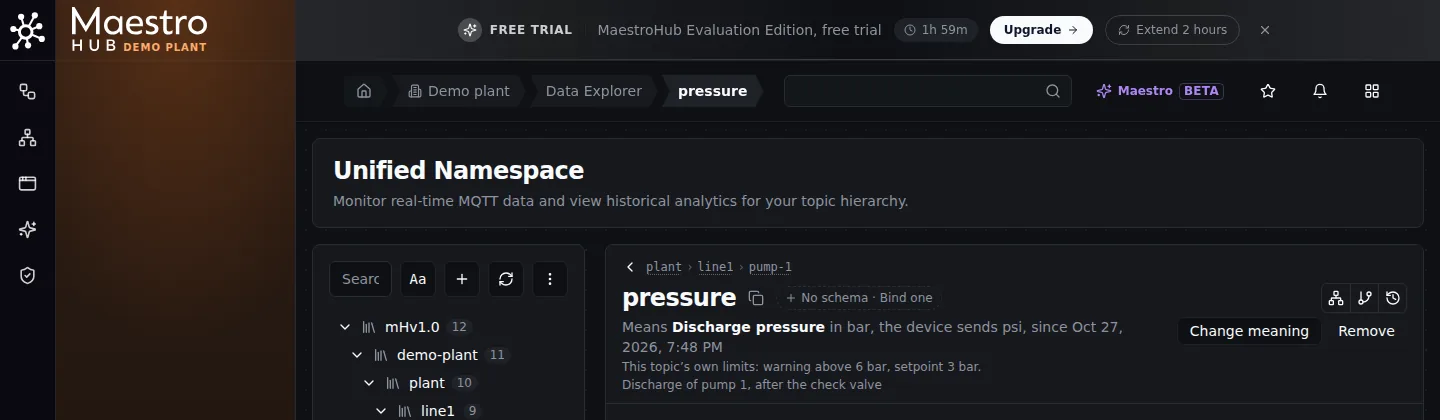
pump-1 now means Discharge pressure. Change meaning and Remove are beside it.
Change meaning opens the same panel on what is set:
- Another unit from the device: say why. The device now sends another unit converts values from now on from the new unit; older values keep the old one. The unit was set wrong also marks older values as possibly in the wrong unit. Nothing stored is rewritten either way.
- Another property: one change on the server. The current meaning ends and the new one starts at the same instant, so no value is stored without a meaning in between, and if anything fails the current meaning stays as it was. The new property's unit, the device unit, the description and this topic's own limits are all part of that one change; limits written for the old property are not carried over. Only someone who may both give and approve meanings here can do it; for anyone else Pick another is disabled and says why.
- The description or this topic's own limits change at once, with no approval and no new version. Emptying every limit field takes the property's limits again.
Remove says first what changes: readers receive values as the device sends them, with no unit; the property's alerts stop on this topic; and who reads it. Values already stored keep their meaning. A proposed meaning that never took effect is Discarded instead.
When a meaning gets no data
A meaning only helps when its field arrives. When it does not, the topic says so, in one of three ways.
A field whose name has a dot in it. A field is named by its path, one name per dot: motor.temp means a field motor holding a field temp. A device that sends a field literally named motor.temp ({"motor.temp": 61.5}) can therefore never be read by a meaning. The panel lists such a field but it cannot be picked, and says why. Giving it a meaning through the API, or to many topics at once, is refused with the same reason. Rename the field at the source so its name has no dot (motor_temp, or nested as {"motor": {"temp": 61.5}}), or rename it in a pipeline before it is published, then give the meaning to the new name.
When you give the meaning. The panel checks the field against the topic's recent values. If none of them has it, the meaning is still saved, and the panel says so in plain words: the field was not found in the recent values, and which fields the topic does send. A topic that has sent nothing yet cannot be checked, and the panel says that instead. Giving many topics the same meaning shows the same note beside each topic it applies to, before you save.
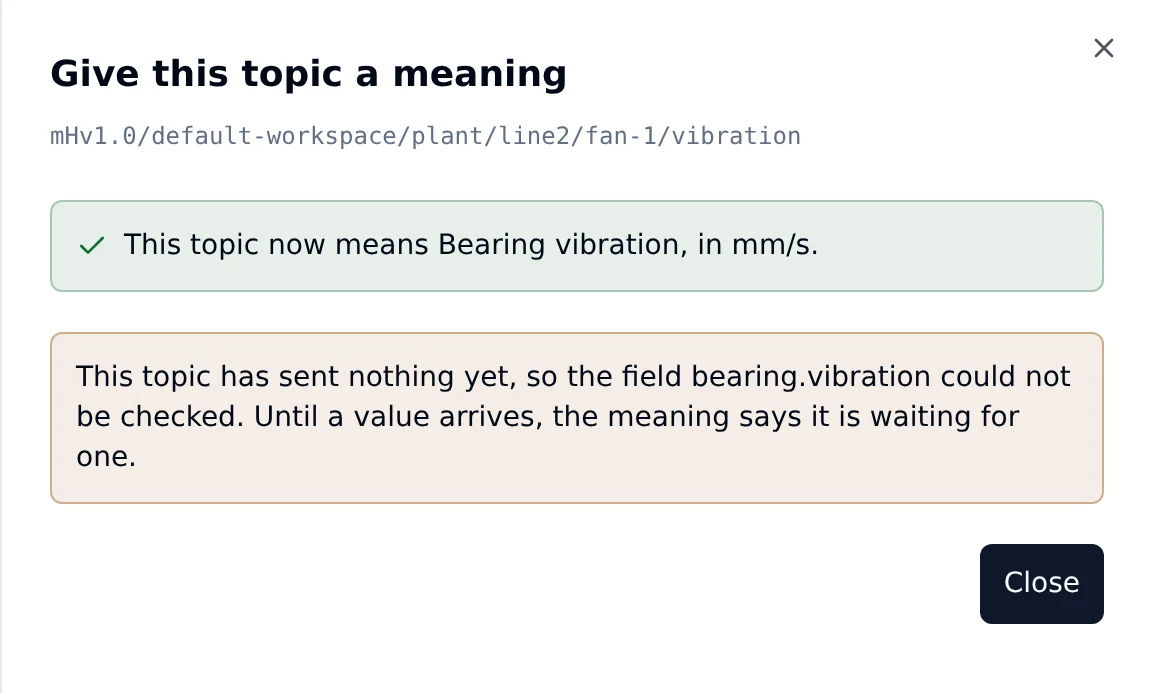
Saved, and told what could not be checked. Nothing is refused.
A field that is not required, waiting for its first value. Many fields arrive only now and then: a fault code, a batch number. Until the first record with the field arrives, the topic's meaning says, quietly, that it is waiting for its first value. This is not a fault and nothing is reported. It clears with the first record that has the field.
A required field that never arrives. When a property says its field is required and five records in a row arrive without it, with none having it since the meaning took effect, the field name is probably wrong. The topic's meaning says Not receiving data, and the field is reported on the topic's Violations as Not receiving data: field missing, once when it starts and again every five minutes while it lasts. It clears with the first record that has the field.
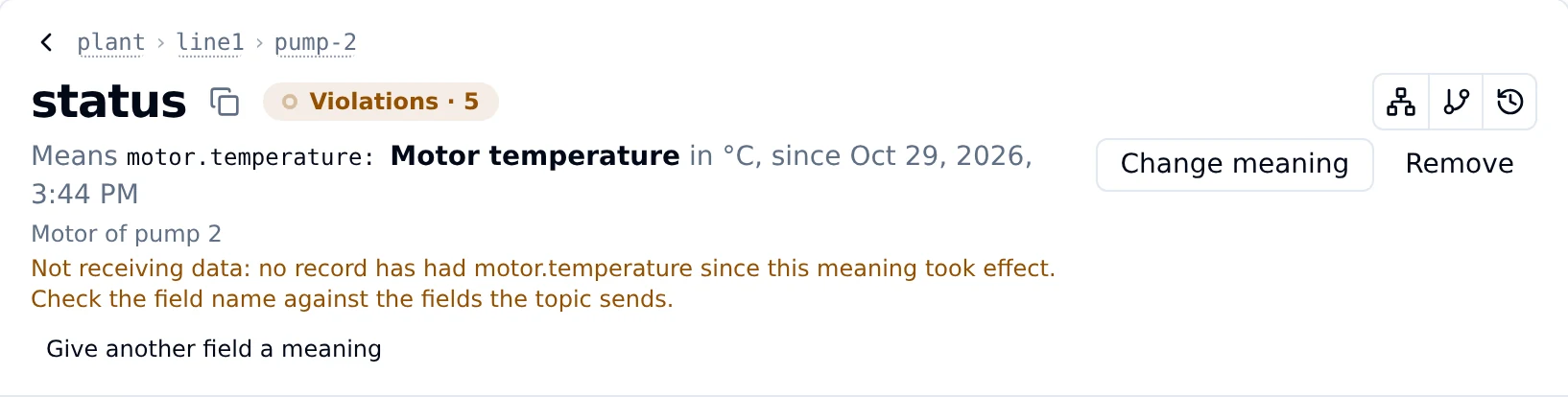
The topic sends motor.temp, the meaning was given to motor.temperature.
A topic that sends nothing. When a topic with a meaning sends nothing for longer than its property's expected period (or, without one, its own usual rhythm, or an hour), it is reported as Not receiving data: nothing sent. A property whose values arrive only on events is never reported for silence.
None of these changes what is stored, and none refuses a value, whatever the branch policy. Each clears on its own when the data arrives.
The coverage counts (GET /api/v1/uns/coverage) count a topic as having a meaning only once every field of its meaning has arrived. meaningNoData counts the topics with a meaning but no data, and awaitingFirstValue the ones of them that send but whose field has not arrived yet.
A computed meaning
A computed property is given to a topic that sends an object, next to the fields it is computed from. On a pump that sends discharge and flow, with their meanings in force, choose Give another field a meaning and pick Hydraulic power.
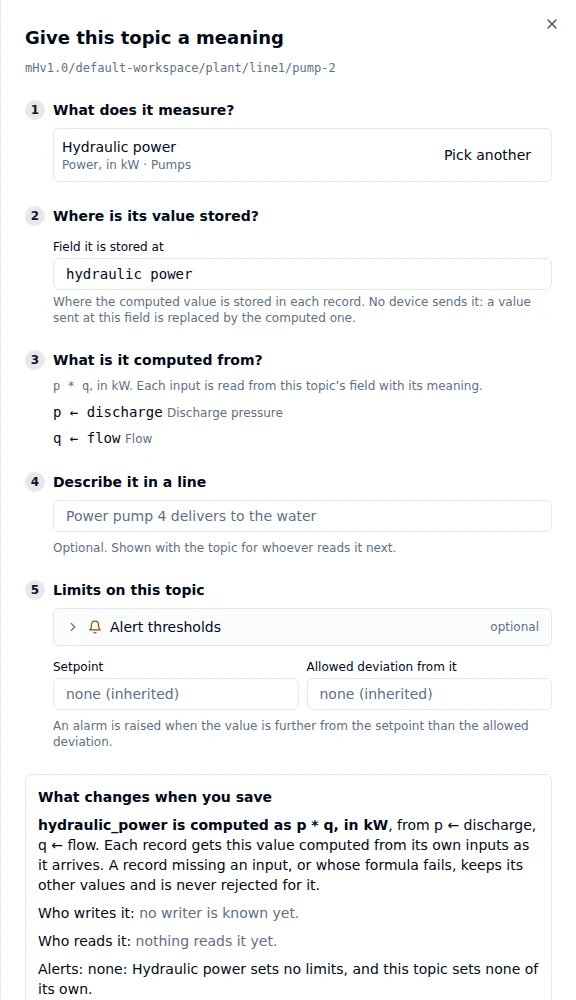
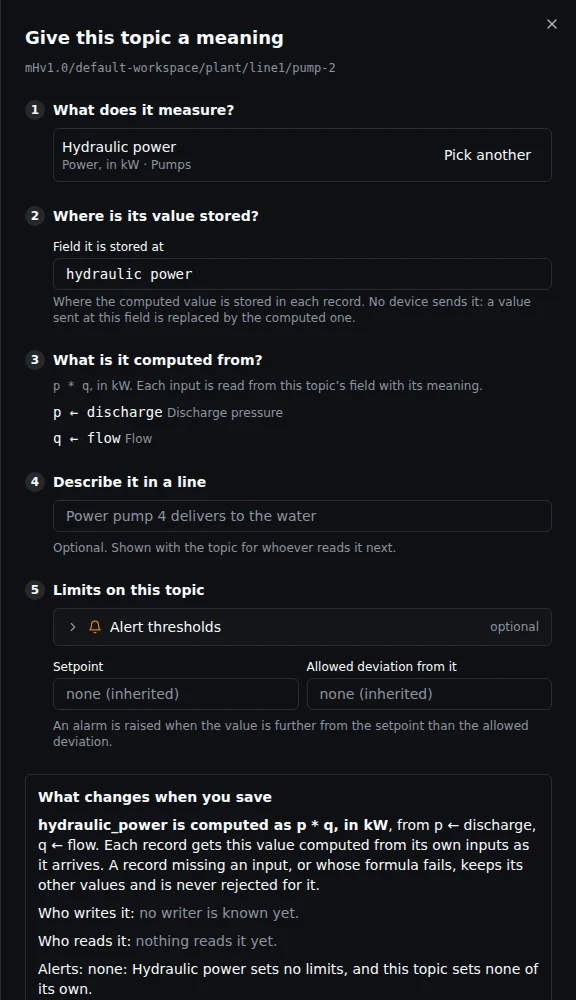
No device unit is asked. The panel says where the value is stored and which field each input is read from.
- Where is its value stored? The field each record gets, named after the property's key until you name another. No device sends it; a value sent at that field is replaced by the computed one.
- What is it computed from? Each input of the formula and the field it is read from, as
p ← discharge. The panel finds each by its meaning on this topic. Only when the topic carries the same property at two fields does it ask you to pick one. - Apply waits while an input has no meaning on the topic, or only a proposed one, and says which. Someone who may only propose can still propose the computed meaning; it is applied once its inputs are in force.
The topic page then shows the formula and where each input comes from. The value appears with the topic's other fields, in the property's unit.
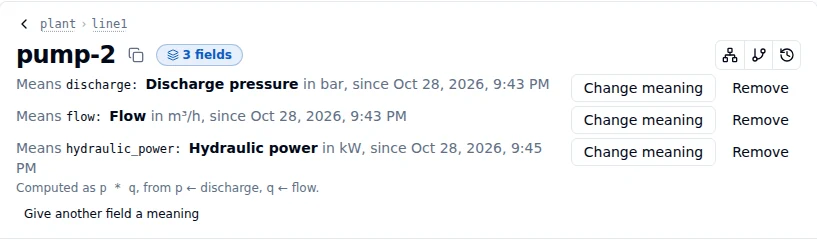
A computed meaning says how its value is made.
When the last record has no computed value, the topic says why: the record lacked one of the inputs, or the formula could not compute a value, for example a division by zero. The record kept its other values.
While a computed meaning reads a field, that field's meaning stays. Removing or replacing it is refused, naming the computed meaning; remove that one first, or change its formula in the library.
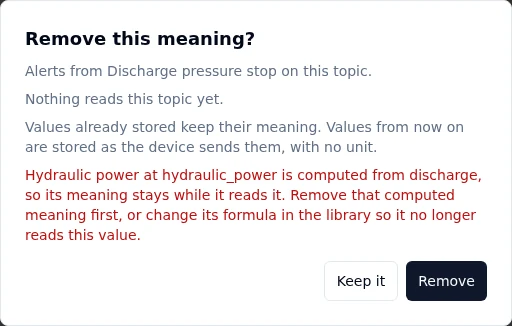
An input stays while a formula reads it.
Who can do what
| Action | Needs |
|---|---|
| See a topic's meaning | semantic_binding:read (Data Viewer, Data Editor, Data Admin), or looking after that part of the topic tree, and topic:read on the topic |
| Give a topic a meaning, as a proposal | semantic_binding:create, or looking after that part of the tree; and topic:update there |
| Make it take effect, change the device unit, remove it | semantic_binding:review (Data Admin, Workspace Admin), or looking after that part of the tree; and topic:update there |
| Give it another property (one change) | semantic_binding:review and semantic_binding:create, or looking after that part of the tree; and topic:update there (and semantic_binding:update when the change sets this topic's own limits) |
| Change the description or this topic's own limits | semantic_binding:update, or looking after that part of the tree; and topic:update there |
| Discard a proposed meaning | semantic_binding:delete, or looking after that part of the tree; and topic:update there |
| Give many topics the same meaning | For each topic, what giving it a meaning needs (and, to make them take effect, what approving needs). A topic you may not change refuses the set until you leave it out |
What you may do is the server's answer for that topic, so looking after a part of the tree through a group counts. A control you cannot use is shown disabled and says what it needs. Agents may read meanings but never set them: a person gives a topic its meaning.
Your licence
The semantic layer is in the Foundation and Enterprise editions, with no limit on how many topics have a meaning.
The free trial gives up to 100 topics a meaning, counted across the whole instance, every workspace together. A topic counts from the moment its meaning takes effect, and stops counting when its meanings are removed. A proposed meaning that has not taken effect does not count, and nor do libraries, properties or imported standards. When the limit is reached, making another meaning take effect is refused with License limit reached, and the message says how many topics have a meaning and how many the licence allows; the meaning is kept as a proposal. Giving several topics the same meaning at once is refused as a whole when they do not all fit, and the message says how many places are left, so you can leave some out. The License page and the Admin Overview show the limit and how much of it is used.
If the licence stops including the semantic layer (it expires, or a licence without it is applied), the meanings already given keep converting values and raising alarms, and a branch set to enforce keeps refusing values that break its rules. Nothing in the semantic layer can be changed until a licence with it is applied again.