Libraries
Say once what a value means: what it measures, its unit, the rules it must satisfy, its alarm and how often it arrives. Every topic given that meaning follows it.
- Where
- Explore › Libraries
- Holds
- Properties: value, unit, rules, alarm, sampling
- Validation
- Observe · Warn · Enforce, per branch of the tree
- Licence
- Semantic layer (Foundation, Enterprise)
New here? Start with the 10-minute tutorial: three pumps that report psi and bar end up on one kPa chart with one alarm for all of them.
A library is a versioned set of properties. A property says what a value is: a pump's discharge pressure in bar between 0 and 16, a tank's level in metres, a motor's running state. Topics are then given that meaning (Giving a topic a meaning), and every value they carry is checked, converted to the property's unit, alarmed on and charted the same way.
Libraries replaced the data schemas of earlier 3.0 builds. On upgrade from such a build, its schemas become libraries and their attributes become properties (each schema version a published library version, as schema versions could not change), with their constraints, alert limits and sampling carried over, and every schema binding becomes a meaning of the same topic (see Changes in 3.0). The 2.6 schema registry is not carried over. An old link to the Schemas page opens this page.
The semantic layer needs a licence that includes it: Foundation or Enterprise. Without it there are no meanings and no alarm limits, and the Libraries page says so and where a licence is applied (System Management → License).
The Libraries page
Open Explore › Libraries. The left panel lists libraries by namespace, newest version first; the Retired toggle shows retired versions too. The right panel shows the selected library, its versions and its properties.
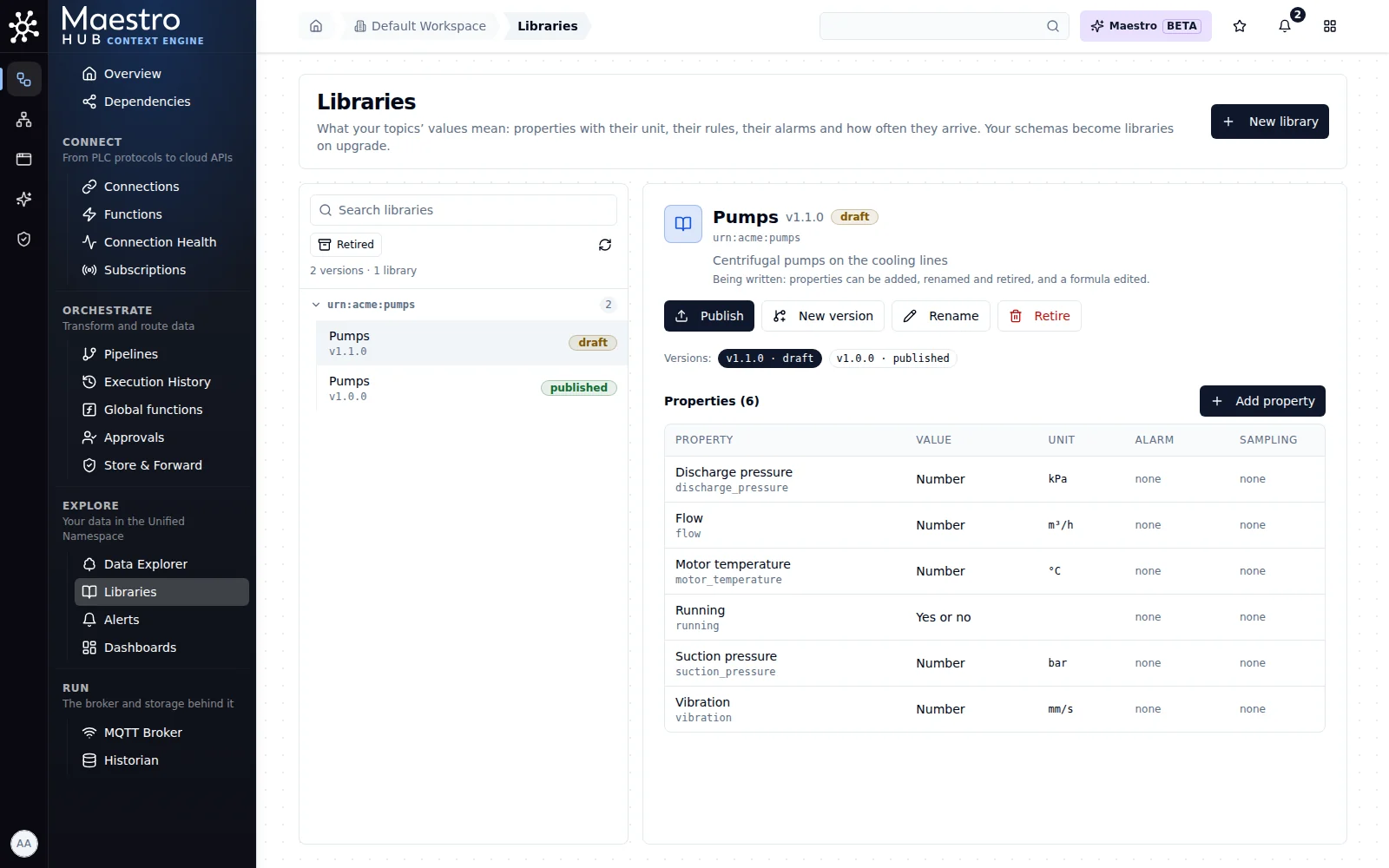
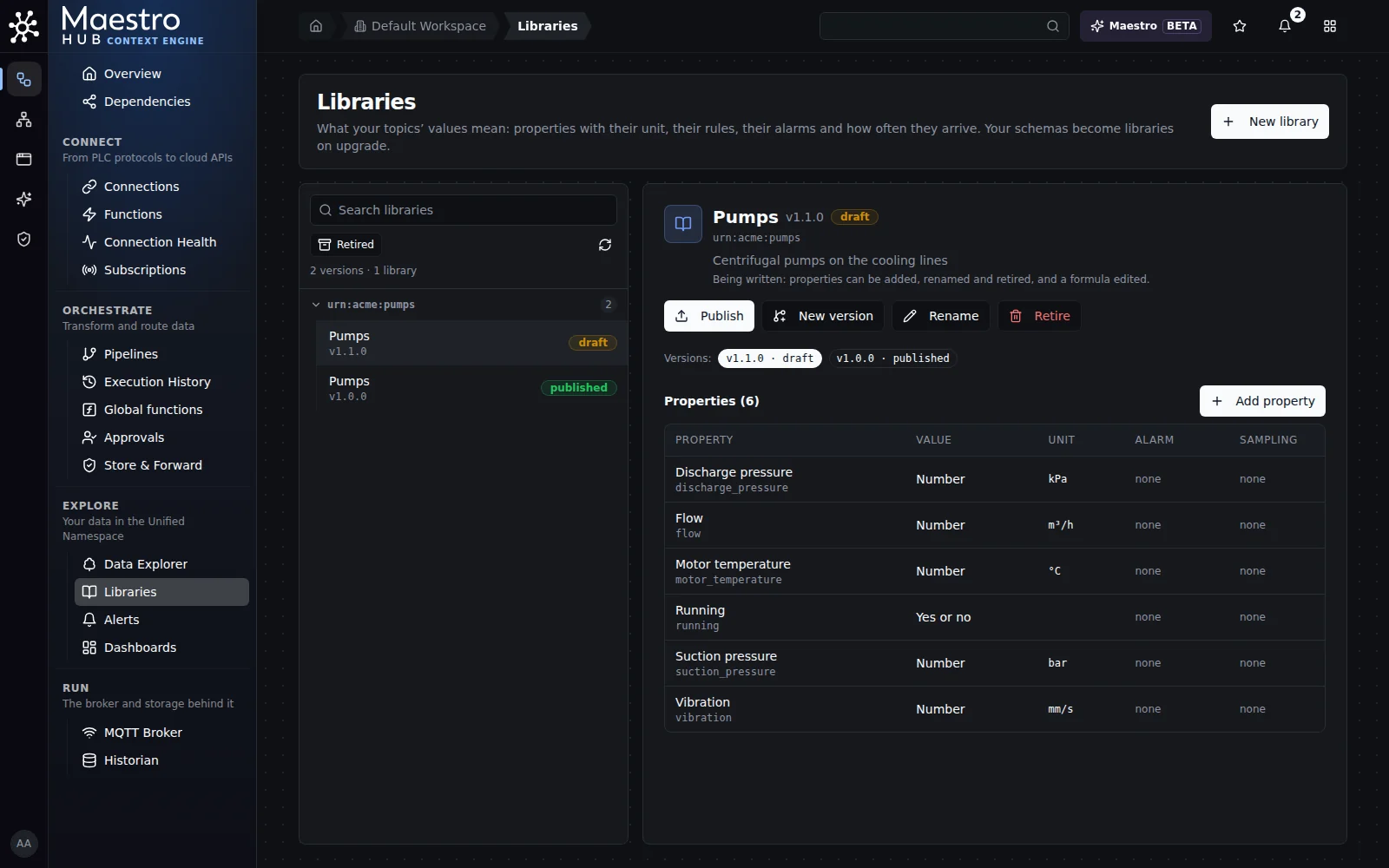
Pumps v1.1.0, a draft beside the published v1.0.0, with its properties. Each row shows the value, the unit and whether an alarm and sampling are set.
| Action | What it does |
|---|---|
| Import file | Imports a library file as a published version (Libraries as files). |
| Export file | Saves the selected version as a JSON Schema file (Libraries as files). |
| New library | Creates a draft library. Its namespace and version identify it and never change, for example urn:acme:pumps version 1.0.0. The maestro namespace is reserved for the built-in library. |
| New version | Creates a new draft in the same namespace, with the version number you choose, started as a copy of an earlier version or empty (Starting a new version). The versions before it stay as they are. |
| Rename | Changes the name and description people read, on a draft or a published version. A retired library's name is fixed. |
| Publish | Fixes the version's definitions for good (Publishing a version). |
| Retire | Retires a version no topic uses any more. It is kept, so anything that named it still resolves. |
A library is draft (properties can be added, renamed and retired, and a formula edited), published (its definitions fixed: a change to one is a new version) or retired.
Start from your data
A workspace that has not started yet opens its Libraries page on Start from your data: your topics, grouped by the meaning MaestroHub would give each one. "Not started" means the workspace has no library of its own and no topic with a meaning (a proposed one counts); the built-in library alone does not count. Later, Start from your data stays in the page header, with the number of groups still waiting once your topics have been read.
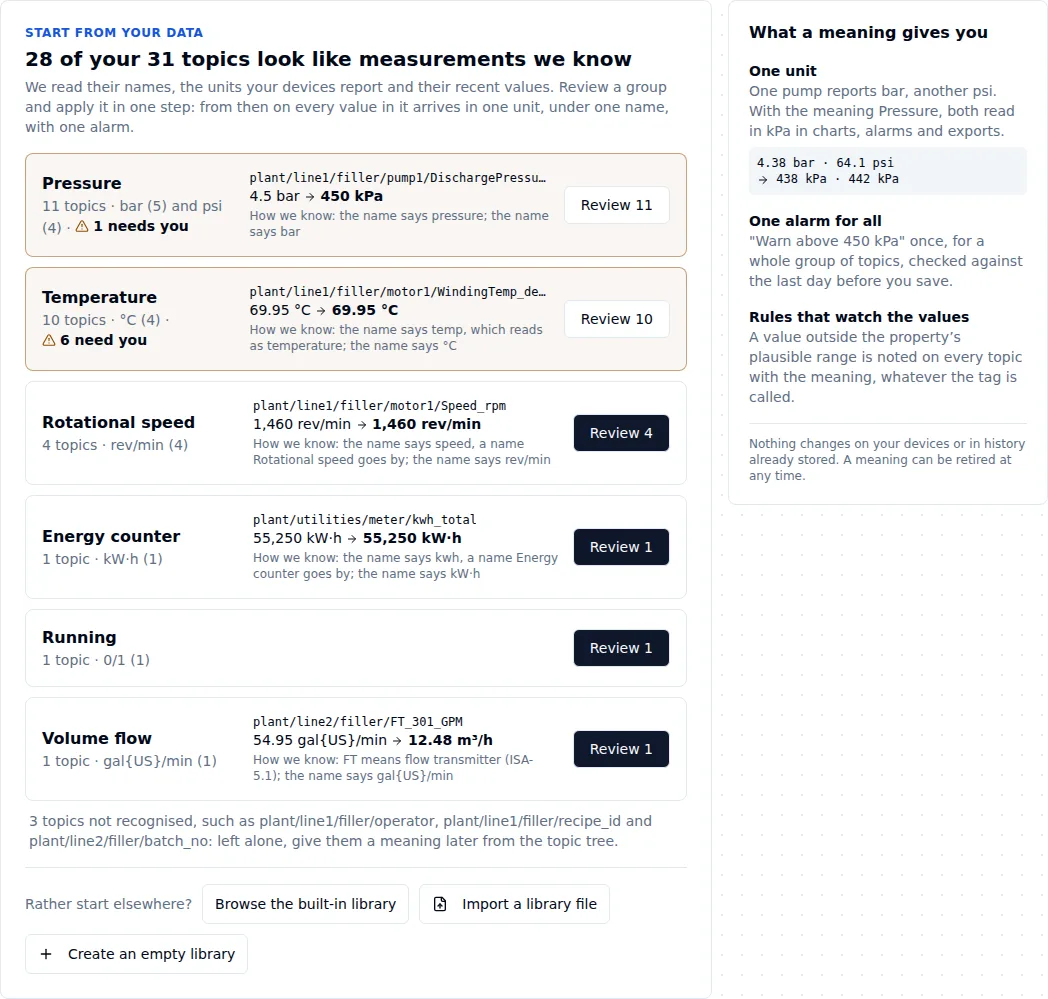
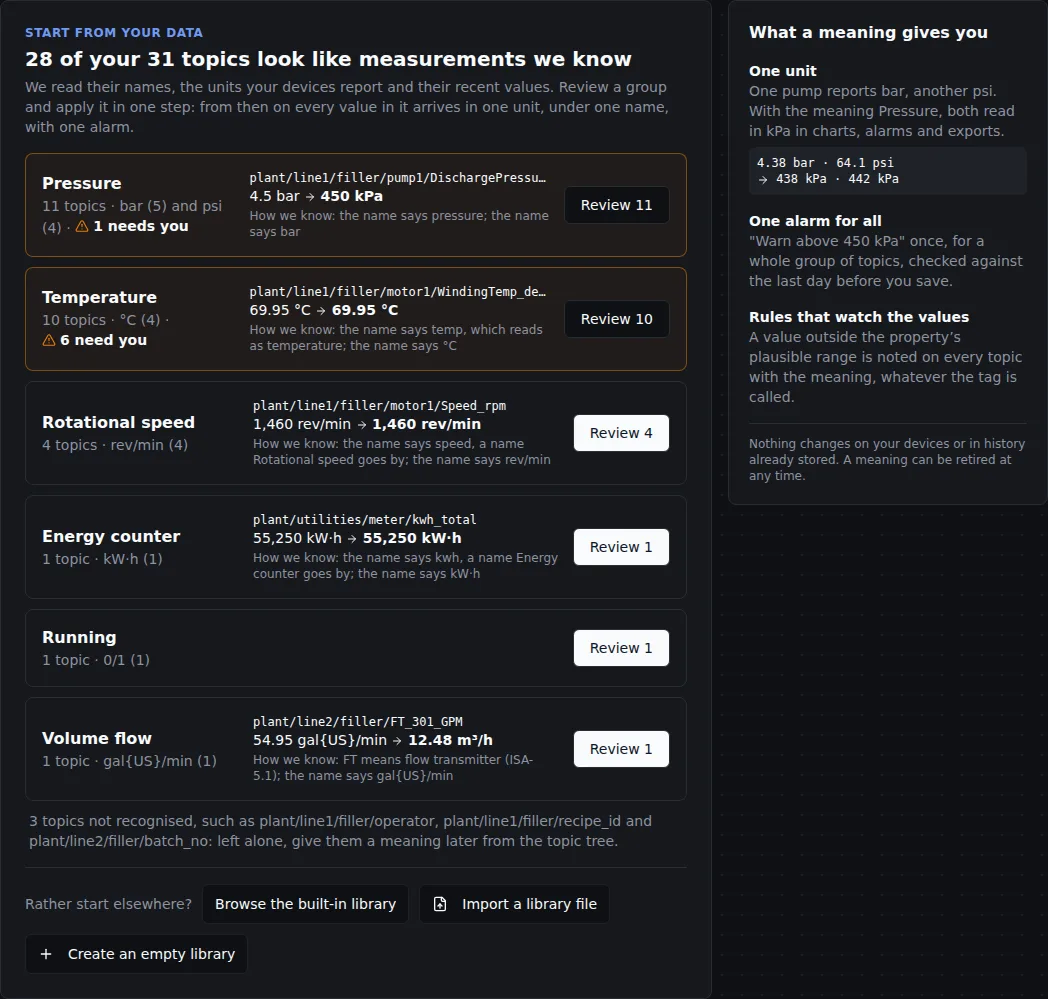
Each group says how many topics it holds, the units they report, one real value converted, and how that is known. Amber groups have topics whose unit you must say.
Every topic you can read that has sent values is read once: its name, the unit on record for it and its recent values, by the same rules as the suggestions. Nothing is changed. A large tree takes a few seconds and the page says how far it is ("Reading your topics: 3,200 of 10,000"); the result is kept until topics are added or removed, or a library or a meaning changes, and then read again.
For each group: its topics and the units they report ("11 topics · bar (5) and psi (4)"), one real value and what it will read as ("4.5 bar → 450 kPa"), and how we know (the name, an ISA-5.1 tag, the unit on record, a sibling). Topics nothing in your libraries matches are counted and named (recipe_id, batch_no): they are left alone, and you can give them a meaning later from the topic tree. Browse the built-in library, Import a library file and Create an empty library start elsewhere instead.
You see only the topics you can read, and only meanings from the libraries you can read: someone who looks after line 2 sees line 2's topics.
Review a group
Review opens the group's topics, one row each: what it sends now, the unit it is read in, how that is known, and what it will read as.
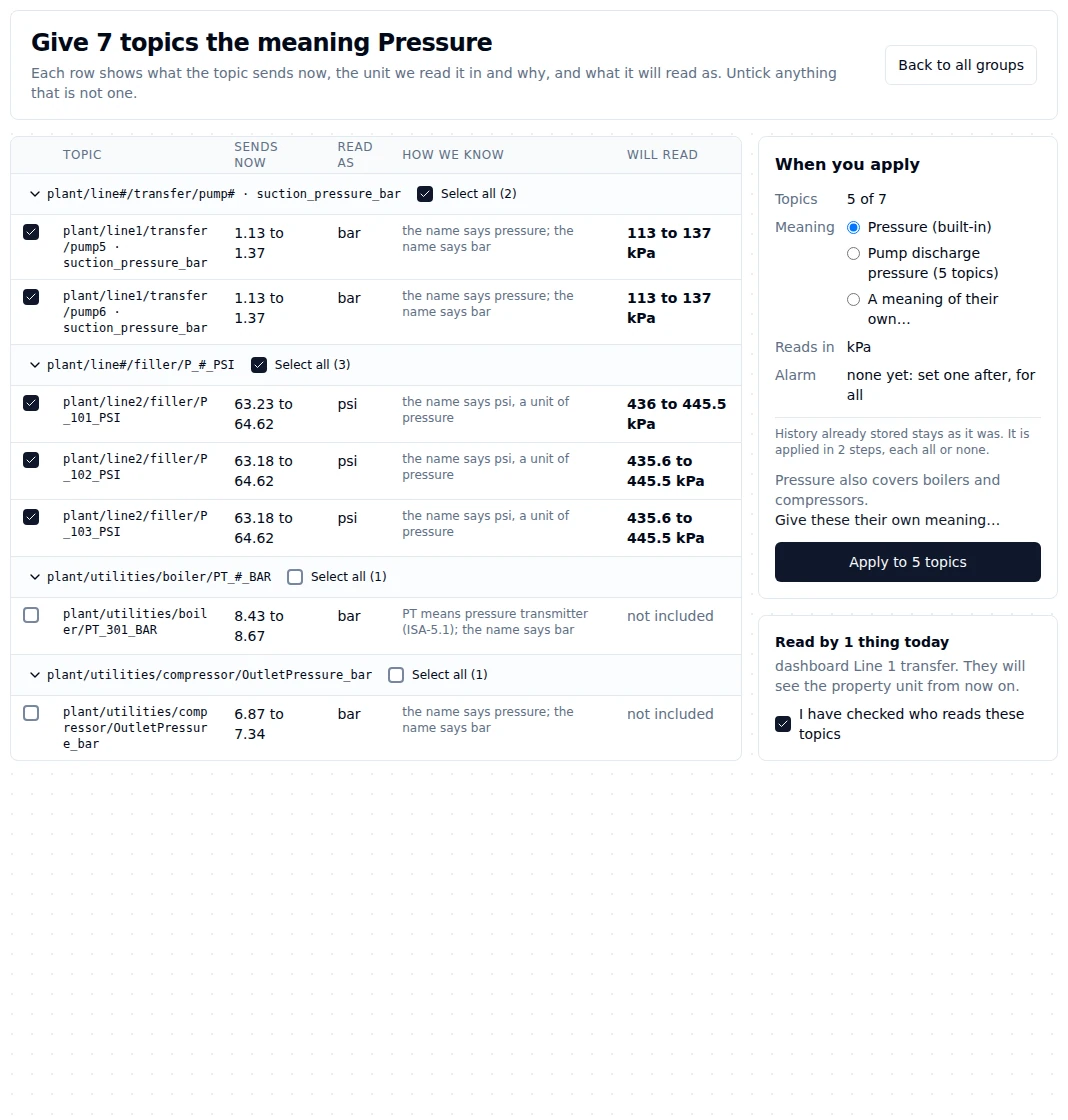
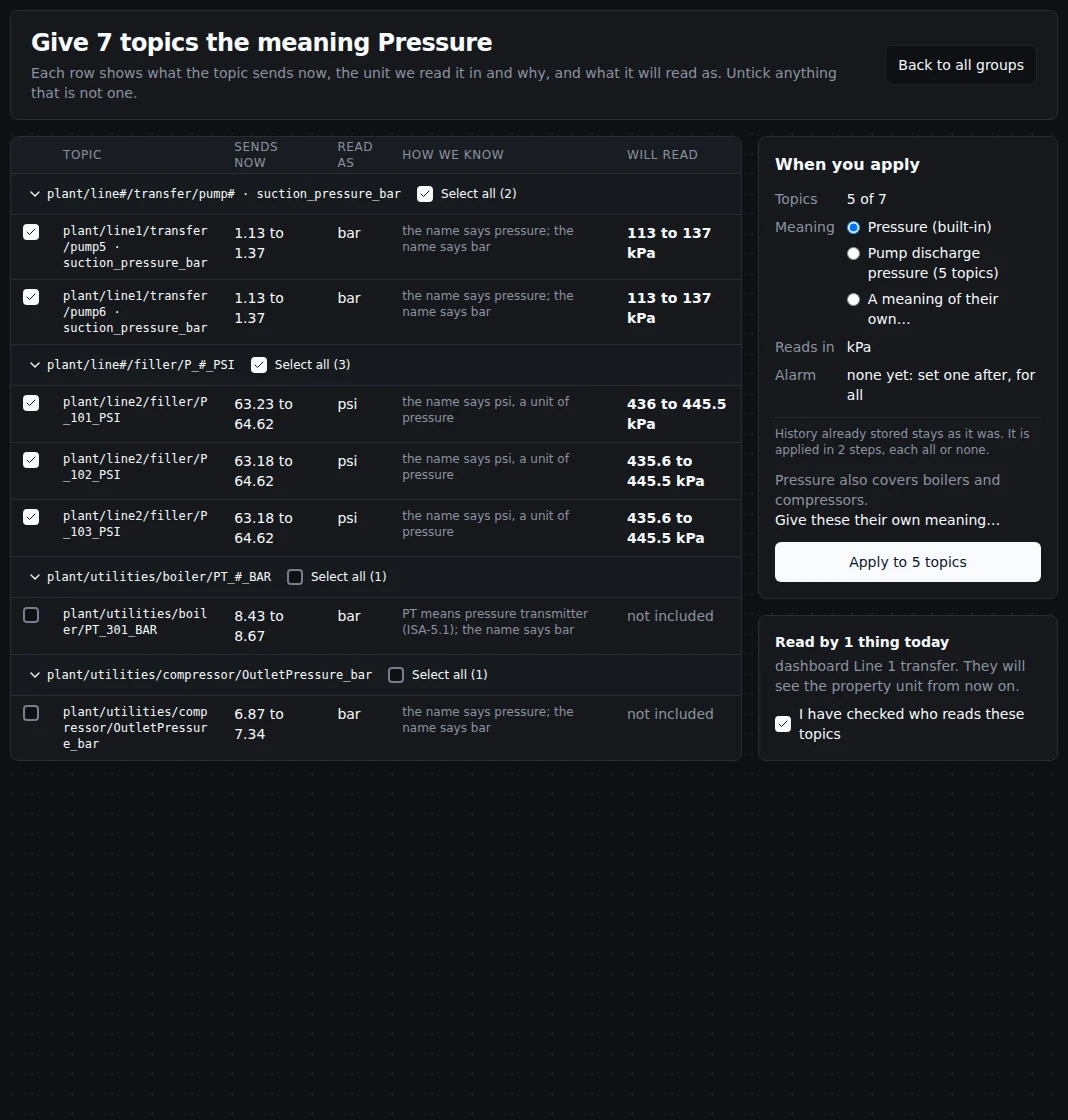
A second reading: the discharge pressures already have Pump discharge pressure, which is offered here with its count. Tick the rows you mean, then give them Pressure, that meaning, or a new one.
- Rows sit under headings of the same shape (
line#/filler/P_#_PSI), each with Select all. Ticking across headings is fine: both filler lines apply together. - Ready rows are ticked. Untick anything that is not one.
- Held back rows are unticked and say why: the name and values fit two meanings, the evidence is weak, the values are only 0 and 1 (a state, not a pressure), or the topic has sent nothing yet. Tick one if you know better.
- When no unit is reported and the values fit more than one unit, you are asked. The question shows what the values read as in each unit and whether that is inside the property's plausible range, and marks one more likely when the other devices in the same folder report units of one system (psi and gal/min suggest °F). Pick one for all of them, or Different units per topic. Apply to all stays disabled, and says why, until every question is answered; Apply the N now gives the ready topics their meaning and leaves the rest for later.
When you apply says how many topics, the meaning and the unit they will read in. For a built-in meaning such as Pressure you choose the meaning: Pressure itself, a meaning of your own made from it before (with how many topics have it and its alarm), or A meaning of their own…. A built-in Pressure group holds pumps, suctions, headers and boilers together, and one alarm must not reach all of them: tick the rows you mean, choose A meaning of their own…, check the proposed name (for example Pump discharge pressure) and the library it is saved in, and the ticked topics are given it. Later topics are offered that meaning, never given it for you. If you may not make one (only a Data Admin, a Workspace Admin or someone who may update a draft library can), the card says so and how to set limits on these topics only. When anything reads these topics (pipelines, dashboards, apps), they are named and you confirm you have checked them, as when you give one topic a meaning. Apply gives the ticked topics their meaning in one change, all or none, each topic with its own device unit. A group of more than 500 topics, or one whose topics carry the value in different fields, is applied in several steps, each all or none, and the page says so before you apply. If you may only propose meanings here, the button reads Send N for approval. On a trial licence, a group that would pass the limit of topics with a meaning is refused whole, with how many places are left.
What you just got, and one alarm for all
After applying, the page shows the result and two of the topics that used to report different units, on one scale for the last hour (their older values are shown converted).
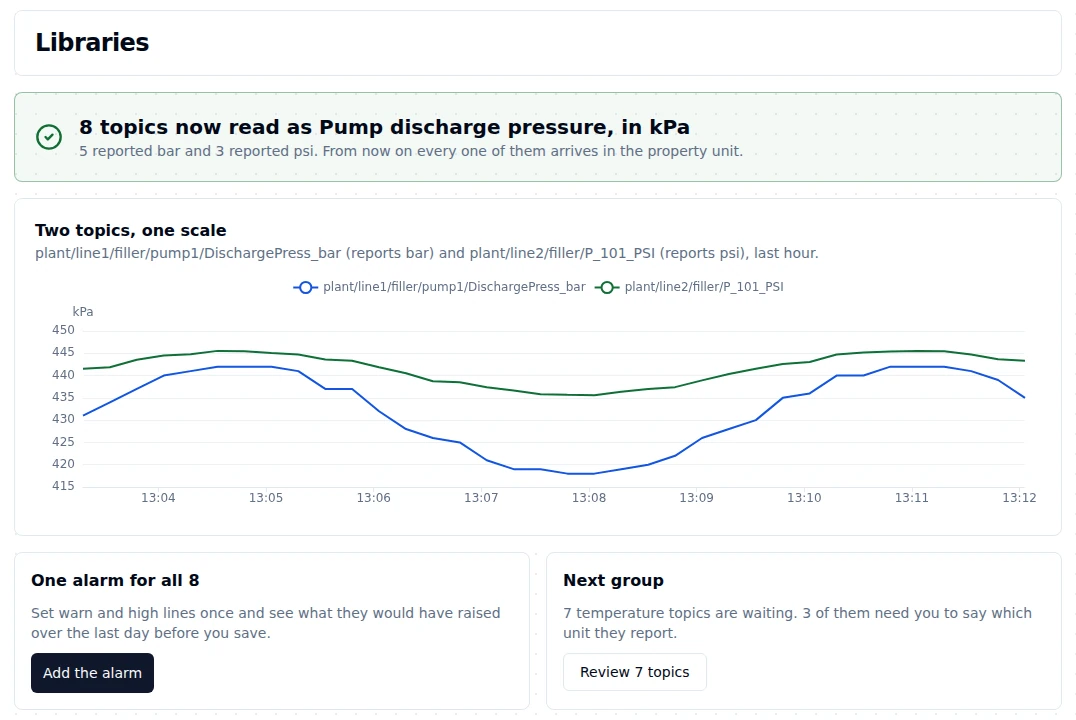
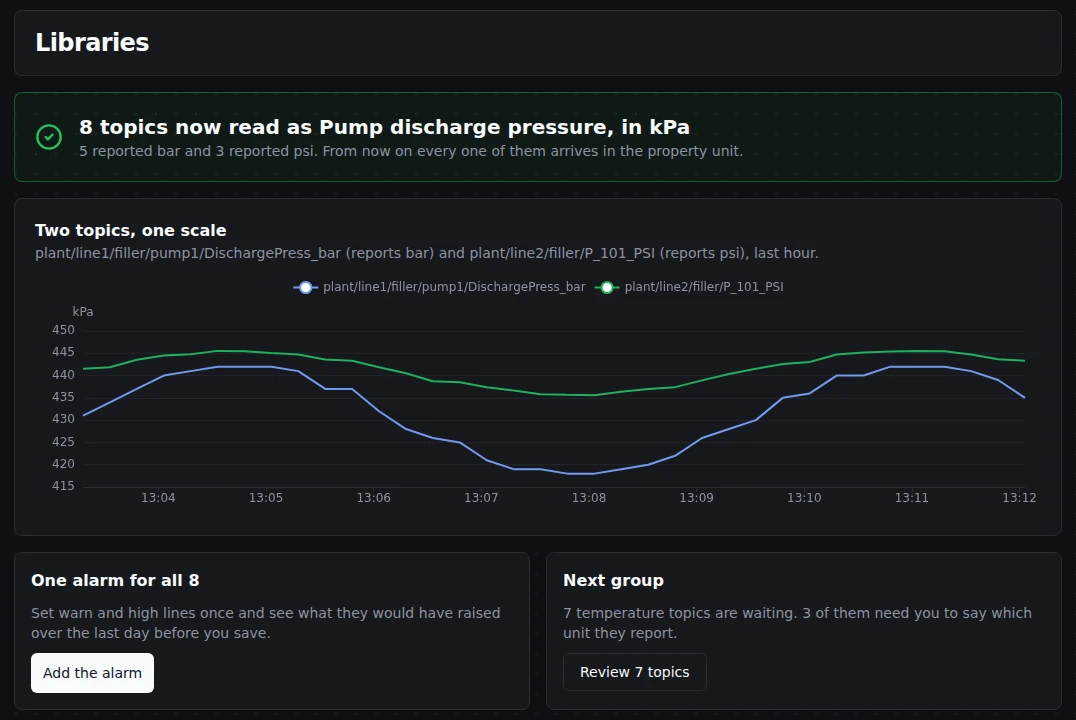
The pump sent bar and the transmitter psi: on one kPa scale they can be compared at a glance. Next: one alarm for all 8, or the next group.
Add the alarm sets warning and high lines once for the group, and before you save shows what they would have raised over the last 24 hours, from the topics' history, judged exactly as live alarms are (with the delay you choose).
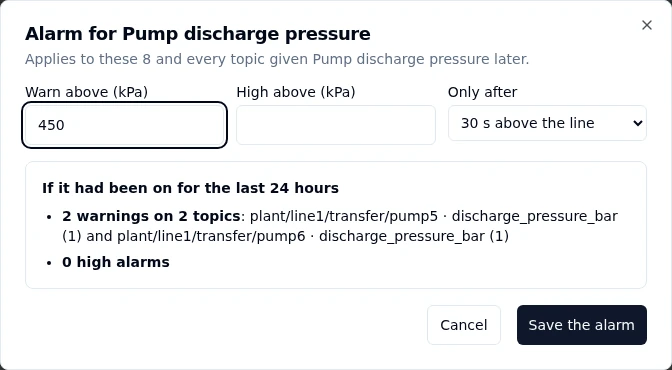
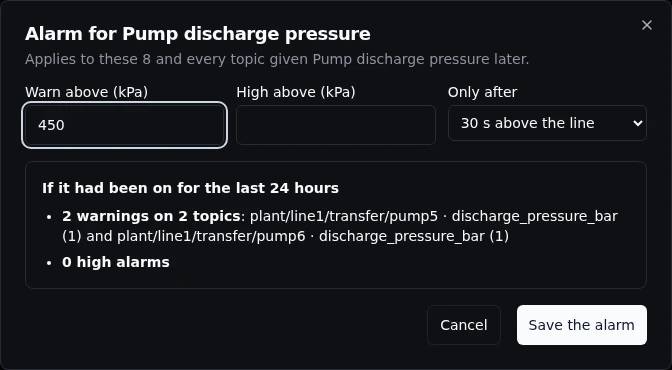
Before anything is saved: the warnings a line at 450 kPa would have raised in the last day, on the pumps that would have raised them. Topics given Pump discharge pressure later get the same alarm.
- The preview reads the first 50 topics of the group and up to 2,000 values of each, and says so when there are more.
- Values a device sent before the meaning was set, in a unit that cannot be converted, are left out of the preview, and it says how many.
- A topic whose values sit far from the rest (a steam boiler among filler pumps) is named, with a link to give it its own limits, and left out of the alarm unless you tick it.
- On a property of your own library, a meaning of your own included, the alarm is the property's: these topics and every topic given it later. After saving, Change the alarm opens it again. A property of the built-in library cannot be changed, so the alarm is set on each topic of the group in one change; a topic given the meaning later needs it set again, or copy the property into your own library for an alarm that follows every topic.
The built-in library
Every workspace starts with one library already in it: MaestroHub Common (maestro:common, version 1.0.0), listed under Built in. It holds 33 everyday plant measurements, so a topic can be given a meaning on the first day, before anyone has written a library.
| Property | Measures | Reads in | Goes by (some of) |
|---|---|---|---|
| Temperature | temperature | °C | temp, tmp, pt100, rtd, TT, TIC |
| Pressure | pressure | kPa | press, pres, PT, PIC |
| Differential pressure | pressure | kPa | dp, delta_p, PDT |
| Volume flow | volume flow rate | m³/h | flow, flowrate, FT, FIC |
| Mass flow | mass flow rate | kg/h | mass_flow, steam_flow, FT |
| Volume counter | volume, counts up | m³ | totalizer, tot, gas_meter, FQ, FQI |
| Level | length | m | level, lvl, LT, LIC |
| Rotational speed | rotational frequency | rev/min | speed, rpm, spd, ST, SIC |
| Linear speed | linear velocity | m/s | line_speed, belt_speed |
| Active power | active power | kW | power, kw, pwr, JT |
| Energy counter | energy, counts up | kW·h | energy, kwh, consumption, JQ, JQI |
| Current | electric current | A | current, amps, IT, II |
| Voltage | voltage | V | voltage, volts, ET, EI |
| Frequency | frequency | Hz | frequency, freq, hz |
| Power factor | power factor | 1 | pf, cos_phi |
| Vibration velocity | velocity | mm/s | vibration, vib, vrms, VT |
| Relative humidity | relative humidity | %RH | humidity, rh, MT |
| Weight | mass | kg | weight, wt, load_cell, WT, WIT |
| Torque | torque | N·m | torque, trq |
| Density | density | kg/m³ | density, rho, DT |
| pH | acidity | pH | ph, AT, AIT |
| Conductivity | electric conductivity | µS/cm | conductivity, cond, ec, AT |
| Dissolved oxygen | mass concentration | mg/L | dissolved_oxygen, o2, AT |
| Turbidity | turbidity | NTU | turbidity, turb, ntu, AT |
| Gas concentration | mole fraction | ppm | co2, ppm, h2s, AT |
| Valve position | ratio | % | valve_position, position, opening, ZT, ZI |
| Output or setpoint (percent) | ratio | % | output_percent, controller_output, speed_ref |
| Count | count, counts up | # | count, cnt, good_count, reject_count, QT |
| Running hours | time, counts up | h | runtime, run_hours, operating_hours |
| Running | yes or no | running, run_sts, is_running, motor_on | |
| Alarm | yes or no | alarm, alm, fault, trip, PAH, PSH, TAH | |
| OK | yes or no | ok, healthy, ready, normal | |
| Machine state | text | state, status, mode |
Each property says what it measures, a unit (a topic's device may send another; you pick it when you give the meaning), a plausible range, how often its values usually arrive, and the names it goes by: plain words, abbreviations and ISA-5.1 instrument letters. A value outside the plausible range is recorded as a rule failure, as on any property (Validation rules on the topic tree): on a branch that only observes or warns, which is the default, nothing is refused. The built-in properties set no alarm limits, and no staleness or frozen threshold: a topic sets its own limits when it is given the meaning, and a copy sets the rest.
The In use column counts the topics you can read that already have each meaning. On a library used by more than 1,000 topics it counts the first 1,000 and shows a +: at least that many use it.
MaestroHub keeps it. The built-in library is read-only: every edit button says so, and the server refuses a change with the way to make it (409). Creating a version of its namespace, or importing its file, is refused as an invalid namespace (400): the maestro namespace is MaestroHub's. A new version of it ships beside the old one, and never changes a topic that already has a meaning: those topics keep the version they were given until you move them (Moving topics to a newer version).
To change it, copy it. Copy into my library on the library creates a draft library of your own (your namespace, for example urn:acme:plant) with every property; on a property page, it copies that one property into a draft of yours. A copy is yours to rename, widen, give alarm limits and names, and publish. Each copied property remembers the built-in one it came from, and the library and property pages say so ("Copied from MaestroHub Common 1.0.0 · Pressure").
You can read the built-in library if you can read libraries (semantic_library:read, held by Data Viewer and every role above it). Someone who reads only libraries shared with them one by one sees it, and its suggestions, only when it is shared with them too. Copying it needs what creating a library needs.
Publishing a version
A draft works as it is: its properties can be bound and their alarms run. Publish fixes what the version means, so everything that names it keeps one meaning for good. Topics already bound to it keep working exactly as they are: publishing changes no value and opens nothing new on them.
Click Publish on a draft. Before anything changes, the dialog compares the version with the published version before it in the same namespace (the highest lower version: 1.10.0 comes after 1.9.0) and lists, by key, the properties it adds, retires and changes, and in what: the value type, the unit or quantity, the value rules or the formula. The namespace's first published version lists every property as added.
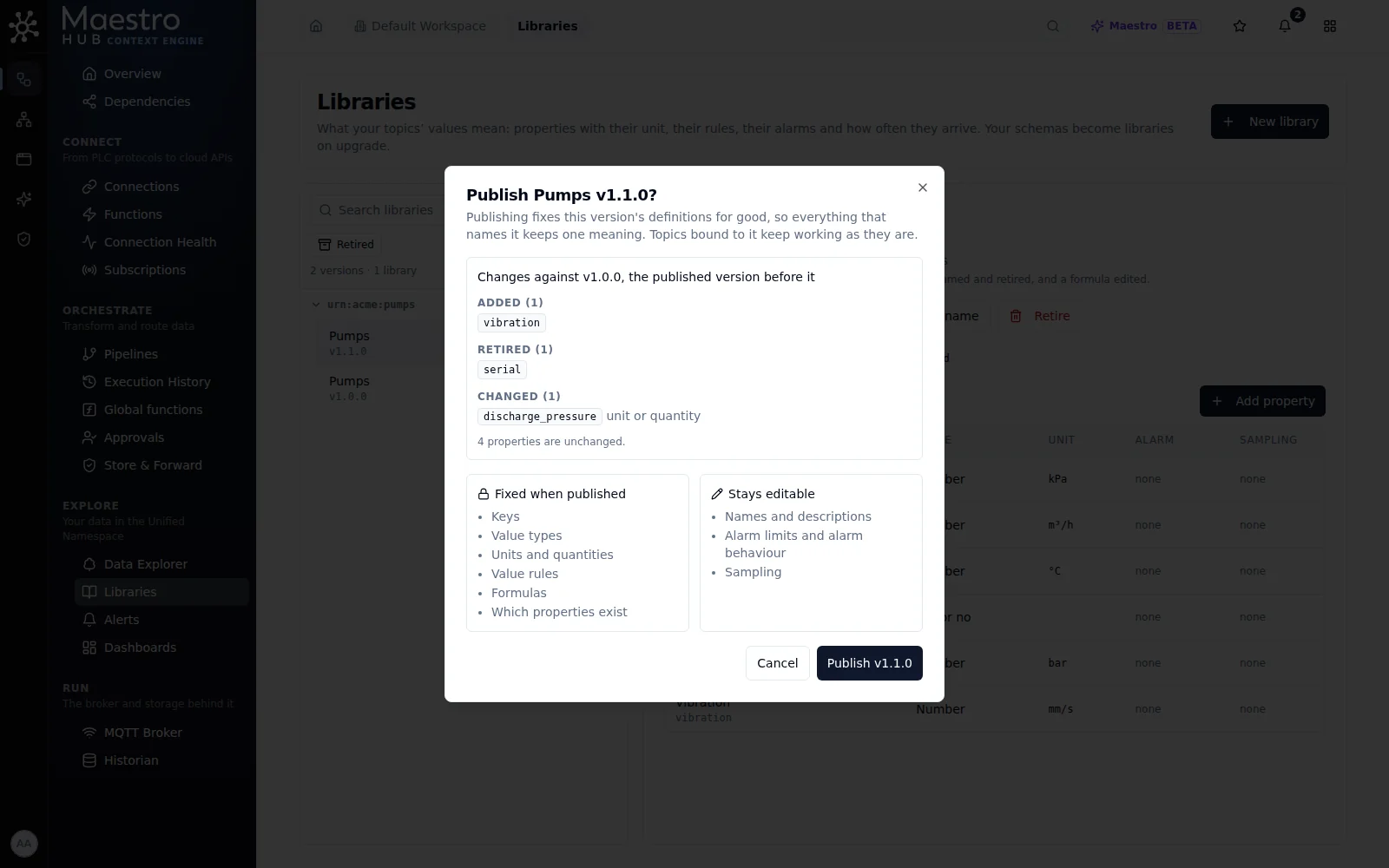
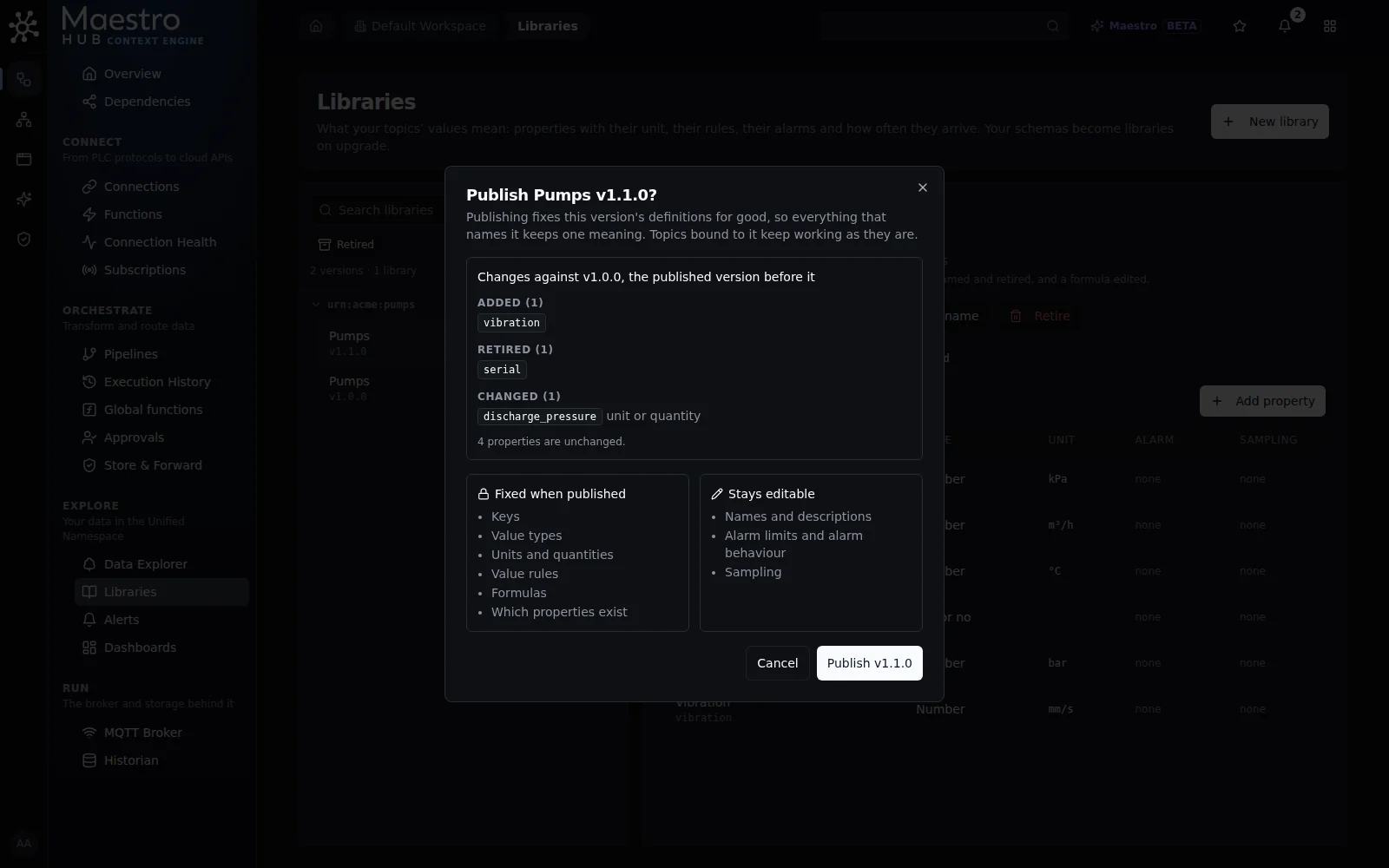
Publishing Pumps v1.1.0: what it changes against v1.0.0, and what publishing fixes and leaves editable.
| Fixed when published | Stays editable |
|---|---|
| Keys, value types, units and quantities, value rules, formulas, and which properties exist (none is added or retired) | Names and descriptions, of the library and of each property; alarm limits and alarm behaviour; sampling |
Alarm limits and sampling stay editable because operators tune them all the time; a change reaches every bound topic with the next index version, as on a draft. To change anything in the left column, create a new version of the library.
A published version shows when it was published and a short content fingerprint (sha256:…). The fingerprint is taken over the fixed definitions only, never over names, alarms or ids, so the same library version has the same fingerprint on every instance it is installed on. Libraries carried over from data schemas show that they were published by the upgrade.
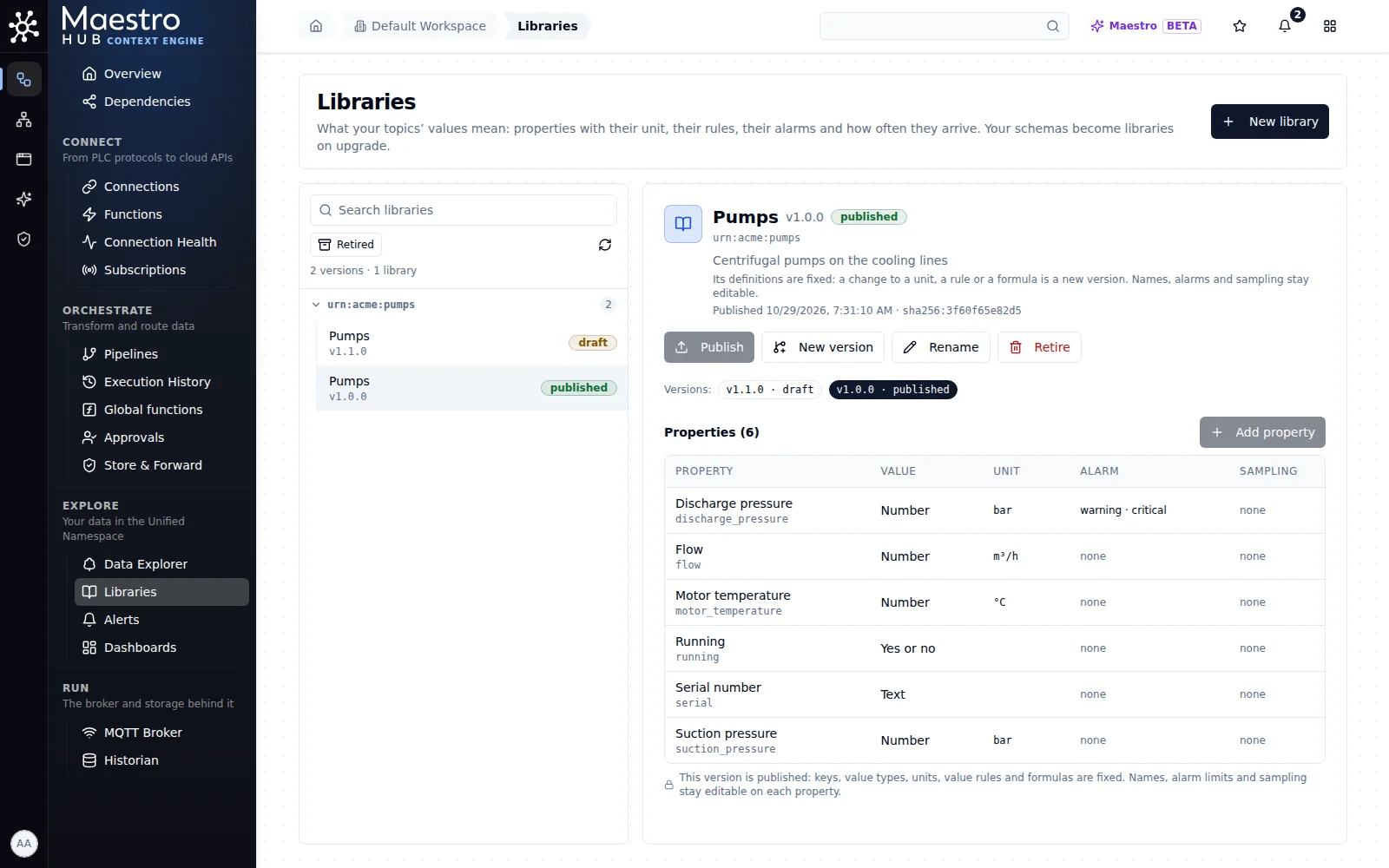
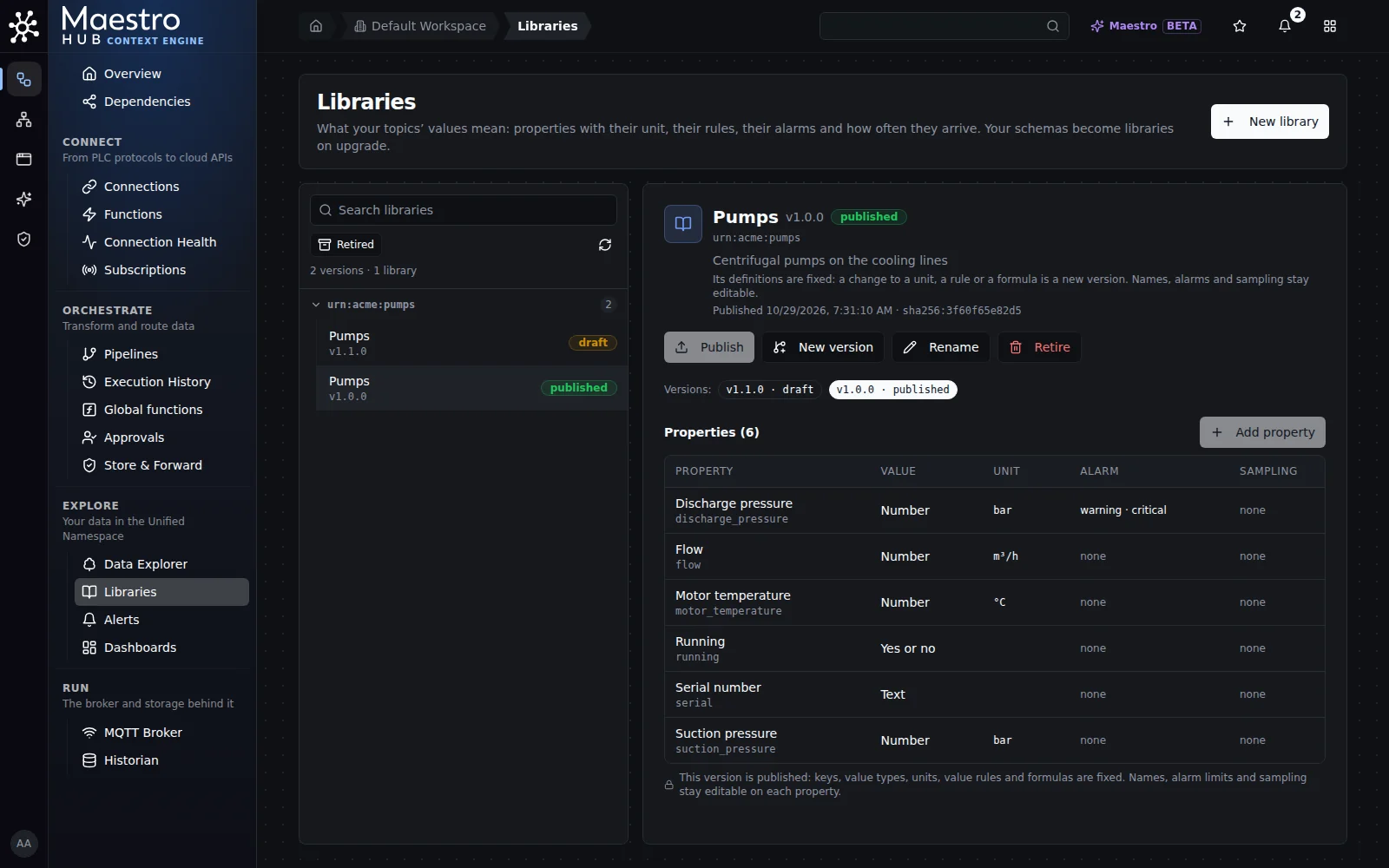
A published version: Publish and Add property say why they are not offered; Rename and each property's alarm and sampling stay available.
Publish is refused, with the reason, for:
- a version that is not a draft (published already, or retired);
- a version with no property in use: an empty version has nothing to fix;
- a version with a formula that reads a property of another library that is still a draft, unless that draft is published in the same step;
- a version with a formula that reads a retired property, or a property of a retired library. A new version copied from an older one can carry such a formula: the library page warns about it as soon as you open the draft, and Publish says which formula to edit.
When a version's formulas read other drafts, the dialog names them under Published together with it, and Publish fixes all of them in one step, or none: two drafts whose formulas read each other can only be published that way.
On a published property, the Definition tab shows what is fixed and what is not, side by side.
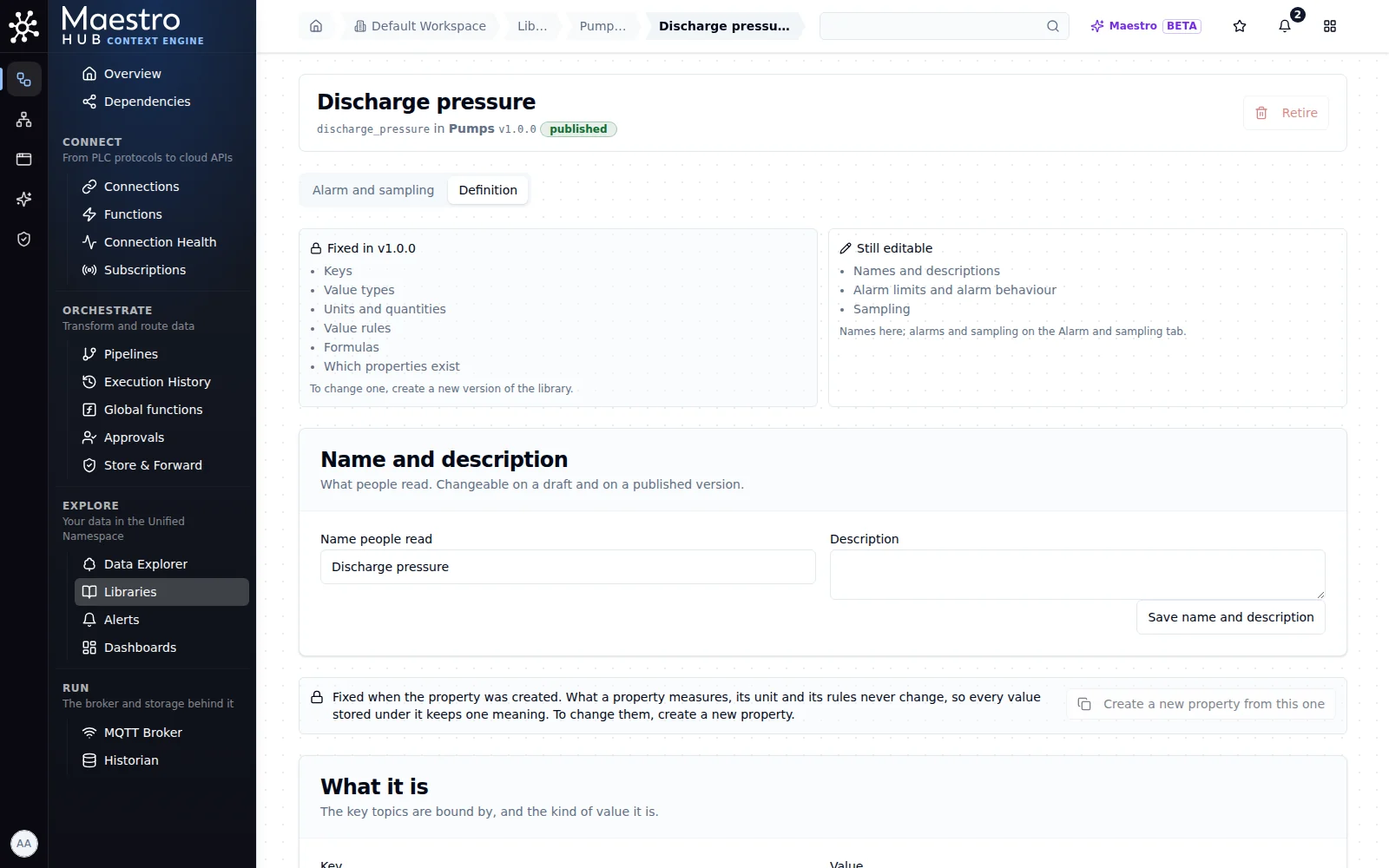
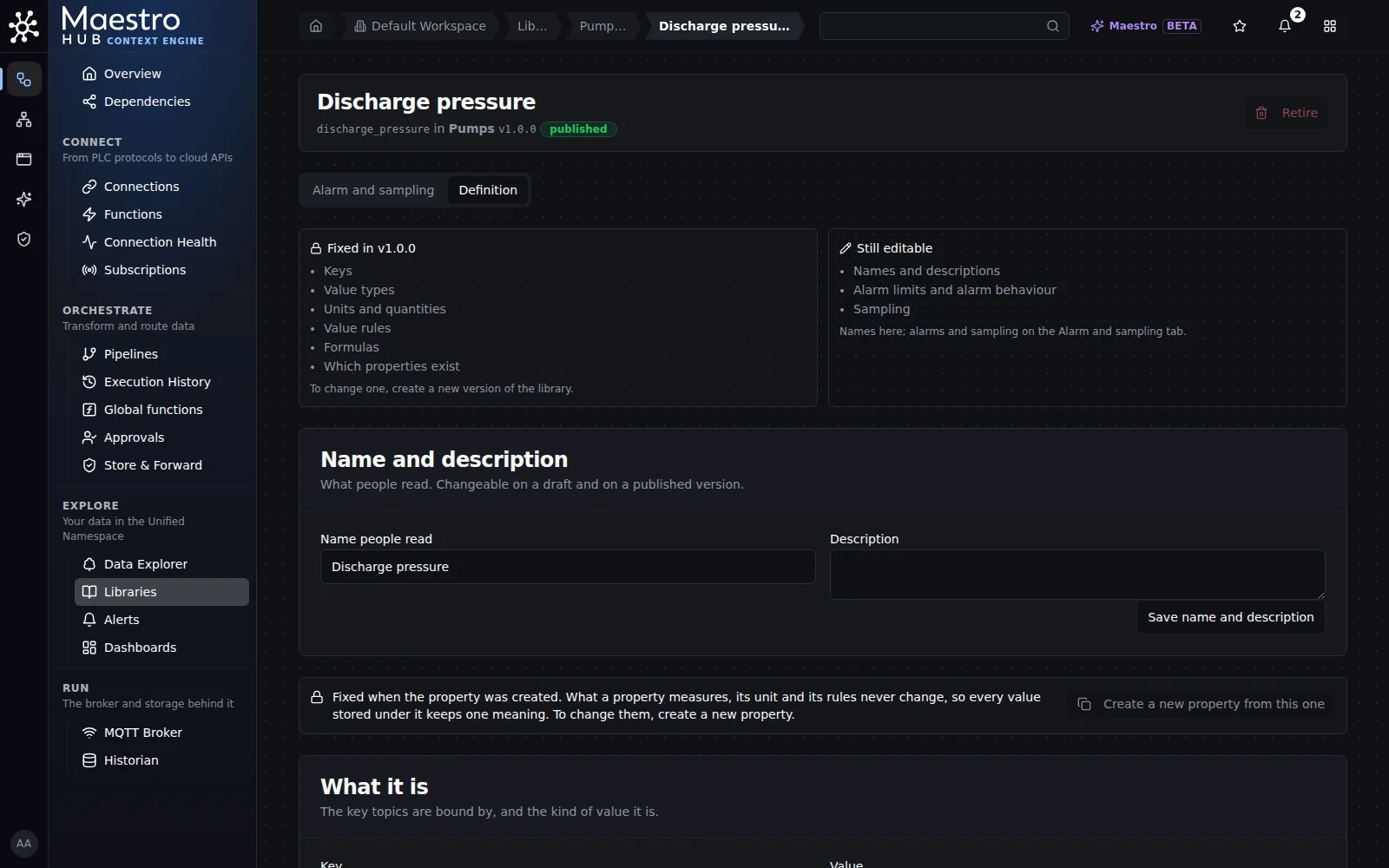
A property of a published version: its definition is fixed in v1.0.0; its name, description, alarm and sampling are not.
Starting a new version
To change a published version, start a new one from it. Click New version: the dialog proposes the version after the namespace's highest one, counting every version of the namespace, retired ones included (change it to any number the namespace has not used), and Start from picks what it begins with:
- A version of the namespace (the latest published one unless you pick another). Every property is copied: its key, name and description, value type, unit and range, value rules, formula, alarm and sampling. The dialog says how many. Retired properties come along as retired, so a key that once meant something is never used for something else.
- Nothing: an empty version. Its properties are not copied: add them to the new version.
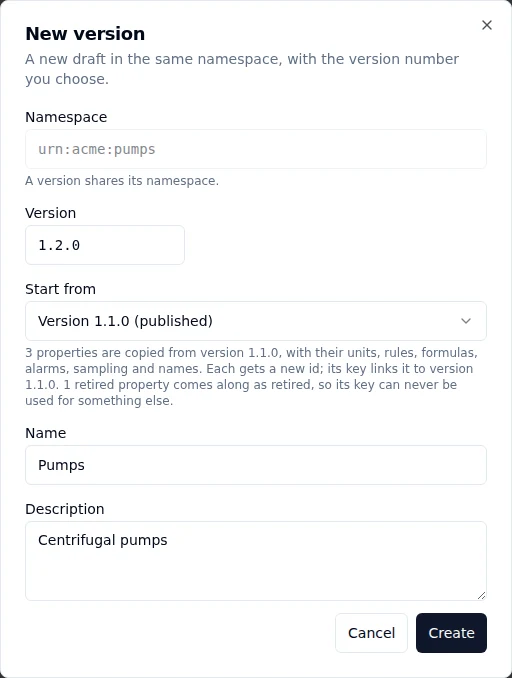
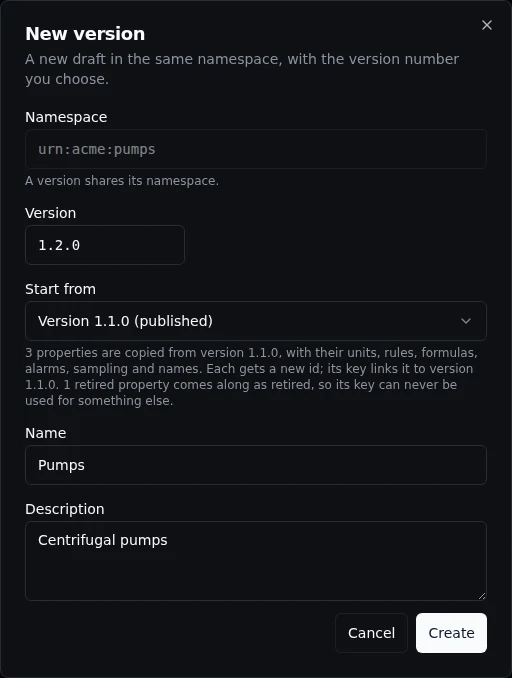
A new version starts from the latest published one: three properties copied, and one retired property kept retired so its key is never reused.
A retired version is listed, disabled, as one that cannot be copied. A version of more than 5,000 properties (the most one version may hold) cannot be copied either, and the dialog says so.
The new version is a draft. Change it as any draft: add and retire properties, and edit a formula. What it computes reads the new version's own properties: a formula's input in the version it was copied from is now the property with the same key in the new one. An input from another library stays where it was. When you publish it, the dialog compares it with the published version before it: a copy you have not changed shows no change.
Each property of the new version has an id of its own; the property a version continues is the one with the same key. Topics given a meaning from the earlier version keep that meaning: starting a new version changes nothing on them.
Moving topics to a newer version
Topics keep the version they were given their meaning from until you move them. On a published version, Move topics to this version says how many topics, of the ones you can see, still carry another version of the library, and moves them.
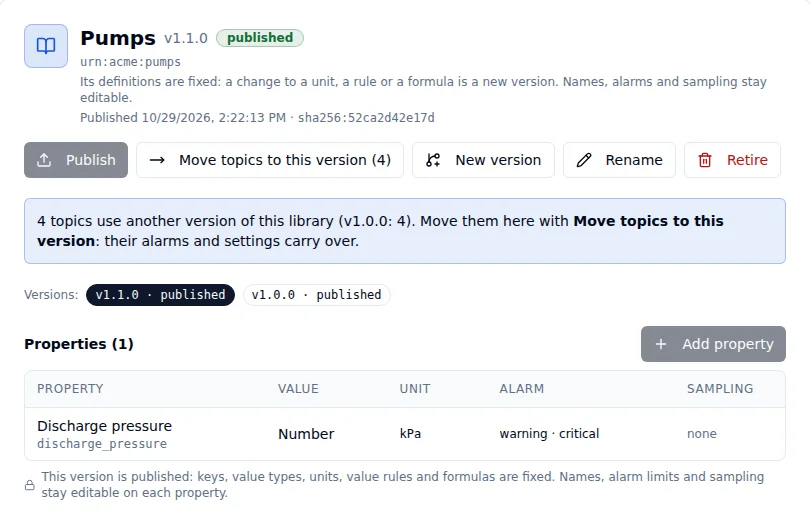
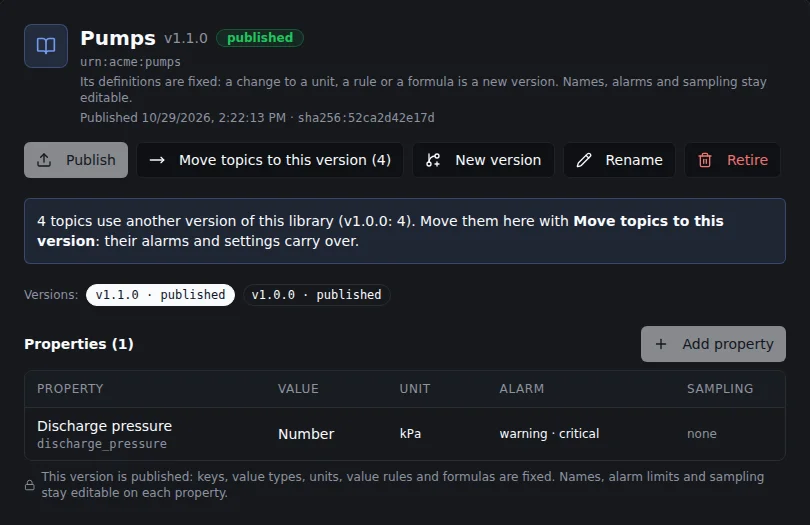
A published version counts the topics still on another version of its library.
The dialog checks every topic before anything moves, and shows, for each meaning:
- the unit values are stored in, and its conversion when the new version stores another unit;
- a change of value type, of range or of value rules;
- the alarm limits before and after: the new version's limits, with the topic's own alarm settings converted into its unit;
- a change of how often values are expected to arrive;
- a computed meaning's formula and its version.
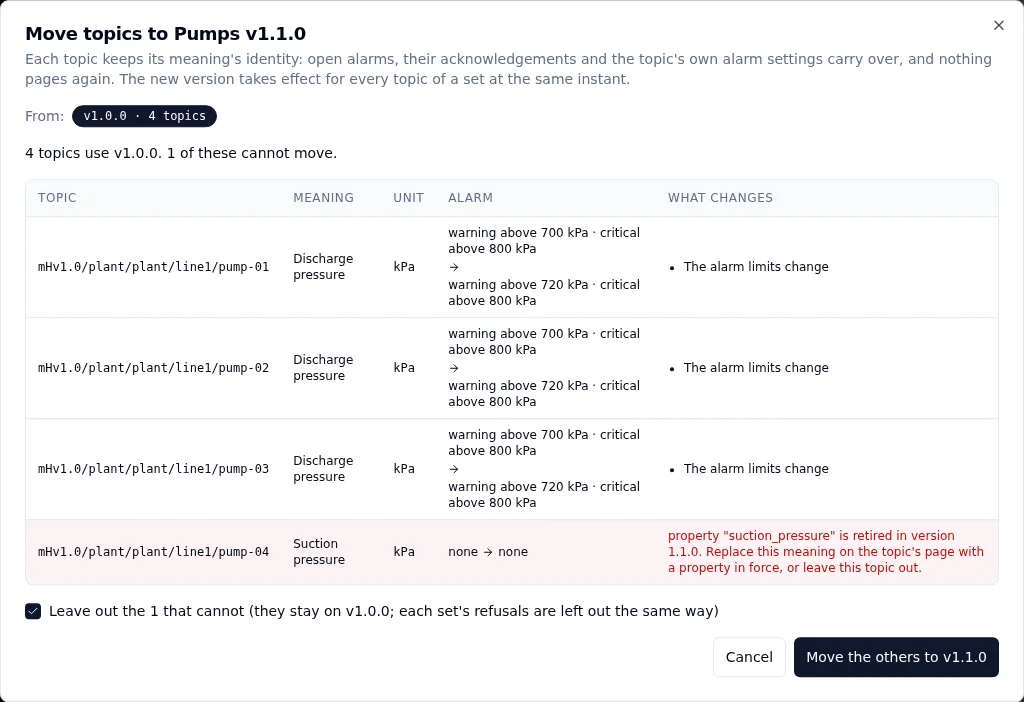
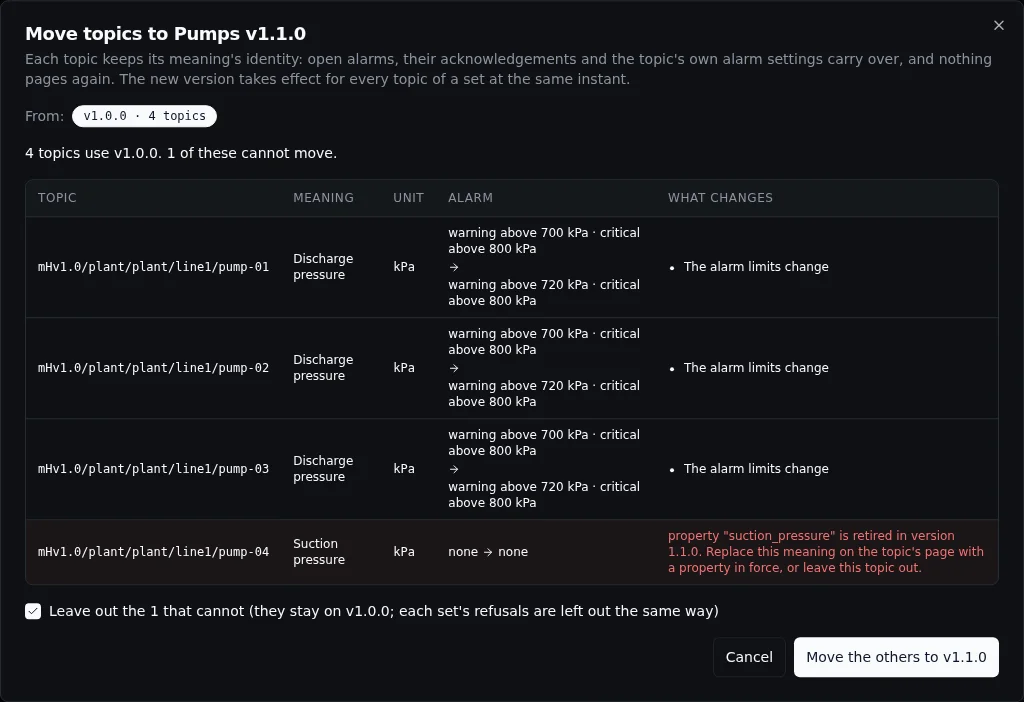
Each row says what changes. A row that cannot move says why; leave it out to move the others.
A meaning moves to the property with the same key in the new version. It keeps its identity, so an alarm that is open stays open and acknowledged, the topic's own alarm settings and description carry over, and nothing pages again. When the new version stores another unit, the alarm is judged in that unit from the next reading: a rate of change is measured again from there, and an alarm waiting out its delay starts the delay again. What an earlier version alarmed with stays in the topic's history. Every meaning of a topic from that version moves together, so a computed meaning and the values it reads change version at the same instant. A set of topics takes effect at one instant.
A topic cannot move when:
- the new version has no property with that key, or has retired it;
- the value would change kind (a number becomes text, a value the device sends becomes a computed one), or the device's unit does not convert to the new unit;
- the topic's own alarm settings would not hold in the new version (for example a line outside its range);
- a change of its meaning is still being applied;
- a computed meaning of another library reads it;
- you may not change its meaning (see below).
Topics you can see but may not change are counted apart, with who moves them; the dialog never includes them. Any topic that cannot move stops the whole set: nothing moves. Tick Leave out the N that cannot to move the others; the topics left out stay on their version, and the version's page keeps counting them.
A library with many topics moves in sets of up to 500 meanings. One click moves them all; the dialog shows each set's progress. A version a topic still uses cannot be retired: its refusal names this move and the newer version.
Libraries as files
A library version travels as one file: a JSON Schema document. Export a version to keep it in Git beside the rest of your configuration, to review a change as a diff, or to carry it to another workspace or instance; import a file to bring it in.
Export file on a library saves the selected version as <namespace>-<version>.schema.json, for example urn-acme-pumps-1.0.0.schema.json. Any version exports: a draft, a published or a retired one. Anyone who can read the library can export it.
The file holds what the version defines and nothing about where it is used:
- each property under
properties, by its key, with its name and description (title,description); - its value:
type,minimumandmaximum(in the property's unit),enum(an enum's states, a text's allowed values), the text rules, the fields of a record, an array's element, anddefault; - what a number measures, in
x-maestrohub-quantity: the quantity kind and the unit, by its UN/ECE code (unece:BAR) where it has one; - a computed property's formula, in
x-maestrohub-formula, its inputs named by key; - the alarm limits, alarm behaviour and sampling, in
x-maestrohub-operations; - a retired property, marked
deprecated; - where a property came from, in
x-maestrohub-source(the library namespace and key it was copied or narrowed from), andx-maestrohub-narrowsfor one made with Give these their own meaning, so it stays a narrower meaning of the built-in one after an import into another workspace.
It never names a topic, an id, a time or who made it. The same version always exports to the same bytes, and a file exported, imported and exported again is identical, so a diff in Git shows only what changed.
Import file opens the import. Pick a file: it is checked whole before anything is stored, and the dialog shows what importing it does, the properties it holds and its fingerprint.
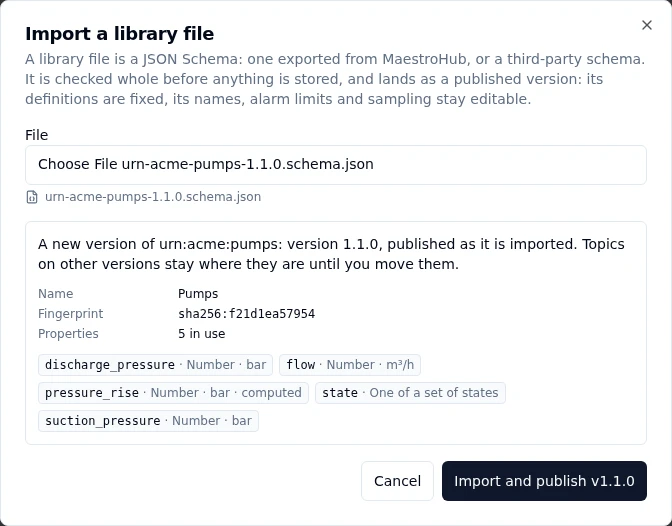
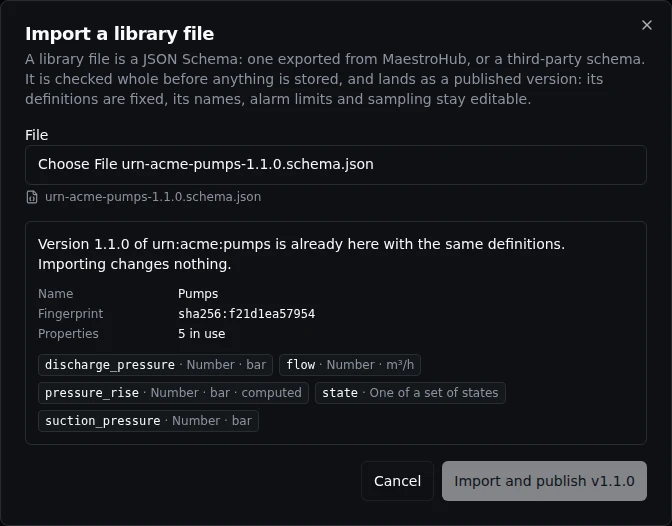
A file exported from MaestroHub, edited as the next version: imported, it becomes version 1.1.0, published.
Import and publish stores the version, published: its definitions are fixed as when you publish a version, and its names, alarm limits and sampling stay editable. Topics on other versions stay where they are; move them when you are ready.
What the dialog says:
| You see | Because |
|---|---|
| A new library | The workspace has no version of this namespace yet. |
| A new version | The workspace holds other versions of the namespace. |
| Already here with the same definitions | The version exists with the same definitions: importing changes nothing, and the button says so. Names, alarm limits and sampling are not definitions: a file that differs only there is the same version, and the dialog lists each difference by property. Change them on the page; an import never does. |
| Refused: other definitions | The version exists with other definitions. A published version never changes: change x-maestrohub-version in the file and import it as a new version. |
| Refused, with where | Something in the file cannot be imported: the message names the place in the file (for example /properties/flow/x-maestrohub-quantity/unit) and what to change. |
An alarm carried over from a data schema keeps the schema's deadband rule (see Alarm and sampling). Its file says "deadbandRule": "legacy", which imports only back to the version it came from. To carry such a library forward, start the next version with New version, which keeps the rule; a file imported anywhere else must say isa or leave the rule out.
A file from MaestroHub is read strictly: a keyword the format does not know (a typo such as minimun) is refused, never ignored. A formula may read the file's own properties, or properties of another library's published version in this workspace: import that library first.
A JSON Schema from another tool
A JSON Schema written by hand or exported by another modelling tool imports too. It names no MaestroHub namespace or version, so the dialog asks for them; its $id is the namespace when you leave it empty.
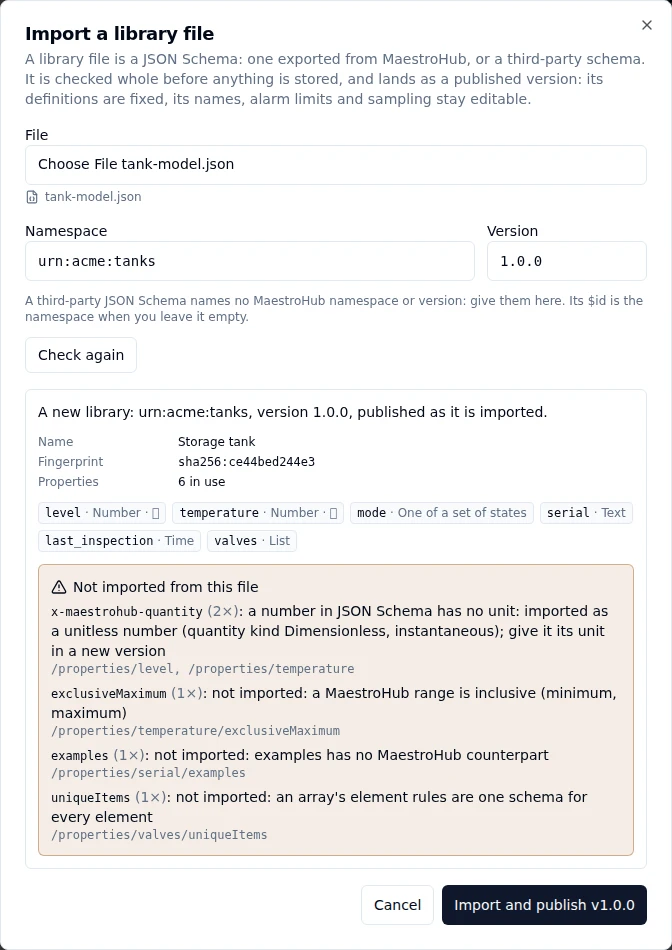
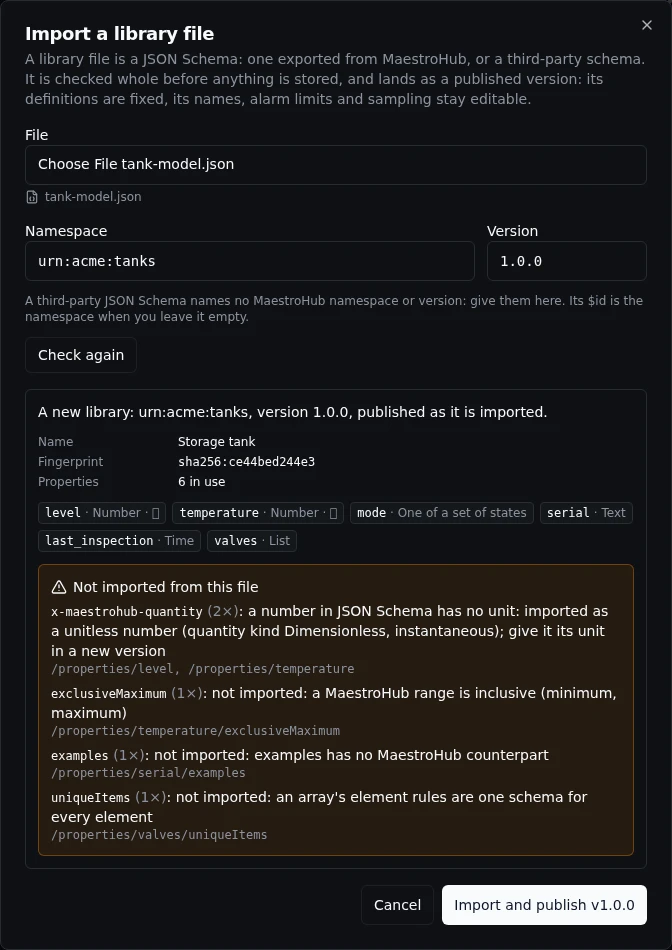
A third-party schema imports what maps; the rest is listed, with where it appears, before anything is stored.
What maps: type, minimum and maximum, enum (a text's enum becomes a set of states), minLength, maxLength and pattern, the date-time and duration formats (a time), the email and uuid formats, the fields of an object with required and additionalProperties: false, an array's items, default, deprecated, title, description, and references inside the file ($ref to #/$defs/… or #/definitions/…). A number has no unit in JSON Schema, so it is imported as a number without a unit: give it its unit in a new version. Everything else (for example exclusiveMaximum, examples, uniqueItems) is listed under Not imported from this file, with where it appears, and is left out.
After an import, the version is a library like any other:
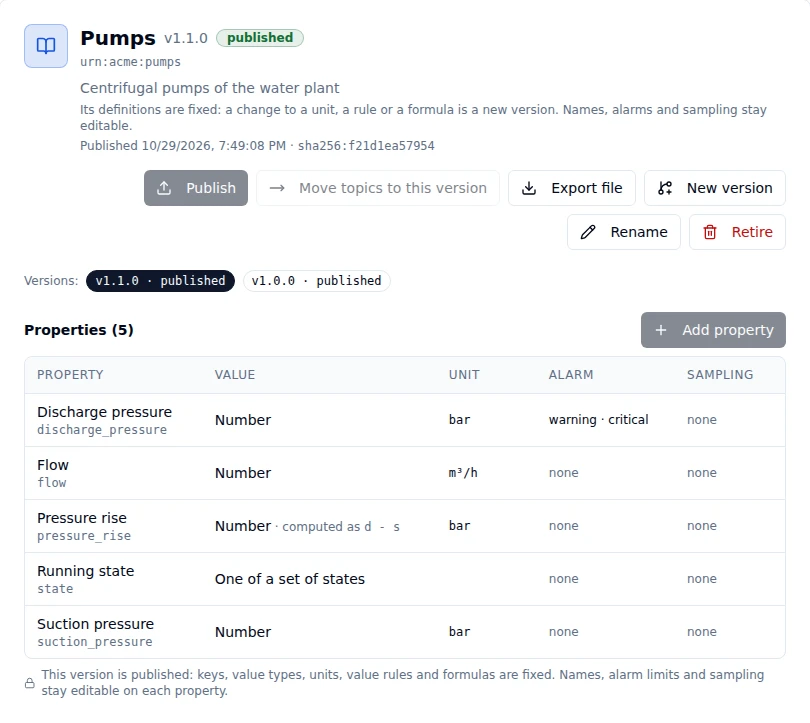
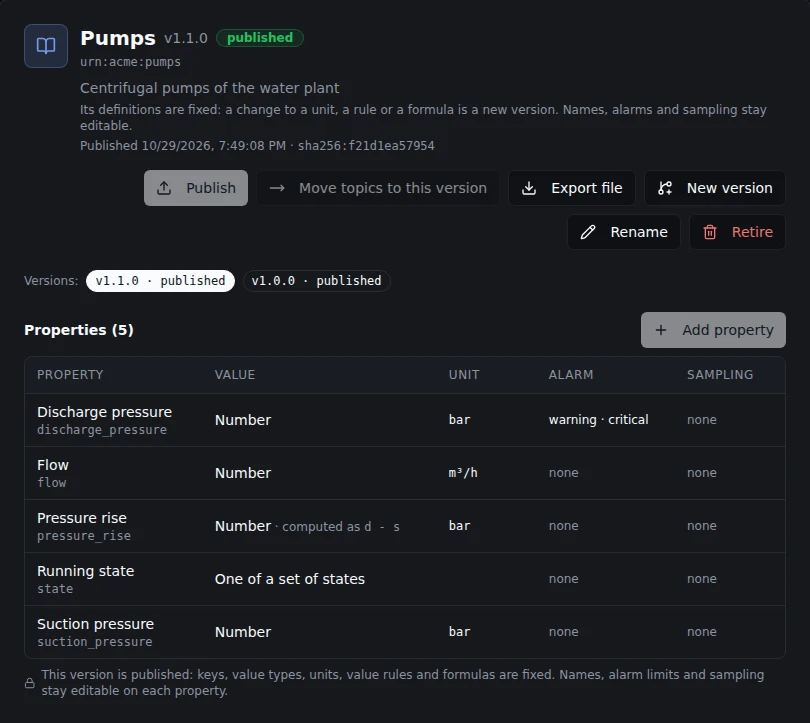
An imported version: published, its properties with their units and alarms, ready to export again.
Properties
Click Add property on a draft library. A property has:
| Field | Notes |
|---|---|
| Key | Letters, digits and underscores, for example discharge_pressure. Never reused in the library. |
| Value | Number, whole number, yes or no, text, one of a set of states, time, object, list or map. |
| What it measures, Unit, How values add up | For a number or a whole number: the quantity kind (Pressure, Temperature, VolumeFlowRate), the unit values are stored and shown in (bar, degC, m3/h), and whether a value is a reading, a running total, a total per interval or a rate. A unit that does not measure the quantity is refused with the reason. |
| Valid range | Values outside it are stored and marked Bad. |
| Rules | Everything a 2.x data schema could check: an exact type (int16, float32, decimal, uuid, datetime, geo_point and more), text length, patterns and formats, allowed values, an enum's states, a list's length and item type, an object's fields (each with its own rules) and whether other fields are allowed, required, and a default when absent. |
The definition is fixed once the property is created. What a property measures, its unit and its rules never change, so every value stored under it keeps one meaning. On an existing property the Definition tab shows them read-only with that reason, and Create a new property from this one opens a new property with the same definition under a new key (on a draft library). The name and description stay editable unless the library is retired.
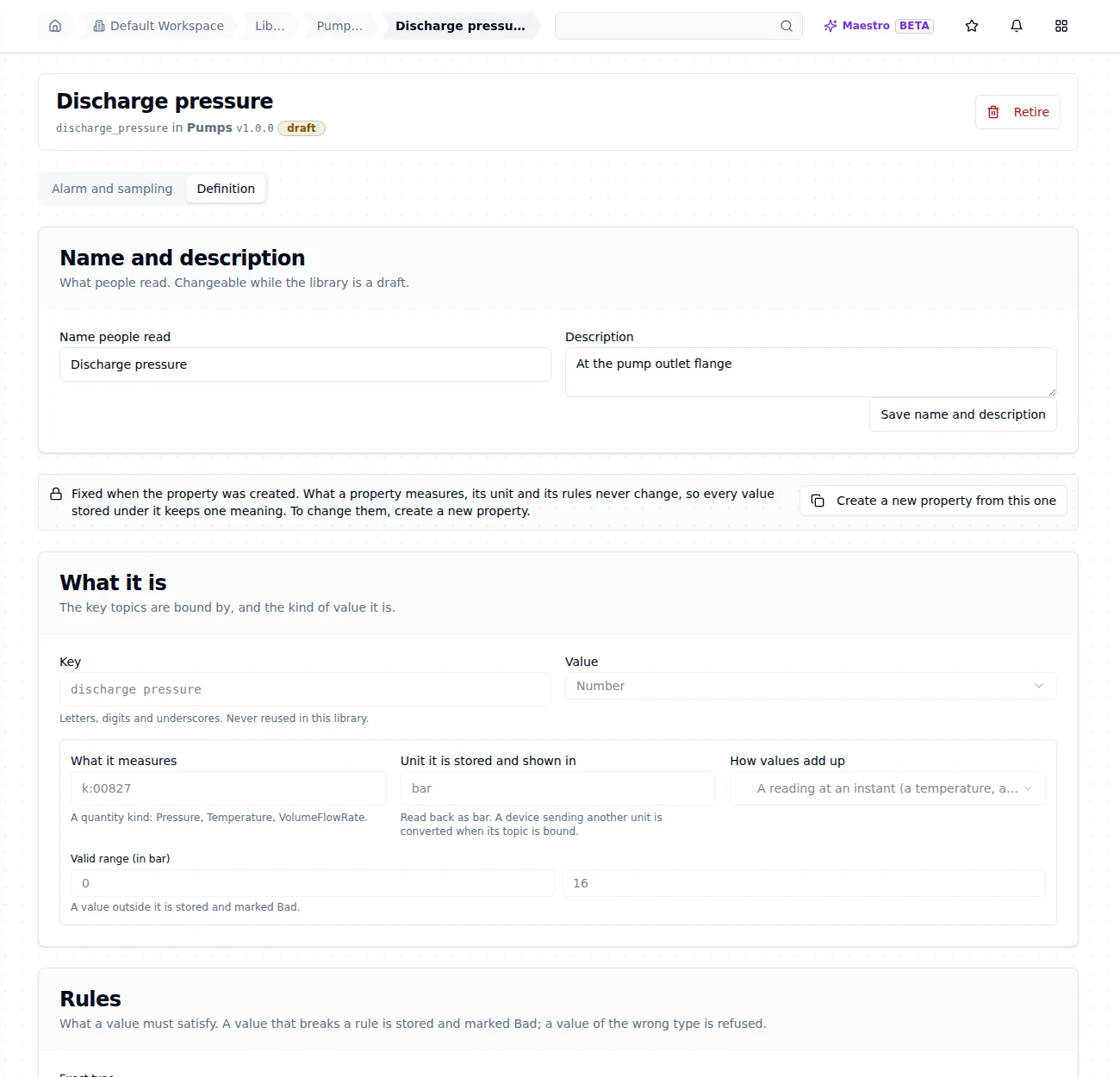
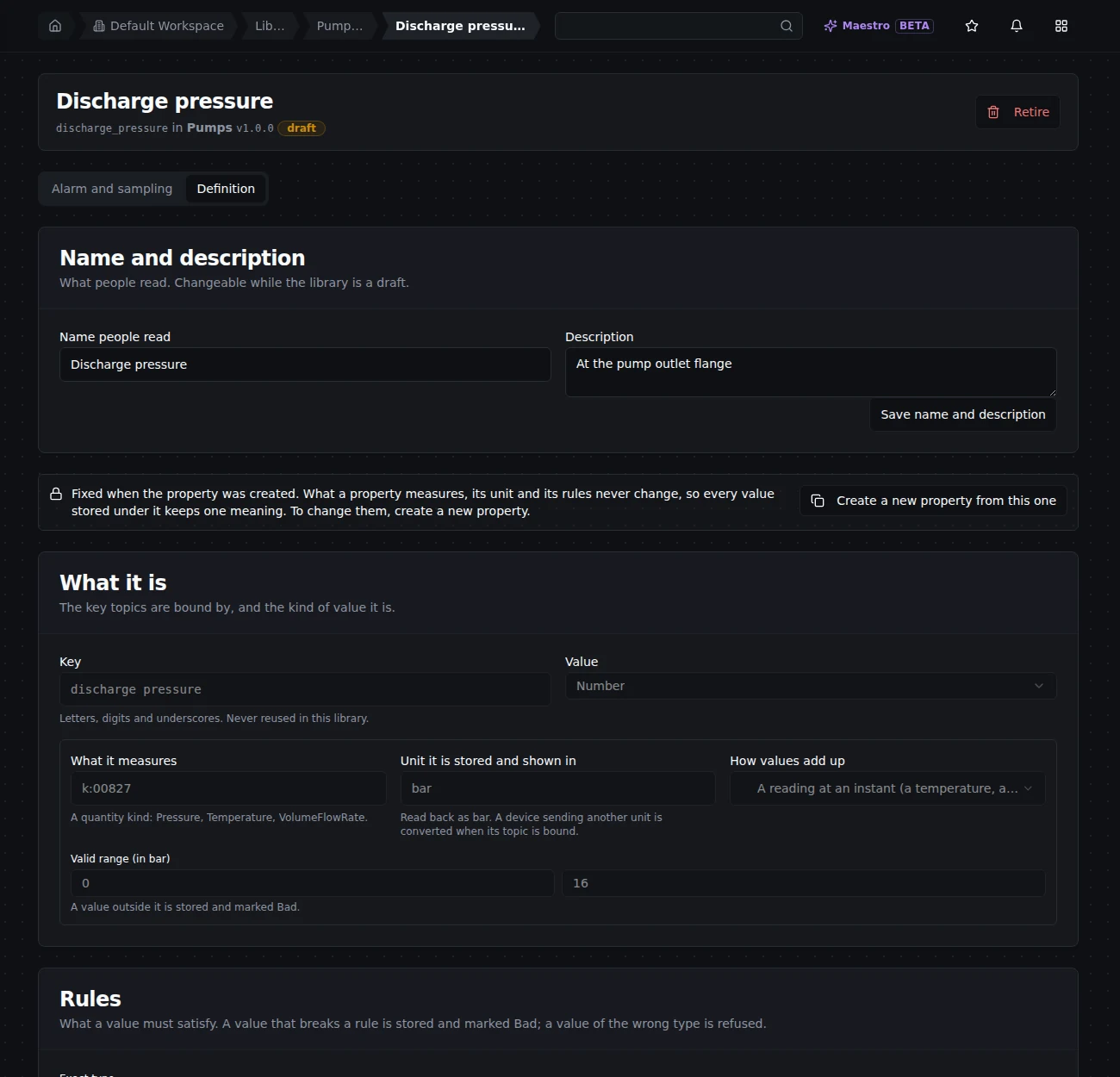
An existing property's definition is read-only. The note says why, and offers a new property from this one.
Alarm and sampling
A property's alarm and sampling can be changed at any time, on a draft or a published library. A change reaches every topic bound to the property with the next index version.
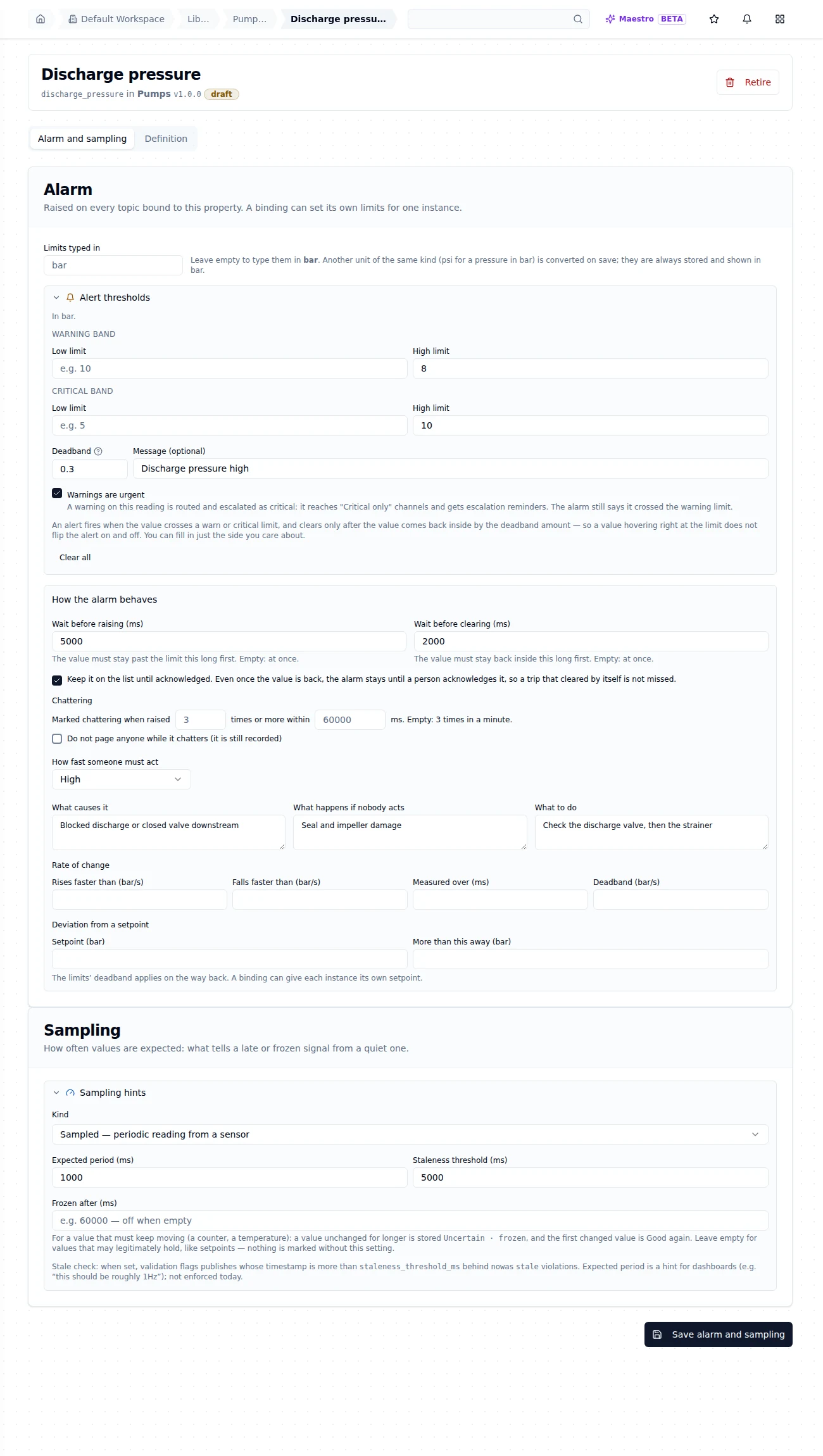
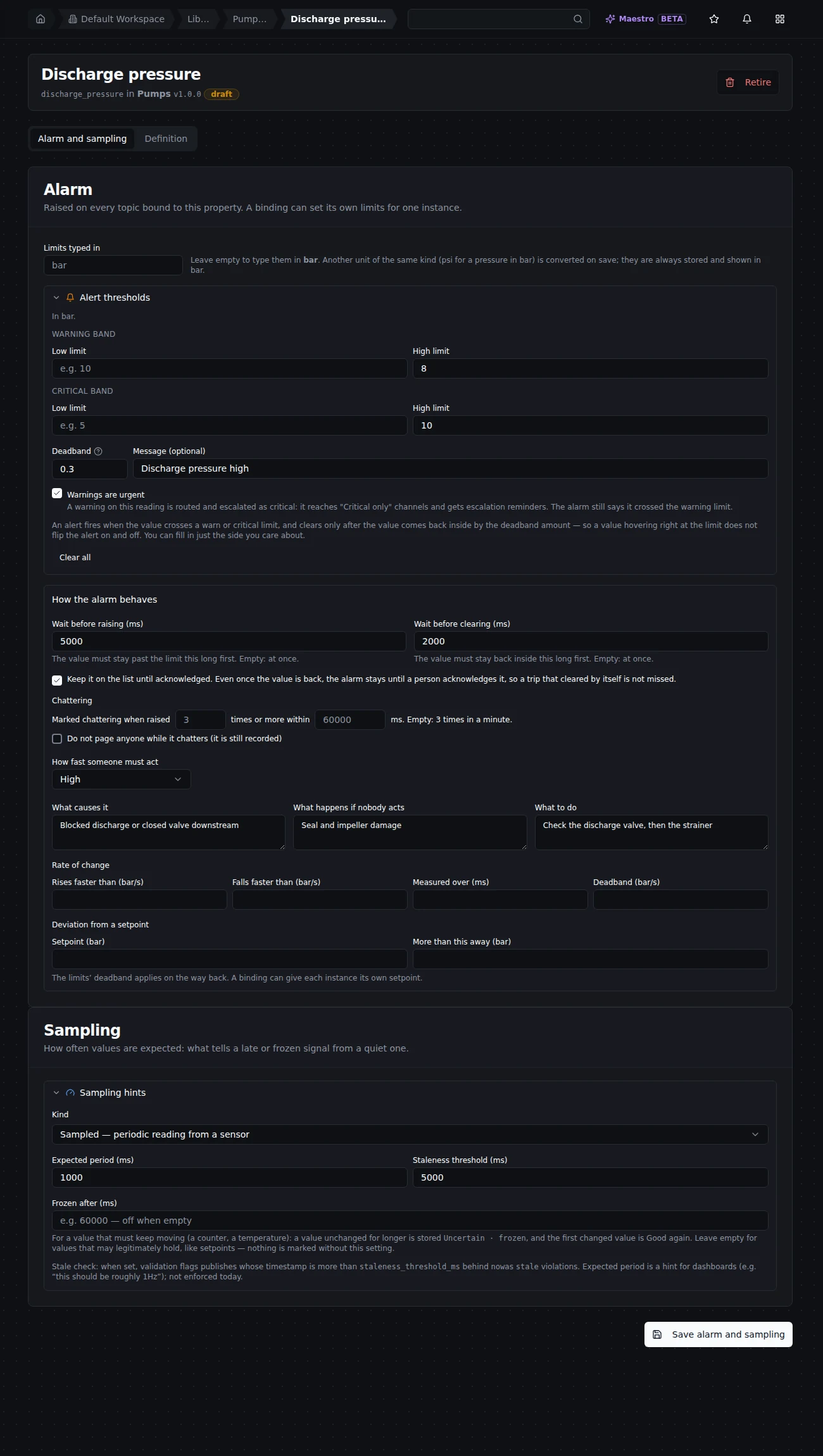
Limits, behaviour and sampling of Discharge pressure. Save writes them together.
- Limits: warning and critical, low and high, the deadband, a message and whether warnings are urgent (Alerts). Limits typed in lets you type them in another unit of the same kind (psi for a pressure in bar); they are converted on save and always stored and shown in the property's unit.
- Deadband rule: an alarm carried over from a data schema of an earlier 3.0 build keeps the schema's rule (raised only once the value is past the limit by the deadband), so it fires exactly where it did. It can be switched to ISA-18.2 (raised as soon as the value crosses the limit; the deadband applies only on the way back). The switch is one way.
- How the alarm behaves: wait before raising and before clearing, keep it on the list until acknowledged, the chattering rule (and whether to page while it chatters), how fast someone must act, and what causes it, what follows if nobody acts and what to do.
- Rate of change and deviation from a setpoint: alarms on how fast the value moves, or how far it is from a setpoint.
- Sampling: the expected period, the staleness threshold and the frozen threshold that drive stale and frozen detection.
An alarm only applies to a number, a whole number, or a time stored as a datetime or a duration; on any other property the page says so and offers sampling only.
Validation rules on the topic tree
What happens to a value that breaks its property's rules is decided per branch of the topic tree. In Explore › Data Explorer, right click a topic and choose Validation rule…. The dialog says what you may do there: change the rule, lock it, or only read it, as the server decides; if you cannot read it, it says who can.
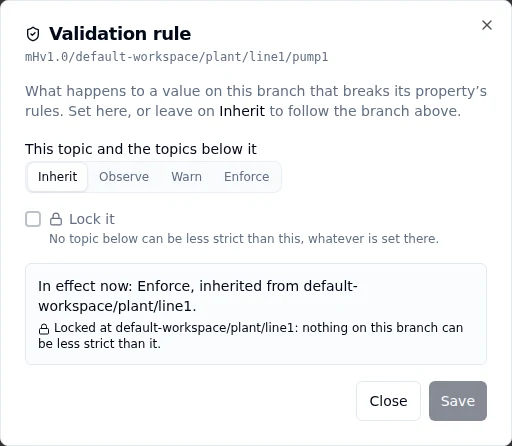
pump1 follows the rule set on line1: Enforce, locked, so nothing below line1 can be less strict.
| Mode | Effect |
|---|---|
| Observe | Values that break their rules are recorded. Writers are told nothing. |
| Warn | Recorded, and the writer is told in the answer to its publish. |
| Enforce | A record that breaks its rules is rejected with the reason. |
| Inherit | Nothing set here: the topic follows the branch above. |
The dialog says what is in effect now and where it comes from: set on this topic, inherited from a topic above (named by its path), or the default (observe for topics that existed before validation rules, warn for newer ones).
Lock it makes the rule a floor: no topic below can be less strict, whatever is set there. Below a lock, the less strict modes are disabled and the dialog names the locked topic; when a lock raises a topic's mode, it says so. Choosing Inherit on a locked rule removes the lock too, and the dialog asks you to confirm that first.
Computed properties
A computed property is calculated from other properties of the same topic as each record arrives; no device sends it. A pump's hydraulic power is its discharge pressure times its flow: bind the two on the pump, bind the power next to them, and every record that brings a pressure and a flow also stores the power.
To create one, add a property as usual, give it what it measures and its unit (for the power, Power in kW), and tick Its value is computed from other properties in the Computed section.
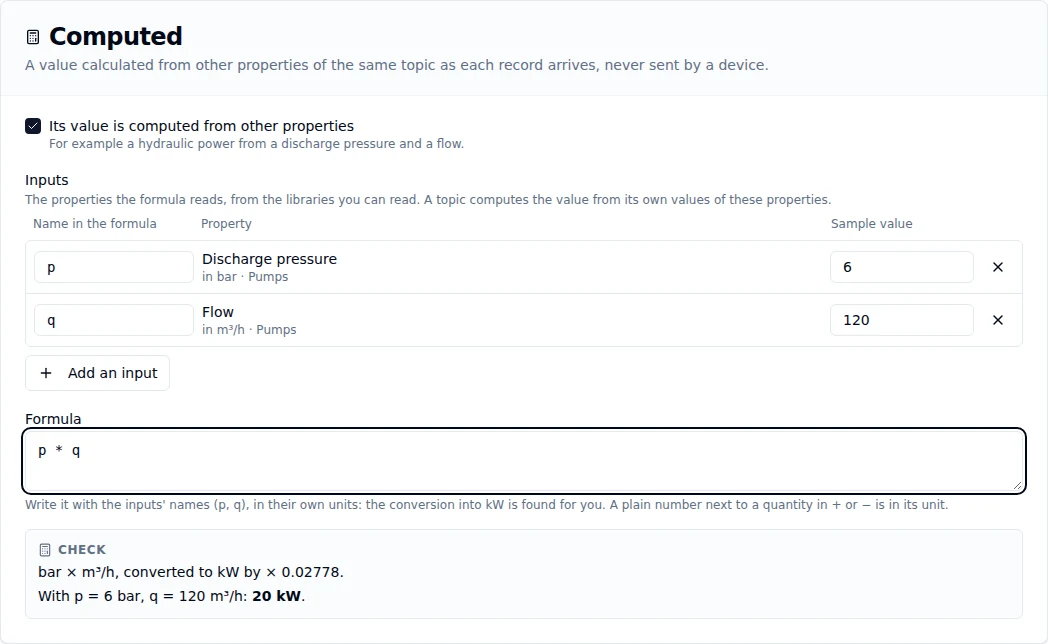
Hydraulic power from a pressure and a flow. The check finds the conversion into kW and works a sample through it.
- Inputs. Add an input searches the properties of every library you can read. Each input gets the name the formula calls it (from the property's key; change it to something short like
p) and shows its unit. The sample value next to it is only for the check below; it is never saved. - Formula. Write it with the inputs' names, in their own units:
p * q, not a formula with a conversion constant in it. A plain number next to a quantity in+,-or a comparison is in that quantity's unit; in*and/it is a plain number, like the efficiency inp * q / 0.8. A computed property is a number, a whole number, yes or no, text or one of a set of states, and reads 1 to 16 inputs. - Check. As you type, the server checks the formula and says, in plain words, the unit it works out to and how it is converted into the property's unit (bar × m³/h, converted to kW by × 0.02778), and the value for the sample values. It warns when the formula multiplies a ratio by 100 into a
%property, which the conversion already does. When the formula cannot be saved it says why: two quantities that cannot be added, an input the formula does not use, a name that is not an input. When the server knows where in the formula the problem is, the check marks that character.
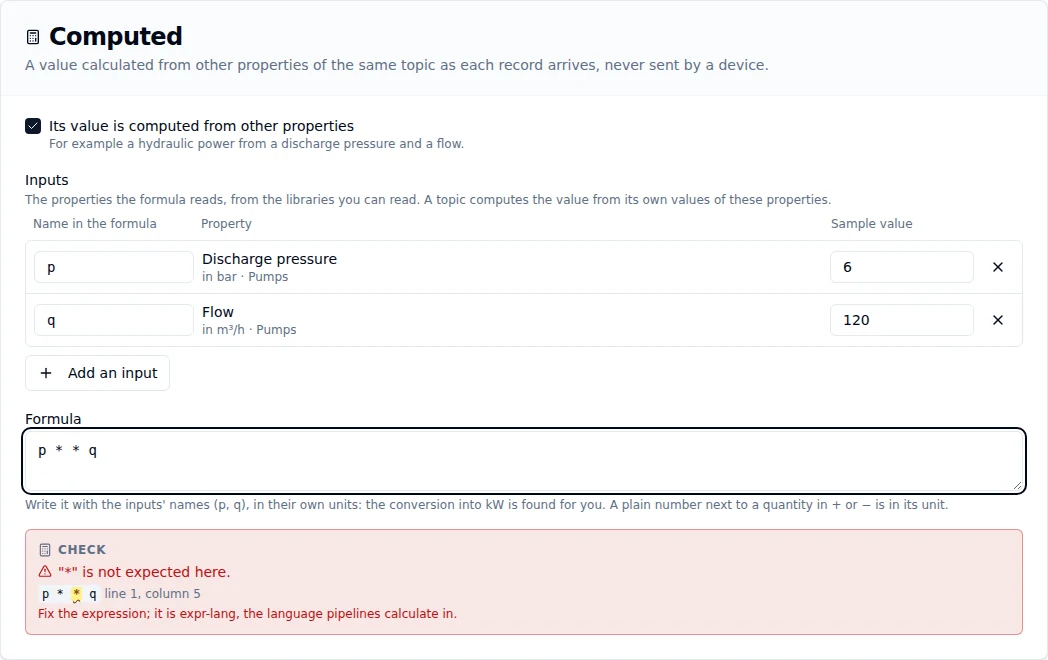
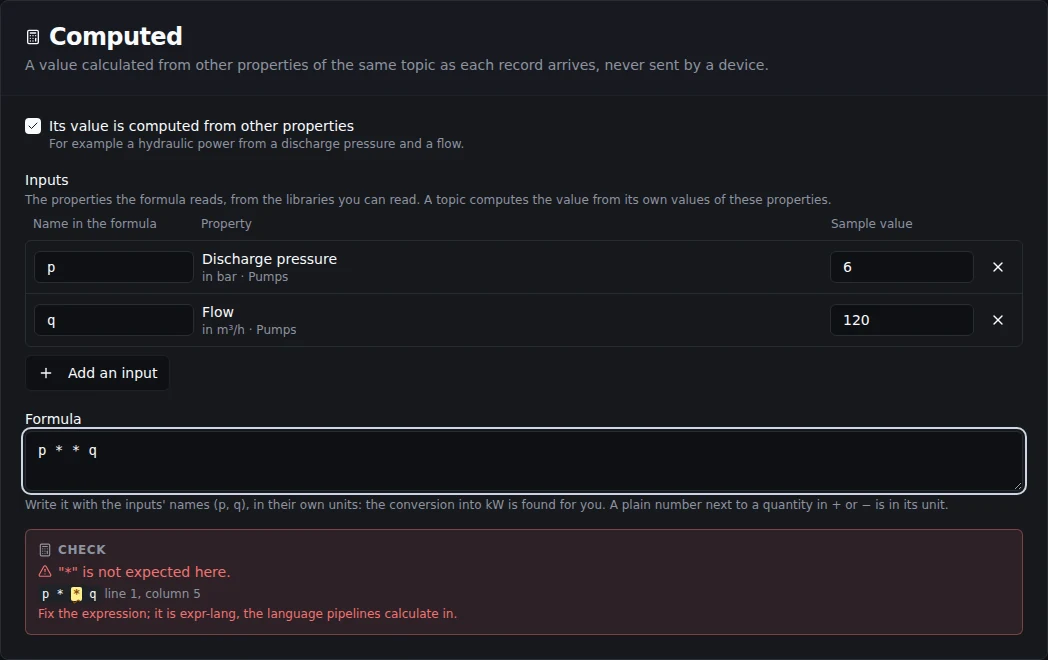
A refusal points at its place in the formula.
A computed property has no required rule and no default: nothing sends it. Its other rules, its alarm and its sampling work as on any property, because its value is stored like any other.
When a value cannot be computed, only that value is left out: the record keeps everything else and is never rejected for it. The topic shows why (A computed meaning), and the finding is on the violations list. A record that lacks one of the inputs simply has no computed value.
Changing a formula
Unlike the rest of a definition, a computed property's formula can be changed on its Formula tab while the library is a draft. On a published version the tab is closed and says why: the formula is fixed with the version, and a new formula is a new version (Publishing a version). The names of the inputs it already has are fixed: the topics using it find each input by its name. You can still add and remove inputs.
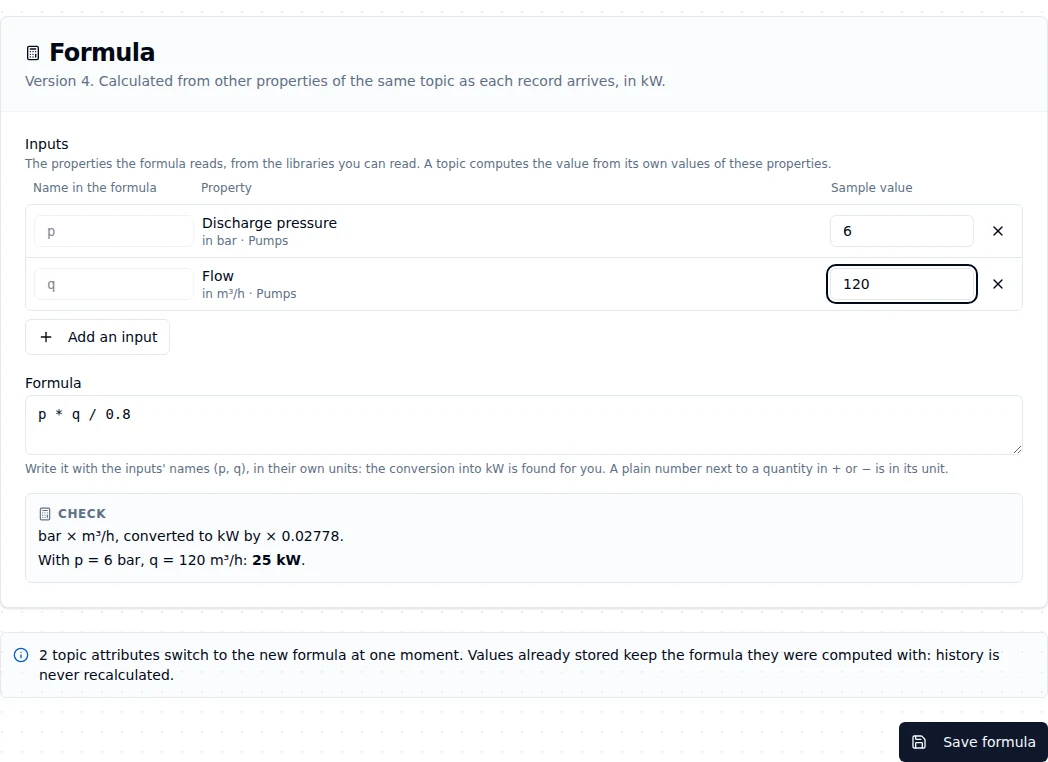
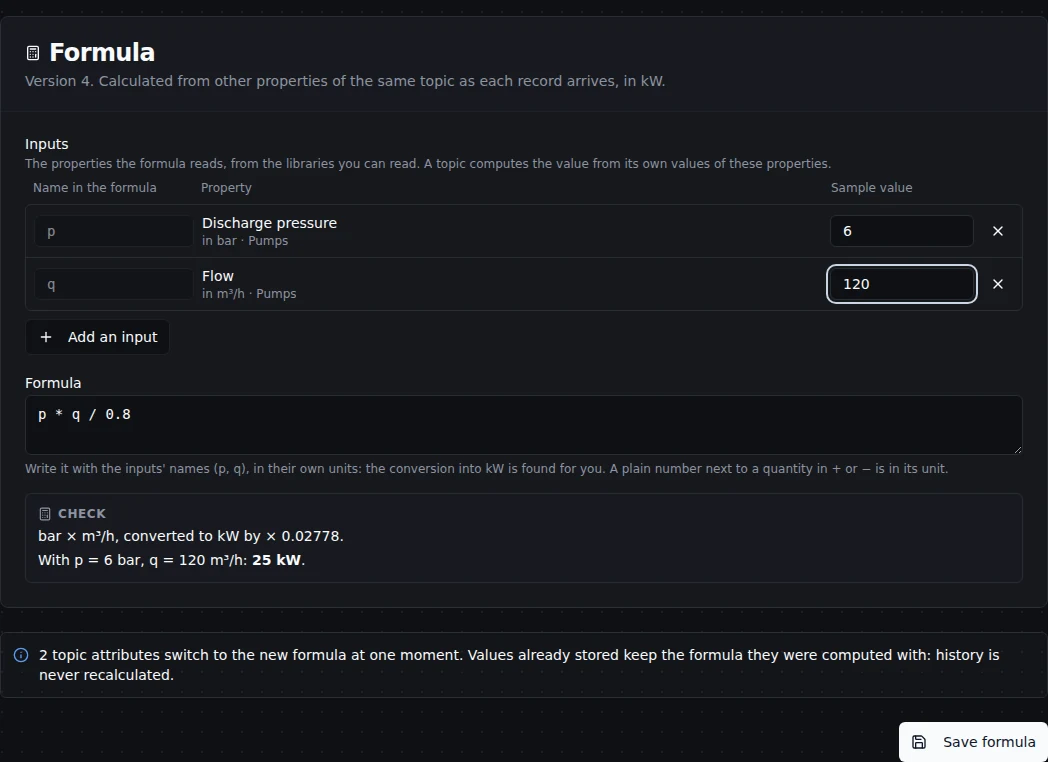
Before you save, the tab says how many topics switch to the new formula. Values already stored keep the formula they were computed with.
Every topic using the property in force switches to the new formula at the same moment, at most 500 of them. Values already stored keep the formula they were computed with: history is never recalculated. The count comes from the server and includes topics you cannot see.
Because the change reaches topics all over the tree, it needs more than editing the library. Before you save, the server checks every rule the change must pass, and Save formula names each one you fail:
- permission to approve meanings in the whole workspace (looking after one branch is not enough);
- permission to change every topic using the property in force (the tab says how many you may not change, without naming them);
- the limit of 500 topic attributes in one change;
- a library that is still a draft.
What a formula holds on to
A property a formula reads cannot be retired while that computed property is active: retiring it is refused, naming the computed property. Retire the computed property first, or change its formula so it no longer reads that property. On a topic, the meaning of an input cannot be removed or replaced either while a computed meaning reads it (Giving a topic a meaning).
Who can do what
| Action | Needs |
|---|---|
| Read libraries and properties | semantic_library:read (Data Viewer, Data Editor, Data Admin), or looking after part of the topic tree |
| Start from your data: read and group your topics, preview an alarm | semantic_library:read; only the topics you can read are read |
| Apply a group | what giving each topic a meaning needs (Who can do what); without approval, the group is proposed |
| One alarm for a group of the built-in library | semantic_binding:update on the workspace, or looking after that part of the tree, with topic:update on each topic |
| Create a library or a new version | semantic_library:create (Data Admin, Workspace Admin); starting it as a copy also needs read on the version it starts from |
| Rename, add, change and retire properties, set alarms and sampling | semantic_library:update (Data Admin, Workspace Admin) |
| Check a formula | semantic_library:read |
| Change a computed property's formula while topics use it in force | semantic_library:update, and semantic_binding:review on the workspace (Data Admin, Workspace Admin) with topic:update on every topic using it |
| Move topics to another version | semantic_binding:review on the workspace, or looking after that part of the tree, with topic:update on each topic, and semantic_library:read on both versions. People only: a token is held to its scopes, and no scope grants it |
| Publish a version | semantic_library:publish (Data Admin, Workspace Admin). People only: an agent or a token never publishes, whatever its scopes |
| Export a library file | semantic_library:read |
| Import a library file | semantic_library:publish and semantic_library:create (Data Admin, Workspace Admin): an import publishes. People only, as publishing |
| Retire a library | semantic_library:delete (Data Admin, Workspace Admin) |
| Read a validation rule | semantic_policy:read, or looking after that part of the tree |
| Set a validation rule | semantic_policy:update, or looking after that part of the tree |
| Lock or unlock a validation rule | semantic_policy:update on the workspace (Data Admin, Workspace Admin) |
Sharing a topic does not let anyone set its validation rule: only the policy permission or looking after the branch (a steward) does.
An action you cannot take is shown disabled, and says what it needs. Someone without access to libraries at all sees who can read them, not an empty list.