Walkthrough: build an App Studio app
Coming soon: describe an app in App Studio, let your own AI client build it over MCP while you watch the live preview, then approve the release yourself.
- Client
- Claude Code (headless) · Claude Fable 5.1
- AI provider in MaestroHub
- None
- Token
- Created on the Connect page, Apps toolset
- Result
- A live shift board, approved by a person
App Studio is coming soon: it is in development and testing and is not part of release 3.0. This page records a session on a development build, so names and steps may change before release.
This walkthrough records one real session. MaestroHub had no AI provider set up, so the built-in builder chat was off and the app was built by an outside AI client: Claude Code, run headless with only MaestroHub's MCP tools allowed. Nothing in the app was written by hand. For the steps in short, see Building an App Studio App.
1. Describe the app
App Studio → New app, one sentence: A shift board for line 3: the current shift, a notes box operators can add to, and a clock. With no AI provider, Build with your AI client is the default and Build here is off, with the reason written under it.
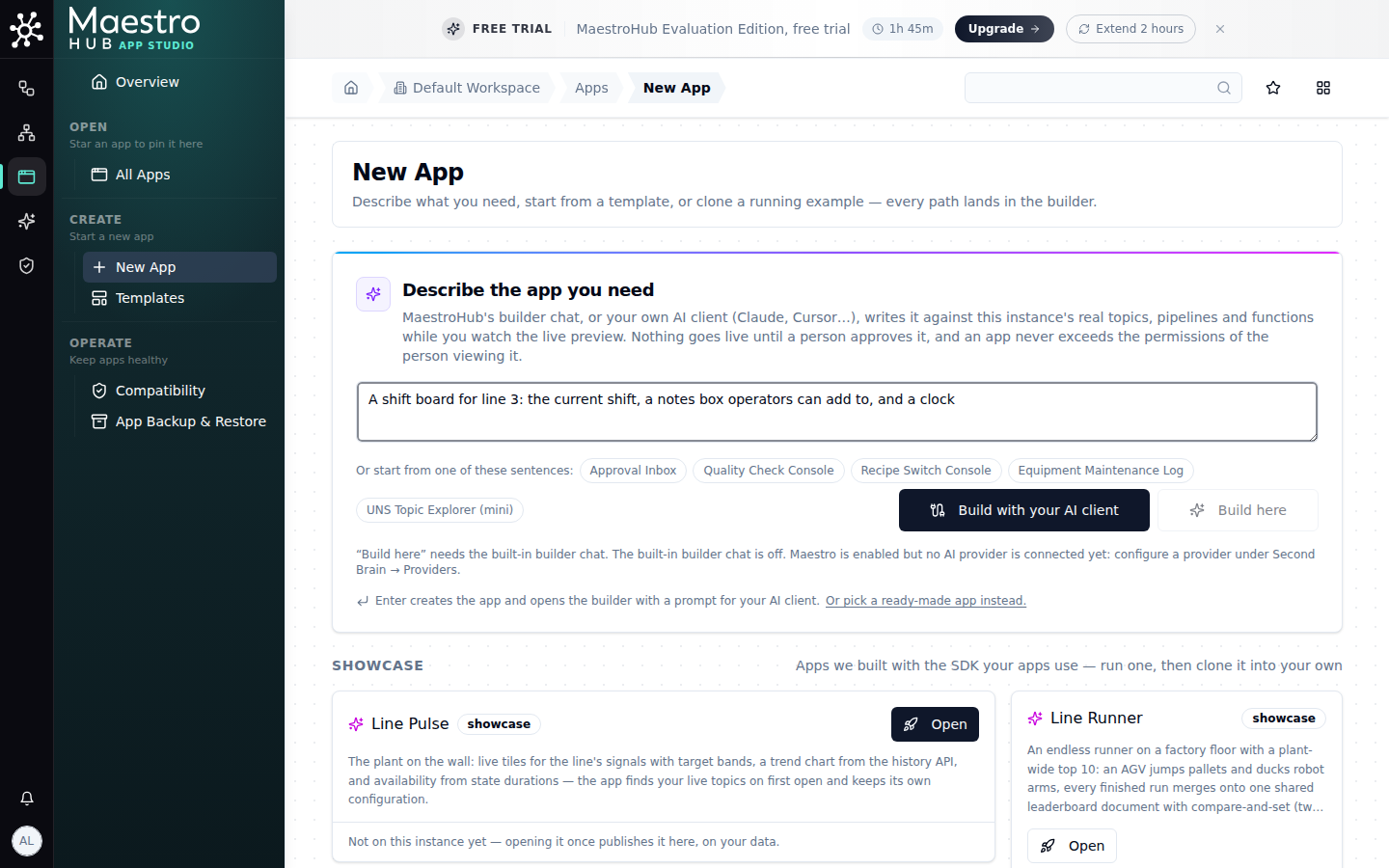
Without an AI provider, your AI client is how the app is built
2. The builder opens on the client panel
MaestroHub creates the app (from a starter that already builds clean) and opens its builder. The left side is the panel for your client: a button to connect it, the prompt to give it (the app's name and id, your sentence, and how to finish), and a line that says when the draft last changed.
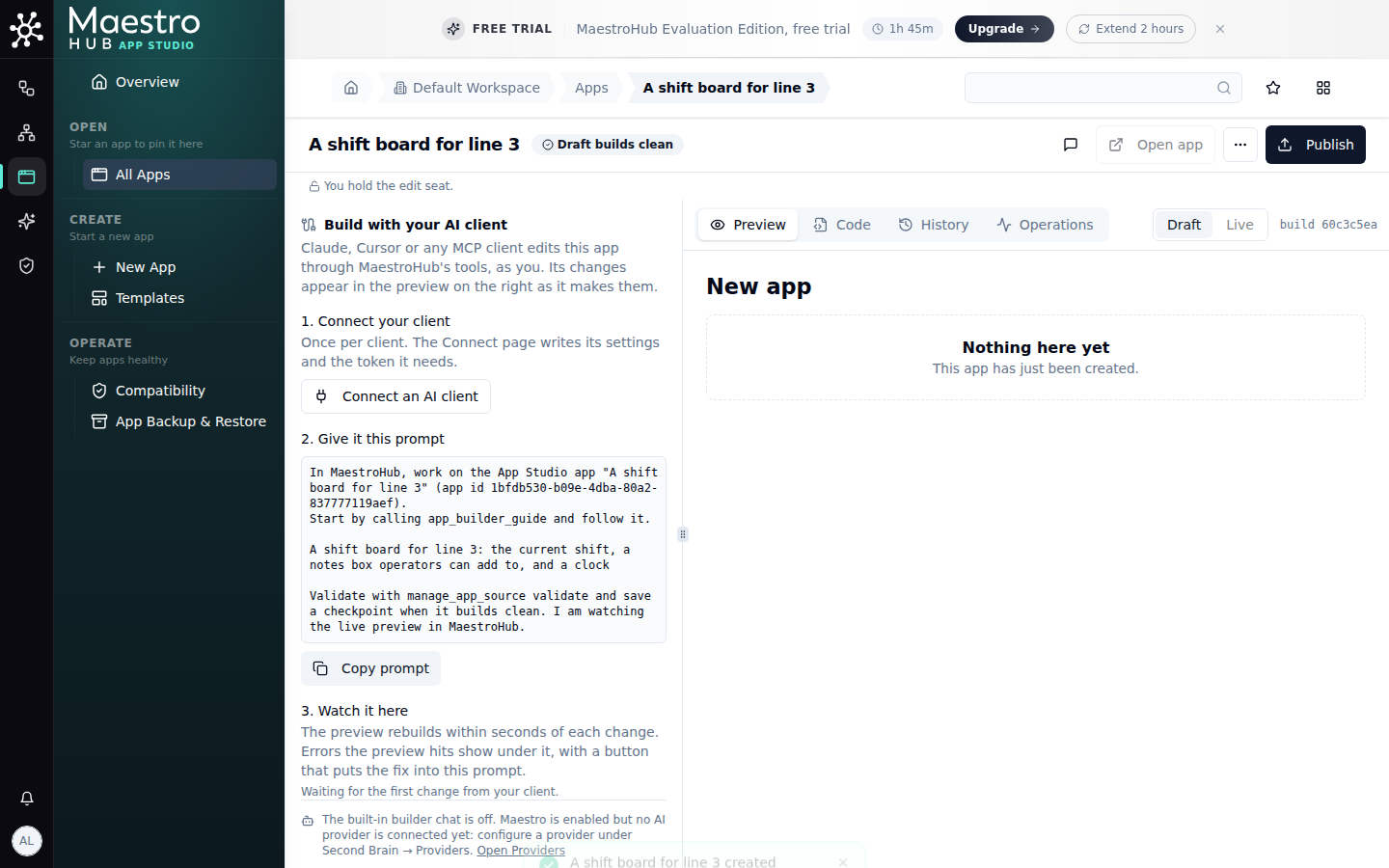
The prompt carries the sentence; the preview shows the starter until the client writes
3. Connect the client once
Connect an AI client opens the connect page with the Apps toolset and this workspace already chosen (13 of 54 tools). Create a token with these permissions makes a token with what the app tools check and fills it into the settings, ready to paste.
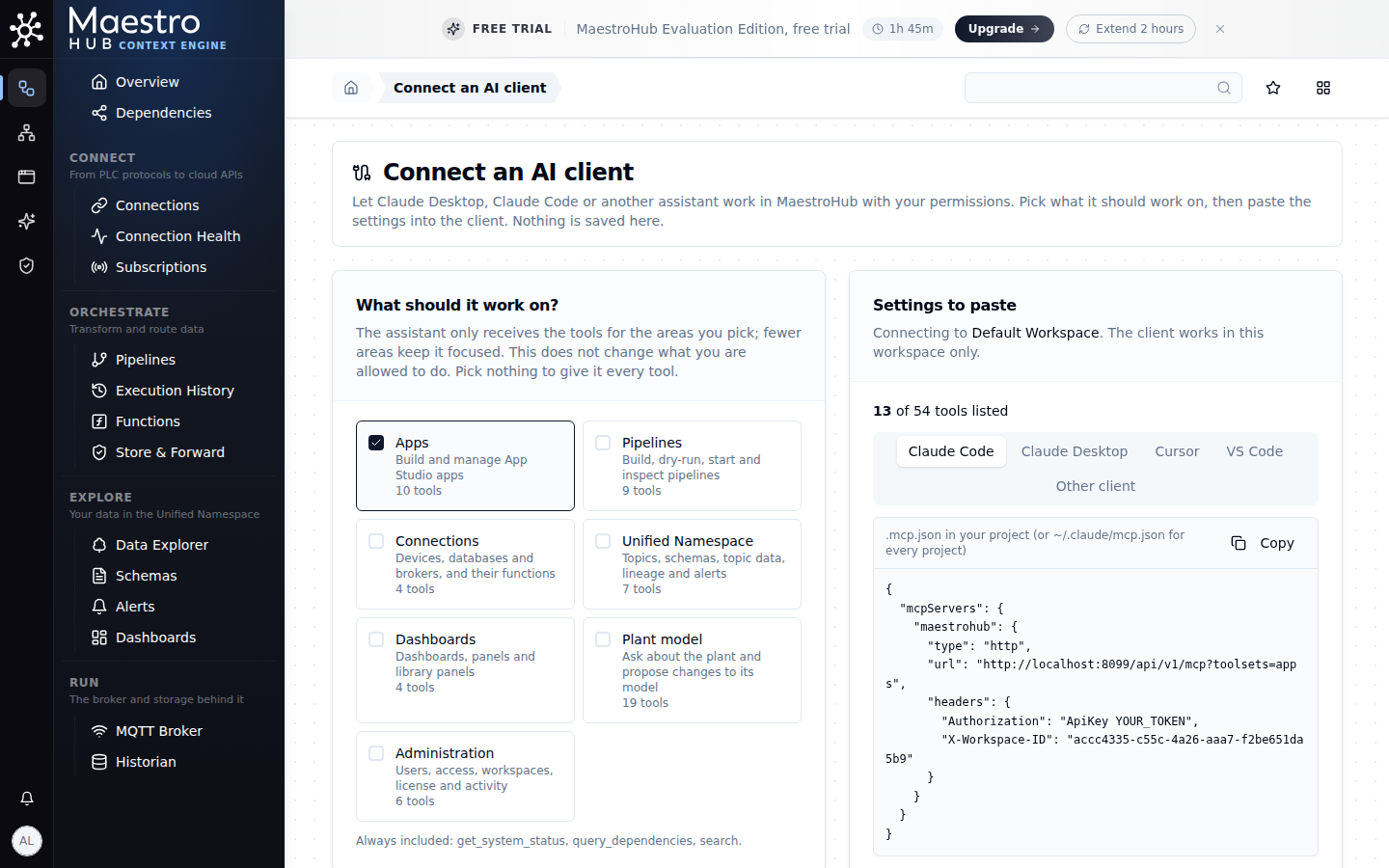
Arriving from the builder, the right toolset and workspace are already picked
4. The client builds, you watch
Given the prompt, the client:
- read
app_builder_guide; - looked at the app, its files, the plant model and the templates;
- wrote the board with
manage_app_source(edit_file); - validated clean and saved a checkpoint;
- checked
run_reportfor what the preview hit.
The preview in the builder followed each change within seconds. The plant had no shift data, so the client said so and kept the shift calendar in the app's own storage, editable by the app's editors only.
The session was cut off once (a usage limit on the client side). A second prompt, keep working on the app; your previous session was cut off before validating, picked up from the draft as it was. Nothing was lost: the draft lives in MaestroHub, not in the client.
5. The client asks for a release; a person approves it
The client called manage_apps → publish. That made a release request, not a release: within a second the builder showed Release v1 is waiting for approval, naming who asked and how.
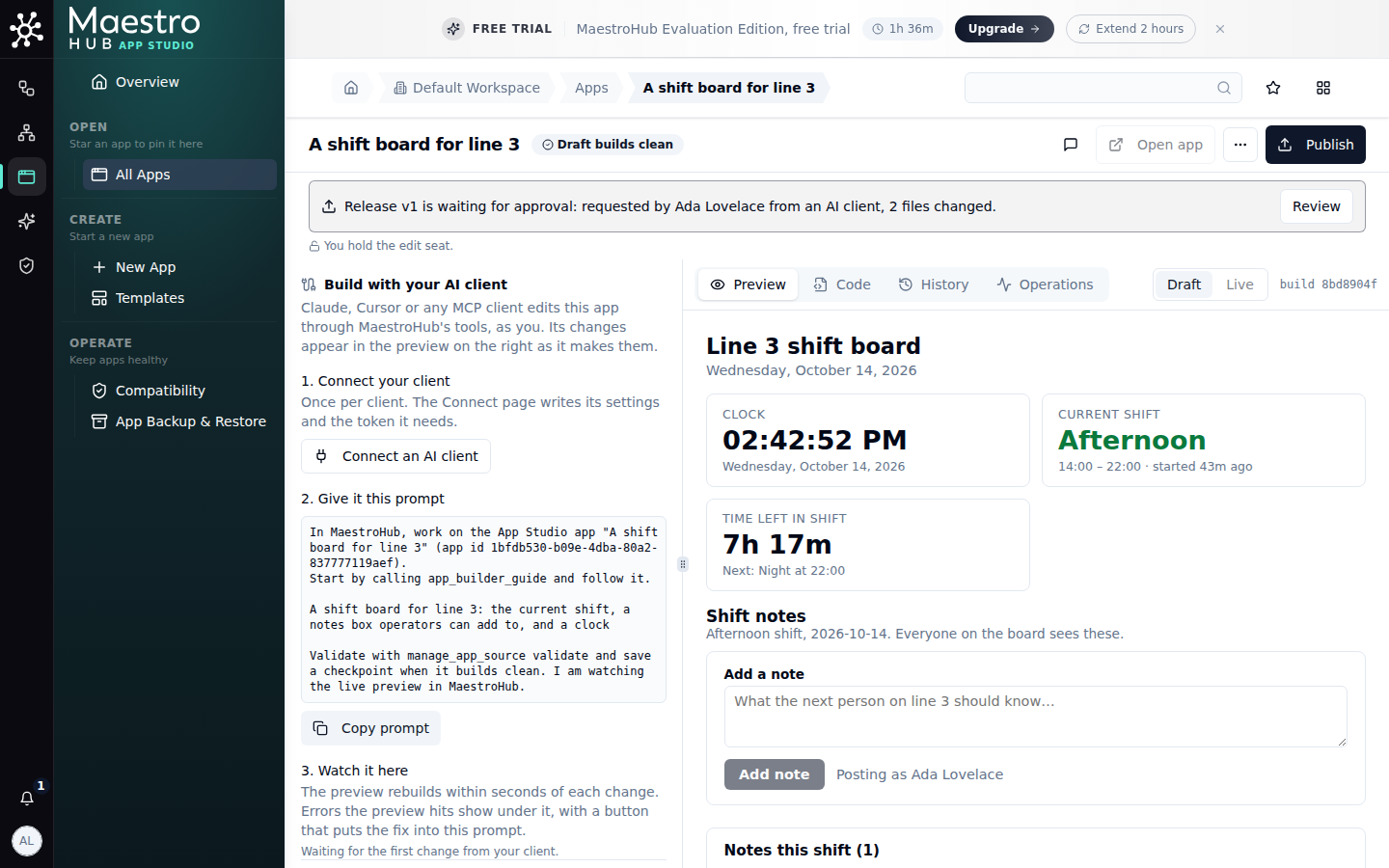
The request waits for a signed-in person
Review shows the client's own summary of the release, what the app may do (here, no permissions at all: it uses only its own storage), and the files that changed. Approve and go live publishes it. A token or an assistant can never approve; the client read the outcome with manage_apps → get.
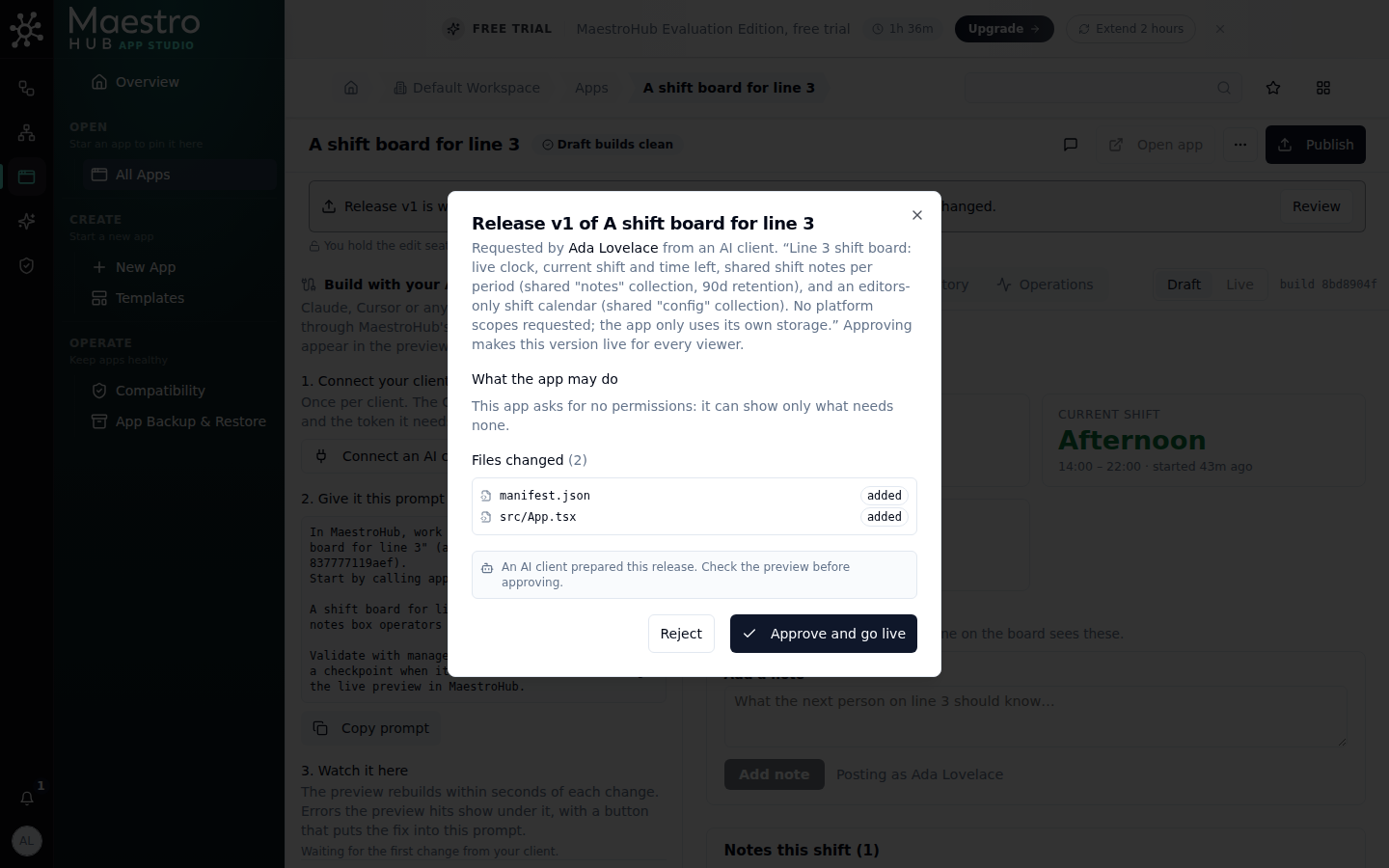
What would go live, and what it may do, before anyone sees it
6. The app is live
The builder's header shows Live · v1, and Open app runs the published version for anyone with access, each person within their own permissions.
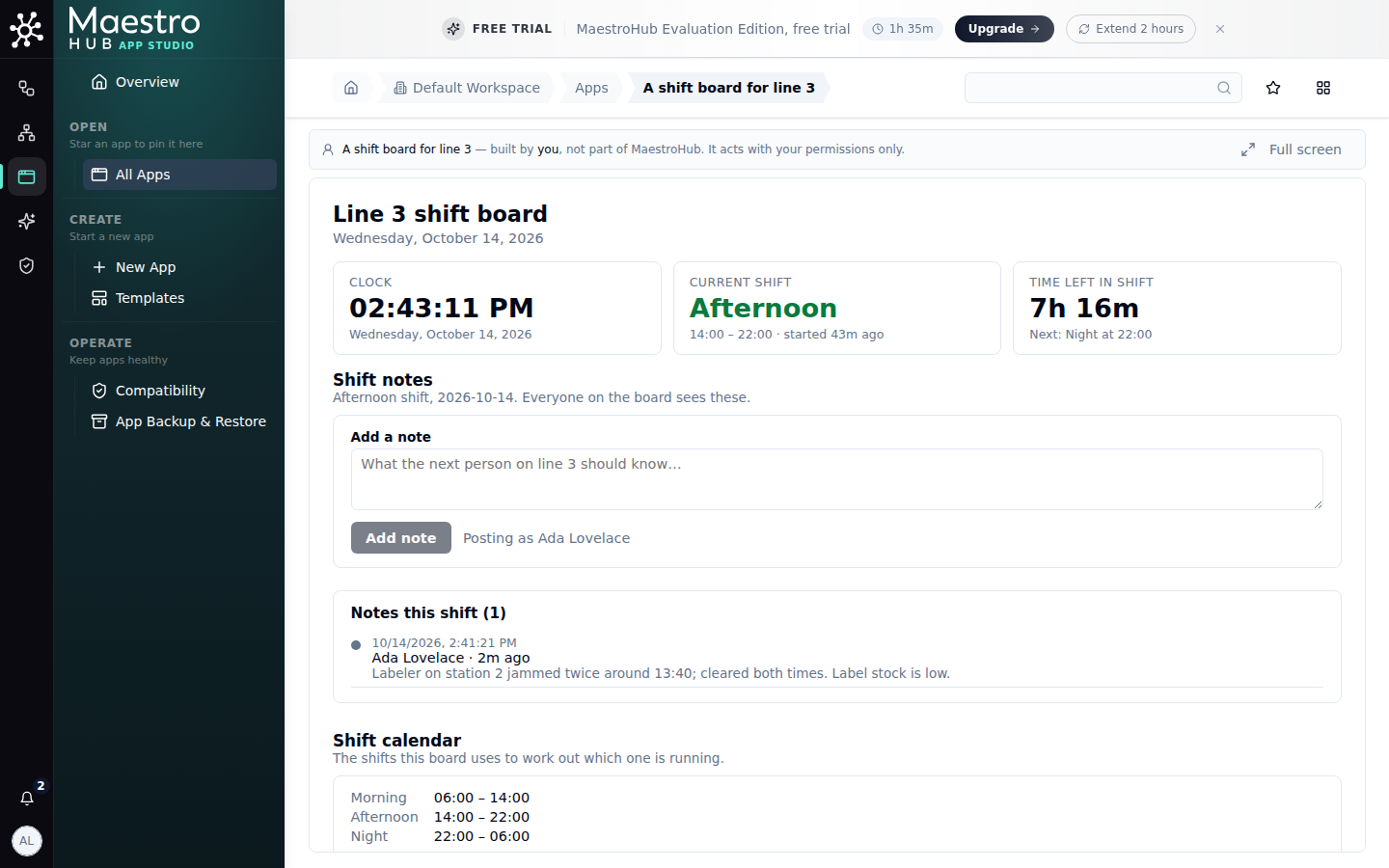
The published shift board, with a note added in the preview
What it took
| Client turns | 14 to build the board (until the cut-off), 11 to validate, check and ask for the release |
| Tool calls refused | None |
| Hand edits | None |
| Time | about 2.5 minutes to build; about 1.5 minutes to validate, check and ask for the release |