Oracle Database Nodes
MaestroHub delivers full support for Oracle Database with native SQL and PL/SQL syntax, parameter binding, and connection tuning so you can integrate enterprise workloads seamlessly.
Configuration Quick Reference
| Field | What you choose | Details |
|---|---|---|
| Parameters | Connection, Function, Function Parameters, Timeout Override | Select the connection profile, function, configure function parameters with expression support, and optionally override timeout. |
| Settings | Description, Timeout (seconds), Retry on Timeout, Retry on Fail, On Error | Node description, maximum execution time, retry behavior on timeout or failure, and error handling strategy. All execution settings default to pipeline-level values. |
Node Types
Oracle Database connector provides three specialized node types for different operation patterns:
| Node | Purpose | Common Use Cases |
|---|---|---|
| Query | Execute SELECT queries and return structured rows | Reporting dashboards, data lookups, KPI calculations |
| Execute | Execute DML/DDL statements, return rows affected | INSERT/UPDATE/DELETE statements, schema changes, stored procedures |
| Write | Load pipeline data into a table with auto schema detection | Bulk sensor ingestion, auto-create tables, data loading from upstream nodes |
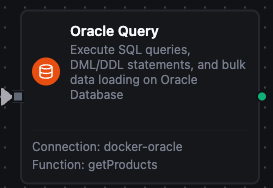
Oracle Query Node
Oracle Query Node
Execute SQL SELECT queries and return rows as structured data. Supports parameterized queries with :1 style bind variables.
Supported Function Types:
| Function Name | Purpose | Common Use Cases |
|---|---|---|
| Query | Run parameterized SELECT queries against Oracle | Reporting dashboards, data lookups, aggregated KPI calculations |
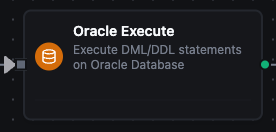
Oracle Execute Node
Oracle Execute Node
Execute DML/DDL statements (INSERT, UPDATE, DELETE, CREATE, ALTER, DROP) and return rowsAffected. Use for data modifications, schema changes, and PL/SQL execution.
Supported Function Types:
| Function Name | Purpose | Common Use Cases |
|---|---|---|
| Execute | Run any SQL/PL/SQL statement or stored procedure call | Data modifications, schema migrations, PL/SQL blocks |

Oracle Write Node
Oracle Write Node
Load pipeline data into an Oracle table with automatic schema detection. Auto mode detects the table schema and maps incoming data fields to columns; Manual mode lets you specify exact columns. Supports batching via INSERT ALL, auto table creation, and schema evolution.
Supported Function Types:
| Function Name | Purpose | Common Use Cases |
|---|---|---|
| Write | Load structured data into an Oracle table | Bulk sensor ingestion, auto-create tables from pipeline data, data loading |