Ignition Module Installation Guide
This guide details how to retrieve, install, and configure the MaestroHub Ignition Module, which is required for the Ignition Connection to work.
Obtaining the Module
To get started, you need to obtain the correct version of the MaestroHub Ignition Module (.modl file) for your Ignition installation. There are two supported versions:
- Ignition 8.1.x
- Ignition 8.3.x
Each version has its own .modl file. You can retrieve these files by downloading through this MaestroHub portal website 'https://portal.maestrohub.com/downloads/plugins/'.
Prerequisites:
- Ignition must be installed and running on the machine.
- Inbound port access must be enabled for external access to the running module (details in the configuration section).
Installation Guide for Ignition 8.3
Follow these steps to install the module on Ignition 8.3.
-
Navigate to Platform -> Modules and click on Install or Upgrade Module.
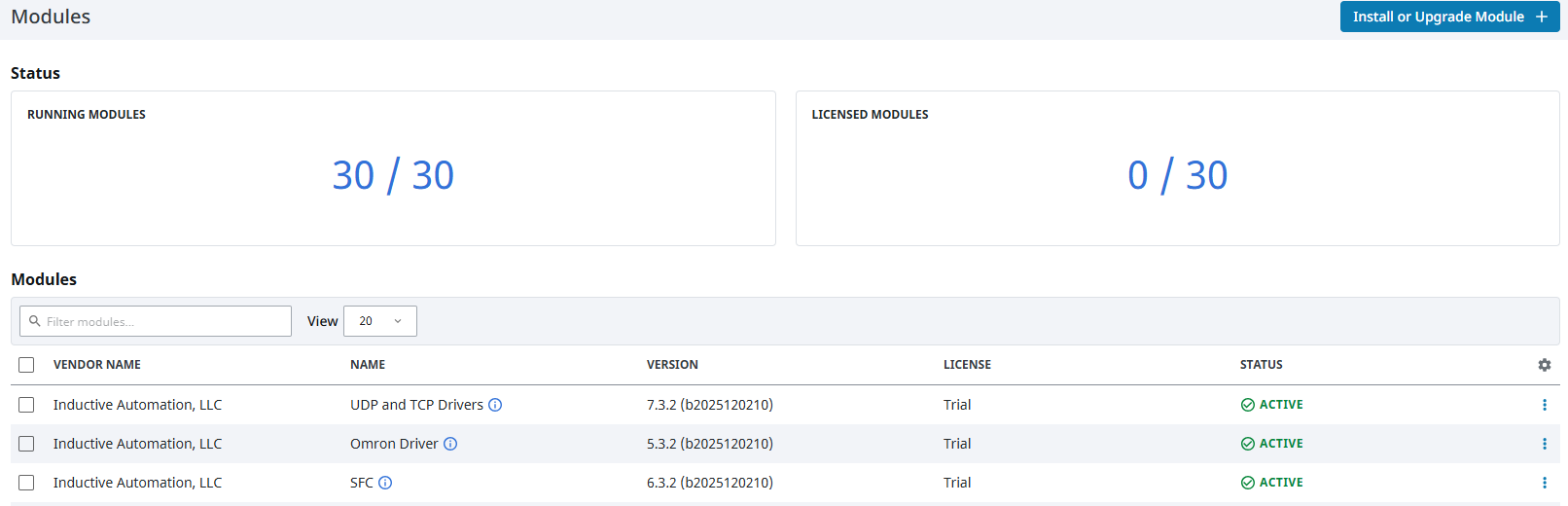
Navigate to Platform -> Modules to install the module
-
Choose the module file (
.modl) you downloaded and click on Install Module. -
Accept the Certificate and License agreements.
-
Restart the Ignition Gateway for the module to be up and running.
-
Navigate to the Modules page again and confirm that the MaestroHub Module is Active and Running.

Verify that the MaestroHub Module is Active and Running
-
Navigate to Diagnostics -> Logs and search for the following logs to confirm successful startup:
MaestroHub module started successfullyMaestroHub WebSocket server started on port 4528

Confirm successful startup in Diagnostics Logs
Configuration (Ignition 8.3)
By default, the module is configured with the following settings:
- Port:
45280(Ensure this port is available before installation) - Token: Not configured
- Max Subscription Limit:
10000 - Batch Interval:
250ms
To change these configurations:
-
Navigate to the module configuration page at
http://${Ignition_Host}/res/maestrohub/settings.html(e.g.,http://localhost:8088/res/maestrohub/settings.html). -
Configure settings such as the listening Port and define an API Token for security.
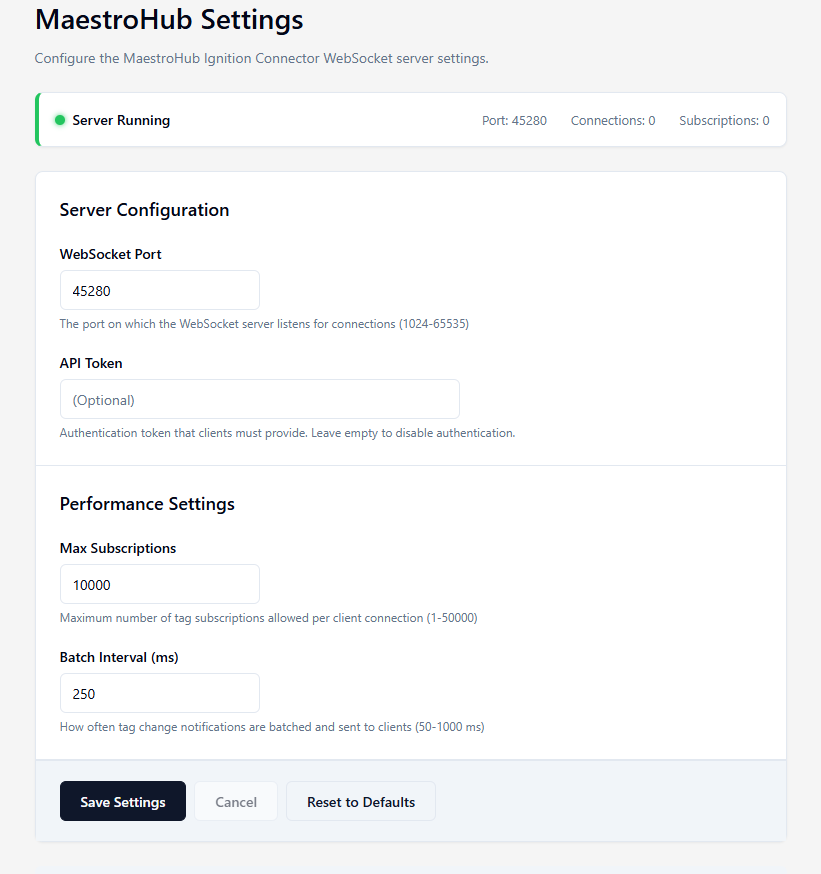
Configure Port, API Token, and other settings
-
After making changes, you may need to restart the Ignition Gateway for them to take effect.
Once configured, you can create an Ignition connection on MaestroHub to perform operations such as Read, Write, Browse, and Subscribe. Refer to the Ignition Connector documentation for more info.
Installation Guide for Ignition 8.1
The installation process for Ignition 8.1 is similar to 8.3, with a few differences in navigation.
- Navigate to Config -> Modules and click on Install or Upgrade a Module....
- Choose the
.modlfile, accept the certificate and license, and click on Install Module. - Verify on the Modules page that the MaestroHub Ignition Connector is Running.
Configuration (Ignition 8.1)
To configure module parameters like Port or API Token in Ignition 8.1:
- Navigate to Config -> MAESTROHUB -> Settings.
- Update the parameters as needed (Port, Token, etc.).