Notifications
Send alarms, connection failures, approval requests and other platform events to Slack, Microsoft Teams or any webhook, filtered by source and severity.
- Where
- Admin › Configure › Notifications
- Formats
- Slack · Microsoft Teams · Generic webhook
- Default severity
- Warning and above
- Permission
- notification_channel:manage
The Notifications page sends platform events to Slack, Microsoft Teams or any web address that accepts a JSON POST. Each destination is a channel. Events come from many parts of MaestroHub: alarms firing, Store & Forward buffers getting stuck, connections failing, approvals waiting, the audit log's integrity, licensing and more. Each channel picks which of them it hears and how severe they must be.
Open the page from Admin → Configure → Notifications in the sidebar (the address is /<workspace-slug>/system-management/notifications).
Channels belong to the workspace you have selected. Each workspace sets up its own channels and sees only its own delivery log.
You need the notification_channel:manage permission, even to view the page. A channel's webhook address works like a password: anyone who has it can post to that Slack or Teams channel. Workspace Administrators and System Administrators hold this permission by default.
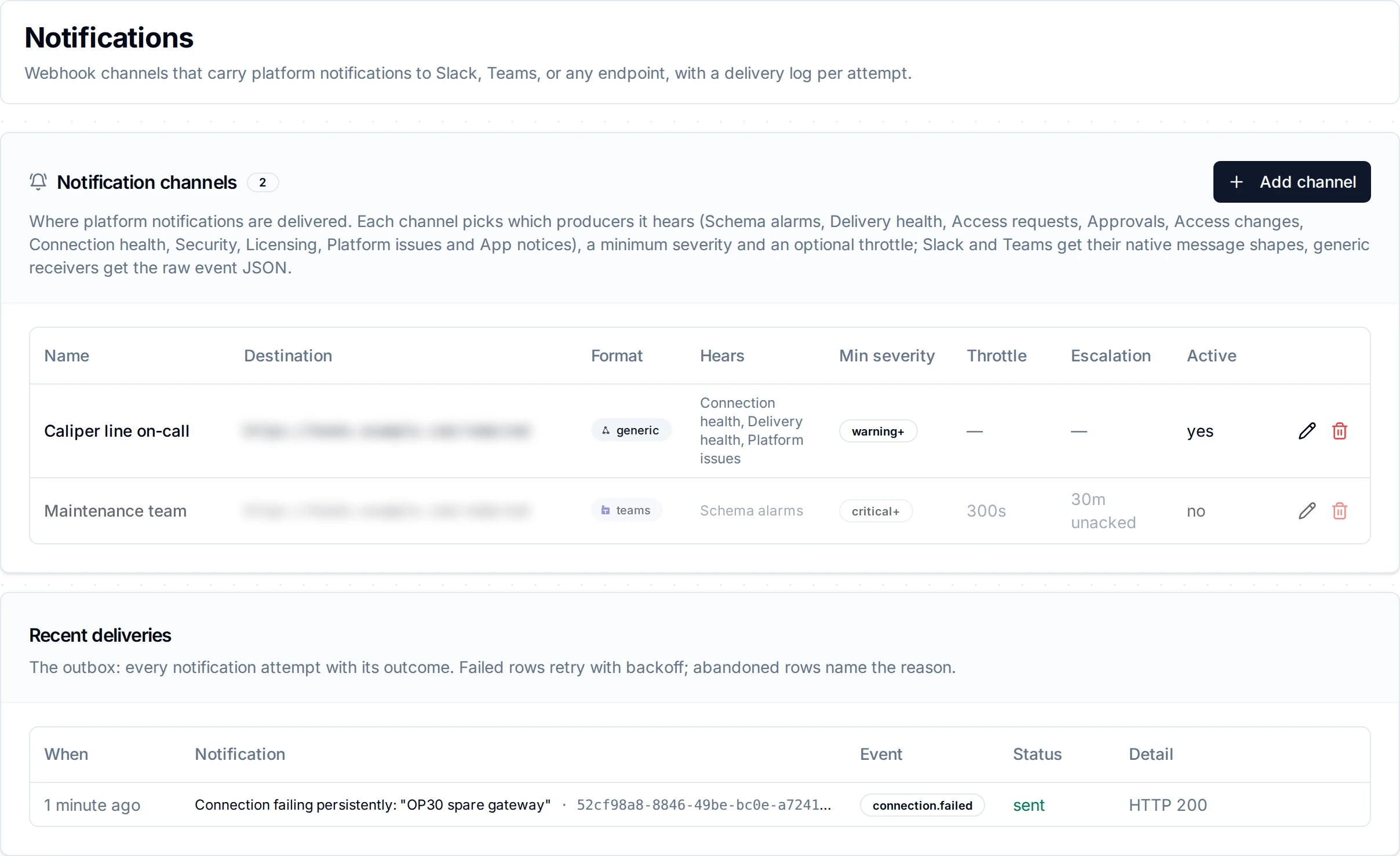
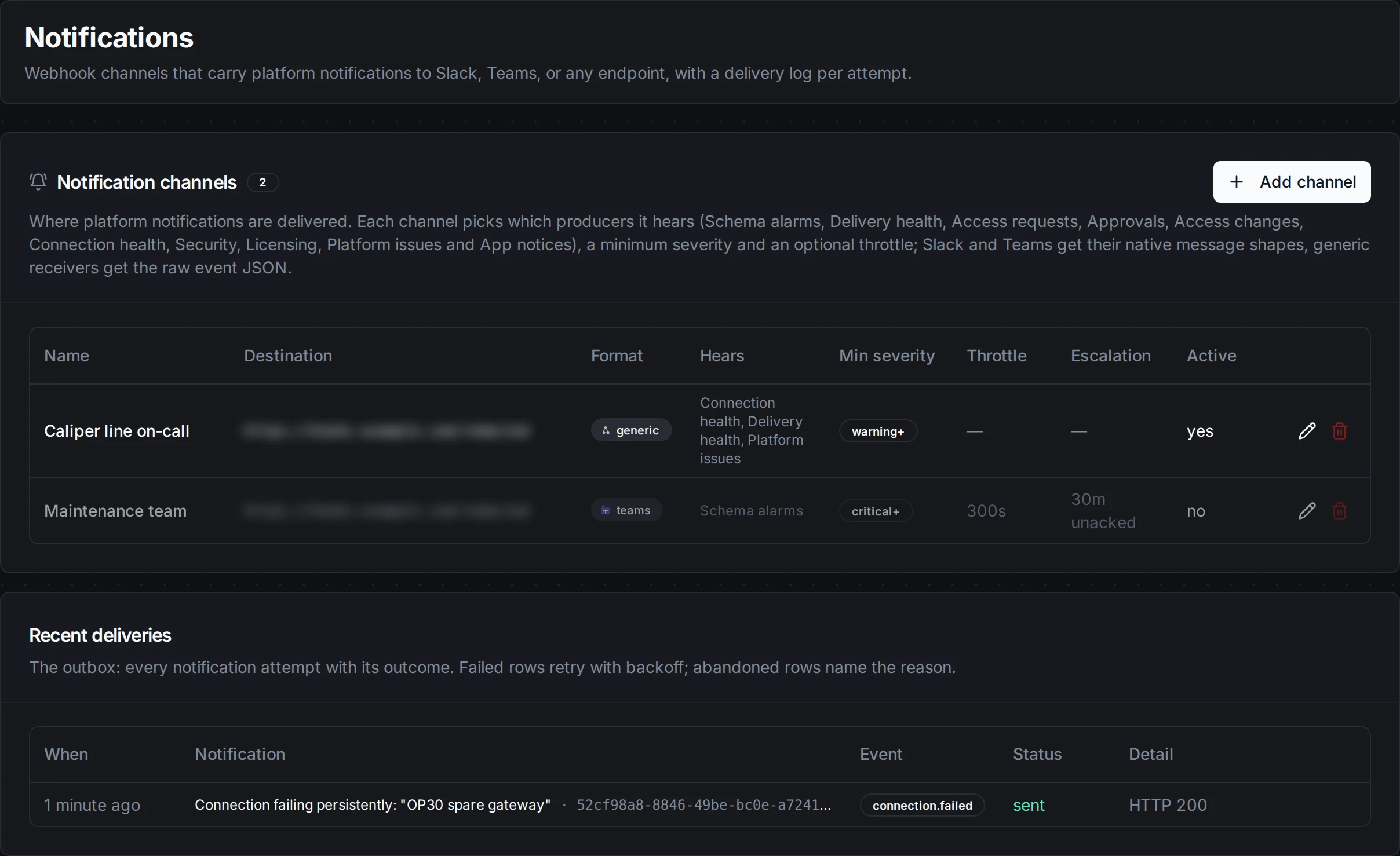
Add a channel
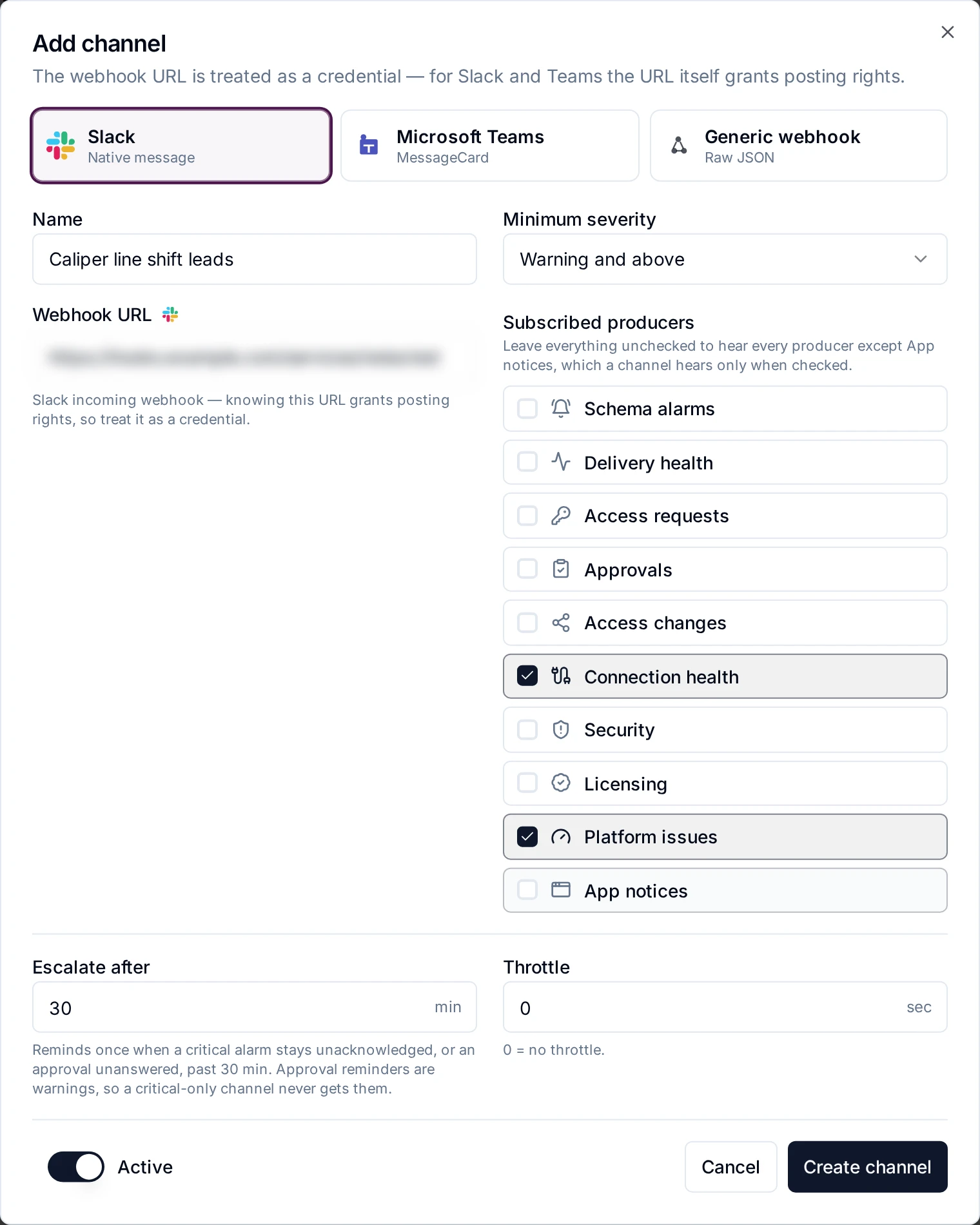
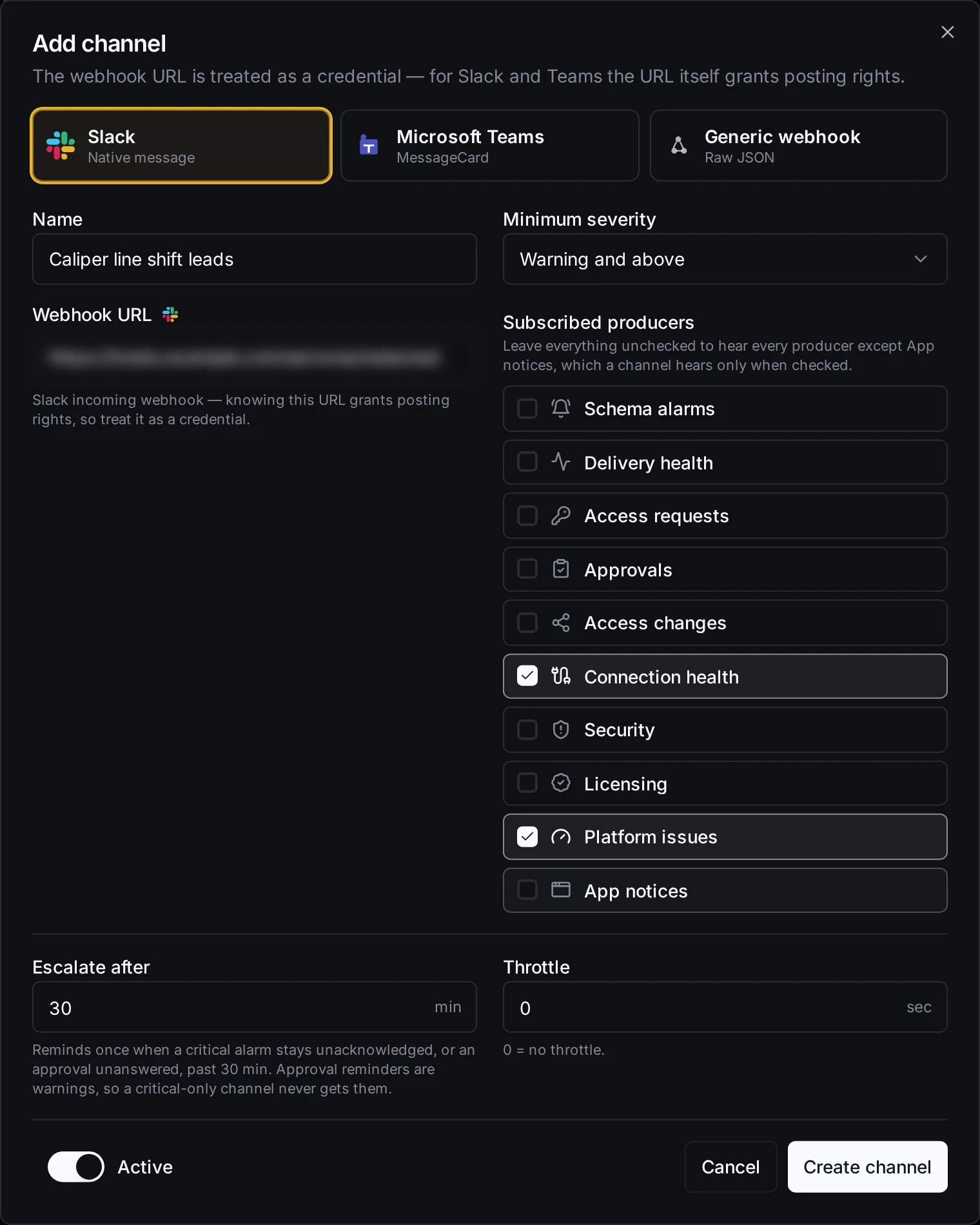
- Click Add channel.
- Pick the format: Slack, Microsoft Teams or Generic webhook. See Message formats.
- Enter a Name.
- Enter the Webhook URL. It must be a full
http://orhttps://address.- Slack: the incoming-webhook address,
https://hooks.slack.com/services/…. - Teams: the address of the channel's Incoming Webhook connector.
- Generic: any endpoint that accepts a JSON
POST.
- Slack: the incoming-webhook address,
- Set the Minimum severity: Info and above, Warning and above (the default) or Critical only.
- Under Subscribed producers, tick the sources this channel should hear. If you leave every box unticked, the channel hears every producer except App notices. See Producers.
- Optionally set Escalate after and Repeat every (minutes) and Throttle (seconds). See Escalation and Throttle.
- Leave the switch at the bottom on Active, or set it to Paused.
- Click Create channel.
If a value is not accepted, the error message names the field and the allowed values.
The channels table shows each channel's name, destination address, format, what it Hears (Everything except App notices when no producer is ticked), minimum severity, throttle, escalation window and whether it is active. Use the pencil icon to edit a channel and the bin icon to delete it.
Delete removes the channel at once, without asking for confirmation. Notifications still waiting to be sent to it are given up.
To stop a channel for a while without losing its settings, edit it and set it to Paused. A paused channel receives no new notifications, and anything still waiting to be sent to it is given up.
Producers
A producer is the part of MaestroHub that raises a kind of event. Each notification carries an event name, such as alert.fired, which appears in the delivery log and in the X-MaestroHub-Event header.
| Producer | Label on the page | Events | Severity |
|---|---|---|---|
uns.alerts | Alarms | alert.fired, alert.cleared, and alert.escalate reminders. See Alerts. | The level that fired: warning or critical. A schema's alert severity can raise it, never lower it. A clear uses the severity of the alarm it clears. |
engine.delivery | Delivery health | A Store & Forward buffer becoming delivery.stalled, delivery.blocked or delivery.starved, and delivery.recovered. delivery.deadletter when messages are moved to Failed messages automatically. | Blocked and dead-lettered: critical. Stalled and starved: warning. Recovered: info. |
engine.approvals | Approvals | A pipeline or AI agent waiting for a decision (approval.requested, agent_write.requested), reminders while it waits (approval.escalate, agent_write.escalate), questions that expire unanswered, decisions, and agent writes whose outcome is unknown. See Approvals. | Requests, reminders and expiry: warning. Decisions: info. An agent write with an unknown outcome: critical. |
authz.access | Access requests | Access requests filed and the decisions on them, and break-glass access. Access requests are part of Advanced Access Control, an Enterprise feature. | Requests: warning. Decisions: info. Break-glass: critical. |
authz.grants | Access changes | Access granted, revoked or about to lapse, and roles or group memberships added or removed. | Info. A grant about to lapse: warning. |
connectors.health | Connection health | connection.failed when a connection keeps failing and needs someone to look at it, and connection.recovered when it has been connected again for a minute. One notification per outage, even when MaestroHub restarts during it or several replicas watch it. A reconnect that drops again within a minute is not a recovery, and a connection on several replicas with at least one slot still connected (Degraded) sends nothing. A recovery that happens while MaestroHub is stopped is not announced. See what counts as an outage. | Failed: warning. Recovered: info. |
scheduler.triggers | Schedule problems | schedule.cannot_run when a pipeline's schedule trigger cannot run as configured, for example a cron expression that does not parse. The pipeline stays enabled but does not fire on that schedule until someone fixes it. One notification per version of the pipeline's triggers: a restart sends nothing new, and a change to the triggers that still leaves it broken sends one more. It goes to the people who can edit the pipeline, and opens that pipeline from the bell. | Warning. |
engine.history | Execution history | history.detail_lowered when a pipeline writes more execution history than its share of the store for several minutes, so MaestroHub stores its runs at a lower Execution History Detail (Full, then Standard, then Minimal, then failures only) until it fits again. The pipeline's saved setting does not change, and runs someone starts by hand keep their detail. One notification per episode. It goes to the people who can edit the pipeline, and opens that pipeline from the bell. | Warning. |
audit.security | Security | audit.tampered when the Audit Trail hash chain breaks, and abuse.suspected for suspected brute force or enumeration. | Critical. |
license.state | Licensing | License and trial starting, expiring or expired, reminders before a license expires, and the grace-period steps when a fleet-managed instance loses its hub. | Info to critical. Expiry reminders become more severe as the date gets closer. |
monitoring.issues | Platform issues | Items entering and leaving the Overview's needs-attention list, crashed processes, executions left orphaned by a crash, event handlers moving messages to the dead-letter queue, and node resource pressure. | Info to critical. |
appstudio.apps | App notices | Notices that App Studio apps (App Studio is in release 3.0 as Beta, a paid add-on) send to their own users, such as a handover posted. | Info or warning. |
App notices reach a channel only when you tick it. The "hear everything" default leaves it out, so an app can't post into a channel you set up for platform events.
A channel receives every notification from the producers it hears, whoever the event is about. For example, a channel that hears Access changes receives a message each time someone's access changes.
Minimum severity
Notifications have one of three severities: info, warning or critical. A channel receives a notification only when its severity is at or above the channel's minimum. Critical only therefore also drops the reminders that are sent at warning severity, such as approval reminders.
Escalation
Escalate after turns on reminders for problems nobody has dealt with. 0 (the default) turns them off. The longest window is 10,080 minutes (7 days).
Two producers send reminders:
- Alarms: a critical alarm that is still active, not acknowledged, not shelved, not out of service and not kept from paging while it chatters, after the window. A new incident (the alarm clears and fires again) starts over.
- Approvals: a question that is still waiting for a decision after the window.
Repeat every (minutes) tells the channel again, at that interval, until somebody acknowledges the alarm (or decides the question) or it clears. 0 (the default) tells it once. A repeat needs Escalate after.
Each channel is one escalation tier. To escalate in steps, create one channel per tier with a longer window each, for example the shift lead's channel after 15 minutes and the plant manager's after 45 minutes, repeating every 30. Alarms are asked about only at those times, never every minute, and only one server asks, however many run.
A reminder must still pass the channel's minimum severity. Reminders are never throttled.
Throttle
Throttle sets the minimum gap, in seconds, between two notifications on the channel. 0 (the default) turns it off. The largest value is 604,800 seconds (7 days); to silence a channel for longer, pause it instead.
The throttle applies to every notification on the channel, from every producer, not only to repeats of the same event. A notification that arrives within the gap is held, not dropped, and sent at the end of the gap:
- On a Slack or Teams channel the held notifications go together as one message, the digest, which lists every subject at its latest state. A fire and its clear held in the same gap are both listed, with their times.
- A generic webhook receives each held notification as its own message, in the usual shape, so the receiving system parses it as before.
Held notifications appear in the delivery log as coalesced.
A critical notification is never held, unless it repeats an alarm the channel already heard within the gap; then it waits at most one minute, and only the latest state of that alarm is sent. So an alarm that clears and fires again within that minute arrives as one message: it shows the state the alarm is in at the end of the minute, which is the correct current state, and the clear in between is not sent on its own. Any other notification more severe than the one that opened the gap is sent at once too. Escalation reminders are never throttled.
Just before an alarm notification is sent (on every attempt), MaestroHub checks its alarm again. If somebody shelved the alarm or took it out of service in the meantime (or its equipment was declared not running, or it chatters under a rule that keeps it from paging), the notification is not sent and shows as suppressed, with the reason. If that check cannot be answered, the notification waits and is asked about again; after a minute it is sent anyway, marked "Not rechecked".
Message formats
Slack receives a message with a coloured marker, the title in bold and the text below it: 🔴 critical, 🟠 warning, 🔵 info, 🟢 something recovered or cleared.
Microsoft Teams receives a MessageCard with the title, the text and an accent colour for the severity.
Generic webhook receives JSON. Three producers send their own event body:
- Alarms: the alarm event, with fields such as
topicPath,attributePath,level,direction,cleared,severity,value,threshold,unit,messageandfiredAt. See Alerts. - Delivery health:
bindingId,workspaceId,pipelineId,pipelineName,outputNodeId,destinationConnectorId,destinationHealthy,health,reasonCode,reason,queueDepth,since,observedAtandrecovered. - Approvals:
decisionId,workspaceId,pipelineId,pipelineName,nodeId,decisionKind,title,state,requestedBy,deadline,createdAtandpendingFor.
Every other notification, including dead-letter notices from Delivery health, sends this body:
{
  "producer": "connectors.health",
  "kind": "connection.failed",
  "severity": "warning",
  "title": "…",
  "text": "…",
  "subject": "…",
  "occurredAt": "2026-10-02T08:15:00Z"
}
Every request, in every format, has these headers:
| Header | Value |
|---|---|
Content-Type | application/json |
X-MaestroHub-Producer | The producer, for example uns.alerts |
X-MaestroHub-Event | The event, for example alert.fired |
X-MaestroHub-Severity | info, warning or critical |
X-MaestroHub-Subject | What the notification is about, such as a topic path. Sent only when there is one. |
Requests are not signed. If your endpoint is reachable from outside your network, protect it with a secret in its address or put it behind your own gateway.
Recent deliveries
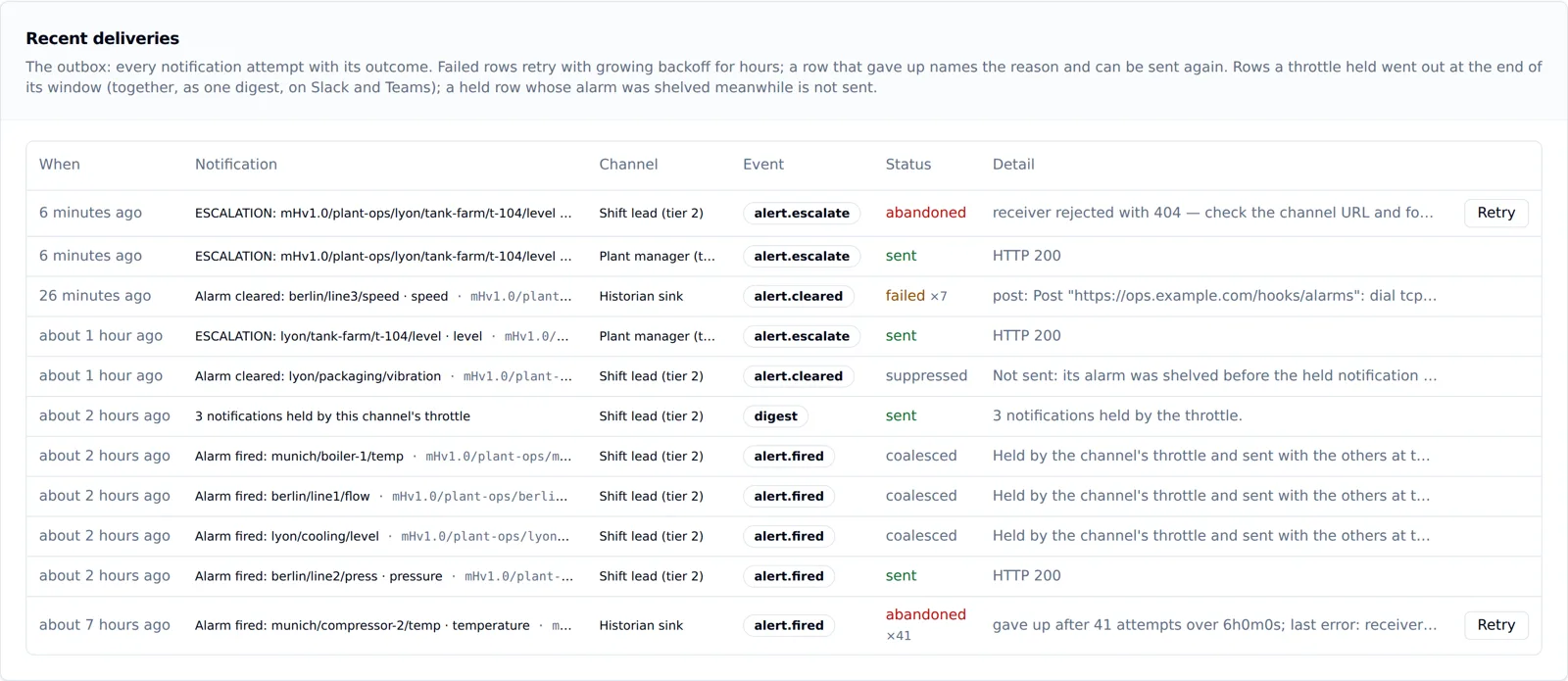
Recent deliveries lists the 50 newest send attempts across all of the workspace's channels and refreshes every 15 seconds. Each row shows when it was created, the notification's title and subject, the event, the status and the detail.
| Status | Meaning |
|---|---|
queued | Waiting to be sent. |
sending | Being sent now. |
sent | The destination answered with a 2xx code. |
failed | The attempt failed. It will be tried again. A number such as ×3 shows how many attempts have been made. |
abandoned | It gave up. The detail says why. Retry sends it again. |
coalesced | The throttle held it; it went out at the end of the gap (in the digest, or as a newer state of the same alarm). |
suppressed | The throttle held it, and its alarm was shelved or taken out of service before it was due, so it was not sent. |
How MaestroHub retries:
- No answer, a network error, or a
5xxcode: tried again after 2, 4, 8 seconds and so on, doubling up to 10 minutes between attempts (with a little random spread), for up to 6 hours, then abandoned with the last error. Each attempt waits up to 10 seconds for an answer.modules.notifications.deliveryMaxAgeinconfig.yamlchanges the 6 hours. - Every channel is sent to on its own, so a destination that never answers delays only its own notifications. Critical notifications are sent before warnings.
- A
4xxcode: abandoned at once, because sending the same message again would fail the same way. The detail says the receiver rejected the message with that code and asks you to check the channel URL and format. This usually means a wrong or revoked webhook address, or the wrong format for the destination. Create a new webhook on the other side and update the channel. - The channel was deleted or paused: abandoned.
Retry on a row that gave up sends it again now. The message says it is a resend ("Resent; originally sent at …"); a generic webhook receives the same body with an X-MaestroHub-Resent header. A resend of an alarm notification is refused while that alarm is shelved or out of service, because it would page about an alarm somebody silenced; unshelve it or return it to service first.
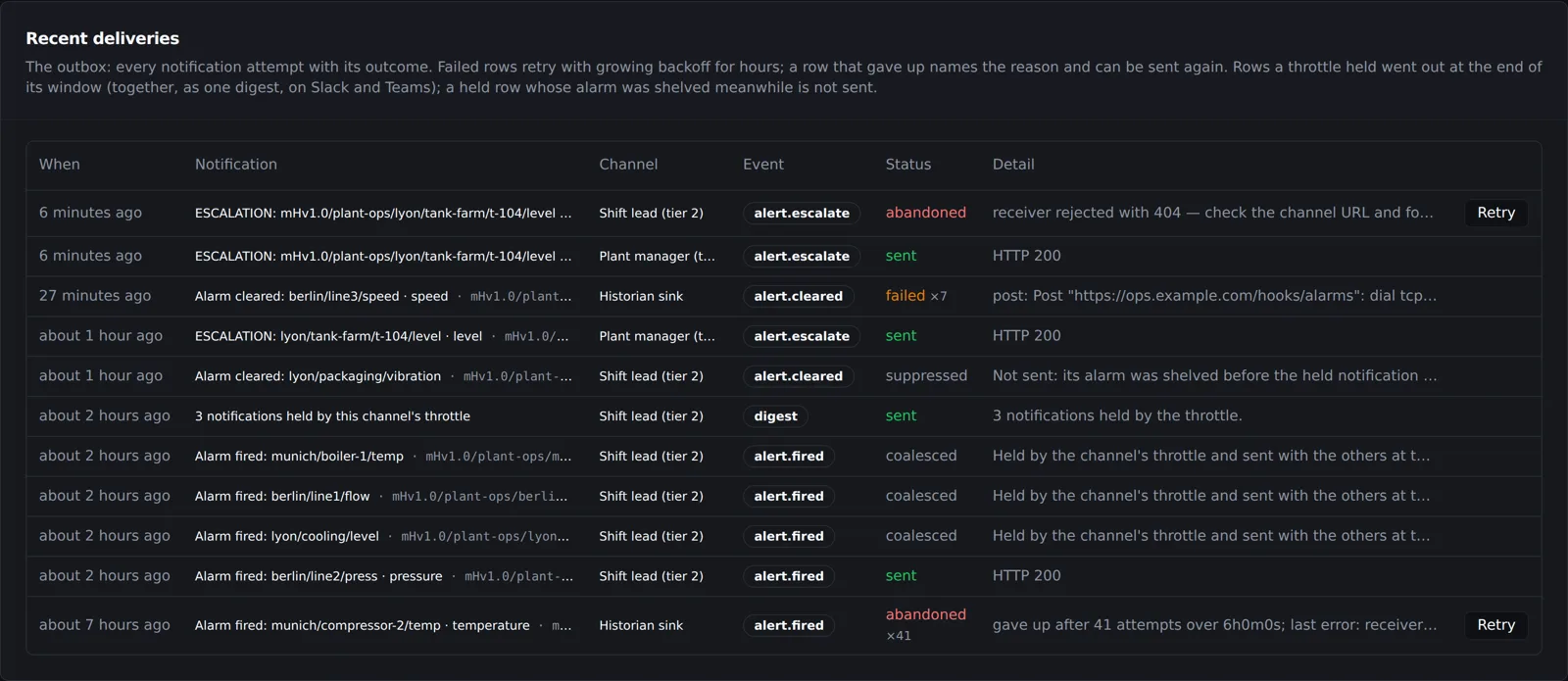
Sent, abandoned, coalesced and suppressed rows are removed after 30 days.
The same notification is never delivered twice to one channel, even when its producer reports the event again. In rare cases, such as a server stopping in the middle of a send, the destination can receive the same message twice.
The Admin overview page also warns when notifications could not be delivered in the last 24 hours, or are being retried, and names the channels involved.
Check a new channel
The page has no test button. To check a channel, cause an event it hears and watch Recent deliveries. For example, a channel that hears Alarms receives the next alarm that fires.
Your own notification feed
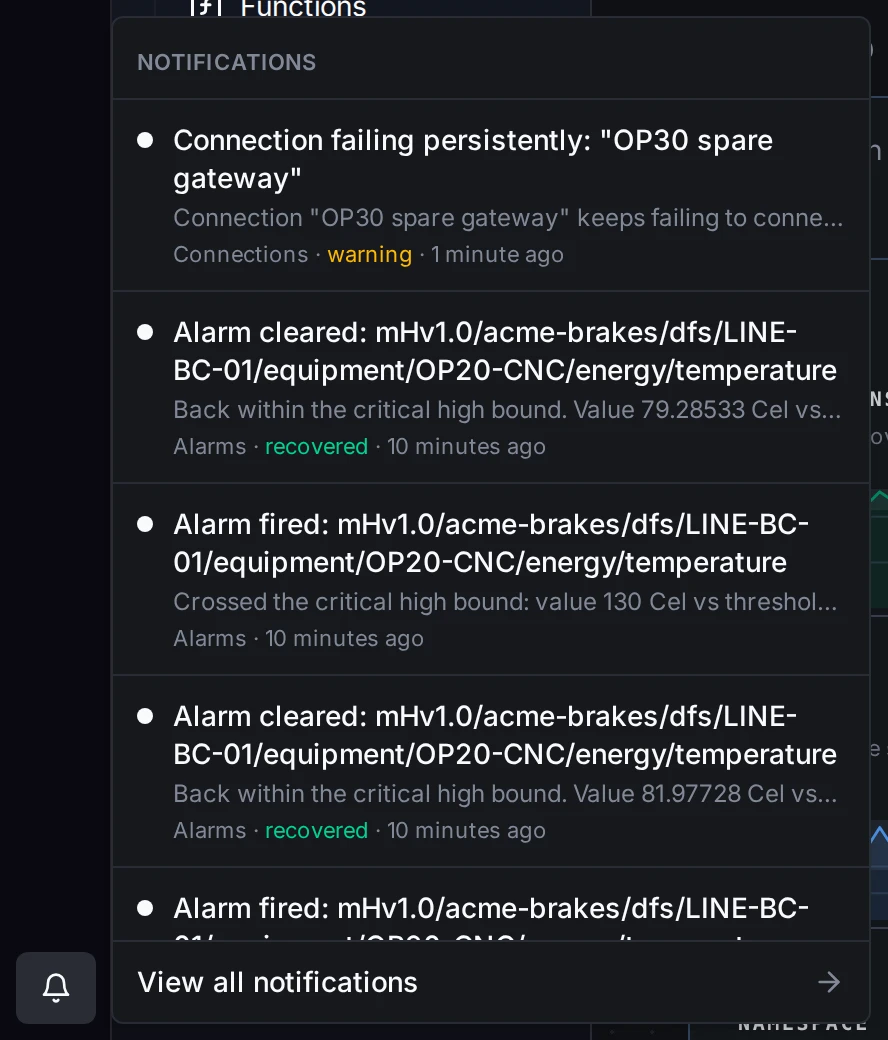
Channels are for team destinations. Separately, each person has a notification feed in MaestroHub, opened from the bell in the top bar, at the top right of every page. The bell shows how many items are unread. Opening it shows the latest items, and View all notifications opens the full feed in You, the area for your own pages (Notifications, My Access, Profile and Connect an AI client). You can also reach it from your avatar at the bottom of the left rail, which is highlighted while you are there.
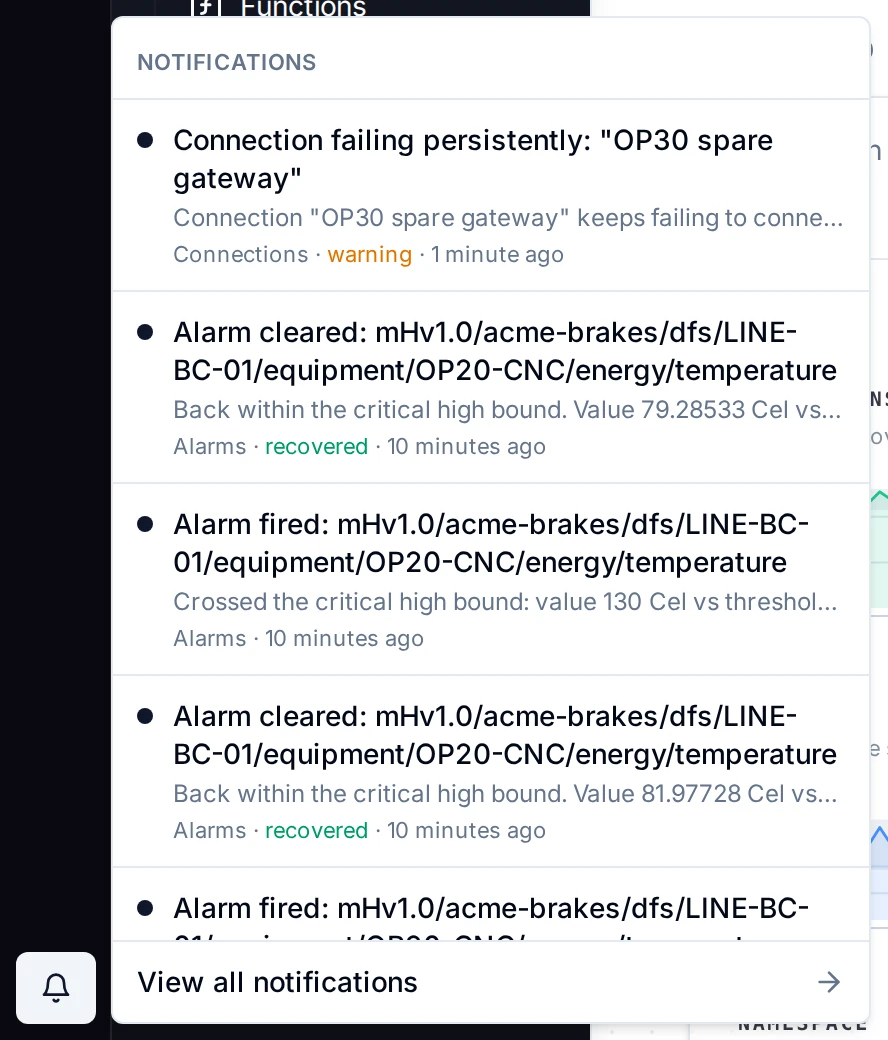
Each item goes to the people it concerns, based on their user, groups and roles. For example, alarms go to people who can acknowledge them (alert:ack), and approval requests go to people who can decide them. Clicking an item opens the page where you can act on it. Items are kept for 30 days.
On the feed's Preferences tab you can mute producers. Muting affects only your own feed and bell, not other people and not the workspace's channels.
Permissions
| Permission | Allows | Held by default by |
|---|---|---|
notification_channel:manage | Viewing the page, creating, editing and deleting channels, and reading the delivery log | System Administrator, Workspace Administrator |
Your own notification feed needs no permission. Each person can see only their own feed.
Every channel that is created, changed or deleted is recorded in the Audit Trail as notification_channel.created, notification_channel.updated or notification_channel.deleted. The record includes the channel's settings but not its webhook address.
Related
- Alerts: sending UNS alarms to Slack, Teams or a webhook.
- Store & Forward: the buffers behind Delivery health notifications.
- Approvals: approval requests, reminders and expiry.
- Audit Trail: the record of who changed what.