 GitLab Integration Guide
Turn an alarm or a quality deviation into a GitLab issue the plant engineering team already works from, and close it when the line recovers.
- Authentication
- Personal, project or group access token
- Operations
- Create Issue, Add Comment, Update Issue, Get Issue
- Works with
- GitLab.com and self-managed GitLab
Open GitLab issues from your pipelines. This guide covers the token GitLab needs, the connection, each function, and the two things GitLab quietly changes when the token's role is too low.
Overview
The GitLab connector enables you to:
- Open an issue or an incident in a project, with a title, a Markdown description, labels, a due date and a confidential flag
- Comment on it as the situation develops, as an internal note when the comment is for the team only
- Close or reopen it, and change its labels, when the condition that opened it clears or returns
- Read it back: its state, labels, assignees and description, to check before acting
- Pick the project from the ones the token's user is a member of
A related need is met elsewhere, not by this connector:
- A GitLab event that starts a pipeline (an issue opened, a label added, a pipeline finished): add a project webhook in GitLab (Settings → Webhooks) that calls a Webhook trigger.
Prerequisites
-
Network access from MaestroHub to GitLab:
https://gitlab.com, or your self-managed GitLab's address on port 443 (or 80 for plain HTTP). -
An access token with the
apiscope. Any of the three kinds works; the narrowest is the safest:- Project access token: the project's Settings → Access tokens → Add new token, role Reporter, scope api. It can reach that one project; issues are written as the project's bot user.
- Group access token: the group's Settings → Access tokens, for every project in the group.
- Personal access token: your avatar → Edit profile → Access tokens, scope api. Issues are written as you.
GitLab shows the token (starting
glpat-) once; copy it. -
The Reporter role or higher on the projects the pipeline writes to. A Guest may open issues and comment, but GitLab silently opens an issue when it asks for an incident, and stores an internal comment as a public one (see When GitLab changes what you asked for).
A token with only the read_api scope connects, and Get Issue works with it, but every write is refused with 403 insufficient_scope. A token with neither api nor read_api fails Test Connection.
Connection Configuration
Creating a GitLab Connection
Navigate to Connections → New Connection → GitLab and configure the following:
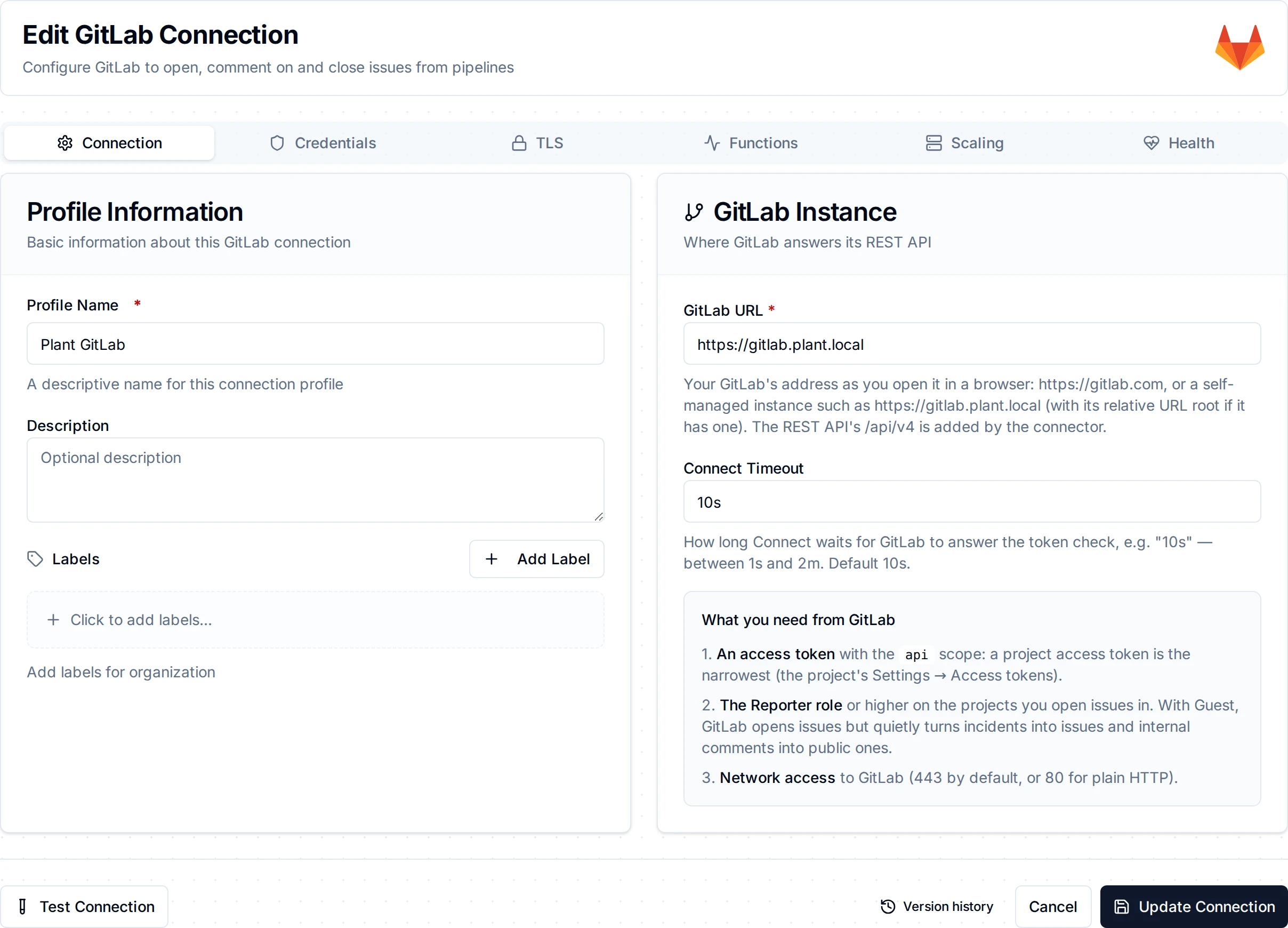
The GitLab connection form
1. Profile Information
| Field | Default | Description |
|---|---|---|
| Profile Name | - | A descriptive name for this connection profile (required, max 100 characters) |
| Description | - | Optional description for this GitLab connection |
2. Connection
| Field | Default | Description |
|---|---|---|
| GitLab URL | https://gitlab.com | Your GitLab's address as you open it in a browser, e.g. https://gitlab.plant.local, with its relative URL root if it has one (https://tools.plant.local/gitlab). The connector adds /api/v4; pasting it as well does no harm (required) |
| Access Token | - | The personal, project or group access token, glpat-… (required, stored encrypted) |
| Connect Timeout | 10s | How long Test Connection and Connect wait for GitLab's answer, 1 second to 2 minutes |
3. TLS
| Field | Default | Description |
|---|---|---|
| CA Certificate (PEM) | - | The CA that signed your GitLab's certificate, for a self-managed instance with a private or self-signed certificate. Leave empty to trust the system's CAs |
| Client Certificate (PEM) | - | For mutual TLS, when a proxy in front of GitLab asks for a client certificate |
| Client Private Key (PEM) | - | The client certificate's key (stored encrypted) |
| Skip Certificate Verification | Off | Accept any certificate. Insecure: use it only to try out a GitLab with a self-signed certificate; give the CA instead |
Plain http:// is accepted for a self-managed GitLab on a closed plant network. The token then travels unencrypted, and the form says so.
- Test Connection reads the token's own user (
GET /api/v4/user). It proves that the token works, not only that GitLab is up: a wrong, expired or revoked token fails at once with 401. - Security: the token is stored encrypted and masked on edit. Leave the field empty to keep the stored value.
- MaestroHub does not follow redirects: if GitLab answers with one (for example http to https), the error names the address to use instead.
Function Builder
Creating GitLab Functions
After saving the connection:
- Open the connection and go to its Functions tab → New Function
- Select the function type
- Configure the function's parameters
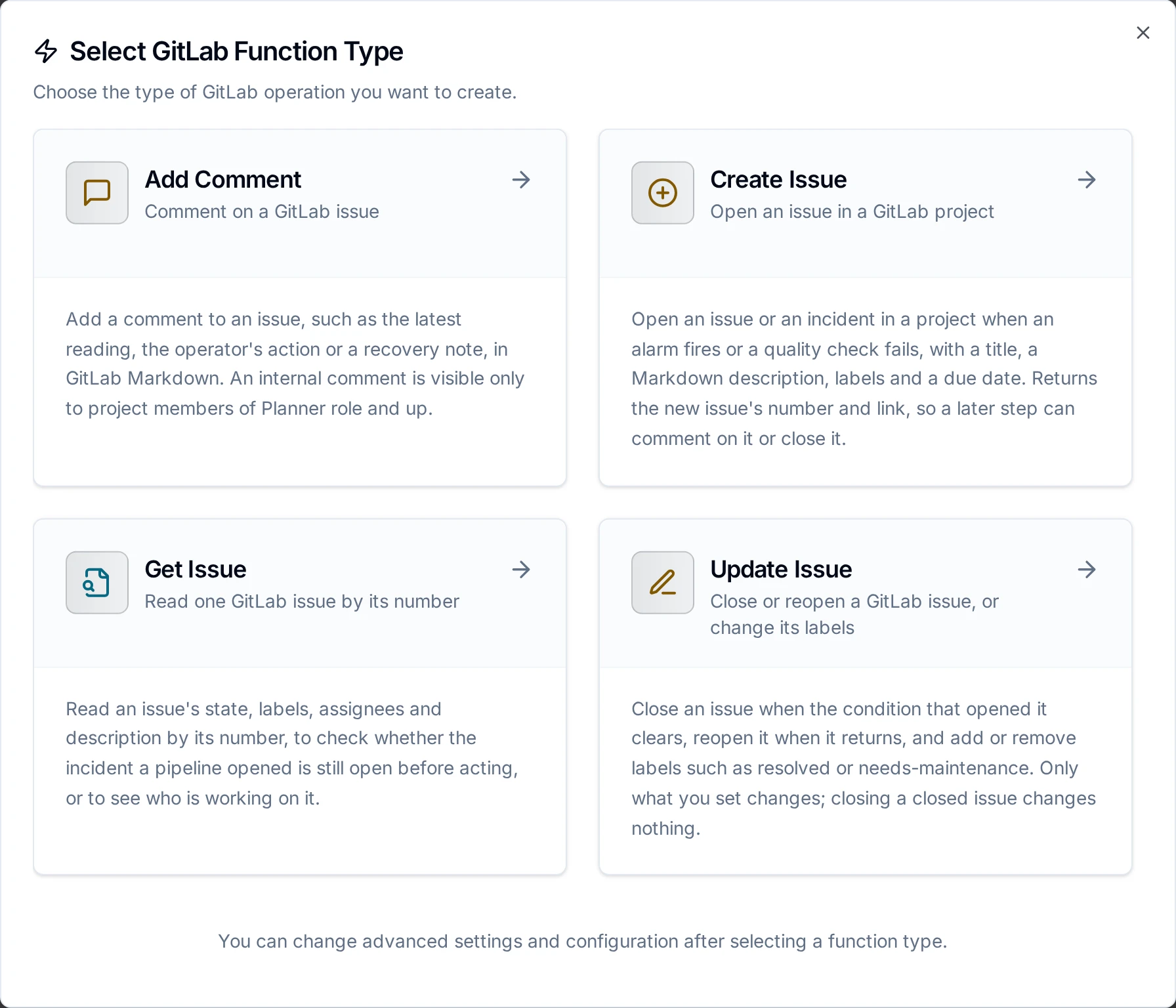
The GitLab function types
Every function names its Project: pick it from the projects the token's user is a member of (the 100 most recently active), or type its full path, such as plant-engineering/line-3, or its numeric ID (on the project's overview page). A project URL pasted from the browser is refused with the path to type instead.
Create Issue Function
Purpose: Open an issue or an incident in a project.
| Field | Type | Required | Default | Description |
|---|---|---|---|---|
| Project | String | Yes | - | The project's path or numeric ID |
| Title | String | Yes | - | The issue's title, at most 255 characters |
| Description | String | No | - | The issue's body, in GitLab Markdown |
| Labels | String | No | - | Comma-separated label names, e.g. alarm, line-3. A label the project does not have yet is created |
| Type | Enum | No | issue | issue, or incident for an outage that needs a response (listed under Monitor → Incidents) |
| Confidential | Boolean | No | Off | Only project members of Planner role and up, and the author, can see a confidential issue |
| Due Date | String | No | - | YYYY-MM-DD. An RFC 3339 time is cut to its date |
| Timeout | Duration | No | 30s | Bound on the call |
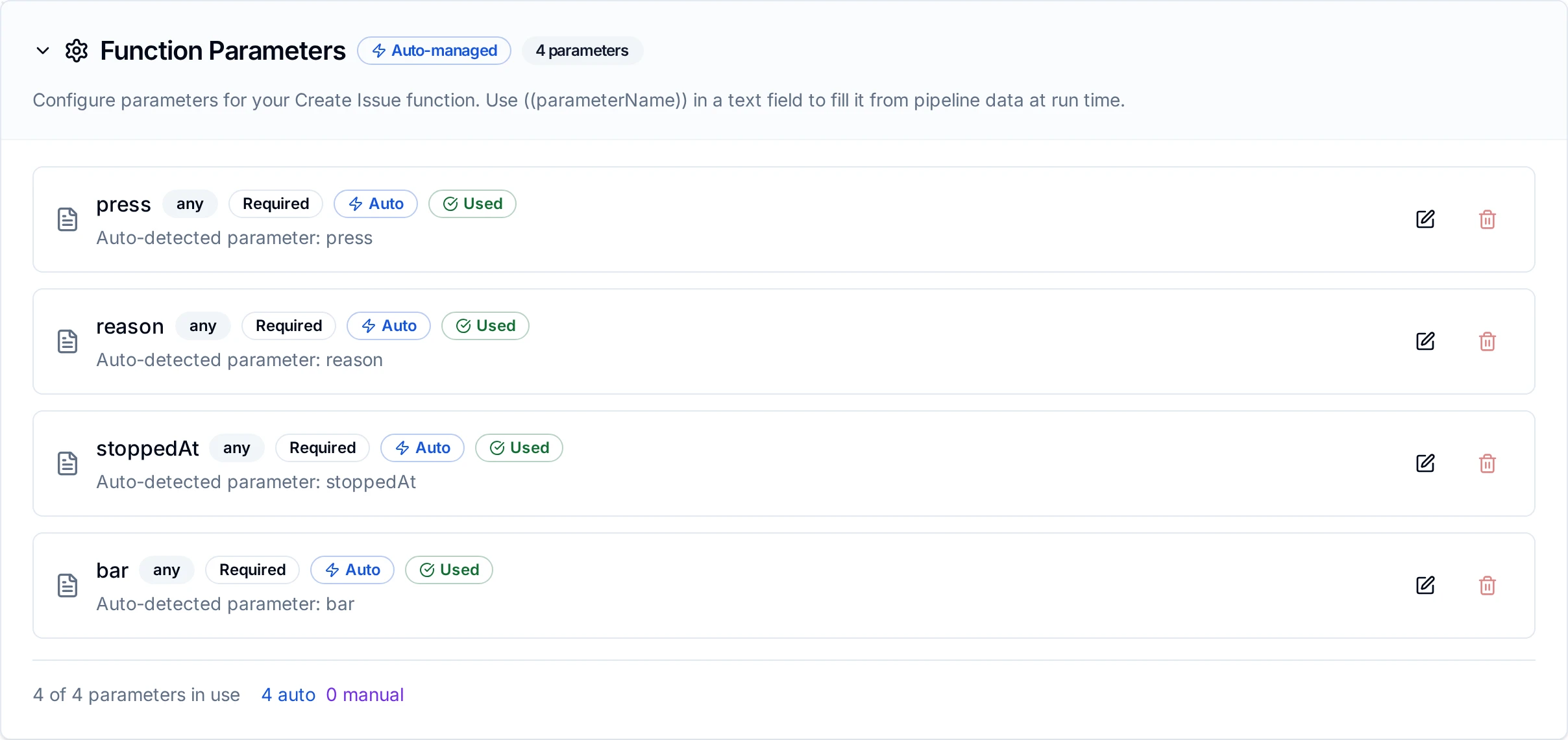
Parameters detected in a Create Issue function
Add Comment Function
Purpose: Comment on an issue.
| Field | Type | Required | Default | Description |
|---|---|---|---|---|
| Project | String | Yes | - | The issue's project |
| Issue Number | Integer | Yes | - | The issue's number in its project: 42 for #42, e.g. ((issueIid)) from an earlier Create Issue |
| Comment | String | Yes | - | The comment, in GitLab Markdown |
| Internal | Boolean | No | Off | Visible only to project members of Planner role and up |
| Timeout | Duration | No | 30s | Bound on the call |
Update Issue Function
Purpose: Close or reopen an issue, and add or remove labels. Only what you set changes.
| Field | Type | Required | Default | Description |
|---|---|---|---|---|
| Project | String | Yes | - | The issue's project |
| Issue Number | Integer | Yes | - | The issue's number in its project |
| State | Enum | No | none | close, reopen, or none to leave it. Closing a closed issue changes nothing |
| Add Labels | String | No | - | Comma-separated label names to add |
| Remove Labels | String | No | - | Comma-separated label names to remove |
| Timeout | Duration | No | 30s | Bound on the call |
An update that changes nothing (State none and no labels) is refused when it is saved.
Get Issue Function
Purpose: Read one issue by its number.
| Field | Type | Required | Default | Description |
|---|---|---|---|---|
| Project | String | Yes | - | The issue's project |
| Issue Number | Integer | Yes | - | The issue's number in its project |
| Timeout | Duration | No | 30s | Bound on the call |
Using Parameters
Use ((parameterName)) in fields to fill them from pipeline data at run time:
| Field | Supports Templating |
|---|---|
| Project, Title, Description, Labels, Due Date, Issue Number, Comment, Add Labels, Remove Labels | Yes |
| Type, Confidential, Internal, State, Timeout | No |
Every value is checked before anything is sent: a missing title, a title over 255 characters, a project that is neither a path nor an ID, an issue number below 1, or a due date that is not a date fails the call without contacting GitLab. GitLab itself would accept a due date it cannot read (tomorrow) and store none, without an error; MaestroHub refuses it instead.
When GitLab changes what you asked for
Two requests succeed in GitLab but are stored differently when the token's user is only a Guest on the project:
- An incident becomes an issue. The run succeeds; its
result.issueTypeisissue, and the run's metadata carries the warning "GitLab opened an issue, not an incident". - An internal comment becomes public. The run succeeds; its
result.internalisfalse, and the metadata carries "GitLab stored the comment as a public note". Everyone who can see the issue can read it.
Give the token the Reporter role or higher to avoid both.
- A wrong or revoked token (401), a token without the
apiscope or the role for the action (403), a project or issue that does not exist or that the token may not see (404), and a value GitLab refuses (400) fail the call for good; fix the setting and run again. - A GitLab that is down, overloaded or rate-limited (429, 5xx), or does not answer in time, fails the call for now: Retry on Fail and store-and-forward may send it again. GitLab.com allows each user 200 issue creates and 60 comments a minute.
- GitLab takes no request key, so a Create Issue or Add Comment whose answer was lost in a timeout may already be stored. Sending it again can open a second issue or add a second comment. MaestroHub itself never re-sends.
Pipeline Integration
Each function is a node in the Pipeline Designer: GitLab Create Issue, GitLab Add Comment, GitLab Update Issue and GitLab Get Issue. See the GitLab nodes page for their output.
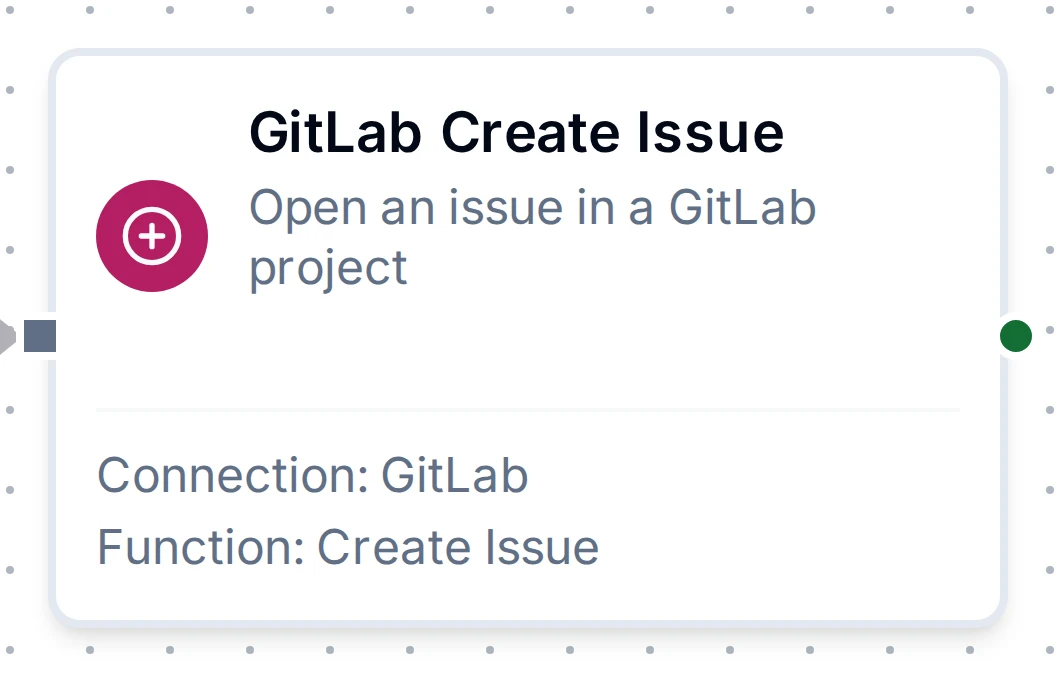
GitLab Create Issue node
The three writes can be buffered by store-and-forward while GitLab is unreachable; set how long a buffered write may wait before it is no longer worth sending.
Common Use Cases
Open an incident when a press stops, close it when it runs again
Pipeline Flow:
- OPC UA Monitor trigger on the press's run state
- Condition routes on the press stopping for more than five minutes
- GitLab Create Issue opens the incident; keep
result.iid - When the press runs again, GitLab Update Issue closes it
Function Configuration:
Create Issue
  Project: plant-engineering/line-3
  Title: Press ((press)) stopped: ((reason))
  Description: Stopped at ((stoppedAt)). Last pressure ((bar)) bar.
  Labels: alarm, press-((press))
  Type: incident

Update Issue
  Project: plant-engineering/line-3
  Issue Number: ((issueIid))
  State: close
  Add Labels: resolved
  Remove Labels: alarm
Add the latest reading to an open issue
GitLab Get Issue checks result.state is opened, then GitLab Add Comment adds Pressure now ((bar)) bar to it.
Troubleshooting
| Problem | Cause and fix |
|---|---|
Test Connection fails with 401 401 Unauthorized | The token is wrong, expired or revoked. Create a new one with the api scope and paste it into the connection |
Test Connection fails with 403 insufficient_scope | The token has neither api nor read_api. Create one with api |
A write fails with 403 insufficient_scope | The token has read_api only. Create one with api |
403 403 Forbidden on Update Issue | The token's user may not close or relabel this issue: a Guest may close only issues it opened. Give it the Reporter role |
404 404 Project Not Found | No such project, or the token may not see it (a project token sees only its own project). Check the path, e.g. plant-engineering/line-3, or use the numeric ID |
404 404 Not found on a comment or an update | No issue with that number in the project. Check ((issueIid)) holds the number shown as #42, not the instance-wide result.id |
| An incident shows under Issues, or an internal comment is public | The token's user is a Guest; see When GitLab changes what you asked for |
| Certificate errors on Test Connection | Your GitLab's certificate is from your own CA: paste that CA under TLS |
was redirected | GitLab answered with a redirect; use the address the error names as the GitLab URL (often https:// instead of http://) |