![Trino]() Trino Integration Guide
Query a Trino or Starburst cluster and run INSERT, UPDATE, DELETE, MERGE and DDL statements across the lake tables, databases and other sources it federates.
- Default port
- 8080 (HTTP) · 8443 (HTTPS) · 443 (Starburst Galaxy)
- Authentication
- User only · Password · JSON web token
- Operations
- Query · Execute
- Versions
- Trino 372 and later · Starburst Enterprise · Starburst Galaxy
Connect MaestroHub pipelines to Trino, the distributed SQL engine that queries data where it lives: Iceberg, Delta Lake and Hive tables in a data lake, relational databases and other sources, each one a catalog. One statement can join tables of different catalogs. The connector speaks Trino's HTTP client protocol through the Trino project's own Go driver, so no client software has to be installed.
Overview
The Trino connector gives pipelines:
- Reads with any query, across catalogs, streamed up to the result limits
- Statements that change data or schema: INSERT, UPDATE, DELETE, MERGE, CREATE TABLE AS, CREATE, ALTER, DROP, in any catalog whose connector supports them
- Schema browsing of the connection's default catalog, and a Query tab to try SQL against the cluster
- Sign-in with a password or a JSON web token over HTTPS, and TLS with a custom CA
Verified against Trino 484. Starburst Enterprise and Starburst Galaxy are Trino distributions and connect the same way. Trino was called PrestoSQL until 2020; a PrestoSQL-era cluster upgraded to Trino 372 or later works.
PrestoDB (prestodb.io) shares Trino's history but speaks its own protocol, with X-Presto-* headers, and refuses every Trino query. Connecting to it fails at once with "the server is PrestoDB …, not Trino: PrestoDB speaks its own protocol (X-Presto headers) and refuses every query of this connector". To query PrestoDB, use its own clients; for Presto on Amazon S3 through the Glue Data Catalog, see the Athena connector.
Every query MaestroHub runs carries the source MaestroHub, so a cluster administrator finds them in the Trino web UI, the query history and event listeners.
Connection Configuration
Creating a Trino Connection
Open Connections → New Connection → Trino and provide the following details.
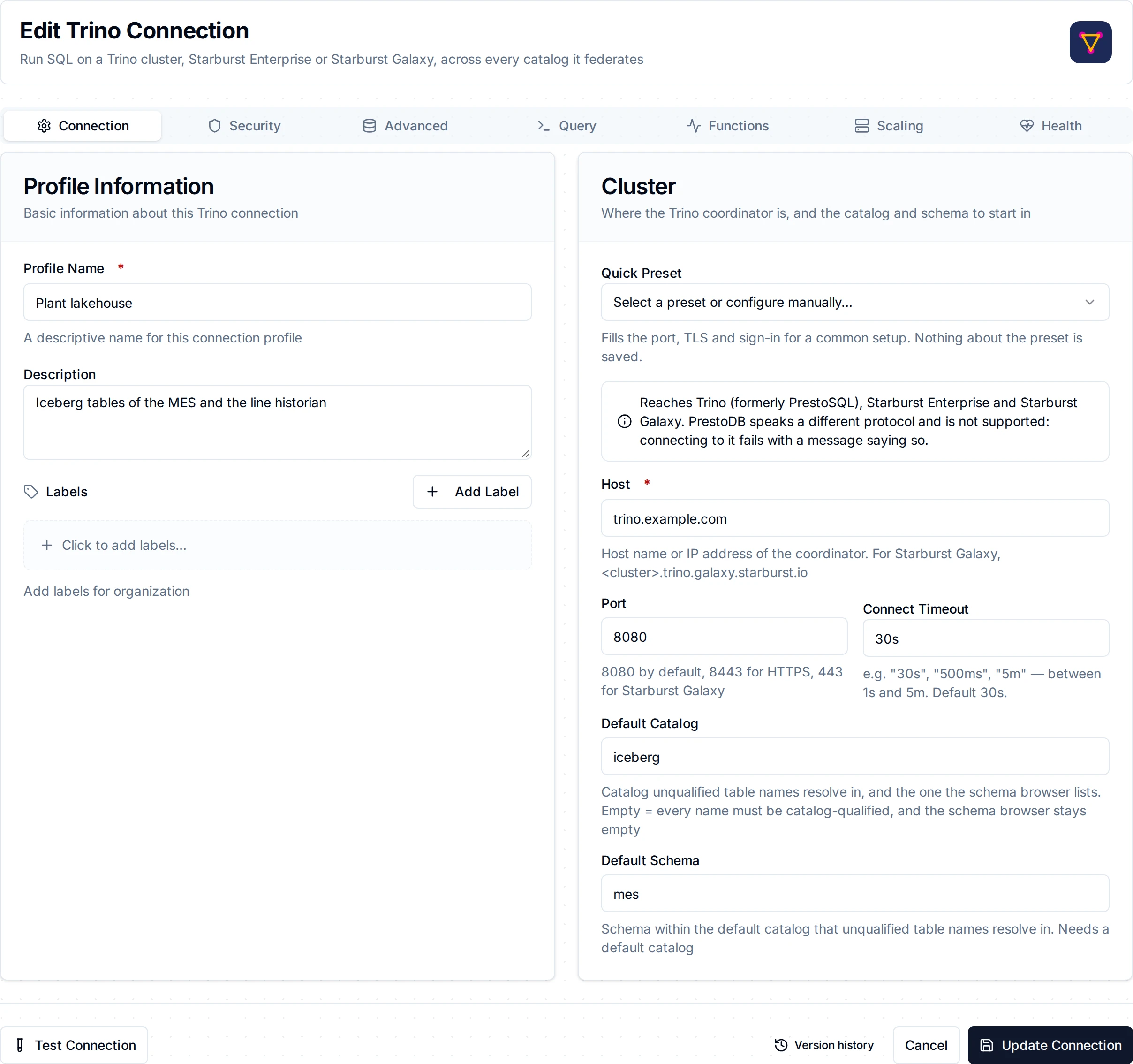
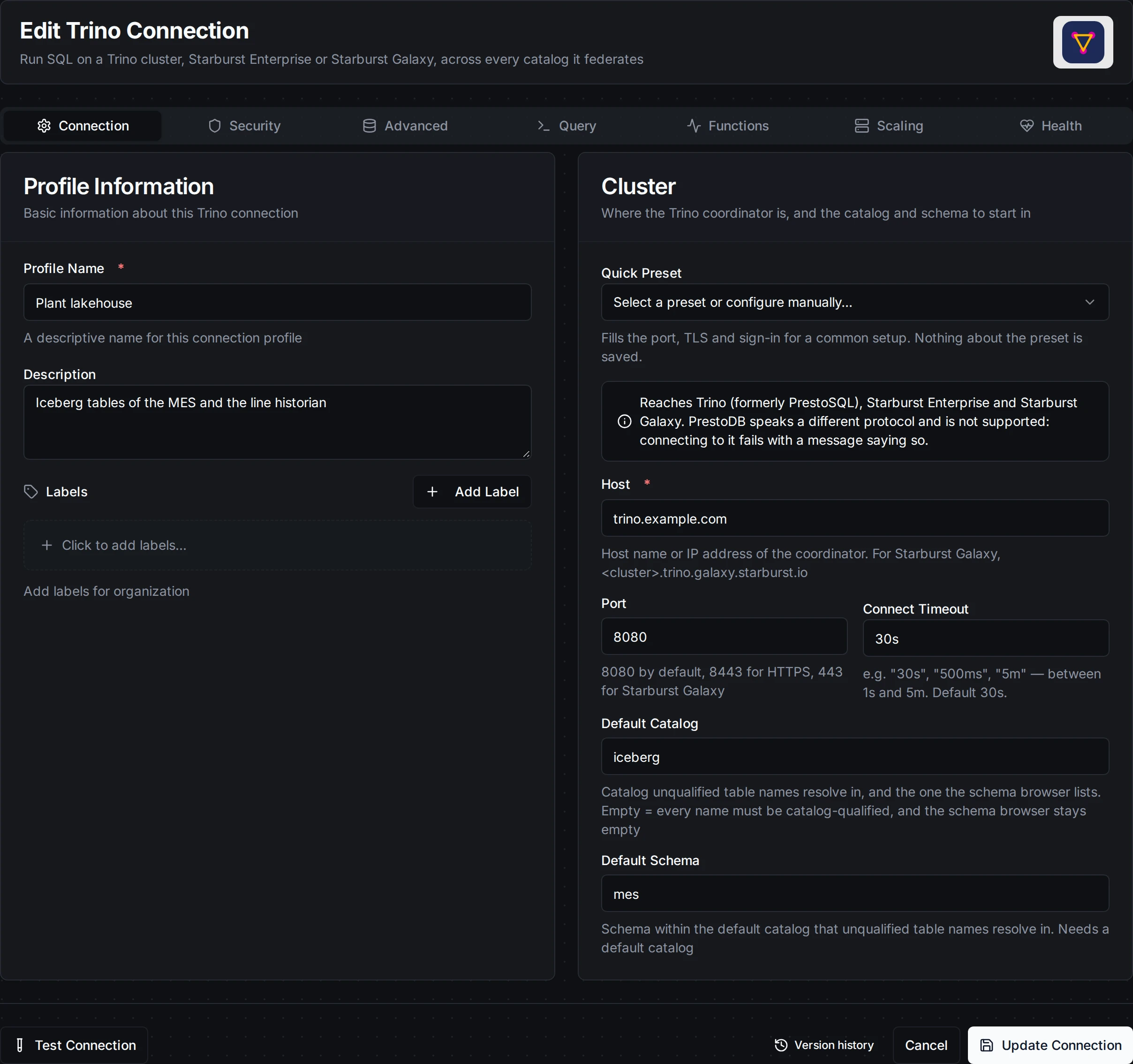
The Trino connection form
Trino Connection Creation Fields
1. Profile Information
| Field | Default | Description |
|---|---|---|
| Profile Name | - | A descriptive name for this connection profile (required, max 100 characters) |
| Description | - | Optional description for this Trino connection |
2. Cluster
| Field | Default | Description |
|---|---|---|
| Quick Preset | - | Fills the port, TLS and sign-in for Trino (HTTP, port 8080), Trino with HTTPS (port 8443) or Starburst Galaxy (HTTPS 443, password). Nothing about the preset is saved |
| Host | - | Host name or IP address of the coordinator (required). For Starburst Galaxy, the cluster's host (<cluster>.trino.galaxy.starburst.io) |
| Port | 8080 | HTTP port of the coordinator (1-65535): 8080 by default, 8443 for HTTPS, 443 for Starburst Galaxy |
| Connection Timeout | 30s | Time allowed to reach the coordinator and check the sign-in when connecting (1s-5m) |
| Default Catalog | - | Catalog unqualified table names resolve in, and the one the schema browser lists. Empty = every name must be catalog-qualified (catalog.schema.table) |
| Default Schema | - | Schema within the default catalog that unqualified table names resolve in. Needs a default catalog |
- Trino folds unquoted names to lower case:
SELECT Machine FROM ...returns the keymachine. - Connecting checks that the coordinator has finished starting and, on Trino 469 and later, that it accepts the user and its credentials.
3. Authentication
| Field | Default | Description |
|---|---|---|
| User | - | The user queries run as (required). Trino needs one even without sign-in. For Starburst Galaxy, your email and role, as <email>/<role> |
| Sign-in | none | None: the user name only, the default of a cluster without authentication. Password: the cluster's password authenticator (and Starburst Galaxy). JSON web token: a JWT sent as a bearer token |
| Password | - | The user's password, stored encrypted. Shown for password sign-in only |
| Access Token | - | The JSON web token, stored encrypted. Shown for JWT sign-in only |
Trino accepts a password or token only over HTTPS. The connection is refused on save with password or JWT sign-in while Enable TLS is off. A credential of a sign-in mode not chosen is never sent.
4. TLS
| Field | Default | Description |
|---|---|---|
| Enable TLS | false | Connect over HTTPS. Required for password or token sign-in, and for Starburst Galaxy |
| CA Certificate | - | PEM CA certificate that signed the coordinator's certificate. Empty = the host's system roots, which already trust Starburst Galaxy |
| Server Name | - | The name expected in the coordinator's certificate. Empty = the host |
| Skip Certificate Verification | false | Accept any server certificate. For testing only: it removes the protection TLS exists for |
Pick the Starburst Galaxy preset, set Host to your cluster's host and User to <email>/<role>, enter the password, and leave CA Certificate empty.
5. Connection Pool Settings
| Field | Default | Description |
|---|---|---|
| Max Open Connections | 25 | Maximum number of simultaneous driver connections (1-1000) |
| Max Idle Connections | 5 | Idle connections kept ready for reuse (0-100) |
| Connection Max Lifetime | 15m | Maximum age of a connection before it is recycled (0s-24h, 0s = keep indefinitely) |
| Connection Max Idle Time | 5m | How long an idle connection may remain unused before being closed (0s-24h) |
6. Retry Configuration
| Field | Default | Description |
|---|---|---|
| Retries | 3 | Retries after the first connection attempt fails (0-10). Each retry waits the Retry Delay first; the delay grows by the Backoff Multiplier after every retry |
| Retry Delay | 500ms | Initial delay before the first retry (0s-1m) |
| Retry Backoff Multiplier | 2 | Factor the delay grows by after each retry (1-10) |
A PrestoDB server fails the connection at once. A wrong password is not: each connect attempt checks the sign-in, so with Retries 3 the cluster sees the wrong password 4 times on one connect, and again each time the connection is retried later. If the cluster or its identity provider locks an account after a few failed sign-ins, lower Retries (0 checks it once per connect) and fix the password before turning the connection on again.
7. Connection Labels
| Field | Default | Description |
|---|---|---|
| Labels | - | Key-value pairs to categorize and organize this connection (max 10 labels) |
Function Builder
Creating Trino Functions
After the connection is saved, create reusable functions:
- Open the connection and go to its Functions tab → New Function
- Select one of the Trino function types: Query or Execute
- Configure the function parameters
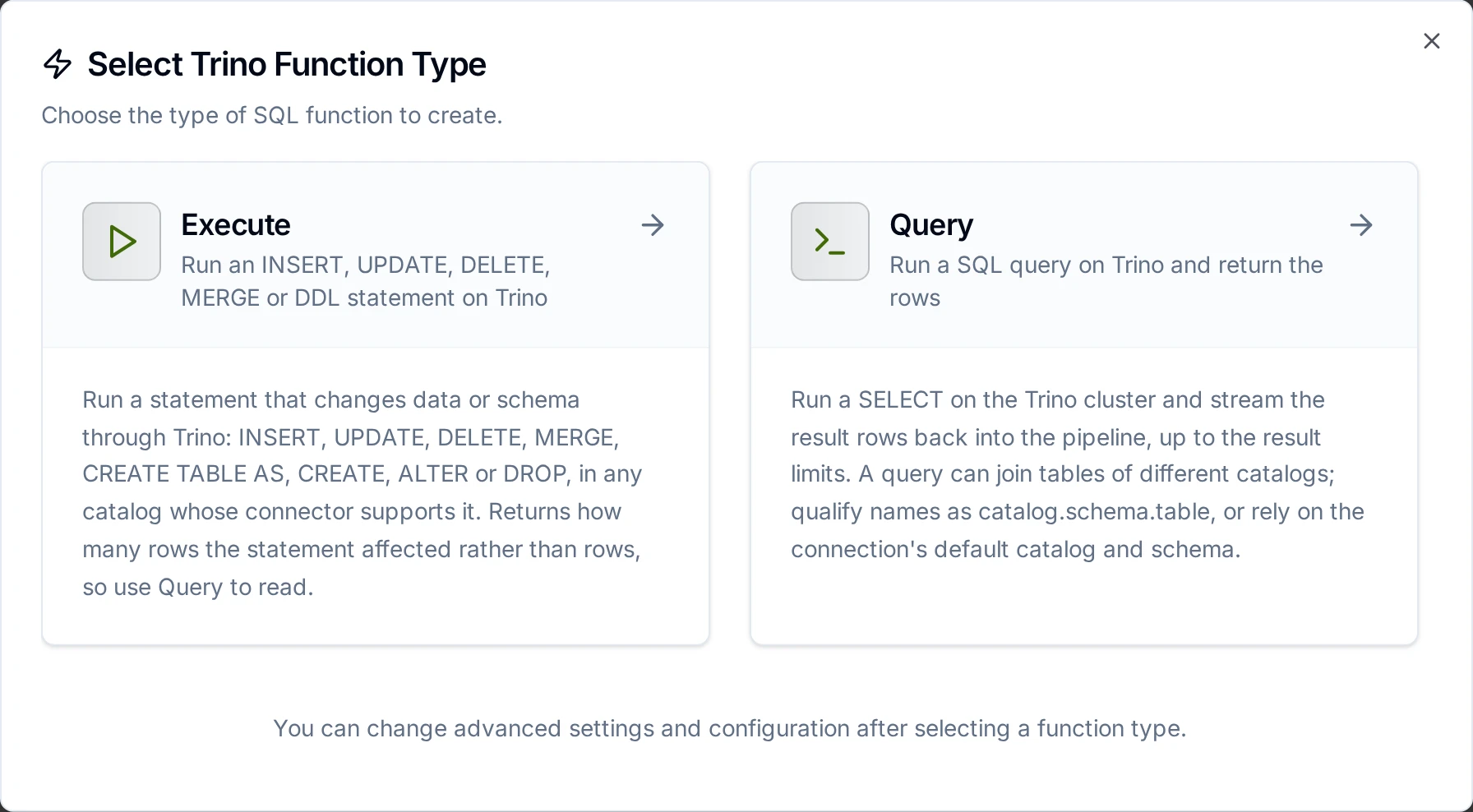
Trino function creation showing the Query and Execute function types
Query Function
Purpose: Run a query and return its rows. The rows stream in and stop at the result limits (50,000 rows or 40 MB by default); the rest of the query is then cancelled on the cluster, so it does not keep running.
Configuration Fields
| Field | Type | Required | Default | Description |
|---|---|---|---|---|
| SQL Query | String | Yes | - | The query. Supports parameters with ((param)) syntax. |
| Timeout | Duration | No | 30m | Per-execution timeout (1s-1h). When it passes, the query is cancelled on the cluster. |
When a Query stops after some of its rows were already read, cancelling it on the cluster is best effort: MaestroHub asks the coordinator to cancel it, and should that request not go out, Trino itself ends a query whose client stopped reading it (query.client.timeout, 5 minutes by default). An Execute that times out after Trino accepted it is always asked to cancel.
Values arrive as JSON: integers (a bigint keeps every digit), numbers, text, booleans, arrays; a decimal as its exact text ("12.50"); date and timestamp as an RFC 3339 time, a timestamp without a zone read in UTC. A time column has no date, so it arrives as a time on year 0 (0000-01-01T10:15:30.123Z); take the part after the T.
Execute Function
Purpose: Run a statement that changes data or schema. Returns rowsAffected instead of rows (0 for a statement that changes no rows, such as CREATE TABLE).
Configuration Fields
| Field | Type | Required | Default | Description |
|---|---|---|---|---|
| SQL Statement | String | Yes | - | The statement. Supports parameters with ((param)) syntax. |
| Timeout | Duration | No | 30m | Per-execution timeout (1s-1h). When it passes, the statement is cancelled on the cluster. |
Trino does not roll a statement back. Once it has accepted one, the statement runs on the workers, and a connector that writes page by page (MongoDB, Cassandra, Kafka, a JDBC catalog without transactions) keeps every row it wrote before a failure; a failed Iceberg commit may still have committed. So MaestroHub sends an Execute's statement once and never sends it again automatically when it may have written:
- Not run again, outcome unknown: any
502,503or504to the statement, from the coordinator or a proxy or load balancer in front of it; and, once Trino accepted it, any failure that is not a query error: an internal error, the cluster's resources (EXCEEDED_TIME_LIMIT,CLUSTER_OUT_OF_MEMORY), a source system failing, a killed, cancelled or abandoned query, a coordinator shutting down, aTRANSACTION_CONFLICT(a connector may raise it after part of a commit), the timeout, a dropped link. Some or all of the rows may be written. Check the table before running it again. - Not run again, refused: a query error such as a syntax error, a missing table or a permission denied. Found before the statement ran, it changed nothing; found while it ran (a division by zero on row 10,000), it may have written some rows.
- Run again by the platform's retry:
QUERY_REJECTED. A full resource group refused the statement before it ran.
A Query is a read, so a Query is sent again on a 502, 503 or 504 and retried after any of these except a query error (a syntax error, a missing table, a permission denied), which is refused and not retried.
Using Parameters
MaestroHub detects the ((parameterName)) syntax in Query and Execute statements and exposes each parameter for validation and runtime binding.
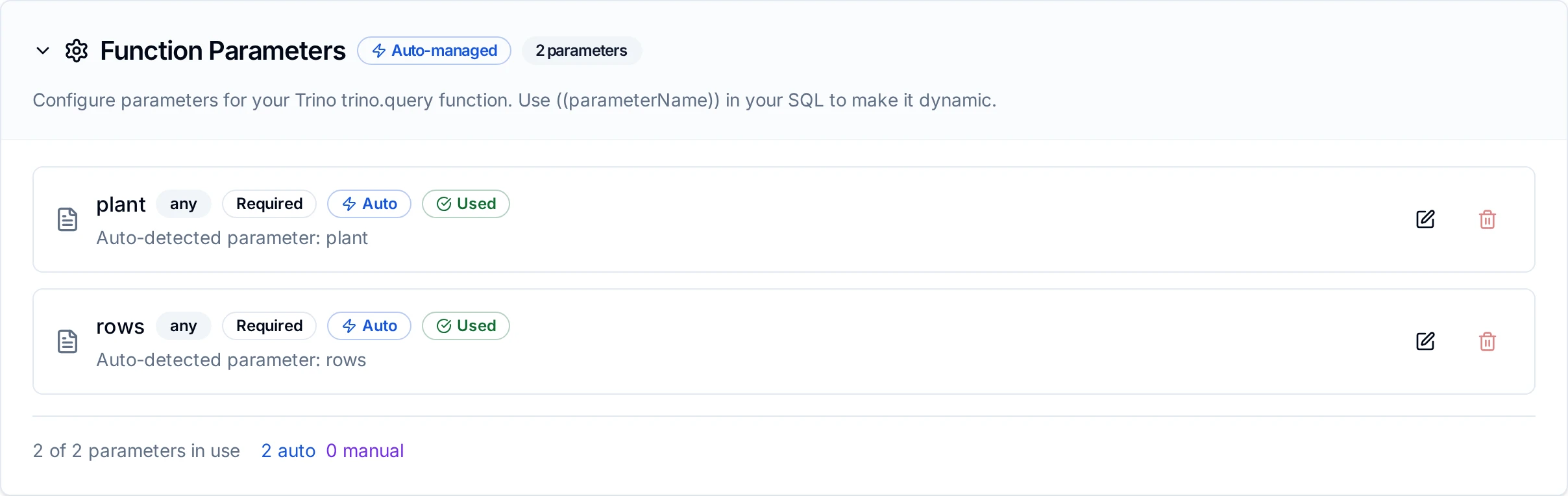
Parameter configuration with validation rules and helper text
Schema Browser and Query Tab
The function form's schema browser and the connection's Query tab list the tables and views of the connection's Default Catalog, in its Default Schema when one is set. Without a default catalog the browser shows "the schema browser lists the tables of the connection's default catalog: set Default Catalog on the connection to browse": listing every catalog of a large lake can take minutes. Trino has no primary keys, so no column is marked as one.
Pipeline Integration
Each function type maps to its own pipeline node: Trino Query and Trino Execute. See Trino Nodes for what each node delivers.
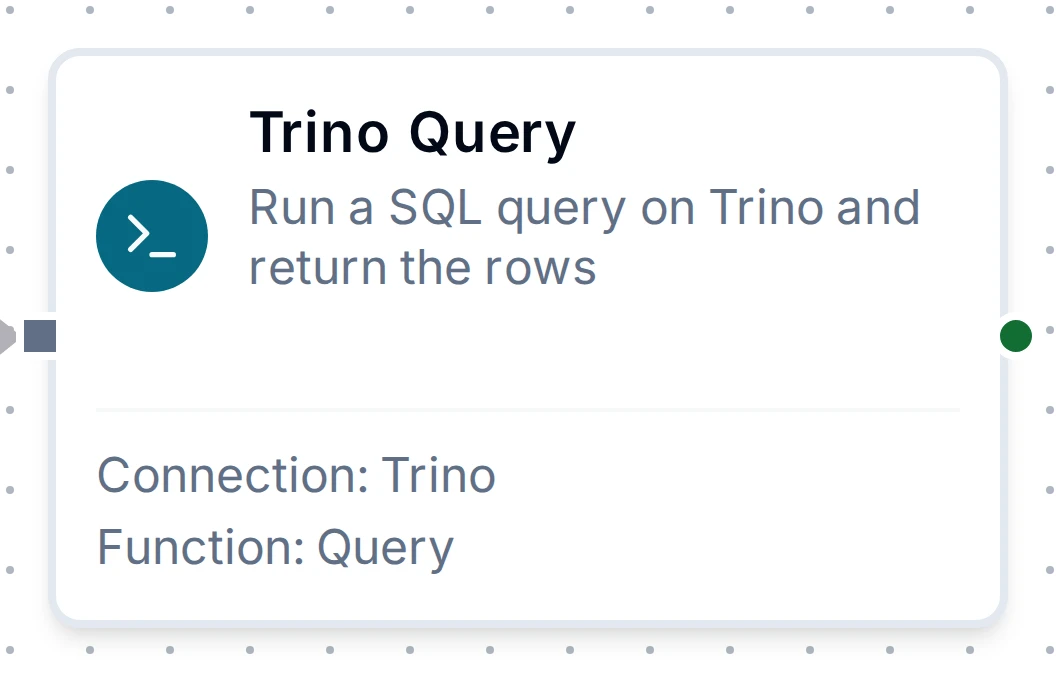
The Trino Query node
Common Use Cases
Query: Stops per machine across the lake and the MES database
SELECT m.machine_id, count(*) AS stops
  FROM iceberg.mes.stops s
  JOIN postgresql.public.machines m ON s.machine = m.id
 WHERE s.plant = '((plant))'
 GROUP BY 1
Execute: Keep a daily summary table current
INSERT INTO iceberg.mes.daily_output
SELECT current_date, line, sum(good_parts)
  FROM iceberg.mes.counts
 WHERE event_date = current_date
 GROUP BY 1, 2
Execute: Retention
DELETE FROM iceberg.mes.line_events WHERE event_date < current_date - INTERVAL '30' DAY
Troubleshooting
| Symptom | Cause and fix |
|---|---|
the server is PrestoDB …, not Trino | The host runs PrestoDB, which this connector does not support. See PrestoDB is not supported above. |
password sign-in needs TLS / token sign-in needs TLS | Trino accepts credentials only over HTTPS. Turn on Enable TLS and use the coordinator's HTTPS port. |
trino: query failed (401 Unauthorized) | The cluster refused the user or its credentials. Check the password or token; for Starburst Galaxy the user is <email>/<role>. |
TABLE_NOT_FOUND, CATALOG_NOT_FOUND, SCHEMA_NOT_FOUND | The name does not resolve. Qualify it as catalog.schema.table, or set Default Catalog and Default Schema. |
PERMISSION_DENIED | The cluster's access control does not grant the user this table or catalog. |
QUERY_REJECTED | A resource group of the cluster is full. Temporary: the platform retries. |
EXCEEDED_TIME_LIMIT, CLUSTER_OUT_OF_MEMORY | The cluster stopped the query for its resources. Narrow it with WHERE and LIMIT. For an Execute, rows may already be written: its outcome is unknown; see A statement is sent once. |
answered 502, answered 503 or answered 504 | Any 502, 503 or 504 to an Execute's statement, from the coordinator or a proxy in front of it. The statement may already have been passed on: its outcome is unknown; see A statement is sent once. |
| The schema browser is empty | The connection has no Default Catalog. Set one. |