IMAP (Email)
Start a pipeline for every new email in a folder, and search, fetch, move and flag messages, on Dovecot, Gmail, an on-premises Exchange or any other IMAP server that takes a password.
- Status
- Beta
- Default port
- 993 (TLS) · 143 (STARTTLS)
- Authentication
- User name and password or app password
- Operations
- Receive Email · Search · Fetch · Move · Flag
- Delivery
- At-least-once
Connect to an IMAP mailbox to bring email into your pipelines: supplier certificates of analysis, alarm emails from older SCADA systems, maintenance requests and customer orders that only ever arrive by email. This guide covers the connection, the functions, and the trigger.
Overview
The IMAP connector reads a mailbox over IMAP4rev1 (RFC 3501) and IMAP4rev2 (RFC 9051). It provides:
- A trigger on new email in a folder. The server says at once when mail arrives (IMAP IDLE); a server without IDLE is polled.
- At-least-once delivery. A message is marked read, or moved to a processed folder, only after MaestroHub has stored it for the pipeline. After a restart or an outage it is delivered then, never lost.
- Search a folder by unread state, sender, recipient, subject, text and date.
- Fetch a message with its plain text, HTML and attachments. Attachments are always listed with name, type and size; their content is included up to a size cap you choose.
- Move and flag messages by UID, for example to file a handled message or mark it read.
- Implicit TLS and STARTTLS, a custom CA and client certificates.
What stands behind the connector today:
- Every function, the trigger in both modes (mark read, move), IDLE, polling, TLS with a wrong CA, and a sign-in with a wrong password were tested against a real GreenMail 2.1.5 server, with mail delivered over SMTP.
- Move mode and the Move function need a server with IMAP MOVE (RFC 6851); on a server without it they are refused with that reason, and nothing is copied or deleted.
- Against a real Dovecot 2.3.21 server: sign-in over implicit TLS and STARTTLS, a large body fetched in part, the move trigger while a person deletes a delivered message, and the poll still running while mail keeps arriving under IDLE.
- The trigger's delivery rules (marked read only after storing, never two copies in flight, a session's acknowledgements never applied by another session) are tested against an in-process server.
What is not proven yet:
- It has not been run against Gmail or Exchange, nor against Dovecot in production (only in a container). Their IMAP is standard, but limits such as connection counts and IDLE timeouts are their own.
What it does not do:
- Microsoft 365 (Exchange Online) is not supported. Microsoft turned off password sign-in for IMAP there; it takes only OAuth2 (XOAUTH2), which this connector does not have yet. The same holds for any account that allows only OAuth2.
Connection Configuration
Creating an IMAP Connection
Navigate to Connections → New Connection → IMAP and configure the following.
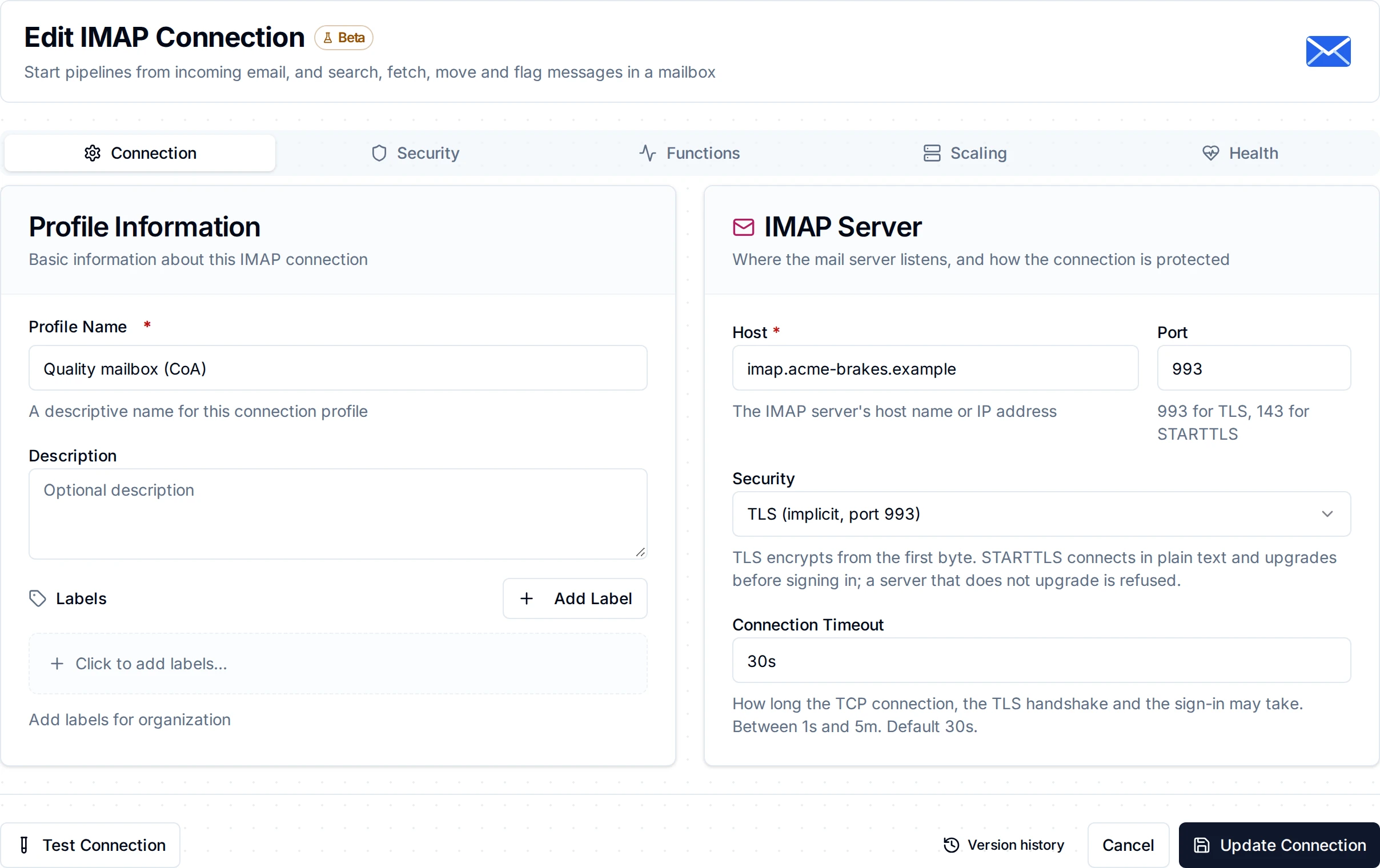
The Connection tab: profile, server, port and security
1. Profile Information
| Field | Default | Description |
|---|---|---|
| Profile Name | - | A descriptive name for this connection profile (required, max 100 characters) |
| Description | - | Optional description |
2. Server
| Field | Default | Description |
|---|---|---|
| Host | - | The IMAP server, e.g. imap.gmail.com or mail.plant.example (required) |
| Port | 993 | 993 for implicit TLS, 143 for STARTTLS or plain text |
| Security | tls | tls: encrypted from the first byte. starttls: connect in plain text and upgrade before signing in; a server that does not upgrade is refused, never continued in plain text. none: plain text, password included; for a test server or a relay on a trusted network only |
3. Authentication
| Field | Default | Description |
|---|---|---|
| User Name | - | The mailbox user, usually the email address (required) |
| Password | - | The password, or an app password for an account with two-factor sign-in (required, stored encrypted) |
A server that refuses passwords on a plain connection (LOGINDISABLED) is never sent the password: the connection fails and asks for tls or starttls.
4. Security
| Field | Default | Description |
|---|---|---|
| Skip Certificate Verification | Off | A self-signed test server only; never in production |
| TLS Server Name | - | The name the server certificate carries, when it differs from the host |
| CA Certificate | - | The CA (PEM) that signed the server certificate, when it is not a public CA |
| Client Certificate / Client Private Key | - | For a server that asks for a client certificate |
5. Advanced
| Field | Default | Description |
|---|---|---|
| Connection Timeout | 30s | How long the TCP connection, the TLS handshake and the sign-in may take |
| Response Timeout | 2m | How long one IMAP command may wait for the server's reply, the transfer of one message's content included (1 second to 10 minutes). A server that does not answer in time ends the session, and the connection is opened again. Raise it for large attachments on a slow link. The email trigger's search, acknowledgement and start of IDLE run under it too, so a value under 2m cuts them sooner than the trigger itself would. The health check (a NOOP) waits up to this and a quarter of a second; a probe still waiting for its turn behind a function then is busy, not a failure; busy checks count against the connection as described in How a connected connection is checked |
Function Builder
Creating IMAP Functions
Open the connection's Functions tab and choose New Function.
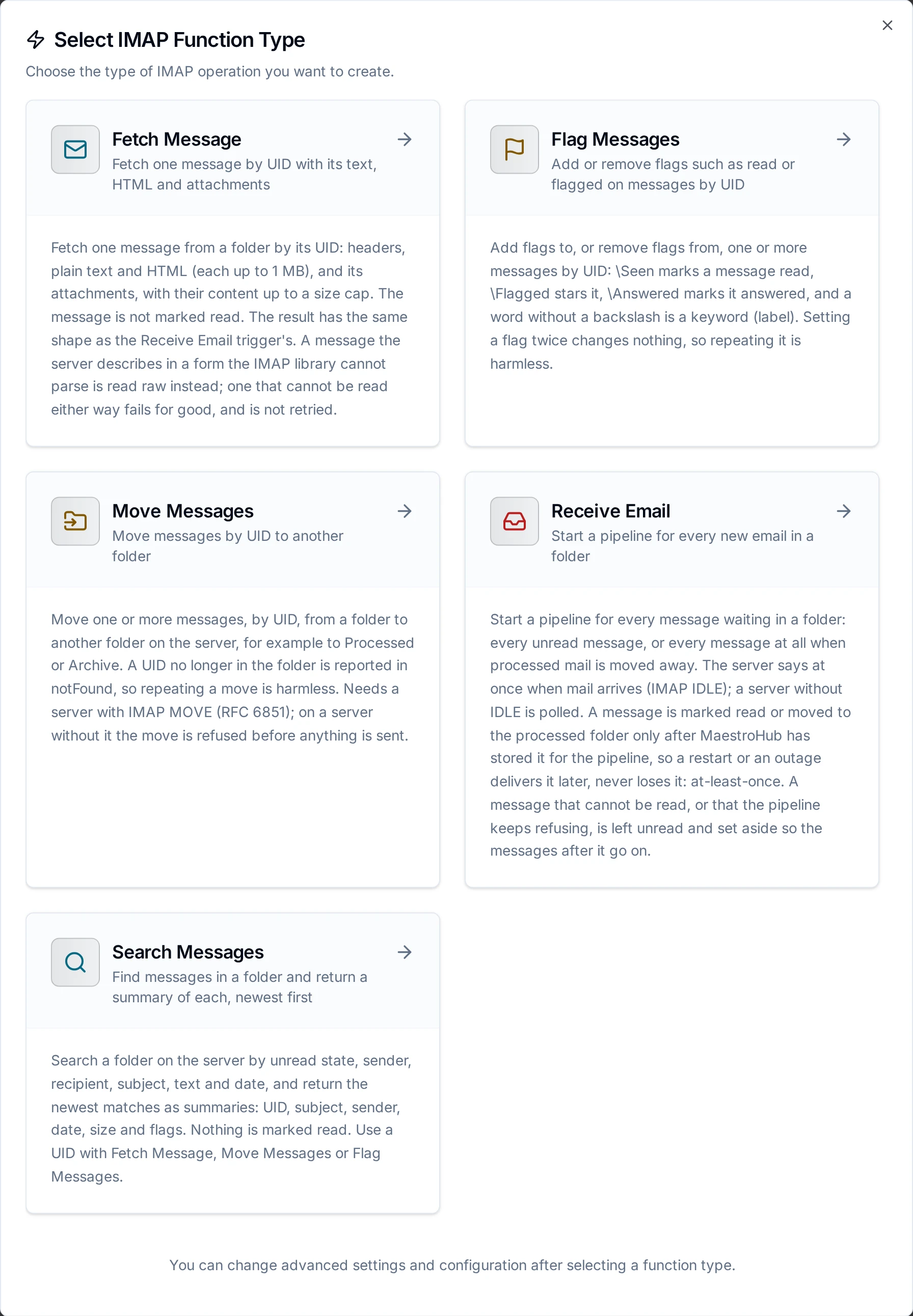
The function picker: Receive Email, Search, Fetch, Move and Flag
Each function works on one folder, named as the server names it: INBOX, or a path such as INBOX/Orders (the separator is the server's).
Receive Email Function
The trigger's function. An IMAP Trigger node runs it while its pipeline is enabled.
| Parameter | Default | Description |
|---|---|---|
| Folder | INBOX | The folder to watch |
| After Storing | markSeen | markSeen: every unread message is delivered, then marked read. move: every message in the folder is delivered, then moved to the processed folder; it needs a server with IMAP MOVE (Dovecot and Gmail have it), and on a server without it the trigger is refused when it starts |
| Processed Folder | - | Where messages go with move; it must exist and differ from the watched folder |
| Use IDLE | On | Let the server say at once when mail arrives; off, or on a server without IDLE, the folder is polled |
| Poll Interval | 1m | How often the folder is checked without IDLE; with IDLE it is checked this often too, so mail a server forgot to announce is found anyway |
| Max Attachment Size (MB) | 1 | Attachments up to this size come with their content; larger ones as name, type and size only. 0 turns content off. At most 25 MB of attachment content per message |
In markSeen mode a message counts as handled once it is read. Someone who reads it in a mail program first makes the trigger skip it. Use a mailbox or folder the trigger owns (a server rule can file the right mail there), or use move, which delivers every message in the folder, read or not.
At most ten messages are handed to the pipeline at a time; the rest wait on the server. A message MaestroHub could not store is offered again after a pause and stays unread.
Three kinds of message are set aside so the messages after them keep flowing. They are left unread on the server, never marked, so a person sees them, and each is logged once:
- A message the IMAP library cannot read. Some servers describe some messages in a form the library cannot parse (a
message/globalpart from Dovecot, for example). MaestroHub then reads that message raw and delivers it; if even that fails, the message is set aside for 6 hours, then tried again. - A message MaestroHub cannot take at all. One larger than MaestroHub's message bus accepts (an external NATS keeps its default 1 MB limit, so a message with an attachment of about 800 KB is too large there) is refused the same way every time. It is set aside at once until MaestroHub restarts, and the messages behind it are delivered. Lower Max Attachment Size, or raise the bus's limit.
- A message the pipeline keeps refusing while it stores others. A refusal counts against a message only when MaestroHub stored another message since that message was last offered; after 8 such refusals it is set aside for 15 minutes. While MaestroHub is not storing anything at all (a restart of its message bus, say), refusals count against no message: every message is offered again, with growing pauses, for as long as that lasts, and none is set aside.
Set-aside messages are remembered in memory: editing the connection's settings or a restart of MaestroHub tries them again. Each is counted in the connection's error count and in the metric connector_imap_messages_set_aside_total (label reason: unreadable, rejected, refused, unacknowledged or access), which you can alert on.
When the server refuses to mark or move a stored message for now (it answers SERVERBUG, UNAVAILABLE, INUSE or LIMIT; Dovecot answers SERVERBUG when a folder stays locked), MaestroHub does not deliver the message again: it tries only the marking or the move again, each message on its own schedule: after 5 seconds, then 10, doubling up to every 5 minutes, for at most 30 minutes. Each refusal is counted in the metric connector_imap_ack_refusals_total. After 30 minutes the message is held as below. A message waiting for such a retry keeps its place among the ten handed over at a time, so ten waiting messages pause new deliveries until their retries end. If the session ends while a retry waits, the message is held for 15 minutes before a later session delivers it again. Dovecot can answer SERVERBUG to a move after the copy into the processed folder went through, so a retried move may leave a second copy there. A refusal for another reason (one the server does not explain, such as a NO without a code) holds the message for 15 minutes (reason unacknowledged); then the same session or a later one delivers it again. Refused like that a second time in a row, the refusal is taken as one that will not pass, and the trigger stops as below. A message a person deletes after it was delivered is simply done: the trigger catches up with the deletion and acknowledges the others.
markSeen needs the right to set \Seen in the watched folder. move needs a server with MOVE, the processed folder to exist, room in the mailbox's quota, and the rights to insert into the processed folder and to delete in the watched folder. A trigger whose folder will not keep the flag it needs is refused when it starts.
When the server refuses to mark or move a stored message because of one of these (it answers NOPERM, TRYCREATE, OVERQUOTA or CANNOT, rejects the command as BAD, stops offering MOVE, or refuses the same message twice in a row as above), the trigger stops and shows as Refused, naming what to fix. Messages already handed to the pipeline are waited for up to two minutes. Every message stored by then is set aside, left unread or unmoved on the server, and not delivered again until the connection is stopped and started or the function is edited. A message still being stored after that is delivered again later.
Fix the cause, then stop and start the connection (or edit the function): the trigger starts again and delivers the set-aside messages again, since they were stored but never marked or moved (drop the copy on messageId where that matters). If the cause is not fixed, the trigger is refused again.
Search Messages Function
Returns summaries of the newest matching messages: UID, Message-ID, subject, sender, date, size, flags and attachment count. Nothing is marked read.
| Parameter | Default | Description |
|---|---|---|
| Folder | INBOX | The folder to search |
| Unread Only | Off | Only messages not marked read |
| From, To, Subject, Text | - | Only messages whose header (or, for Text, headers or body) contains the text |
| Since, Before | - | Dates written YYYY-MM-DD; the server compares dates only |
| Max Results | 50 | At most this many, newest first (1 to 500); total says how many matched |
Fetch Message Function
Returns one message by UID with the same fields the trigger delivers, and its flags. The message is not marked read. UIDVALIDITY, when set, makes the fetch refuse if the folder was renumbered since the UID was read.
Move Messages Function
Moves messages by UID to another folder that exists. UIDs takes one UID or several (42, 57, 60-64, at most 1,000). A UID no longer in the folder is reported in notFound, so repeating a move is harmless. It needs a server with IMAP MOVE: on a server without it the move is refused before anything is sent, with what to do instead (Flag Messages, or a server-side rule).
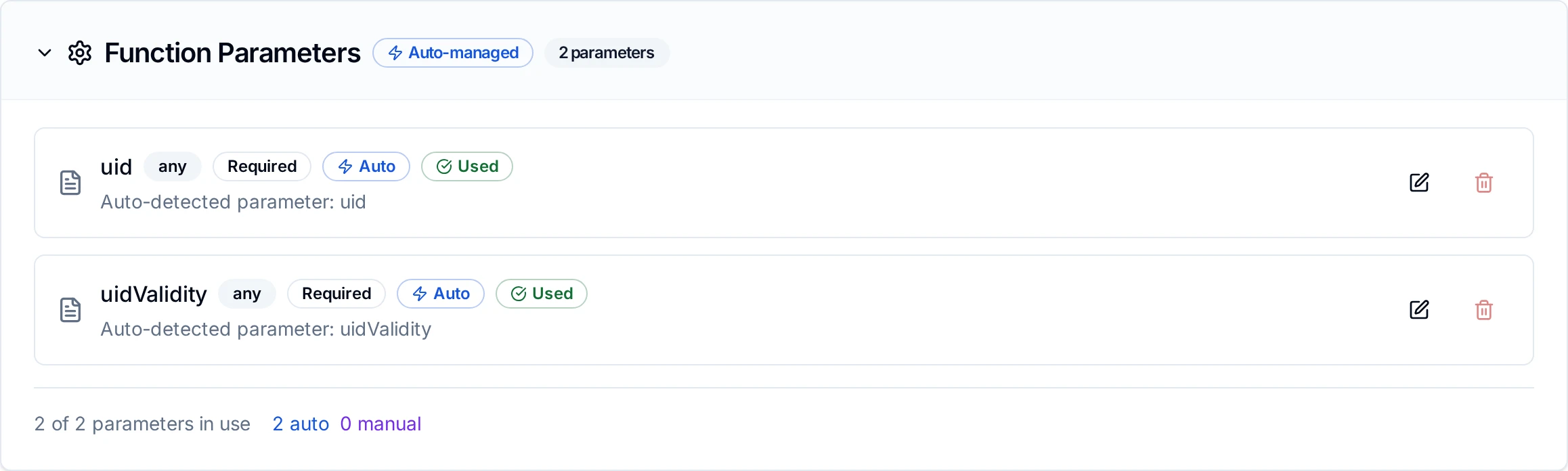
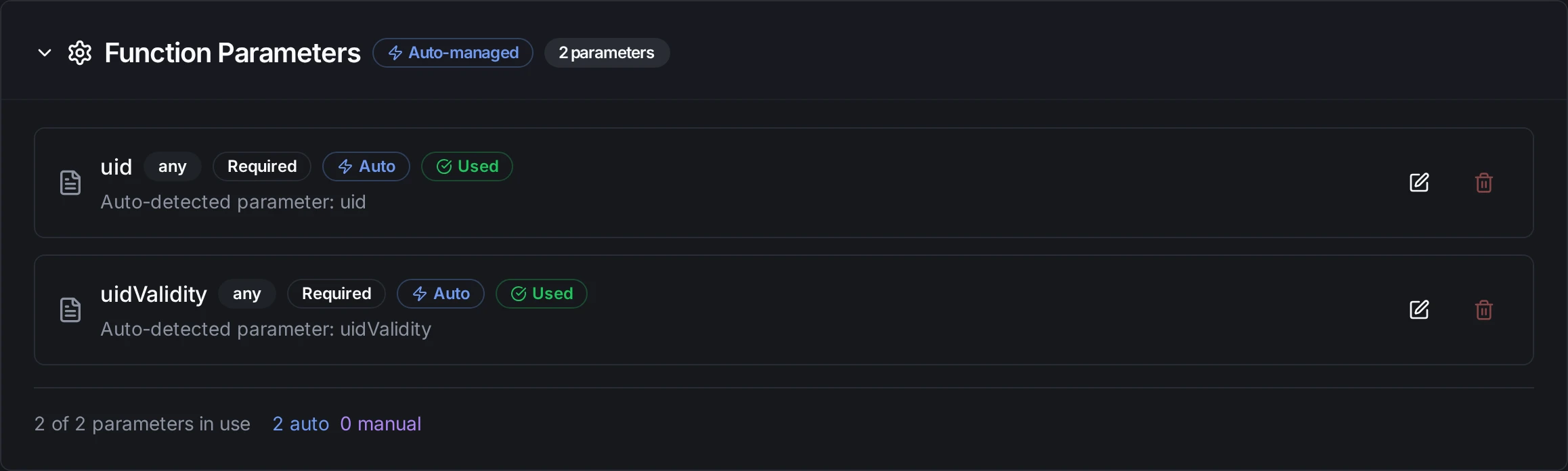
A Move Messages function whose UIDs and UIDVALIDITY take ((parameters)) from the trigger; the Function Parameters panel picks them up on its own
Flag Messages Function
Adds or removes flags on messages by UID: \Seen (read), \Flagged, \Answered, \Draft, or a keyword without a backslash (for example Processed). \Deleted is refused. Setting a flag twice changes nothing.
A UID names a message only together with its folder's UIDVALIDITY. Move and Flag take uidValidity; set it from the trigger's $trigger._metadata.uidValidity or a search's result.uidValidity, and the call refuses rather than act on another message if the folder was recreated.
Pipeline Integration
Use the IMAP Trigger to start a pipeline per email, and the IMAP Search Messages, Fetch Message, Move Messages and Flag Messages nodes inside pipelines. See IMAP Nodes and the IMAP Trigger.
Common Use Cases
Certificates of analysis into the UNS
A supplier emails a certificate per lot to coa@plant.example. The trigger (After Storing move, processed folder INBOX/Processed) starts a pipeline per email; the pipeline reads the lot number from $trigger.result.subject, keeps the PDF from $trigger.result.attachments[0].content, and publishes the lot's status to the UNS.
Alarm emails from an older system
An older SCADA server sends alarm emails. The trigger in markSeen mode on a dedicated mailbox starts a pipeline that opens a work order and flags the email \Flagged until a person handles it.
Troubleshooting
| Symptom | Cause and fix |
|---|---|
the server refused the sign-in | Wrong user name or password; an account with two-factor sign-in needs an app password; IMAP may be turned off for the mailbox (Gmail settings); a Microsoft 365 mailbox takes only OAuth2, which this connector does not have |
does not accept a password on an unencrypted connection (LOGINDISABLED) | Set Security to tls or starttls |
did not upgrade the connection with STARTTLS | The port is the implicit TLS one (993): set Security to tls, or use port 143 |
| A certificate error | Add the server's CA under CA Certificate, or set TLS Server Name to the name on its certificate |
| Messages are not delivered | In markSeen mode only unread messages are delivered: someone may have read them. Check the folder name as the server spells it |
the processed folder ... (it must exist) | Create the folder on the server, or fix its name |
the folder's UIDVALIDITY changed | The folder was recreated; search again for current UIDs |
cannot read message UID n in the log | The server describes that message in a form the IMAP library cannot parse, and it could not be read raw either. It is left unread and set aside; open it in a mail program, or move it out of the folder |
| The trigger shows Refused: the account lacks a right | The server refused to mark a message read or to move it. Do what the message names (grant IMAP ACL s for markSeen, or i, t and e for move; create the processed folder; free quota), or switch modes, then stop and start the connection |
| The trigger or Move shows Refused: the server does not support IMAP MOVE | Use After Storing = markSeen, or move messages with a server-side rule |
larger than the message bus accepts in the log | That message is set aside, unread. Lower Max Attachment Size, or raise the bus's max_payload |
| A message is delivered twice | At-least-once: a restart between storing a message and marking it read delivers it again. Drop the copy on the message's messageId ($trigger._metadata.messageId), for example with a deduplicating step or a unique key where the pipeline stores it |