RabbitMQ Nodes
Publish messages to RabbitMQ exchanges from a pipeline, and pull messages from a queue when the pipeline asks for them.
- Protocol
- AMQP 0-9-1
- Operations
- Publish, Receive, Browse
- Output
- Publish acknowledgement, or the pulled messages
RabbitMQ is a robust message broker supporting AMQP 0-9-1 with advanced exchange routing, message persistence, and competing consumers. MaestroHub provides connector nodes for publishing messages and for pulling them from a queue within your pipelines. To start a pipeline for every message as it arrives, use the RabbitMQ Trigger instead.
Configuration Quick Reference
| Field | What you choose | Details |
|---|---|---|
| Parameters | Connection, Function, Function Parameters, Timeout Override | Select the connection profile, function, configure function parameters with expression support, and optionally override timeout. |
| Settings | Description, Timeout (seconds), Retry on Timeout, Retry on Fail, On Error | Node description, maximum execution time, retry behavior on timeout or failure, and error handling strategy. All execution settings default to pipeline-level values. |
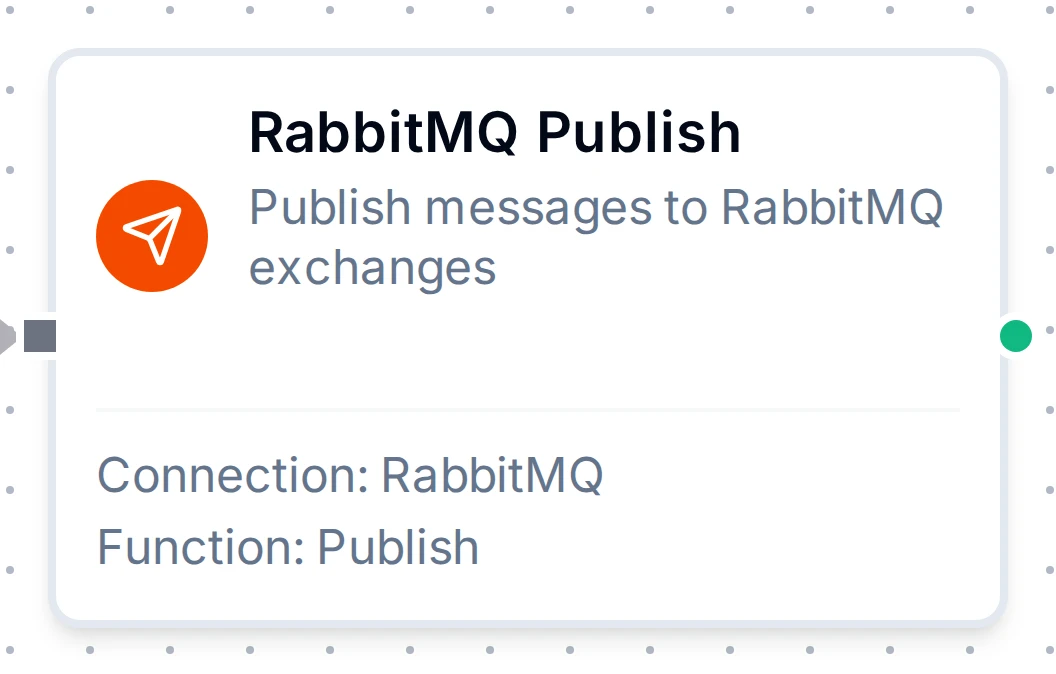
RabbitMQ Publish Node
RabbitMQ Publish Node
Publish messages to RabbitMQ exchanges for task distribution, event broadcasting, and enterprise messaging.
Supported Function Types:
| Function Name | Purpose | Common Use Cases |
|---|---|---|
| Publish | Send messages to RabbitMQ exchanges with routing keys using shared connections | Task queues, event broadcasting, topic-based routing, direct message delivery |
How It Works
When the pipeline executes, the Publish node:
- Connects to the RabbitMQ broker using the selected connection profile
- Resolves any
((parameter))placeholders in the exchange, routing key, payload, and headers - Publishes the message to the configured exchange with the specified routing key
- Returns a result containing the exchange, routing key, message size, and persistence status
Configuration
| Field | What you choose | Details |
|---|---|---|
| Connection | RabbitMQ connection profile | Select a pre-configured RabbitMQ connection from your connection library |
| Function | Publish function | Choose a RabbitMQ Publish function that defines exchange, routing key, payload, and message options |
| Function Parameters | Exchange, routing key, payload, headers | Configure dynamic values using expressions or upstream node outputs (inherited from function) |
Publish Result
On success, the node outputs:
{
  "exchange": "amq.topic",
  "routingKey": "sensor.temperature",
  "messageSize": 42,
  "persistent": true
}
For detailed function configuration options including persistence, priority, headers, and RPC fields, see the RabbitMQ Function Builder documentation.
RabbitMQ Receive Node
Take up to N messages from a queue. Each message is acknowledged, so it leaves the queue. The node returns as soon as the queue is empty; an empty queue gives count: 0, which is success, not an error.
Use Receive when the pipeline should decide when to read, instead of the queue pushing every message at it. A Schedule Trigger runs the pipeline every few seconds, Receive takes the next messages, and a For-Each works through them. Messages the pipeline has not reached yet stay in RabbitMQ.
Supported Function Types:
| Function Name | Purpose | Common Use Cases |
|---|---|---|
| Receive | Take up to Max Messages from a queue and remove them | Pulling a queue at a fixed rate, working through a backlog in batches |
How It Works
- Opens a channel of its own on the selected connection
- Reads messages one at a time until it has Max Messages or the queue is empty
- Acknowledges the whole batch at once, then returns it
Nothing is acknowledged until the batch is complete. If the read is cut short (the node's timeout, a stopped run, a lost connection), every message it had read goes back to the queue. In a multi-process deployment, stopping a run does not stop a read already under way. In any deployment, a result too large to deliver (over NATS's max payload) is refused after the messages were acknowledged. In both cases the batch is lost (#7300).
If a later node in the same run fails, the messages Receive returned are not redelivered. At most Max Messages messages are exposed this way per run, so keep it small when losing a message matters.
Receive Result
{
  "result": {
    "queue": "line1.telemetry",
    "count": 1,
    "remaining": 41,
    "messages": [
      {
        "payload": { "line": "line1", "temperature": 21.5 },
        "redelivered": false,
        "routingKey": "plant.line1.telemetry",
        "exchange": "amq.topic",
        "contentType": "application/json",
        "headers": { "source": "plc-12" }
      }
    ]
  },
  "_metadata": { "success": true, "functionId": "<function-id>", "durationMs": 4, "timestamp": "2026-10-20T10:30:00Z" }
}
payload is the message body, parsed when it is JSON and text otherwise, the same rule the RabbitMQ Trigger follows. So a path under $trigger.result in a trigger-started pipeline is the same path under $item.payload inside a For-Each over Receive's messages. remaining is how many messages the queue still holds after this read, the number the RabbitMQ management UI shows. Max Messages is a cap, not a target: the node never waits for the queue to fill up to it.
Pulling a Queue on a Schedule
- Schedule Trigger: every 5 seconds
- RabbitMQ Receive: Max Messages
1(or a larger batch) - For-Each: Source Data
{{ $node["RabbitMQ Receive"].result.messages }} - Inside the loop, read fields with
{{ $item.payload.temperature }}
The schedule sets how often the queue is read and Max Messages how much each run takes, so the pipeline never takes more than it can process.
RabbitMQ Browse Node
Read up to N messages and return every one to the queue unacknowledged, so real consumers still get them. RabbitMQ marks a returned message as redelivered. The result has the same shape as Receive, plus "browsed": true.
Use Browse to see what a queue holds, for example from the function's Test button, without removing anything.
Supported Function Types:
| Function Name | Purpose | Common Use Cases |
|---|---|---|
| Browse | Look at up to Max Messages and leave them in the queue | Inspecting payloads before building a pipeline, checking a dead-letter queue |
While a browse is in flight, the messages it holds are invisible to other consumers.
Browse requires RabbitMQ 4.3 or later on every node. Before 4.3 a quorum queue counts every browse toward its delivery limit (20 by default on 4.0 to 4.2), and drops or dead-letters a message returned more times than that. So on a broker that reports a version older than 4.3, or no version, Browse fails before it reads anything, saying why, and no message is touched. This applies to classic queues on those versions too: RabbitMQ does not say what type a queue is until a message has been read, and reading it is what would count. On older brokers, use Receive or the RabbitMQ Trigger instead. From RabbitMQ 4.3 a browse does not count, and Browse works on quorum queues as on classic ones.
MaestroHub sees only the version of the node it connects to. While some nodes still run an older version, a quorum queue keeps counting browses even through an upgraded node, so Browse runs and each run spends a delivery. Until every node runs 4.3, pause pipelines that browse quorum queues, or switch them to Receive.
Receive and Browse cannot read a stream queue: RabbitMQ refuses it, and the node fails saying so. Read a stream queue with the RabbitMQ Trigger.
Output
Every RabbitMQ node delivers its data under result, and execution facts (success, functionId, durationMs, timestamp) under _metadata:
| Node | Expression | Description |
|---|---|---|
| Publish | $node["Name"].result.exchange | The exchange published to (empty for the default exchange) |
$node["Name"].result.routingKey | The routing key the message was published with | |
$node["Name"].result.messageSize | Payload size in bytes | |
$node["Name"].result.persistent | Whether the message was marked persistent | |
| Receive, Browse | $node["Name"].result.queue | The queue read from |
$node["Name"].result.count | How many messages were read; 0 on an empty queue is success | |
$node["Name"].result.remaining | Messages left in the queue after the read (for Browse, including the ones it returned) | |
$node["Name"].result.messages | One object per message: payload (parsed when it is JSON), redelivered, routingKey, exchange and contentType always; messageId, correlationId, replyTo and headers when the publisher set them. $node["Name"].result.messages[0].payload reads the first | |
| Browse | $node["Name"].result.browsed | true: every message was returned to the queue |
| all nodes | $node["Name"]._metadata.method, $node["Name"]._metadata.connectionId, $node["Name"]._metadata.protocol | The call's own facts: the operation, the connection it ran over, rabbitmq |