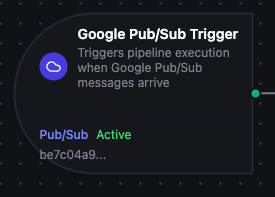
Google Pub/Sub trigger node
Google Pub/Sub Trigger Node
Overview
The Google Pub/Sub Trigger Node automatically initiates MaestroHub pipelines when messages arrive on a configured Google Cloud Pub/Sub subscription. Unlike the Google Pub/Sub Publish connector node which sends messages within an already-running pipeline, the Google Pub/Sub Trigger starts new pipeline executions in response to incoming messages — enabling fully event-driven, cloud-native automation.
Core Functionality
What It Does
Google Pub/Sub Trigger enables real-time, event-driven pipeline execution by:
1. Event-Driven Pipeline Execution Start pipelines automatically when messages arrive on a Pub/Sub subscription, without manual intervention or polling. Each message received starts a new pipeline execution with the message payload and metadata available to all downstream nodes.
2. At-Least-Once Delivery Guarantee With Auto Acknowledge disabled (the default), MaestroHub acknowledges each message only after the pipeline completes successfully. If execution fails, the message is requeued by Pub/Sub and redelivered — ensuring no message is lost due to a processing error.
3. Message Payload and Metadata Passthrough
The full message payload along with Pub/Sub metadata (subscription, message ID, ordering key, publish time) is passed directly to the pipeline via the $trigger variable, making all data available to downstream nodes without additional extraction steps.
Configuration Options
Basic Information
| Field | Type | Description |
|---|---|---|
| Node Label | String (Required) | Display name for the node on the pipeline canvas |
| Description | String (Optional) | Explains what this trigger initiates |
Parameters
| Parameter | Type | Default | Required | Constraints | Description |
|---|---|---|---|---|---|
| Connection ID | string | "" | Yes | -- | Google Pub/Sub connection profile to use. |
| Function ID | string | "" | Yes | -- | Subscribe function within the connection. Only Subscribe functions are listed. |
| Trigger Mode | select | "always" | No | always / onChange | always: Trigger on every message. onChange: Only trigger when payload differs from the last received value. State resets on restart; the first message after restart always fires. |
| Enabled | boolean | true | No | -- | Enable/disable the trigger. When disabled, no messages are consumed from the subscription. |
| Dedup Max Keys | number | 1000 | If onChange | 1–10,000 | Maximum number of distinct message keys tracked for change detection. The least recently used key is evicted when the limit is reached. |
| Dedup TTL | select | -- | If onChange | 1h / 6h / 12h / 24h / 72h / 168h | How long to remember the last payload per key. After expiry, the next message always fires. Enterprise edition only; uses persistent state in JetStream. |
The selected function must be a Google Pub/Sub Subscribe function type. Publish functions cannot be used with the Google Pub/Sub Trigger node.
Settings
Description
A free-text area for documenting the node's purpose and behavior. Notes entered here are saved with the pipeline and visible to all team members.
Execution Settings
| Setting | Options | Default | Description |
|---|---|---|---|
| Timeout (seconds) | number | Pipeline default | Maximum execution time for this node (1–600). Leave empty for pipeline default. |
| Retry on Timeout | Pipeline Default / Enabled / Disabled | Pipeline Default | Whether to retry the node if it times out. |
| Retry on Fail | Pipeline Default / Enabled / Disabled | Pipeline Default | Whether to retry on failure. When Enabled, shows Advanced Retry Configuration. |
| On Error | Pipeline Default / Stop Pipeline / Continue Execution | Pipeline Default | Behavior when node fails after all retries. |
Advanced Retry Configuration (visible when Retry on Fail = Enabled)
| Field | Type | Default | Range | Description |
|---|---|---|---|---|
| Max Attempts | number | 3 | 1–10 | Maximum retry attempts. |
| Initial Delay (ms) | number | 1000 | 100–30,000 | Wait before first retry. |
| Max Delay (ms) | number | 120000 | 1,000–300,000 | Upper bound for backoff delay. |
| Multiplier | number | 2.0 | 1.0–5.0 | Exponential backoff multiplier. |
| Jitter Factor | number | 0.1 | 0–0.5 | Random jitter (±percentage). |
Output Data Structure
When a Google Pub/Sub message triggers pipeline execution, the following data is available to downstream nodes via the $trigger variable.
Output Format
{
  "_metadata": {
    "type": "googlepubsub_trigger",
    "connection_id": "a1b2c3d4-e5f6-7890-abcd-ef1234567890",
    "subscription": "factory-telemetry-subscription",
    "messageId": "1234567890123456",
    "orderingKey": "machine-01",
    "publishTime": "2026-04-06T10:30:00Z",
    "timestamp": "2026-04-06T10:30:00.123Z"
  },
  "payload": {
    "machineId": "machine-01",
    "temperature": 72.4,
    "vibration": 0.12,
    "timestamp": "2026-04-06T10:30:00Z"
  }
}
Accessing Message Data
In downstream nodes, use the $trigger variable to access the trigger output:
| Field | Expression | Description |
|---|---|---|
| Message Payload | $trigger.payload | The parsed Pub/Sub message body (JSON object or raw value) |
| Subscription | $trigger._metadata.subscription | The subscription the message was received from |
| Message ID | $trigger._metadata.messageId | Unique message ID assigned by Pub/Sub |
| Ordering Key | $trigger._metadata.orderingKey | Ordering key set by the publisher (empty if not set) |
| Publish Time | $trigger._metadata.publishTime | ISO 8601 timestamp of when the message was published |
| Received At | $trigger._metadata.timestamp | When MaestroHub received the message |
| Connection ID | $trigger._metadata.connection_id | The connection profile used |
| Trigger Type | $trigger._metadata.type | Always googlepubsub_trigger |
If your Pub/Sub messages contain JSON, access nested fields directly:
$trigger.payload.machineId— Access a specific field$trigger.payload— Access the entire message object
Validation Rules
Parameter Validation
Connection ID
- Must be provided and non-empty
- Must reference a valid Google Pub/Sub connection profile
- Error: "Google Pub/Sub connection is required"
Function ID
- Must be provided and non-empty
- Must reference a valid Google Pub/Sub Subscribe function
- Function must belong to the specified connection
- Error: "Subscribe function is required"
Enabled Flag
- Must be a boolean if provided
- Error: "Enabled must be a boolean value"
Usage Examples
IoT Telemetry Processing
Scenario: Devices publish sensor readings to a Pub/Sub topic. MaestroHub subscribes and processes each reading — validating the payload, enriching it with asset metadata, and writing to a time-series database.
Configuration:
- Label: Sensor Telemetry Processor
- Connection: GCP Production
- Function: Subscribe to
factory-telemetry-subscription - Trigger Mode: always
- Enabled: true
Downstream Processing:
- Validate sensor payload structure
- Enrich with asset metadata from MongoDB lookup
- Write to InfluxDB time-series database
- Trigger alerting pipeline if reading exceeds threshold
Event-Driven Microservice Integration
Scenario: An upstream GCP service publishes domain events (order placed, payment confirmed) to a Pub/Sub topic. MaestroHub subscribes and orchestrates the downstream workflow.
Configuration:
- Label: Order Event Handler
- Connection: GCP Production
- Function: Subscribe to
order-events-maestrohub - Trigger Mode: always
- Enabled: true
Downstream Processing:
- Parse event type from payload
- Route through condition node based on event type
- Update ERP via REST API
- Log to PostgreSQL audit table
- Send confirmation via SMTP
Deduplicated State Change Detection
Scenario: A Pub/Sub subscription receives high-frequency sensor readings. Only process when the reading actually changes, reducing unnecessary pipeline executions and downstream load.
Configuration:
- Label: Temperature Change Detector
- Connection: GCP Production
- Function: Subscribe to
temperature-readings-sub - Trigger Mode: onChange
- Dedup Max Keys: 2000
- Dedup TTL: 24h (Enterprise)
- Enabled: true
Downstream Processing:
- Extract device ID and new temperature from payload
- Store the changed reading in TimescaleDB
- Evaluate alert thresholds
- Send alert notification for values outside acceptable range