Databricks Storage Nodes
Databricks Storage nodes enable pipelines to read and write files on Unity Catalog Volumes via the Databricks Files API. Use these nodes to automate file-based data ingestion, export, and exchange workflows through your Databricks workspace.
Configuration Quick Reference
| Field | What you choose | Details |
|---|---|---|
| Parameters | Connection, Function, Function Parameters, Timeout Override | Select the connection profile, function, configure function parameters with expression support, and optionally override timeout. |
| Settings | Description, Timeout (seconds), Retry on Timeout, Retry on Fail, On Error | Node description, maximum execution time, retry behavior on timeout or failure, and error handling strategy. All execution settings default to pipeline-level values. |
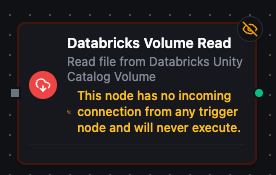
Databricks Volume Read Node
Databricks Storage Read Node
Read files from Unity Catalog Volumes with automatic content encoding detection.
Supported Function Types:
| Function Name | Purpose | Common Use Cases |
|---|---|---|
| Read File | Download file content from a Unity Catalog Volume | Data imports, configuration retrieval, report processing, log analysis |
Node Configuration
| Parameter | Type | Required | Description |
|---|---|---|---|
| Connection | Selection | Yes | Databricks Storage connection profile to use |
| Function | Selection | Yes | Read function from the selected connection |
| Function Parameters | Dynamic | Varies | Auto-populated from the function schema (e.g., volumePath). See your Databricks Storage connection functions for full parameter details. |
| Timeout Override | Number (seconds) | No | Override the default function timeout |
All function parameters support expression syntax ({{ expression }}) for dynamic values from the pipeline context.
Input
The node receives the output of the previous node as input. Use expressions like {{ $input.data.fileName }} to dynamically specify which file to read.
Output Structure
On success the node produces:
{
  "success": true,
  "functionId": "<function-id>",
  "data": {
    "data": "header1,header2\nvalue1,value2\n...",
    "metadata": {
      "volumePath": "/Volumes/my_catalog/my_schema/my_volume/data/report.csv",
      "fileName": "report.csv",
      "sizeBytes": 4096,
      "encoding": "text"
    }
  },
  "durationMs": 312,
  "timestamp": "2026-04-09T10:30:00Z"
}
| Field | Type | Description |
|---|---|---|
data | string | File content (text for text-based files, base64-encoded for binary files) |
metadata | object | File metadata (see below) |
Metadata Fields:
| Field | Type | Description |
|---|---|---|
volumePath | string | Full volume path of the file |
fileName | string | File name extracted from the path |
sizeBytes | number | File size in bytes |
encoding | string | Content encoding used (text or base64) |
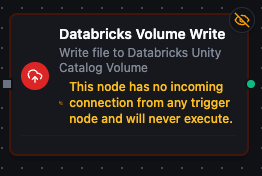
Databricks Volume Write Node
Databricks Storage Write Node
Write files to Unity Catalog Volumes with overwrite control.
Supported Function Types:
| Function Name | Purpose | Common Use Cases |
|---|---|---|
| Write File | Upload data to a Unity Catalog Volume | Data exports, pipeline result storage, report generation, artifact archival |
Node Configuration
| Parameter | Type | Required | Description |
|---|---|---|---|
| Connection | Selection | Yes | Databricks Storage connection profile to use |
| Function | Selection | Yes | Write function from the selected connection |
| Function Parameters | Dynamic | Varies | Auto-populated from the function schema (e.g., volumePath, data, overwrite). See your Databricks Storage connection functions for full parameter details. |
| Timeout Override | Number (seconds) | No | Override the default function timeout |
Input
The node receives the output of the previous node as input. Use expressions like {{ $input.data }} to dynamically pass content to write.
Output Structure
On success the node produces:
{
  "success": true,
  "functionId": "<function-id>",
  "data": {
    "volumePath": "/Volumes/my_catalog/my_schema/my_volume/output/result.json",
    "bytesWritten": 2048,
    "overwritten": false
  },
  "durationMs": 245,
  "timestamp": "2026-04-09T10:30:00Z"
}
| Field | Type | Description |
|---|---|---|
volumePath | string | Full path of the written file |
bytesWritten | number | Number of bytes written |
overwritten | boolean | Whether an existing file was overwritten |
Settings Tab
Both Databricks Storage node types share the same Settings tab:
| Setting | Type | Default | Description |
|---|---|---|---|
| Description | Text | — | Optional description displayed on the node |
| Timeout (seconds) | Number | Pipeline default | Maximum time the node may run before timing out |
| Retry on Timeout | Toggle | Pipeline default | Automatically retry the node if it times out |
| Retry on Fail | Toggle | Pipeline default | Automatically retry the node if it fails |
| On Error | Selection | Pipeline default | Error strategy: stop the pipeline, continue to the next node, or follow the error output path |
When left at their defaults, these settings inherit from the pipeline-level execution configuration.