Databricks SQL Nodes
Databricks SQL is a cloud-native analytics service built on the Databricks Lakehouse Platform. MaestroHub provides connector nodes for running SQL queries and executing statements against your Databricks SQL warehouses.
Configuration Quick Reference
| Field | What you choose | Details |
|---|---|---|
| Parameters | Connection, Function, Function Parameters, Timeout Override | Select the connection profile, function, configure function parameters with expression support, and optionally override timeout. |
| Settings | Description, Timeout (seconds), Retry on Timeout, Retry on Fail, On Error | Node description, maximum execution time, retry behavior on timeout or failure, and error handling strategy. All execution settings default to pipeline-level values. |
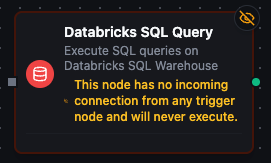
Databricks SQL Query Node
Databricks SQL Query Node
Execute SQL queries against your Databricks SQL warehouse with full parameter binding.
Supported Function Types:
| Function Name | Purpose | Common Use Cases |
|---|---|---|
| Execute Query | Run parameterized SQL SELECT against Databricks SQL | Analytics dashboards, ETL reads, cross-catalog joins, data quality checks |
Node Configuration
| Parameter | Type | Required | Description |
|---|---|---|---|
| Connection | Selection | Yes | Databricks SQL connection profile to use |
| Function | Selection | Yes | Query function from the selected connection |
| Function Parameters | Dynamic | Varies | Auto-populated from the function schema (e.g., query parameters). See your Databricks SQL connection functions for full parameter details. |
| Timeout Override | Number (seconds) | No | Override the default function timeout |
All function parameters support expression syntax ({{ expression }}) for dynamic values from the pipeline context.
Input
The node receives the output of the previous node as input. Input data can be referenced in function parameter expressions using $input.
Output Structure
On success the node produces:
{
  "success": true,
  "functionId": "<function-id>",
  "data": {
    "columns": ["machine_id", "event_count", "avg_efficiency"],
    "rows": [
      {"machine_id": "M-001", "event_count": 142, "avg_efficiency": 94.5},
      {"machine_id": "M-002", "event_count": 98, "avg_efficiency": 87.3}
    ],
    "rowCount": 2
  },
  "durationMs": 1245,
  "timestamp": "2026-04-09T10:30:00Z"
}
| Field | Type | Description |
|---|---|---|
columns | array | Column names from the result set |
rows | array | Array of row objects with column name → value mappings |
rowCount | number | Number of rows returned |
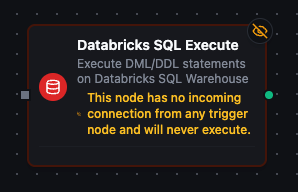
Databricks SQL Execute Node
Databricks SQL Execute Node
Execute DML/DDL statements against your Databricks SQL warehouse.
Supported Function Types:
| Function Name | Purpose | Common Use Cases |
|---|---|---|
| Execute Statement | Run INSERT, UPDATE, DELETE, MERGE, CREATE, ALTER, DROP statements | Data modifications, schema changes, incremental loads |
Node Configuration
| Parameter | Type | Required | Description |
|---|---|---|---|
| Connection | Selection | Yes | Databricks SQL connection profile to use |
| Function | Selection | Yes | Execute function from the selected connection |
| Function Parameters | Dynamic | Varies | Auto-populated from the function schema. See your Databricks SQL connection functions for full parameter details. |
| Timeout Override | Number (seconds) | No | Override the default function timeout |
Input
The node receives the output of the previous node as input. Use expressions like {{ $input.data }} to dynamically pass values into parameterized statements.
Output Structure
On success the node produces:
{
  "success": true,
  "functionId": "<function-id>",
  "data": {
    "rowsAffected": 150
  },
  "durationMs": 832,
  "timestamp": "2026-04-09T10:30:00Z"
}
| Field | Type | Description |
|---|---|---|
rowsAffected | number | Number of rows affected by the statement |
Settings Tab
Both Databricks SQL node types share the same Settings tab:
| Setting | Type | Default | Description |
|---|---|---|---|
| Description | Text | — | Optional description displayed on the node |
| Timeout (seconds) | Number | Pipeline default | Maximum time the node may run before timing out |
| Retry on Timeout | Toggle | Pipeline default | Automatically retry the node if it times out |
| Retry on Fail | Toggle | Pipeline default | Automatically retry the node if it fails |
| On Error | Selection | Pipeline default | Error strategy: stop the pipeline, continue to the next node, or follow the error output path |
When left at their defaults, these settings inherit from the pipeline-level execution configuration.