 Kafka Integration Guide
Produce messages to Kafka topics and start pipelines from messages consumed through a consumer group.
- Default port
- 9092 (PLAINTEXT)
- Authentication
- SASL PLAIN · SCRAM-SHA-256 · SCRAM-SHA-512
- Operations
- Produce · Consume
- Triggers
- Consume, as messages arrive
Connect to Apache Kafka to produce and consume messages in your pipelines. This guide covers connection setup, function configuration, and pipeline integration for Kafka deployments.
Overview
The Kafka connector enables integration with Apache Kafka distributed streaming platforms, commonly used for event streaming, log aggregation, real-time analytics, and microservice communication. It provides:
- Message production with topic targeting, key-based partitioning, custom headers, and explicit partition selection
- Message consumption with consumer group support for load balancing and fault tolerance
- SASL authentication supporting PLAIN, SCRAM-SHA-256, and SCRAM-SHA-512 mechanisms
- TLS encryption with optional certificate verification for secure broker communication
- Consumer group management with configurable session timeouts, heartbeat intervals, and auto-commit control
- Idempotent producer by default: retries never write a record twice, order within a partition holds, and an acknowledged record survives a leader failover (see Delivery guarantees)
- Template parameters for dynamic topics, keys, payloads, and headers based on runtime input
Connection Configuration
Creating a Kafka Connection
Navigate to Connections → New Connection → Kafka and configure the following:
Kafka Connection Creation Fields
1. Profile Information
| Field | Default | Description |
|---|---|---|
| Profile Name | - | A descriptive name for this connection profile (required, max 100 characters) |
| Description | - | Optional description for this Kafka connection |
2. Broker Settings
| Field | Default | Description |
|---|---|---|
| Brokers | - | Comma-separated list of bootstrap broker addresses in host:port format (e.g., broker1:9092,broker2:9092); required |
| Client ID | - | Unique identifier for this client instance (e.g., maestrohub-producer) |
| Consumer Group ID | - | Default consumer group ID for consume functions (e.g., maestrohub-consumers) |
- 9092: Default PLAINTEXT port
- 9093: Default SSL/TLS port
- 9094: Default SASL_PLAINTEXT port
Ensure you use the correct port for your broker's listener configuration.
3. SASL Authentication
| Field | Default | Description |
|---|---|---|
| Enable SASL | false | Enable SASL authentication for the connection |
(Only displayed when Enable SASL is checked)
| Field | Default | Description |
|---|---|---|
| SASL Mechanism | PLAIN | Authentication mechanism: PLAIN, SCRAM-SHA-256, or SCRAM-SHA-512 |
| Username | - | SASL username for authentication |
| Password | - | SASL password. Masked on edit; leave empty to keep stored value |
- PLAIN: Simple username/password authentication. Use with TLS to protect credentials in transit.
- SCRAM-SHA-256: Challenge-response mechanism with SHA-256 hashing. More secure than PLAIN without requiring TLS.
- SCRAM-SHA-512: Same as SCRAM-SHA-256 but with stronger SHA-512 hashing.
4. TLS/Security Settings
| Field | Default | Description |
|---|---|---|
| Enable TLS | false | Enable TLS/SSL encryption for broker communication |
(Only displayed when Enable TLS is checked)
| Field | Default | Description |
|---|---|---|
| Skip Certificate Verification | false | Skip TLS certificate verification (not recommended for production) |
Enabling Skip Certificate Verification disables TLS certificate validation. Use only in trusted development environments, never in production.
5. Advanced Settings
| Field | Default | Description |
|---|---|---|
| Session Timeout | 10s | Timeout for detecting consumer failures, a duration from 1s to 300s. Should be at least 3x the heartbeat interval |
| Heartbeat Interval | 3s | Heartbeat frequency to the group coordinator, a duration from 500ms to 1m (e.g. 1500ms) |
| Acknowledgements | all | Who must acknowledge a record before a produce succeeds: all (every in-sync replica; the producer is idempotent), leader, or none. See Delivery guarantees |
| Delivery Timeout | 20s | How long one produce keeps retrying a record it could not deliver (a broker restart, a leader election), a duration from 1s to 5m. It counts from when the produce starts, not from the record's timestamp, so buffered data delivered later gets the full time. A produce never waits longer than its caller does: a store-and-forward delivery waits about 30 s, so a longer setting gives those produces about 29 s. See During an outage |
| Retry Backoff | 250ms | Pause between two retries within the delivery timeout, a duration from 0s to 1m |
6. Connection Labels
| Field | Default | Description |
|---|---|---|
| Labels | - | Key-value pairs to categorize and organize this Kafka connection (max 10 labels) |
Example Labels
env: prod: Environmentcluster: us-east-1: Cluster regionservice: streaming: Service role
- Required Fields: Profile Name and Brokers must be provided.
- Consumer Groups: Consumer group ID can be set at the connection level and optionally overridden per consume function. Consumers in the same group share topic partitions for load balancing.
- Session Timeout: If a consumer does not send a heartbeat within the session timeout, the broker considers it dead and rebalances. Set this to at least 3x the heartbeat interval.
- Retry Logic: A produce that fails (a broker restart, a leader election) is retried by the producer, Retry Backoff apart, until the delivery timeout or its caller's deadline, whichever comes first. Max Retries is gone: a connection that still stores it keeps working, the value is no longer applied, and it is dropped the next time the connection is saved.
Delivery guarantees
What a Produce promises depends on Acknowledgements:
| Acknowledgements | Retries can duplicate a record | Order within a partition | An acknowledged record survives the leader failing |
|---|---|---|---|
all (default) | No: the producer is idempotent, and the broker drops a retried batch it already wrote | Kept, retries included (up to 5 requests in flight) | Yes, when the topic has replication factor 2 or more and min.insync.replicas 2 or more |
leader | Yes | Kept (one request in flight) | No: a record the leader acknowledged and had not replicated is lost |
none | Yes | Kept (one request in flight) | No acknowledgement at all: a record the broker never received is lost without an error, and the produce reports offset -1 (unknown) |
min.insync.replicas is a topic (or broker) setting. With min.insync.replicas=1, all can still be acknowledged by the leader alone, so set it to 2 on topics whose records must survive a broker failure.
A produce that fails was not written, with one exception. The producer retries a record for up to the delivery timeout. A record that was never sent, or that the broker refused, is not written. The exception is a record already sent when the produce stops waiting (the link was cut while the record was on the wire): the producer keeps it, and it may still be written when the link returns. The produce does not wait for that, so a cut never holds the pipeline for the length of the outage.
What idempotence does not cover. A record written twice is a new send the broker cannot recognise. That happens only in these cases, with Acknowledgements all:
- a record in flight when its produce stopped waiting (above), which store-and-forward then delivers again;
- a record in flight when MaestroHub restarted;
- a record in flight across a reconnect whose final flush took longer than the delivery timeout.
Delivery is at-least-once across those, and every copy carries the same maestrohub.write-key header (below), so a consumer can drop the second one. The message key only chooses the partition: Kafka does not deduplicate by key. Exactly-once delivery would need a transactional producer, which the connector does not offer.
During an outage
When a pipeline writes to Kafka with store-and-forward (the produce node's default, Buffer only on failure), writes made while Kafka cannot be reached are kept and delivered when it is back.
-
No attempts are used up while Kafka is unreachable. A produce that no broker, partition leader or network took within its time answers the destination cannot take calls right now. Store-and-forward holds the buffer and never counts this against a message, however long it lasts. This includes one partition without a leader while the others work, and a proxy that is still reachable while the brokers behind it are not.
-
A produce answers within its time. It retries for up to the Delivery Timeout, but never longer than its caller waits. A store-and-forward delivery waits about 30 s, so a produce answers within about 29 s, whatever Delivery Timeout says. The connection logs once if its Delivery Timeout is longer than its callers wait.
-
Records keep the time their data was produced. A write delivered an hour late is written with its original time as the record timestamp, on CreateTime topics. Every write from a pipeline carries two headers:
Header Value maestrohub.write-keyThe write's identity. It is the same on the first attempt and on every later delivery of that write, so a consumer that has seen it can drop the copy. maestrohub.produced-atWhen the data was produced, RFC 3339 in UTC with nanoseconds. Set on delivered-later writes. It keeps the original time on a topic with message.timestamp.type=LogAppendTime, where the broker overwrites the record timestamp.A function header with one of these names is replaced by the connector's own.
-
A topic that refuses old timestamps refuses buffered data. A topic with
message.timestamp.before.max.ms(Kafka 3.6 and later), ormessage.timestamp.difference.max.msbefore 3.6, smaller than the outage refuses the buffered records withINVALID_TIMESTAMP. The record keeps its time on every retry, so the refusal is permanent and is not retried: with delivery order relaxed the write goes to Failed messages at once; with in order the buffer stops at it and shows Blocked. Either way the message names the setting. To fix it, raise the setting above the longest outage you need to cover, or setmessage.timestamp.type=LogAppendTimeon the topic (the original time then travels inmaestrohub.produced-at). Topic retention (retention.ms) also counts from the record timestamp, so data buffered for longer than the topic keeps data is deleted by the broker soon after it is written. -
A record the broker refuses for what it is goes to Failed messages at once.
INVALID_RECORD(the broker's validation refused the record, for example a record without a key on a compacted topic),MESSAGE_TOO_LARGE,RECORD_LIST_TOO_LARGE,UNSUPPORTED_FOR_MESSAGE_FORMATandUNSUPPORTED_COMPRESSION_TYPEare refused for good, likeINVALID_TIMESTAMPabove: Kafka marks them not retriable, and a resend is refused the same way. Failed messages files them under Fix first, then replay.CORRUPT_MESSAGE(a checksum mismatch on the way) is retriable in Kafka and is retried. -
The connection comes back within seconds. A lost Kafka connection is retried 1 s apart, doubling to at most 10 s, and is never paused by the circuit breaker. A proxy that accepts the connection and drops it because nothing is behind it (Kroxylicious with its brokers unreachable) is retried about once a second, like a broker that refuses. The connection shows as disconnected about 2 seconds after the outage starts: a Kafka connection is checked every second (other connectors every 30 seconds), each check waits at most a second, and one failed check marks it disconnected. It stays so until Kafka is back. Before that, each write that cannot be delivered is already held without using an attempt.
On Kafka versions before 3.0, the idempotent producer needs the IdempotentWrite permission on the cluster. If the connection's principal lacks it, the first produce fails with a cluster authorization error that says so, and is not retried. Grant the permission, or set Acknowledgements to leader.
Function Builder
Creating Kafka Functions
Once you have a connection established, you can create reusable produce and consume functions:
- Open the connection and go to its Functions tab → New Function
- Select the desired function type (Produce or Consume)
- Configure the function parameters
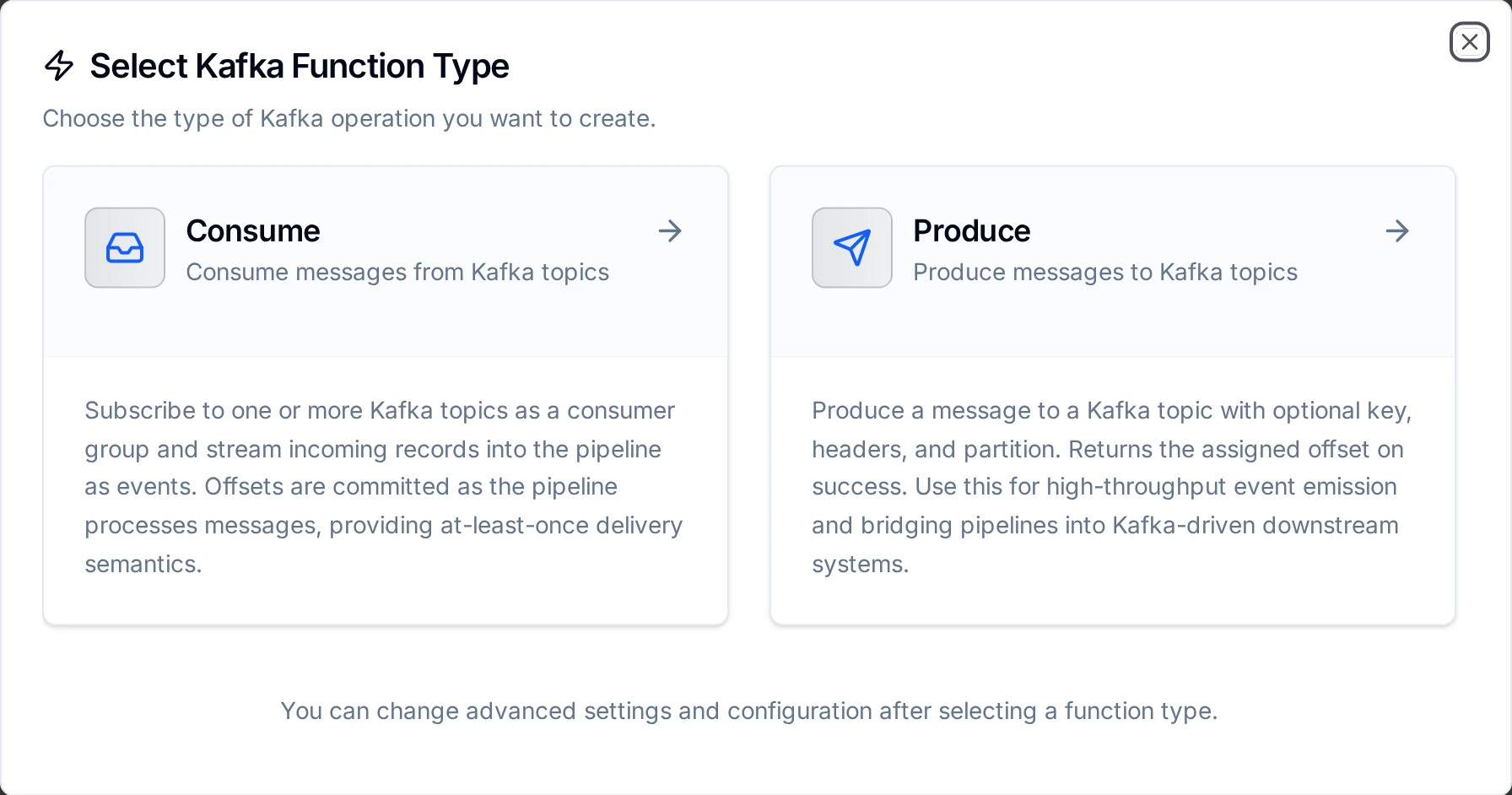
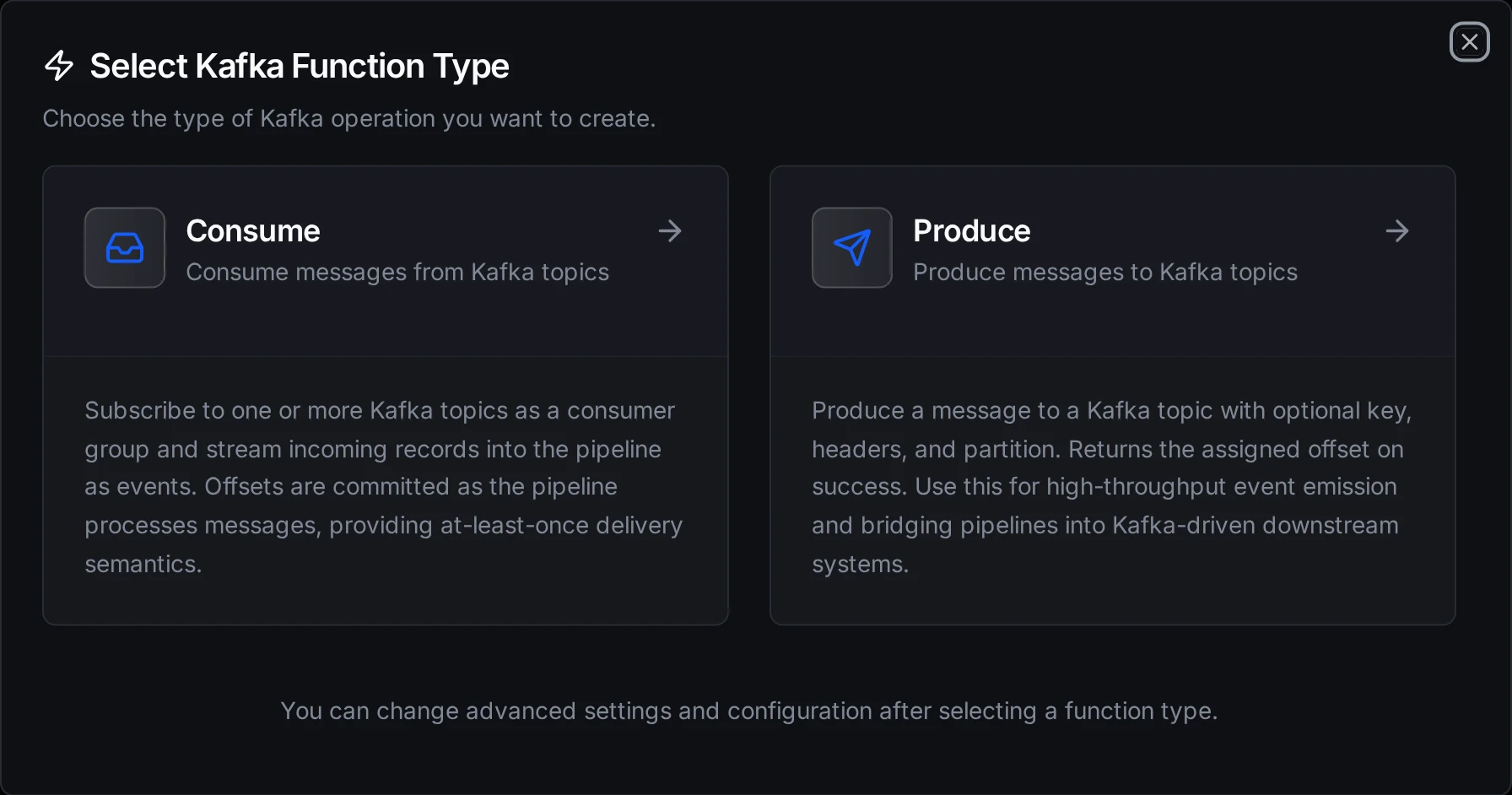
Select from two Kafka function types: Produce for sending messages and Consume for receiving messages
Produce Function
Purpose: Produce messages to Kafka topics with key-based partitioning, custom headers, and dynamic payloads. Use this for event streaming, data ingestion, and inter-service messaging.
Configuration Fields
| Field | Type | Required | Default | Description |
|---|---|---|---|---|
| Topic | String | Yes | - | Kafka topic to produce messages to. Supports template parameters. |
| Key | String | No | - | Message key for topic partitioning. Messages with the same key are sent to the same partition. Supports template parameters. |
| Payload | String | Yes | - | Message payload content (JSON or text). Supports template parameters. |
| Headers | JSON | No | - | Custom message headers for metadata propagation (e.g., {"source": "iot-gateway", "version": "1.0"}). Supports template parameters. |
| Partition | Number | No | auto | Target partition number (0+). Leave empty for automatic partitioning based on message key. |
Example Configuration
// Topic
sensor-events

// Key (for partitioning by device)
((deviceId))

// Payload
{
  "temperature": ((temperature)),
  "humidity": ((humidity)),
  "timestamp": "((timestamp))",
  "source": "((deviceId))"
}

// Headers
{"source": "iot-gateway", "contentType": "application/json"}
Use Cases:
- Stream sensor events to downstream consumers
- Forward logs and audit events for centralized processing
- Ingest real-time data into analytics pipelines
- Publish commands and events for microservice architectures
Consume Function
Purpose: Consume messages from Kafka topics using consumer groups for load balancing and fault tolerance. Subscribe functions are used as pipeline triggers to start execution when messages arrive.
Configuration Fields
| Field | Type | Required | Default | Description |
|---|---|---|---|---|
| Topic | String | Yes | - | Kafka topic to consume messages from. |
| Consumer Group | String | No | Connection default | Override the consumer group ID from connection settings. Leave empty to use the connection-level consumer group. |
| Start Position | Choice | No | Latest | Where to begin on a partition this consumer group has no committed offset for: Latest (only messages produced from now on) or Earliest (the oldest message the topic still holds). |
Example Configuration
// Topic
sensor-events

// Consumer Group
sensor-processing-group

// Start Position
Latest
- At-least-once. A message's offset is committed once MaestroHub has durably stored it for the pipeline. If MaestroHub cannot store it, the trigger retries that message before reading anything after it on the same partition, so nothing is skipped.
- Resuming. The first time the consumer group reads a partition, the trigger commits its start offset straight away. Disabling and enabling the pipeline later resumes from the committed offset on every partition, so messages produced while it was disabled are delivered.
- Start Position only applies with no committed offset: a new consumer group, or one whose committed offsets the broker has expired. Kafka removes a group's committed offsets after the group has been inactive for the broker's
offsets.retention.minutes(7 days by default); a pipeline disabled for longer starts again from its Start Position. Each time that happens, MaestroHub logs a warning naming the partition and the offset it started from.
Use Cases:
- Trigger pipelines on incoming stream events
- Process event-driven microservice messages
- Ingest real-time analytics data
- Handle change data capture (CDC) events
Using Parameters
The ((parameterName)) syntax creates dynamic, reusable functions. Parameters are automatically detected from your configuration fields and can be configured with:
| Configuration | Description | Example |
|---|---|---|
| Type | Data type validation | string, number, boolean, datetime, json, buffer |
| Required | Make parameters mandatory or optional | Required / Optional |
| Default Value | Fallback value if not provided | sensor-events, 0, {} |
| Description | Help text for users | "Target topic name", "Device identifier" |
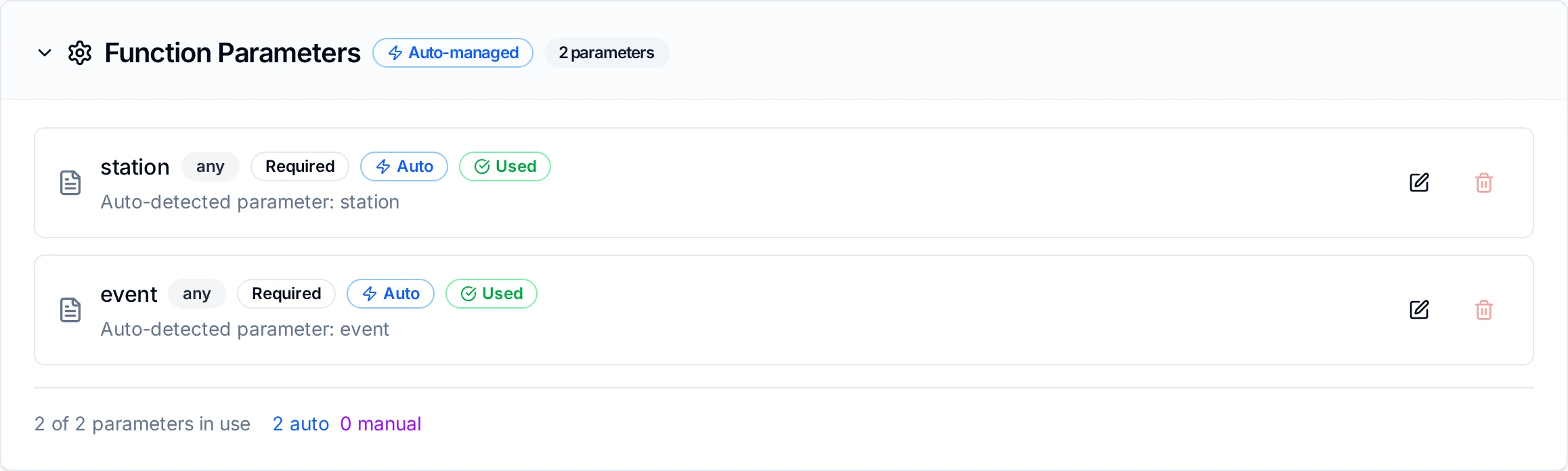
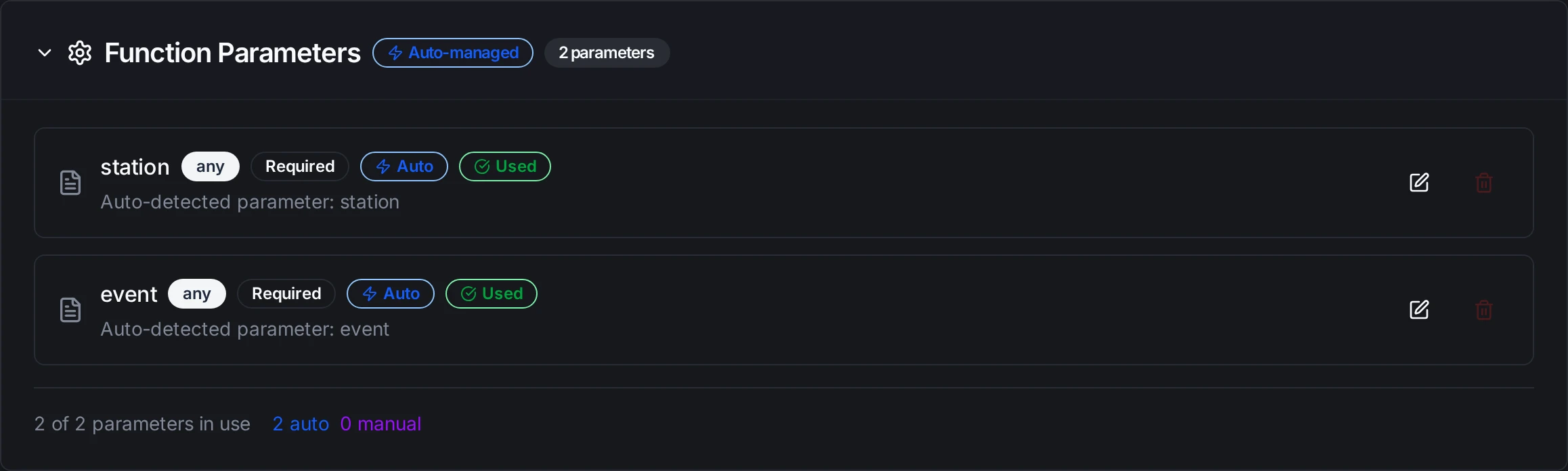
Configure dynamic parameters for Kafka functions with type validation, defaults, and descriptions
Template parameters are available for Produce functions (in topic, key, payload, and headers). Consume functions are event-driven triggers and do not accept runtime parameters.
Pipeline Integration
Use the Kafka functions you create here as nodes inside the Pipeline Designer. Drag the function node onto the canvas, bind its parameters to upstream outputs or constants, and configure error handling as needed.
Common patterns include:
- Collect → Stream: Gather data from OPC UA, Modbus, or MQTT and produce to Kafka topics
- Consume → Process → Produce: Read from one topic, transform data, and write to another
- Consume → Store: Ingest Kafka messages and write to MongoDB, PostgreSQL, or InfluxDB
- Consume → Alert: React to stream events and trigger notifications via SMTP or MS Teams
For broader orchestration patterns that combine Kafka with SQL, REST, MQTT, or other connector steps, see the Nodes page.
Common Use Cases
IoT Event Streaming
Scenario: Collect sensor readings from factory equipment and stream them to Kafka for distributed processing by multiple consumer applications.
Produce Configuration:
- Topic:
factory-telemetry - Key:
((machineId)) - Payload:
{
  "machineId": "((machineId))",
  "temperature": ((temperature)),
  "vibration": ((vibration)),
  "timestamp": "((timestamp))"
}
- Headers:
{"plant": "chicago", "line": "assembly-1"}
Pipeline Integration: Connect after OPC UA or Modbus read nodes to continuously stream equipment telemetry into Kafka.
Real-Time Log Aggregation
Scenario: Forward application and system logs to a centralized Kafka topic for aggregation, search, and analysis.
Produce Configuration:
- Topic:
logs-((service)) - Key:
((hostname)) - Payload:
{
  "level": "((level))",
  "message": "((message))",
  "service": "((service))",
  "timestamp": "((timestamp))"
}
Pipeline Integration: Use with REST webhook triggers to capture log events and forward them to Kafka for downstream consumers like Elasticsearch or Splunk.
Stream Processing Pipeline
Scenario: Consume raw sensor events from Kafka, apply transformations and enrichment, and produce processed results to a new topic.
Consume Configuration:
- Topic:
raw-sensor-events - Consumer Group:
sensor-enrichment - Start Position: Latest
Produce Configuration (downstream):
- Topic:
enriched-sensor-events - Key:
((sensorId)) - Payload: Transformed data from upstream processing
Pipeline Integration: Chain a Kafka consume trigger with transform nodes and a Kafka produce node to build a complete stream processing pipeline.
Event-Driven Notifications
Scenario: Consume alert events from Kafka and route them to appropriate notification channels based on severity.
Consume Configuration:
- Topic:
alerts - Consumer Group:
alert-routing - Start Position: Latest
Pipeline Integration: Connect to condition nodes that route by severity level: critical alerts to MS Teams, warnings to SMTP email, and informational events to MongoDB for audit logging.