Azure IoT Hub Nodes
Azure IoT Hub is Microsoft's managed cloud service for bidirectional communication between IoT devices and the cloud. MaestroHub provides D2C Send and Twin Report nodes to push data and state updates from pipelines into Azure IoT Hub.
Configuration Quick Reference
| Field | What you choose | Details |
|---|---|---|
| Parameters | Connection, Function, Function Parameters, Timeout Override | Select the connection profile, function, configure function parameters with expression support, and optionally override timeout. |
| Settings | Description, Timeout (seconds), Retry on Timeout, Retry on Fail, On Error | Node description, maximum execution time, retry behavior on timeout or failure, and error handling strategy. All execution settings default to pipeline-level values. |
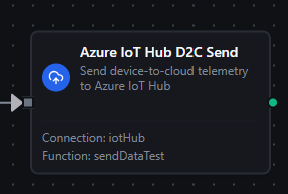
Azure IoT Hub D2C Send Node
Azure IoT Hub D2C Send Node
Send device-to-cloud telemetry messages to Azure IoT Hub from within a pipeline. Use this node to forward sensor readings, aggregated data, or processed events to the cloud for routing, analytics, and storage.
Supported Function Types:
| Function Name | Purpose | Common Use Cases |
|---|---|---|
D2C Send (iothub.d2c.send) | Publish telemetry messages to Azure IoT Hub | Sensor data upload, event forwarding, telemetry distribution |
Node Configuration
| Parameter | Type | Required | Description |
|---|---|---|---|
| Connection | Selection | Yes | Azure IoT Hub connection profile to use |
| Function | Selection | Yes | D2C Send function from the selected connection |
| Function Parameters | Dynamic | Varies | Auto-populated from the function schema. See your Azure IoT Hub connection functions for full parameter details. |
| Timeout Override | Number (seconds) | No | Override the default function timeout |
Function parameters for D2C Send:
| Parameter | Type | Required | Default | Description |
|---|---|---|---|---|
data | String (JSON) | Yes | - | JSON payload to send as D2C telemetry. Use expressions like {{ $input.payload }} for dynamic data from upstream nodes. |
contentType | String | No | application/json | MIME type of the payload. Set to application/json for JSON message routing. |
contentEncoding | String | No | utf-8 | Character encoding of the payload. |
qos | Number | No | 1 | MQTT QoS level: 0 (at most once) or 1 (at least once). Azure IoT Hub does not support QoS 2. |
properties | Object | No | - | Key-value pairs for Azure IoT Hub message routing. Example: {"messageType": "telemetry", "source": "line-01"} |
All function parameters support expression syntax ({{ expression }}) for dynamic values from the pipeline context.
Input
The node receives the output of the previous node as input. If the data parameter is not explicitly set in the function configuration, the node passes the pipeline input directly as the data payload. Use expressions like {{ $input.payload }} to select specific fields from upstream output.
Output Structure
On success the node produces:
{
  "success": true,
  "functionId": "aef374c3-aa2b-454e-aabc-5657faac5950",
  "data": {
    "bytesWritten": 156,
    "topic": "devices/my-device/messages/events/?$.ct=application/json;charset=utf-8&$.ce=utf-8&messageType=telemetry",
    "qos": 1
  },
  "durationMs": 45,
  "timestamp": "2026-04-03T10:30:45Z"
}
| Field | Type | Description |
|---|---|---|
success | boolean | true when the D2C message was published successfully |
functionId | string | ID of the executed function |
data | object | Publish result details (see below) |
durationMs | number | Execution time in milliseconds |
timestamp | string | ISO 8601 / RFC 3339 UTC timestamp |
data fields:
| Field | Type | Description |
|---|---|---|
bytesWritten | number | Size of the published message payload in bytes |
topic | string | The full MQTT topic the message was published to, including routing properties |
qos | number | The QoS level used for the publish (0 or 1) |
Payload Size Limit
Azure IoT Hub enforces a maximum D2C message size of 256 KB. Messages exceeding this limit will fail with a validation error. If your payload is large, consider splitting it across multiple messages or compressing the data.
Store & Forward Behavior
When Store & Forward is enabled on the connection and a D2C publish fails (network error, timeout), the message is automatically buffered in a local queue. The queue drains every 5 seconds when connectivity is restored. Messages have a configurable TTL and the queue respects the Store & Forward Max Items limit set on the connection.
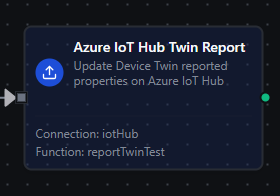
Azure IoT Hub Twin Report Node
Azure IoT Hub Twin Report Node
Update Device Twin reported properties in Azure IoT Hub from within a pipeline. Use this node to synchronize the device's current state, capabilities, or metadata with the cloud.
Supported Function Types:
| Function Name | Purpose | Common Use Cases |
|---|---|---|
Twin Report (iothub.twin.report) | Update reported properties in the Device Twin | State synchronization, firmware version reporting, configuration acknowledgment |
Node Configuration
| Parameter | Type | Required | Description |
|---|---|---|---|
| Connection | Selection | Yes | Azure IoT Hub connection profile to use |
| Function | Selection | Yes | Twin Report function from the selected connection |
| Function Parameters | Dynamic | Varies | Auto-populated from the function schema. See your Azure IoT Hub connection functions for full parameter details. |
| Timeout Override | Number (seconds) | No | Override the default function timeout |
Function parameters for Twin Report:
| Parameter | Type | Required | Default | Description |
|---|---|---|---|---|
properties | String (JSON) | Yes | - | JSON object of properties to report. Uses merge-patch semantics — only the provided keys are updated. Example: {"firmwareVersion": "2.1.0", "status": "running"} |
timeoutMs | Number | No | 10000 | Maximum time in milliseconds to wait for IoT Hub confirmation (1000-60000) |
All function parameters support expression syntax ({{ expression }}) for dynamic values from the pipeline context.
Input
The node receives the output of the previous node as input. If the properties parameter is not explicitly set in the function configuration, the node passes the pipeline input directly as the reported properties. Use expressions like {{ $input.payload }} to pass dynamic data.
Output Structure
On success the node produces:
{
  "success": true,
  "functionId": "bcd123ef-4567-89ab-cdef-000000000001",
  "data": {
    "statusCode": 204,
    "bytesWritten": 89
  },
  "durationMs": 120,
  "timestamp": "2026-04-03T10:30:45Z"
}
| Field | Type | Description |
|---|---|---|
success | boolean | true when the twin update was accepted by Azure IoT Hub |
functionId | string | ID of the executed function |
data | object | Twin update result details (see below) |
durationMs | number | Execution time in milliseconds |
timestamp | string | ISO 8601 / RFC 3339 UTC timestamp |
data fields:
| Field | Type | Description |
|---|---|---|
statusCode | number | HTTP-style status code from Azure IoT Hub. 204 indicates success (No Content). |
bytesWritten | number | Size of the reported properties payload in bytes |
Merge-Patch Semantics
Twin Report uses merge-patch semantics. Only the properties you provide are updated — existing reported properties that are not included in the payload remain unchanged. To remove a reported property, set its value to null:
{
  "oldProperty": null,
  "newProperty": "value"
}
Payload Size Limit
Azure IoT Hub enforces a maximum reported properties size of 32 KB. Payloads exceeding this limit will fail with a validation error.
Correlation and Timeout
The Twin Report operation uses a request-response correlation pattern over MQTT. A unique request ID is generated for each update, and the node waits for a correlated response from Azure IoT Hub. If no response is received within the configured timeout (default 10 seconds), the operation fails.
Settings Tab
All Azure IoT Hub node types share the same Settings tab:
| Setting | Type | Default | Description |
|---|---|---|---|
| Description | Text | - | Optional description displayed on the node |
| Timeout (seconds) | Number | Pipeline default | Maximum time the node may run before timing out |
| Retry on Timeout | Toggle | Pipeline default | Automatically retry the node if it times out |
| Retry on Fail | Toggle | Pipeline default | Automatically retry the node if it fails |
| On Error | Selection | Pipeline default | Error strategy: stop the pipeline, continue to the next node, or follow the error output path |
When left at their defaults, these settings inherit from the pipeline-level execution configuration.
Usage Examples
Forward OPC UA Readings to Azure IoT Hub
Scenario: Publish PLC temperature and pressure readings to Azure IoT Hub for cloud analytics.
Pipeline:
- OPC UA Trigger — monitors temperature and pressure nodes
- Set Node — formats the data as
{"temperature": $trigger.payload.value, "timestamp": $trigger._metadata.sourceTimestamp} - Azure IoT Hub D2C Send — publishes formatted telemetry with routing property
messageType: telemetry
Node Configuration:
- Connection: Factory IoT Hub
- Function: D2C Send with data expression
{{ $input }} - Routing Properties:
messageType: telemetry,source: plc-01
Acknowledge Configuration Changes
Scenario: When a Twin Desired trigger updates the device set-point, apply the change and confirm via reported properties.
Pipeline:
- Azure IoT Hub Twin Desired Trigger — detects desired property changes
- PLC Write Node — applies the new set-point to equipment
- Azure IoT Hub Twin Report — confirms the applied configuration
Node Configuration:
- Connection: Production IoT Hub
- Function: Twin Report with properties expression
{{ {"targetTemperature": $trigger.payload.targetTemperature, "lastConfigUpdate": NOW()} }}
Periodic Device Health Reporting
Scenario: Report device health metrics to Azure IoT Hub on a schedule.
Pipeline:
- Schedule Trigger — runs every 5 minutes
- JavaScript Node — collects CPU, memory, and disk metrics
- Azure IoT Hub Twin Report — reports
{"health": {"cpu": ..., "memory": ..., "disk": ...}, "lastHealthCheck": ...}
Node Configuration:
- Connection: Device Management Hub
- Function: Twin Report with properties expression
{{ $input }} - Timeout Override: 15 seconds