Upgrading with a store-and-forward backlog
A destination is down, buffers hold what it missed, and you want to upgrade now. You can: the backlog comes through the upgrade. This guide adds the checks around the upgrade steps.
- Audience
- Platform administrators
- Installs
- Docker · single binary or service · Kubernetes
- Upgrade steps
- Upgrading from 3.0 to 3.1
- Tested
- 3.0.0 to 3.1 with 7,598 messages held
Before you start
The upgrade itself is in the guide Upgrading from 3.0 to 3.1, listed under Upgrades: get 3.1, check, stop, back up, upgrade apply once, start. This guide does not repeat those steps. It tells you what to check around them when buffers hold messages for a destination that is down.
Three things to know first:
- Buffered messages stay on disk while MaestroHub is stopped. On a single node they are on MaestroHub's data volume; on Enterprise, on the NATS servers, which the upgrade does not stop.
- While MaestroHub is stopped, it reads nothing. Values your devices produce during the stop are not read and not buffered. Keep the stop short; you choose when it happens.
- Nothing converts your data at start. If you start 3.1 without
upgrade apply, it refuses to start, changes nothing, and says why. The backlog waits.
1. Look at the backlog before you stop
Open Orchestrate › Store & Forward in every workspace that has buffers.
- On the Buffers tab, note each buffer's Waiting count. A buffer waiting for a down destination reads Waiting: destination unreachable.
- On System Management › Store & Forward capacity, read the line under the volume:
- Safe to restart or upgrade: go on.
- Restarting will not free disk space: the volume is at its floor. Free space first.
upgrade applybacks up the file stores it changes and checks for room before it starts; with a nearly full data volume, point its backups at another volume with--backup-dir.
- Optionally, export the open outage's report (Outage reports, then Export) so you have its numbers from before the upgrade.
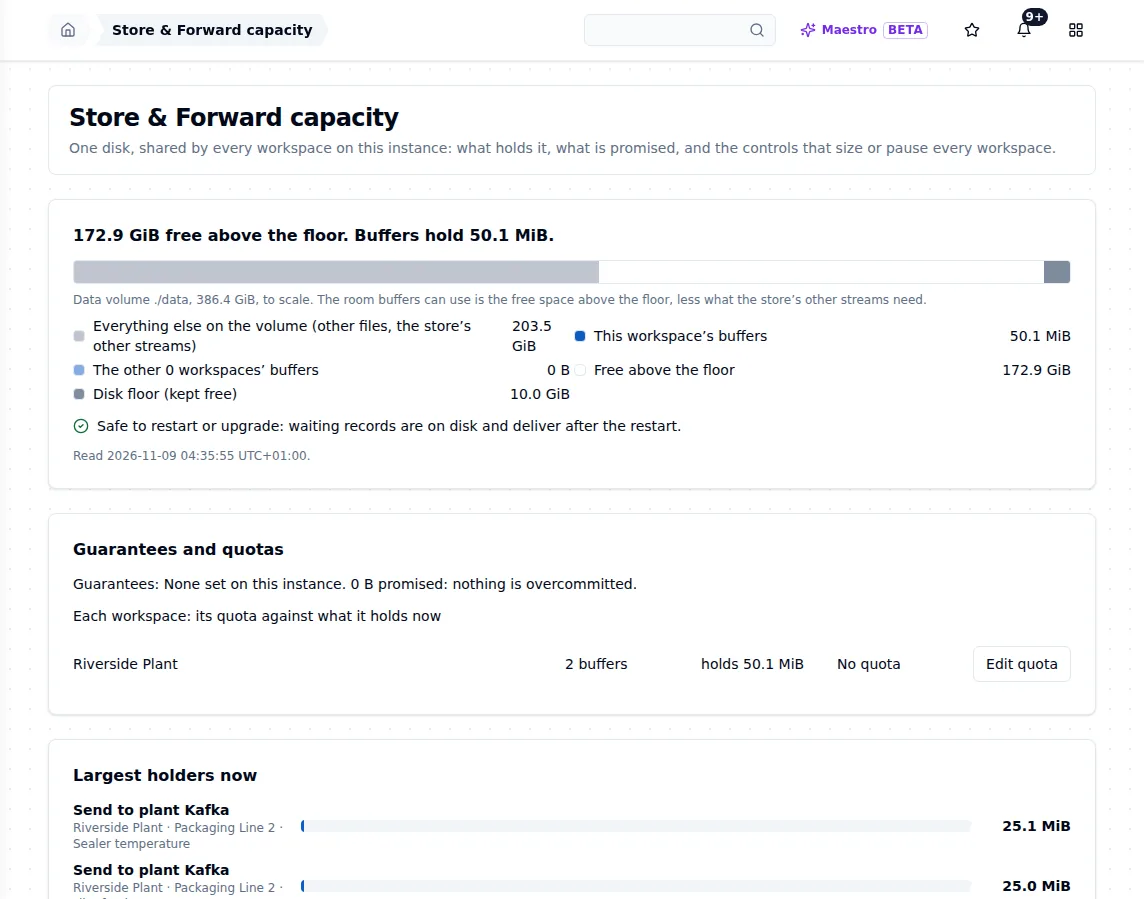
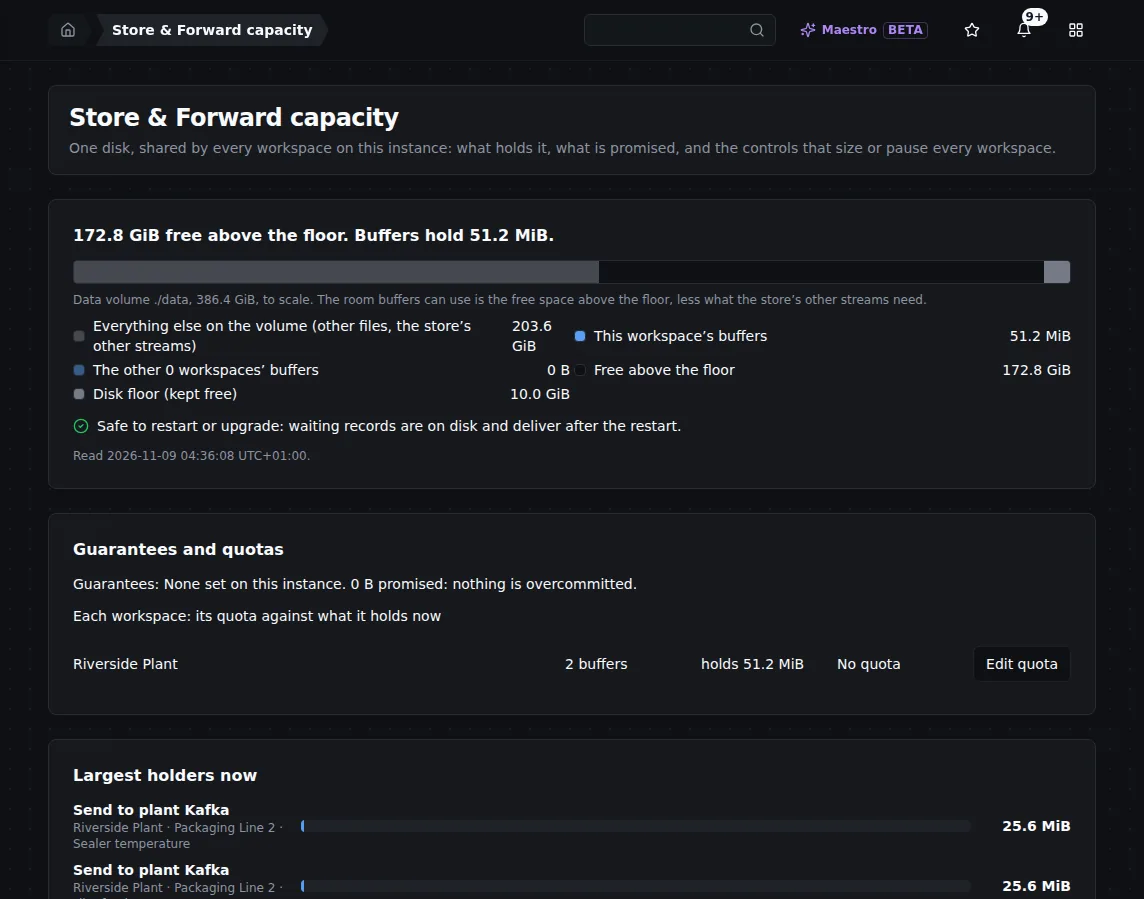
Store & Forward capacity during an outage: what the buffers hold, and whether it is safe to restart or upgrade.
2. Check
Run upgrade check with the new version, as in Step 2 of Upgrading from 3.0 to 3.1. It changes nothing and is safe while the old version runs and holds the backlog.
For a backlog, read the store-and-forward part of its report: it lists every buffer whose retention moves from 3.0's stored 24-hour default to keep until delivered. After the upgrade, those buffers keep their messages however long the outage lasts. A retention other than the old default is kept as it is.
3. Stop, back up and apply
- Docker
- Single binary or service
- Kubernetes
- Stop the container, as in Step 3 of Upgrading from 3.0 to 3.1. Give it the time it needs to stop cleanly. If it is killed instead, the buffers survive that too: a write reported buffered survives a
kill -9. - Take your PostgreSQL snapshot if you keep stores there, then run
upgrade apply, as in Step 4 of Upgrading from 3.0 to 3.1. With stores in PostgreSQL, add--db-snapshot-taken <name>. - It ends with Upgraded and verified.
- Stop MaestroHub: Ctrl+C in its window,
sudo systemctl stop maestrohub, orStop-Service maestrohub. - Back up and run
./context-platform upgrade applyfrom the 3.1 folder, as in Step 4 of Upgrading from 3.0 to 3.1. Both versions use the same data folder, so the buffers come with it.
- Single-node chart. The upgrade gate Job refuses the release on 3.0 data, so the running pod keeps serving and keeps its buffers. Snapshot the databases, scale the app to 0, run
upgrade applyonce in a pod with the app's image, config and data volume, then upgrade again, as its Helm section in Upgrading from 3.0 to 3.1 describes. The buffers are on the app's data volume and wait there. - Enterprise chart. Run
helm upgrade; the<release>-upgradeJob runsupgrade checkand stops with nothing deployed. Take the database snapshot, then run the same upgrade with--set upgrade.snapshotTaken=<snapshot name>. The Job stops every MaestroHub service of the release, runsupgrade apply, and Helm starts the 3.1 services, as its Helm section in Upgrading from 3.0 to 3.1 describes. The NATS servers are not among the services it stops, so the buffers stay where they are.
4. Start
Start 3.1, as in Step 5 of Upgrading from 3.0 to 3.1. The container shows healthy, or the pods ready, once 3.1 is ready. If it shows unhealthy with MaestroHub did not start, upgrade apply has not run on this data: see If you skip the step in the same guide.
5. Confirm the backlog came through
- Buffers tab. The same buffers are there, each Waiting at least the count you noted in step 1 (the triggers resume and new values join the backlog). They read Waiting: destination unreachable while the destination is still down.
- When the destination is back, each buffer reads Catching up, then Delivering. Nothing needs doing.
- The outage report. Open it under Outage reports. It leads with the answer, for example Nothing lost, and its ledger must close: held = delivered + sent, not confirmed + in Failed messages + lost + waiting. If MaestroHub stopped uncleanly, the report shows any part it could not count, instead of hiding it.
- At the destination, if you want proof: export the write-key manifest and check that every key arrived. A write that was on its way to the destination at the stop can arrive one extra time, with the same
maestrohub.write-key.
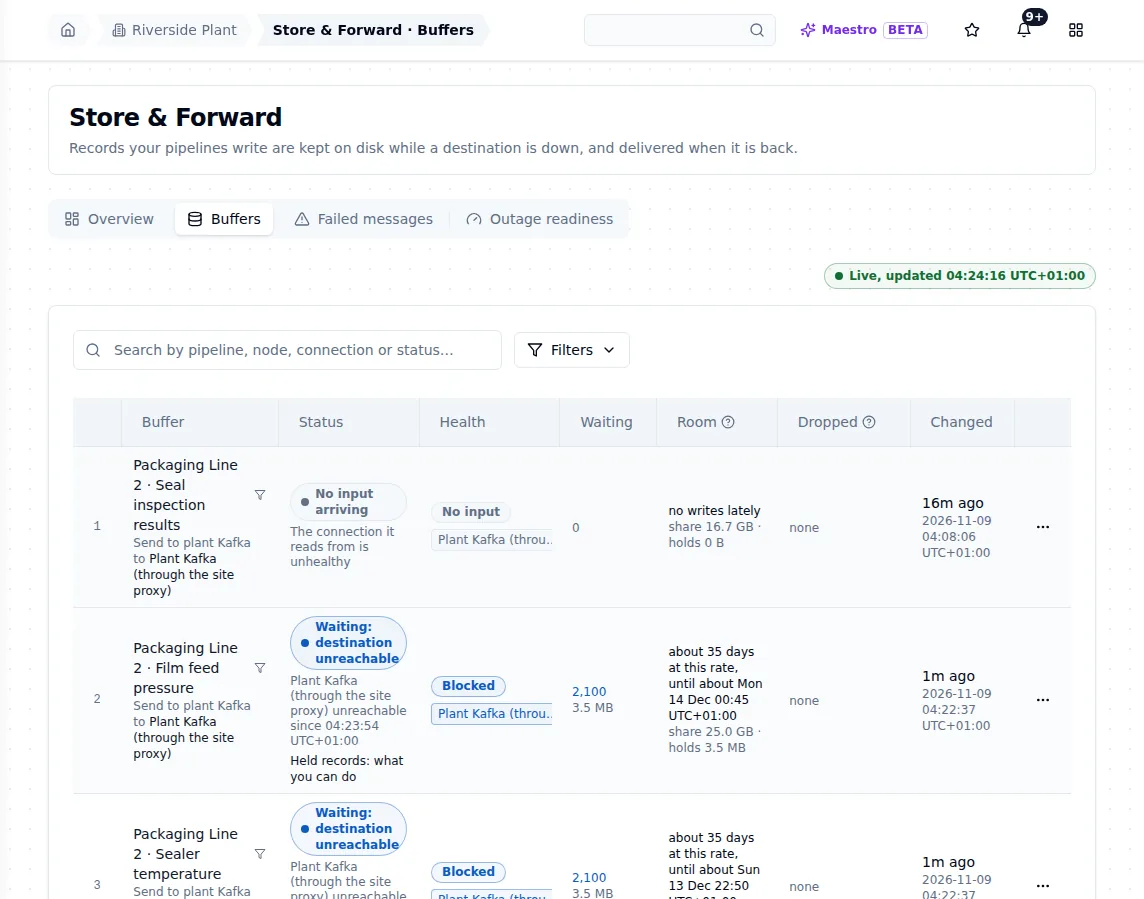
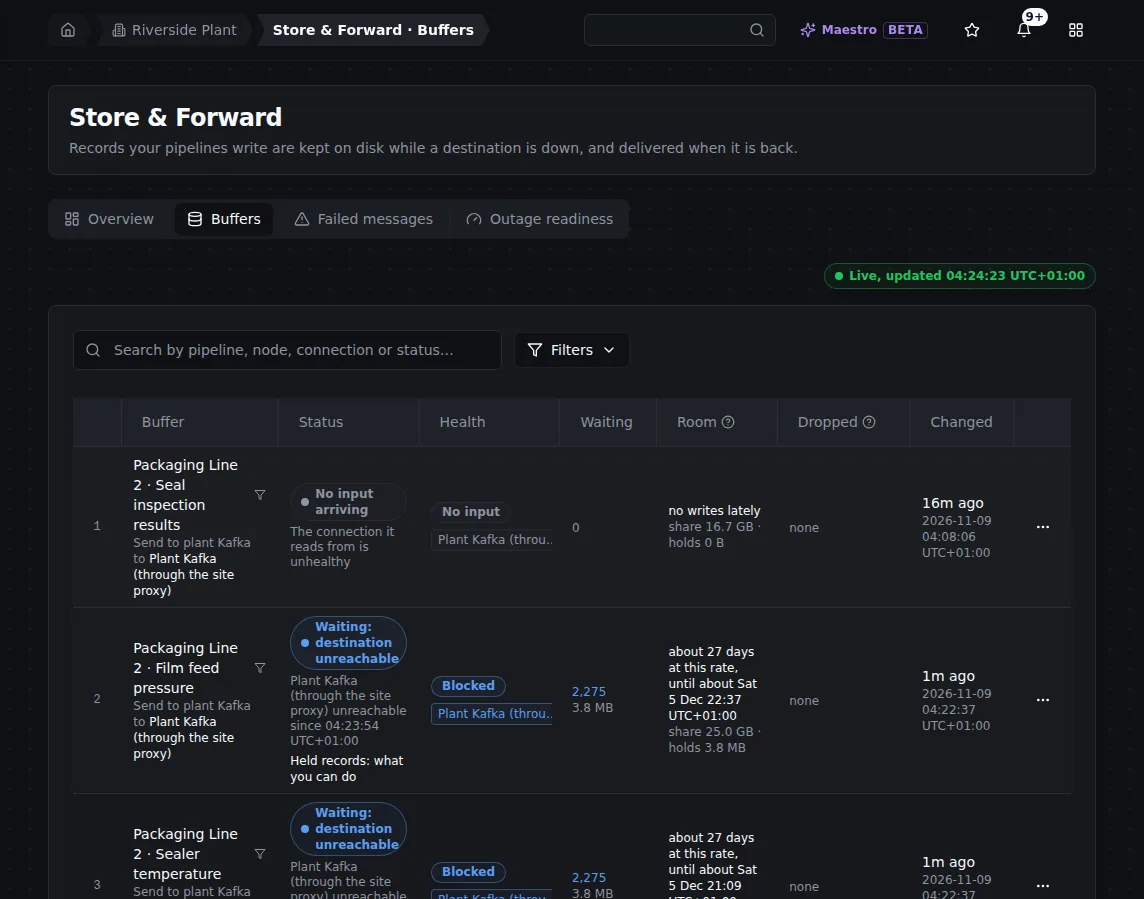
After a restart during an outage: the buffers kept their backlog and kept taking new writes. An upgrade's stop and start look the same.
What the test showed
We upgraded a running 3.0.0 installation to 3.1 in the middle of an outage. The setup was a single-node Docker Compose installation with its stores in PostgreSQL: OPC UA tags published to the UNS by one pipeline and sent to a Kafka cluster through a proxy by a second, with an In order output.
| Step | What happened |
|---|---|
| Cut the proxy from the brokers on 3.0.0 | The buffer held the backlog. |
docker compose stop | Stopped cleanly. |
Image tag set to 3.1, up -d | 3.1 refused to start: your data needs to be migrated first. Nothing was changed. |
upgrade check, then upgrade apply --db-snapshot-taken <name> | Upgraded and verified. |
| Start 3.1 | Started with 7,598 messages held, Waiting: destination unreachable. |
| Restore the link | The backlog drained. |
The upgrade lost nothing and duplicated nothing. Every reading 3.0.0 had buffered reached Kafka after the upgrade, with no copy. Kafka missed two kinds of reading, and neither was the upgrade's: the start of the cut, which 3.0.0 itself failed to buffer (3.1 fixes this), and the time MaestroHub was stopped, which were never read from the OPC UA server and are absent from the historian too.
Two limits of the test, said plainly: it ran on Docker Compose, not on the single binary or Kubernetes; and the Enterprise upgrade Job was tested converting a real 3.0.0 installation on Kubernetes, without a backlog held through it.
Related
- Upgrades: the upgrade guides, including Upgrading from 3.0 to 3.1 with the steps for every installation
- Upgrade problems: going back, and
upgrade restore - Store & Forward: retention, kept until delivered
- How MaestroHub behaves when things fail