Microsoft Fabric (OneLake) Nodes
Microsoft Fabric OneLake nodes let pipelines read and write files in a Fabric lakehouse over the ADLS Gen2 endpoint. Use them to land OT payloads and Parquet inputs, list and create directories, and clean up processed files. All five node types connect through your configured Microsoft Fabric (OneLake) connections.
Configuration Quick Reference
| Field | What you choose | Details |
|---|---|---|
| Parameters | Connection, Function, Function Parameters, Timeout Override | Select the connection profile, function, configure function parameters with expression support, and optionally override timeout. |
| Settings | Description, Timeout (seconds), Retry on Timeout, Retry on Fail, On Error | Node description, maximum execution time, retry behavior on timeout or failure, and error handling strategy. All execution settings default to pipeline-level values. |
Path Operations
OneLake Write File Node
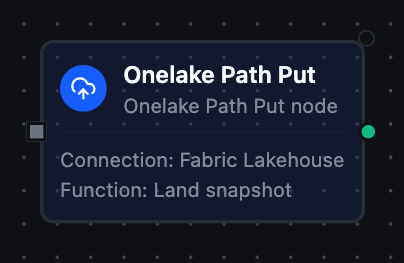
OneLake Write File Node
Upload data to a file under the configured workspace and lakehouse, creating it or overwriting an existing file.
Supported Function Types:
| Function Name | Purpose | Common Use Cases |
|---|---|---|
| Write File | Upload data to a lakehouse file path | Landing OT snapshots, writing Parquet for Direct Lake, archiving pipeline output |
Node Configuration
| Parameter | Type | Required | Description |
|---|---|---|---|
| Connection | Selection | Yes | Microsoft Fabric (OneLake) connection profile to use |
| Function | Selection | Yes | Write function from the selected connection |
| Function Parameters | Dynamic | Varies | Auto-populated from the function schema (e.g. path, data). See your OneLake connection functions for full parameter details. |
| Timeout Override | Number (seconds) | No | Override the default function timeout |
All function parameters support expression syntax ({{ expression }}) for dynamic values from the pipeline context.
Output Structure
{
  "success": true,
  "functionId": "<function-id>",
  "data": {
    "path": "Files/snapshots/2026-06-03.json",
    "bytesWritten": 2048,
    "contentType": "application/json"
  }
}
| Field | Type | Description |
|---|---|---|
path | string | Resolved lakehouse path the file was written to |
bytesWritten | number | Number of bytes written |
contentType | string | MIME content type applied (auto-detected when not supplied) |
The Write File node is a durable sink with keyed idempotency — the path is the idempotency handle, so retries converge to the same end state.
OneLake Read File Node
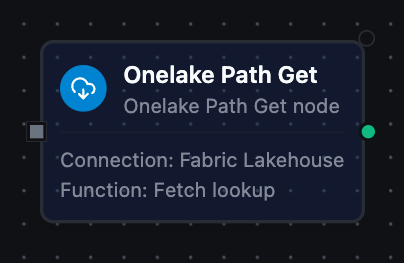
OneLake Read File Node
Download the full content of a file from the lakehouse and return it as node output.
Supported Function Types:
| Function Name | Purpose | Common Use Cases |
|---|---|---|
| Read File | Download a lakehouse file's content | Reading reference files, configuration blobs, archived payloads |
Node Configuration
| Parameter | Type | Required | Description |
|---|---|---|---|
| Connection | Selection | Yes | Microsoft Fabric (OneLake) connection profile to use |
| Function | Selection | Yes | Read function from the selected connection |
| Function Parameters | Dynamic | Varies | Auto-populated from the function schema (e.g. path). See your OneLake connection functions for full parameter details. |
| Timeout Override | Number (seconds) | No | Override the default function timeout |
Output Structure
{
  "success": true,
  "functionId": "<function-id>",
  "data": {
    "data": "id,value\n1,42\n",
    "metadata": {
      "path": "Files/reference/lookup.csv",
      "fileName": "lookup.csv",
      "sizeBytes": 15,
      "encoding": "text"
    }
  }
}
| Field | Type | Description |
|---|---|---|
data | string | File content — text, or base64 for binary content types |
metadata.path | string | Resolved lakehouse path read |
metadata.fileName | string | File name extracted from the path |
metadata.sizeBytes | number | File size in bytes |
metadata.encoding | string | text or base64 — how data is encoded |
OneLake List Paths Node
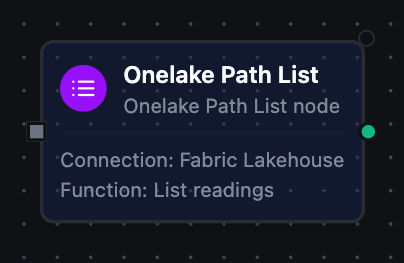
OneLake List Paths Node
Enumerate paths under a directory, optionally recursively, with pagination.
Supported Function Types:
| Function Name | Purpose | Common Use Cases |
|---|---|---|
| List Paths | Enumerate files and directories under a path | Discovering files, building inventories, driving fan-out |
Node Configuration
| Parameter | Type | Required | Description |
|---|---|---|---|
| Connection | Selection | Yes | Microsoft Fabric (OneLake) connection profile to use |
| Function | Selection | Yes | List function from the selected connection |
| Function Parameters | Dynamic | Varies | Auto-populated from the function schema (e.g. path, recursive, maxResults). See your OneLake connection functions for full parameter details. |
| Timeout Override | Number (seconds) | No | Override the default function timeout |
Output Structure
{
  "success": true,
  "functionId": "<function-id>",
  "data": {
    "path": "Tables/sensor_readings",
    "paths": [
      {
        "name": "Tables/sensor_readings/data.parquet",
        "isDirectory": false,
        "contentLength": 20480,
        "lastModified": "Tue, 03 Jun 2026 08:00:00 GMT",
        "etag": "0x8D..."
      }
    ],
    "count": 1,
    "continuationToken": "..."
  }
}
| Field | Type | Description |
|---|---|---|
path | string | Directory that was listed |
paths | array | Path entries (see below) |
count | number | Number of entries returned |
continuationToken | string | Present only when more pages remain |
Path Entry Fields:
| Field | Type | Description |
|---|---|---|
name | string | Full path of the entry |
isDirectory | boolean | true if the entry is a directory |
contentLength | number | Size in bytes (files) |
lastModified | string | Last modification timestamp |
etag | string | Entry ETag |
OneLake Create Directory Node
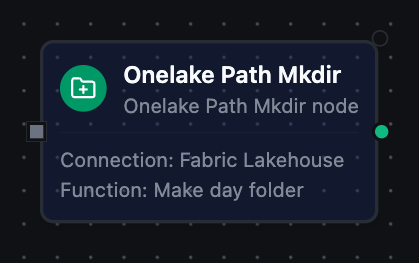
OneLake Create Directory Node
Create a directory in the lakehouse. Idempotent — succeeds if it already exists.
Supported Function Types:
| Function Name | Purpose | Common Use Cases |
|---|---|---|
| Create Directory | Create a lakehouse directory | Laying out partitioned paths, pre-provisioning folders |
Node Configuration
| Parameter | Type | Required | Description |
|---|---|---|---|
| Connection | Selection | Yes | Microsoft Fabric (OneLake) connection profile to use |
| Function | Selection | Yes | Create Directory function from the selected connection |
| Function Parameters | Dynamic | Varies | Auto-populated from the function schema (e.g. path). See your OneLake connection functions for full parameter details. |
| Timeout Override | Number (seconds) | No | Override the default function timeout |
Output Structure
{
  "success": true,
  "functionId": "<function-id>",
  "data": {
    "path": "Files/daily/2026-06-03",
    "created": true
  }
}
| Field | Type | Description |
|---|---|---|
path | string | Resolved directory path |
created | boolean | true on success (also when the directory already existed) |
OneLake Delete Path Node
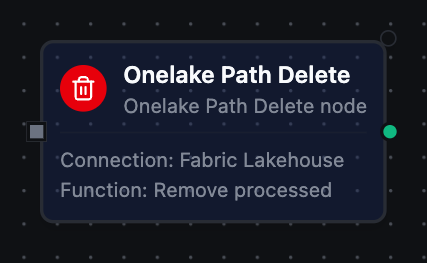
OneLake Delete Path Node
Permanently remove a file or directory from the lakehouse, optionally recursively.
Supported Function Types:
| Function Name | Purpose | Common Use Cases |
|---|---|---|
| Delete Path | Delete a file or directory | Retention cleanup, undo-on-failure, removing processed inputs |
Node Configuration
| Parameter | Type | Required | Description |
|---|---|---|---|
| Connection | Selection | Yes | Microsoft Fabric (OneLake) connection profile to use |
| Function | Selection | Yes | Delete function from the selected connection |
| Function Parameters | Dynamic | Varies | Auto-populated from the function schema (e.g. path, recursive). See your OneLake connection functions for full parameter details. |
| Timeout Override | Number (seconds) | No | Override the default function timeout |
Output Structure
{
  "success": true,
  "functionId": "<function-id>",
  "data": {
    "path": "Files/staging/processed.json",
    "kind": "file",
    "deleted": true
  }
}
| Field | Type | Description |
|---|---|---|
path | string | Resolved path that was deleted |
kind | string | file or directory |
deleted | boolean | true if the path was deleted |
Deletion is permanent and cannot be undone. Enable Recursive only when you intend to remove a directory and all of its contents; use a Condition node to verify before deleting.
Settings Tab
All Microsoft Fabric (OneLake) node types share the same Settings tab:
| Setting | Type | Default | Description |
|---|---|---|---|
| Description | Text | — | Optional description displayed on the node |
| Timeout (seconds) | Number | Pipeline default | Maximum time the node may run before timing out |
| Retry on Timeout | Toggle | Pipeline default | Automatically retry the node if it times out |
| Retry on Fail | Toggle | Pipeline default | Automatically retry the node if it fails |
| On Error | Selection | Pipeline default | Error strategy: stop the pipeline, continue to the next node, or follow the error output path |
When left at their defaults, these settings inherit from the pipeline-level execution configuration.